Moving from Experience to Essentials - Guide
Experience vs Essentials
LearningSpace Experience is a user-friendly, efficient software with a minimal feature set.
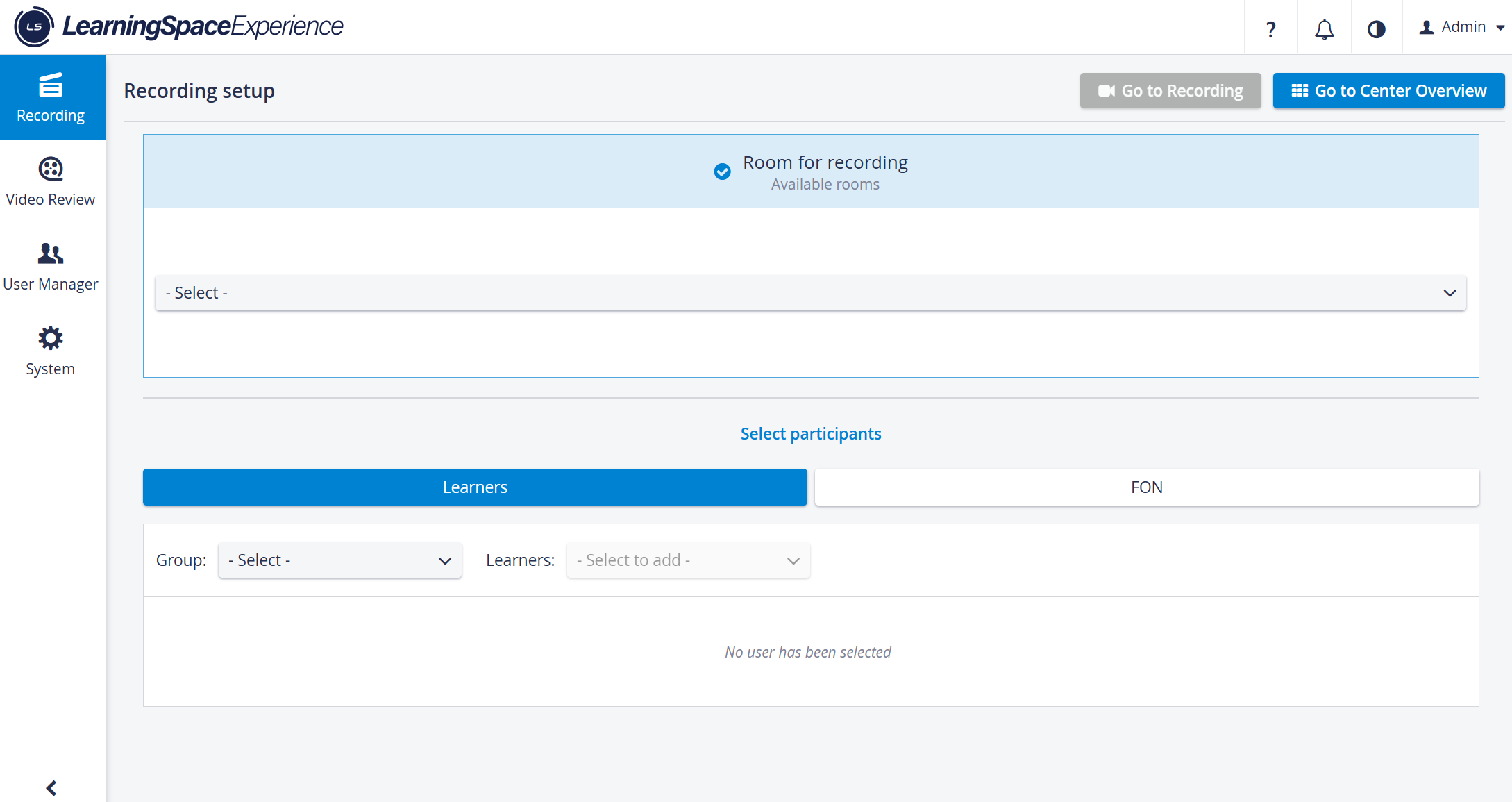
Modules in LS Experience
Recording
Video Review
User manager
System manager
This version of LearningSpace has the following limitations:
No Data entry, no Reporting
No Calendar, no Event Scheduling
No Resource manager, no Case manager
Video Review is only available for Learners and Faculty members who are assigned to the video.
LearningSpace Essentials, on the other hand, has integrated curriculum and assessment tools, in addition to the basic feature set of Experience.
- Real-time assessment with Checklist and Scenario (SCE) authoring tools.
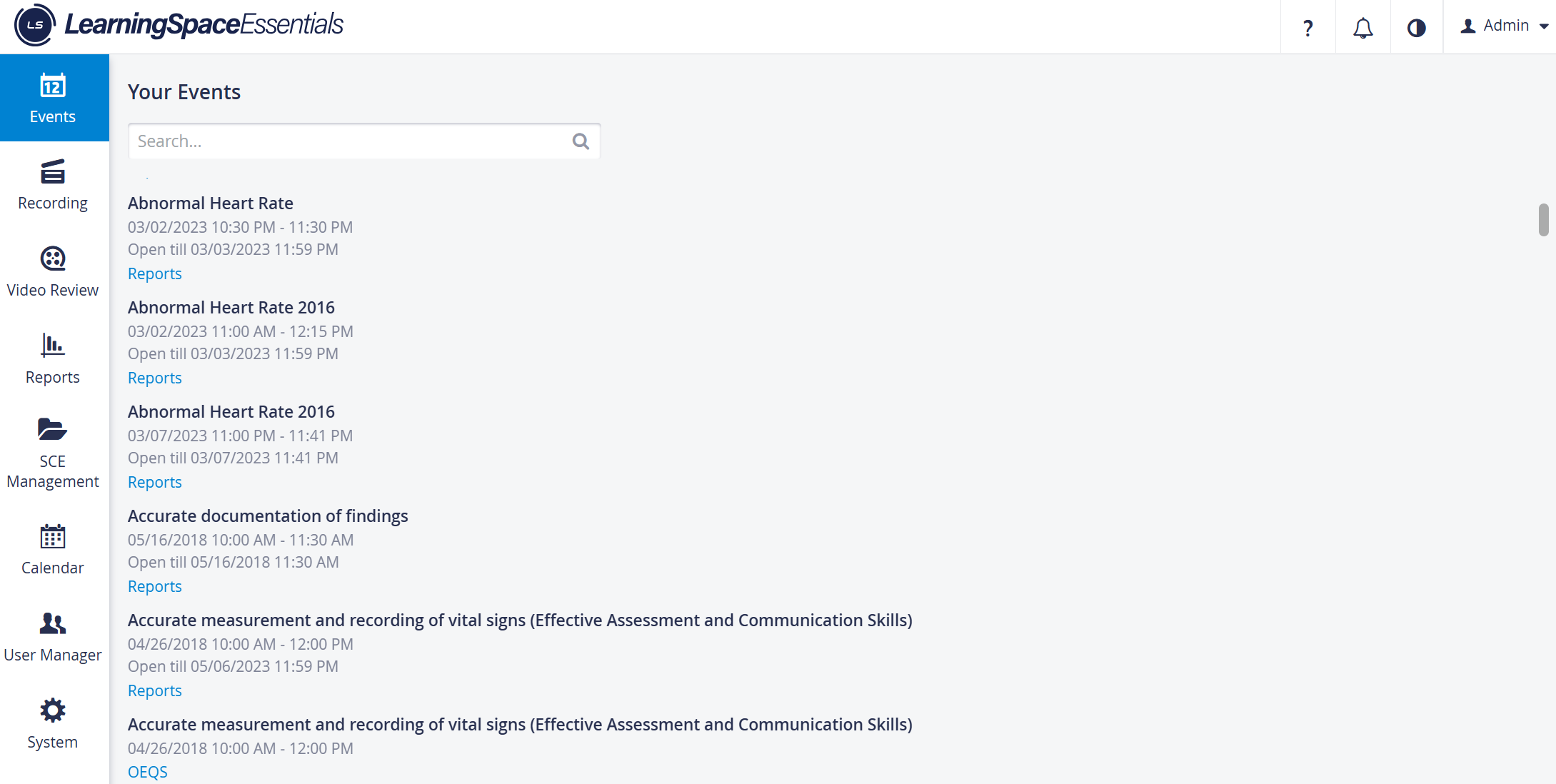
Customizable Reports.
Easy scheduling with Calendar, Send-to-screen multimedia options, and Simulation widget for manikin control.
Versatile Student Assessment types and simulation storyboard for Pre- and Post-activity management.
Faculty members can view videos for events they are assigned to, and Faculty can also do Data entry.
MODULES in LearningSpace Essentials
Recording - Making video and audio recordings in rooms with cameras or microphones (including adding annotations to live videos or filling out the Performance checklist)
Video Review - Reviewing video and audio recordings (including adding annotations or filling out the Performance checklist)
Reports - Accessing reports about learner performance
SCE Management - Creating, modifying, and managing Simulated Clinical Experiences (SCEs)
Calendar - Scheduling events (including SCE and participant assignment)
User Manager - Creating and maintaining LearningSpace user accounts.
System - Managing system settings and security; setting up rooms, cameras, and simulators; or downloading utilities
Participants of Events in Essentials can be Learners, Simulated Patients, or Facilitator & Faculty privilege users.
What is different in Essentials?
Recording Module
User roles with access to the Recording module are Admin, Facilitator, Operations Specialist, and Faculty (limited access to video recordings of events the user has participated in).
Data Entry during Simulation is possible in the Single Room View - SRV.
Annotations are displayed for Admin, Facilitator, Faculty, and Learner users with access to the SRV.
Send to Screen functionality is available during Recording for Elevate Health Simulators (Maestro-based)
Simulator panel (widget) and Simulator control is available for Elevate Health Simulators
Waveform and Sim Log (CTG, waveform, and trendchart/patient monitor) can be displayed in separate windows.
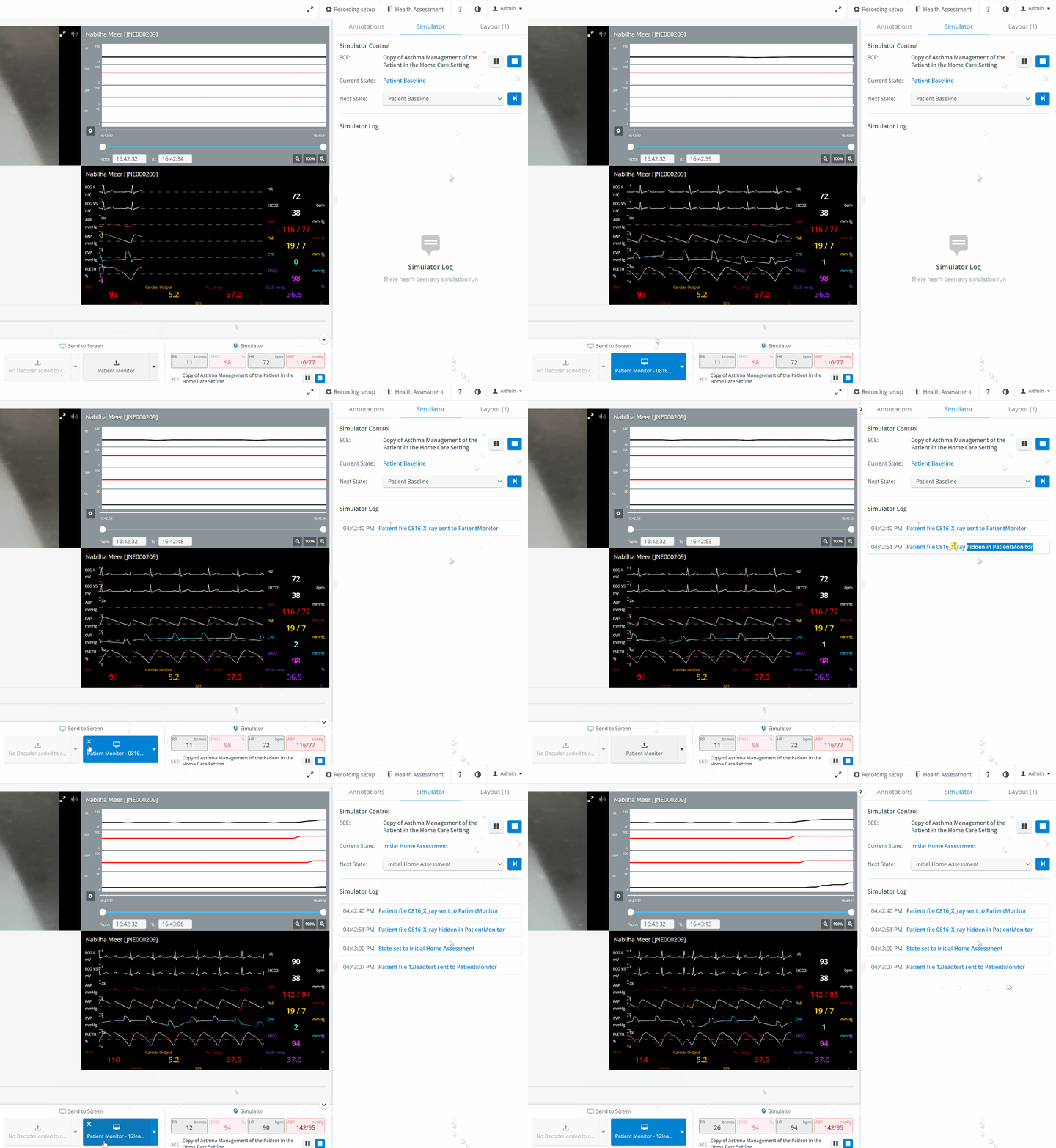
Send to Screen - Patient monitor (with Simulator log)
See details at Recording Module Recording Practical Recording - FAQ
Video Review


Data Entry - is possible during Video Review.
Waveform and Sim Log - can both be displayed in the Video Review.
Recording Setup - contains more details than those in Experience.
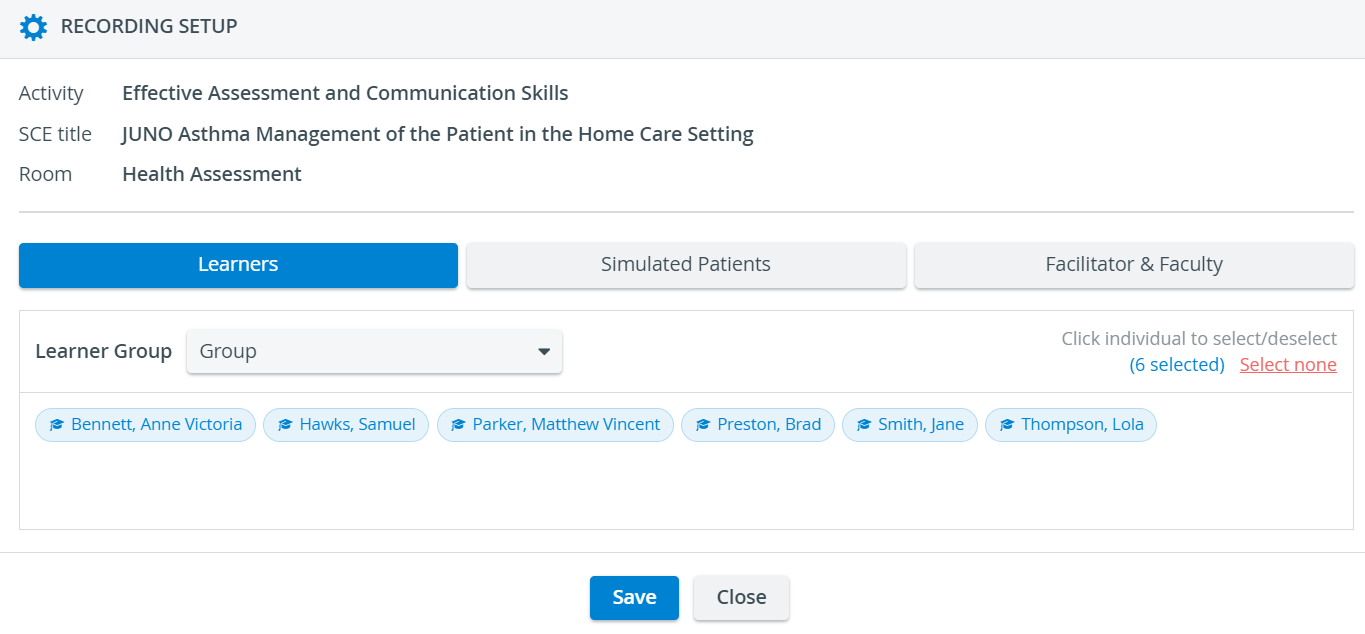
See details at Video Review Video Review - FAQ
Reports Module
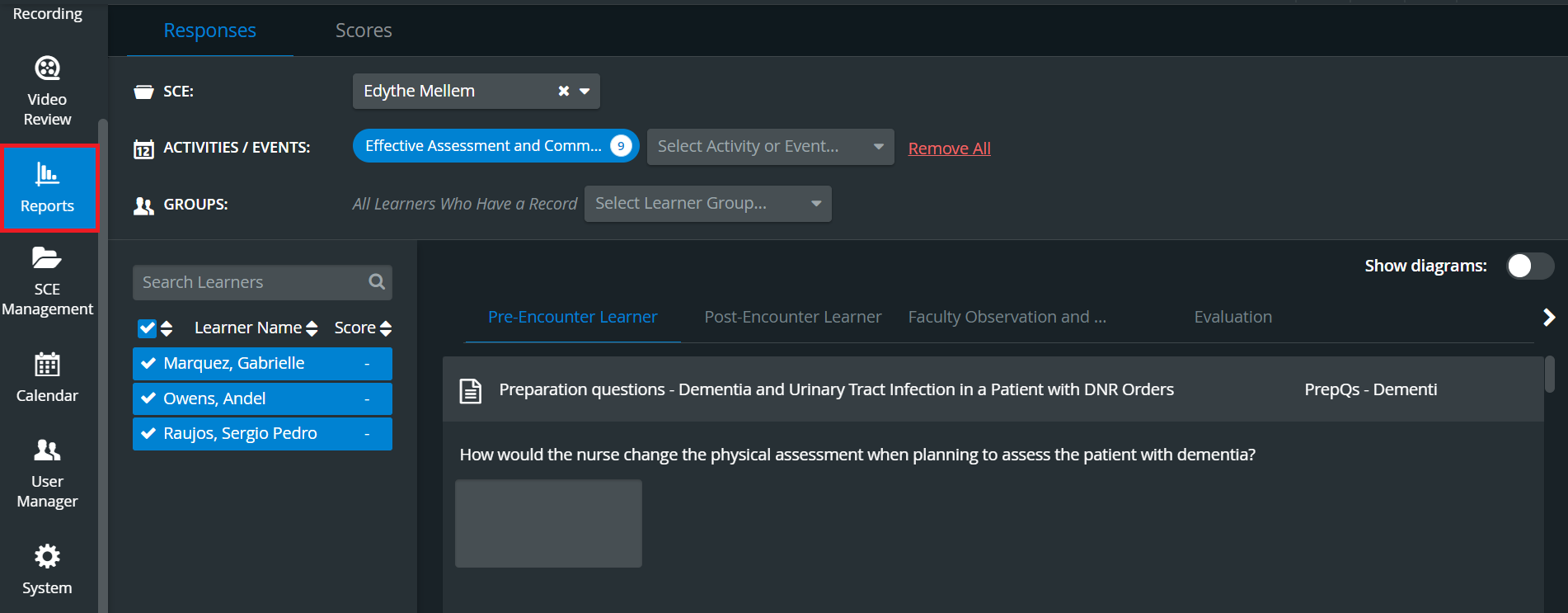
It provides sophisticated filtering possibilities and enables users to access the module to display learner scores and export data.
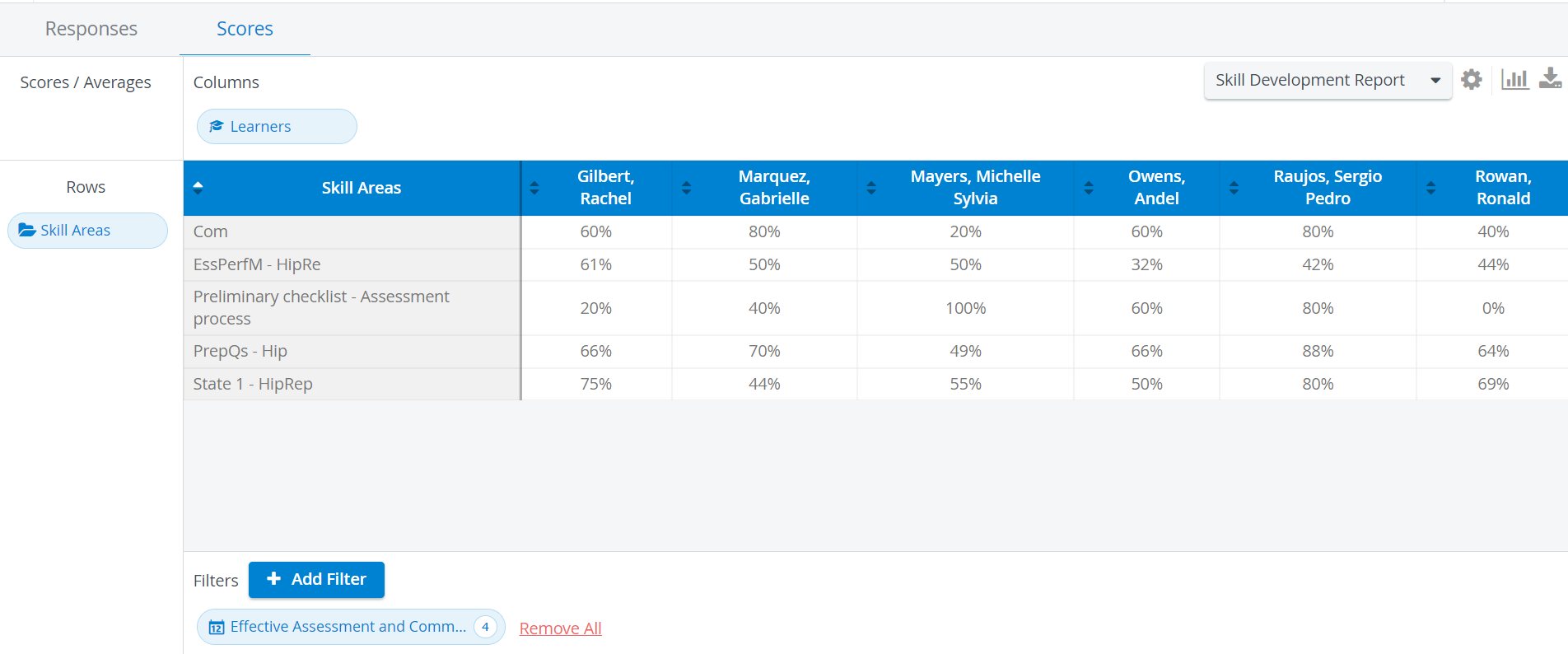
See details at Reports Module Reports - FAQ Open-Ended Question Scoring - OEQS
SCE Management

Calendar Module

See details at Calendar Views Scheduling Events Calendar Practical Calendar - FAQ
User manager
In Essentials’ User Manager, the following User roles are available:
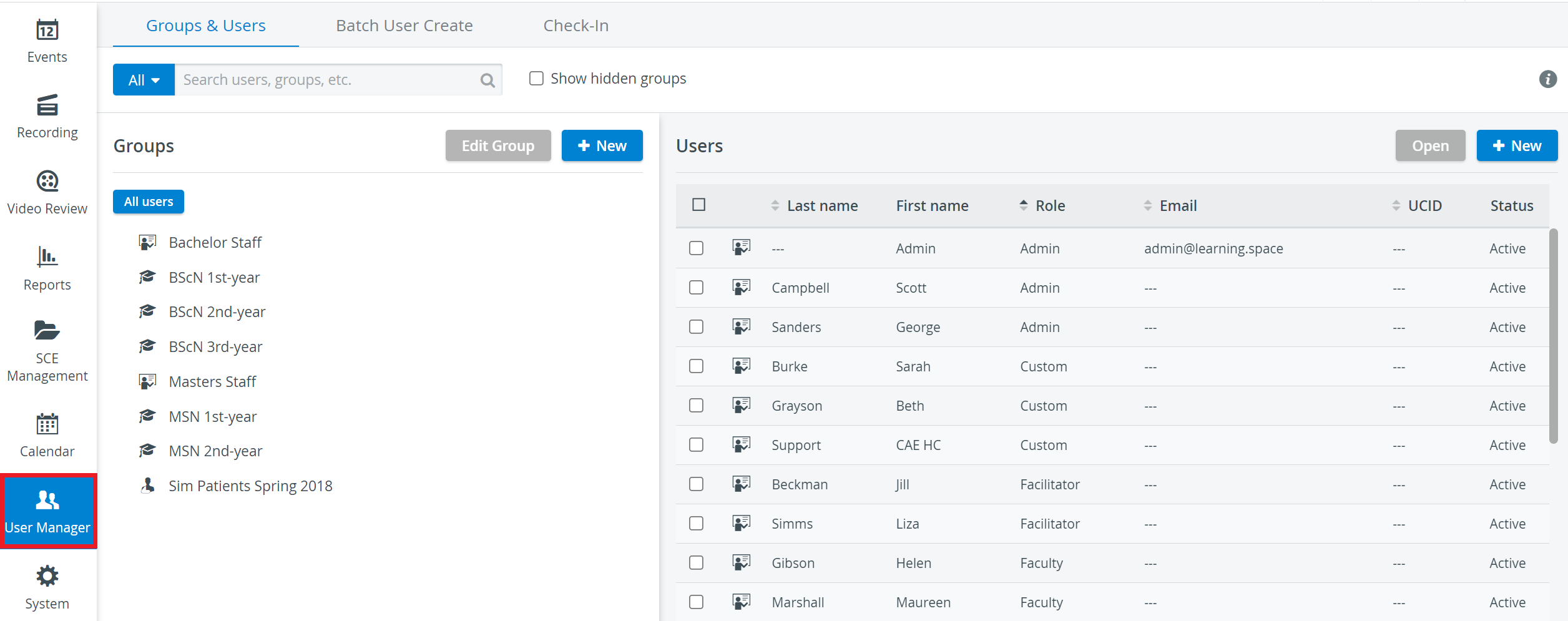
The Codes to be used in the BUC file for specific roles for Batch User Create are also different.
See details at User Manager User Manager - FAQ Managing Users User Profiles
System Module
System Module has generally the same setup in Essentials, with the following additional features available:
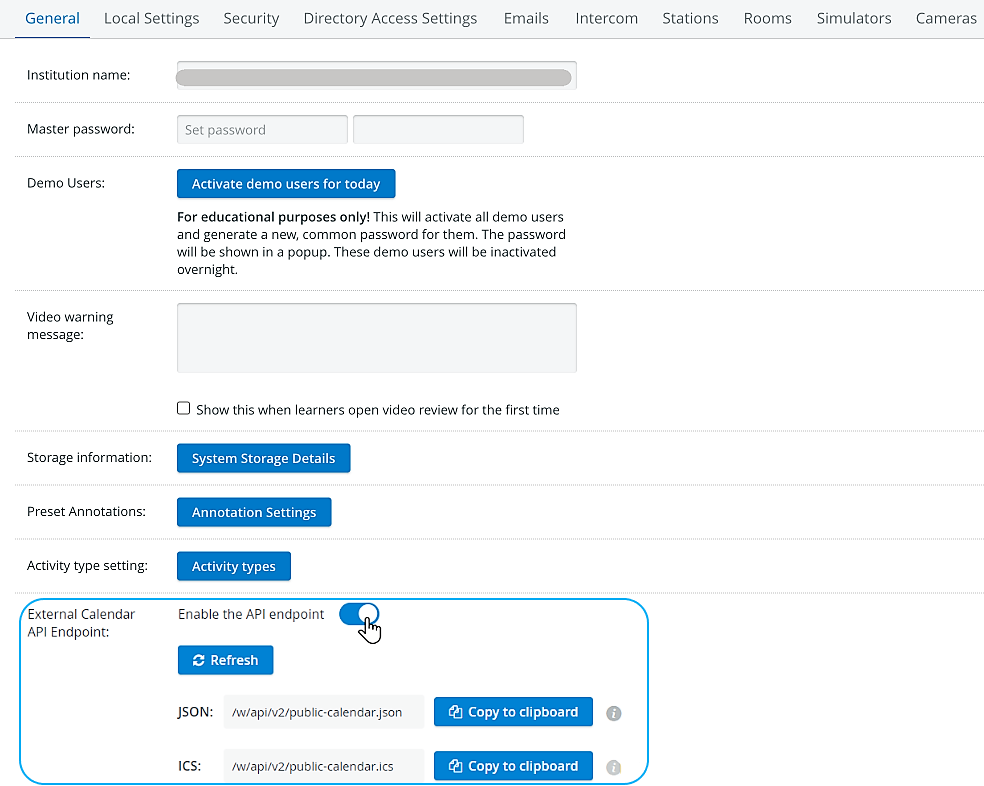
External Calendar API Endpoint: With the help of this feature, users of LearningSpace can process events using their software integration components and work with the event information in any way they desire
(forwarding them to external calendar applications, presenting it as a static webpage, etc.)
See details at System Module General System Information System - FAQ
Data Entry
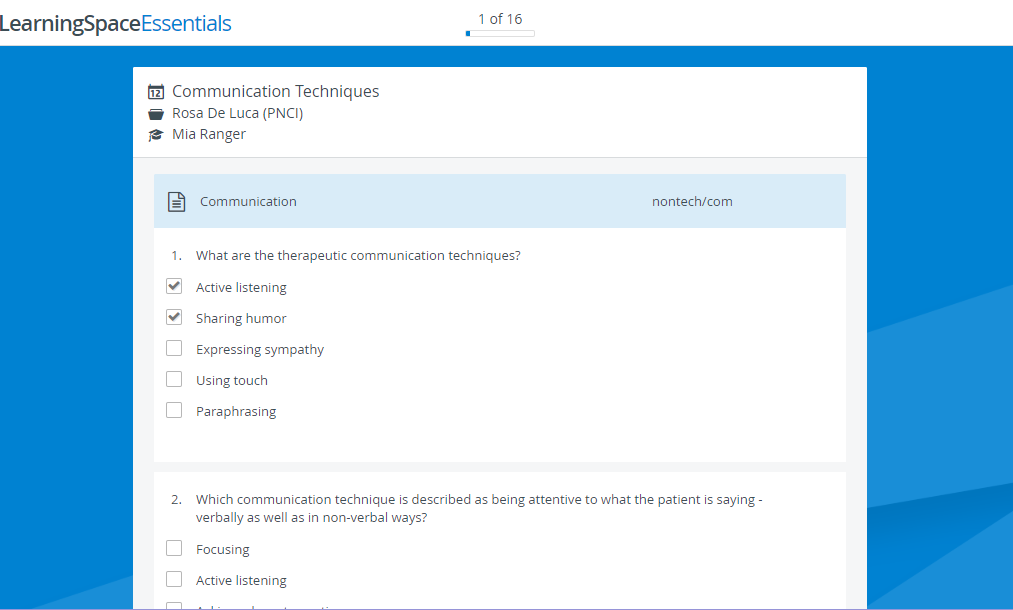
For further information on the different checklists, see the relevant part of SCE Management.
Open-Ended Questions Scoring (OEQS)
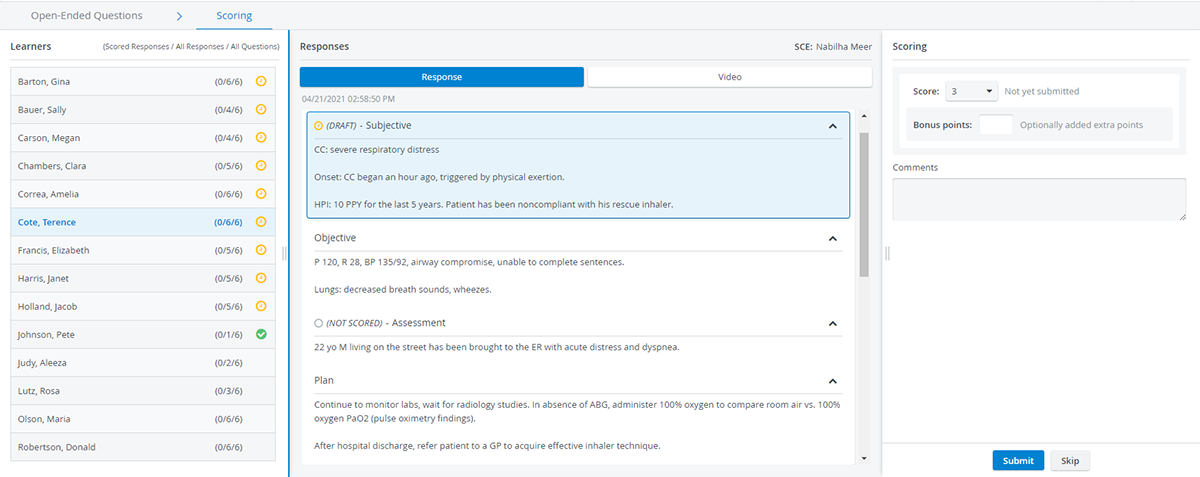
Comparison Table
MODULES | EXPERIENCE | ESSENTIALS |
System manager/System overview | x | x |
User manager | x | x |
Recording | x | x |
Video Review | x | x |
Reports | x | |
SCE Management | x | |
Calendar | x | |
USER ROLES: | ||
Administrator | x | x |
Facilitator | x | x |
Faculty | x | x |
Learner | x | x |
Simulated Patient | x | |
Simulation Designer | x | |
Scheduler | x | |
Operation Specialist | x | |
FUNCTION/FEATURE | ||
Annotations | x | x |
Intercom | x | x |
Camera control system / PTZ / PTZ presets | x | x |
Video and Room Access control for users | x | x |
Video share in Video Review | x | x |
Multi-room view / Center overview | x | x |
Single room view | x | x |
Simulator logs /Trendchart | x | x |
Drag & drop for moving cameras into rooms | x | x |
Send to Screen functionality | x | |
Simulator Widget in SRV | x | |
Events | x | |
Data Entry | x | |
Calendar | x | |
Responses and Preset Reports | x | |
SCE Design and Scheduling | x |