User Journey - Learner
Learner Journey for a Simulation Center
Overview
This learner journey follows Sarah, a healthcare student who engages in a simulation-based learning experience. The LearningSpace system seamlessly supports Sarah’s journey and enhances her simulation experience through automated workflows, real-time video recording, and centralized data management. From planning to feedback, LearningSpace ensures an efficient and immersive learning process.

Before the Simulation
Scheduling and Preparation
• Simulation Schedule and Setup:
Sarah’s instructor schedules the simulation session within LearningSpace.
The platform
> organizes the simulation event,
> assigning roles, SPs (Standardized Patients),
> assigning rooms and necessary resources.
• Pre-Session Communication:
Sarah receives an automated email from LearningSpace with
> available dates for simulation to select, or
> her simulation schedule, and
> scheduled event details.
• Student Registration and Confirmation:
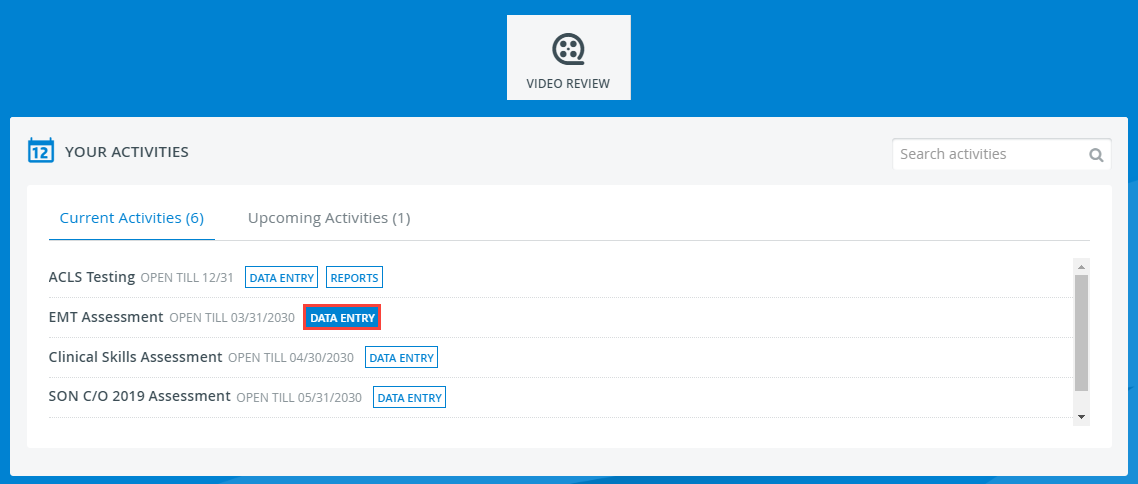
When Sarah logs into LearningSpace, she confirms her participation, and the system generates a personalized dashboard showing her assigned simulation activities and times.
NOTE: In the case of Flexible Events, a waiting screen is displayed for learners at the Hallway stations until the Encounter is manually started by the technician (or until the room is reset, by stopping the Encounter).

During the Simulation
Check-In and Orientation
• Arrival and Orientation:
Sarah arrives at the simulation center and checks in at a kiosk or tablet linked to LearningSpace.
Her presence is logged in real time.
• Simulation Introduction:
Sarah may review an introductory briefing video streamed through LearningSpace, or read a Pre-Encounter Learner checklist outlining expectations and objectives.
Simulation Participation
• Engagement in Simulation:
Sarah performs her assigned tasks in a fully prepared simulation room.

> Scenario Execution: The simulation runs seamlessly with video recording, vital signs monitors, all managed through LearningSpace.
> Data Collection: LearningSpace automatically logs Sarah’s actions, time spent on tasks, and SP feedback.
• Real-Time Monitoring:
Instructors monitor the simulation live via LearningSpace. They annotate key events and assess Sarah’s performance using integrated digital checklists.
After the Simulation
Debriefing and Feedback
• Immediate Access to Recordings:
After completing the scenario, Sarah heads to the debriefing room. She and her peers review the simulation recordings directly within LearningSpace, gaining insights into their performance.
• Learner Assessment:
The Post-Encounter Learner checklists typically include questions that may refer to the Learner-SP encounter (or the simulation exercise with a manikin) and/ or those that elicit theoretical knowledge and comprehension.
• Performance Evaluation:
Instructors provide feedback using the evaluation tools (checklists) within LearningSpace. Sarah receives her scores, comments, and areas for improvement.
• Self-Assessment:
Sarah completes a self-evaluation checklist within LearningSpace to analyze her strengths and weaknesses during the simulation.
• Peer-Assessment:
Sarah can also complete a peer-evaluation checklist within LearningSpace to analyze her fellow students’ strengths and weaknesses during the simulation.
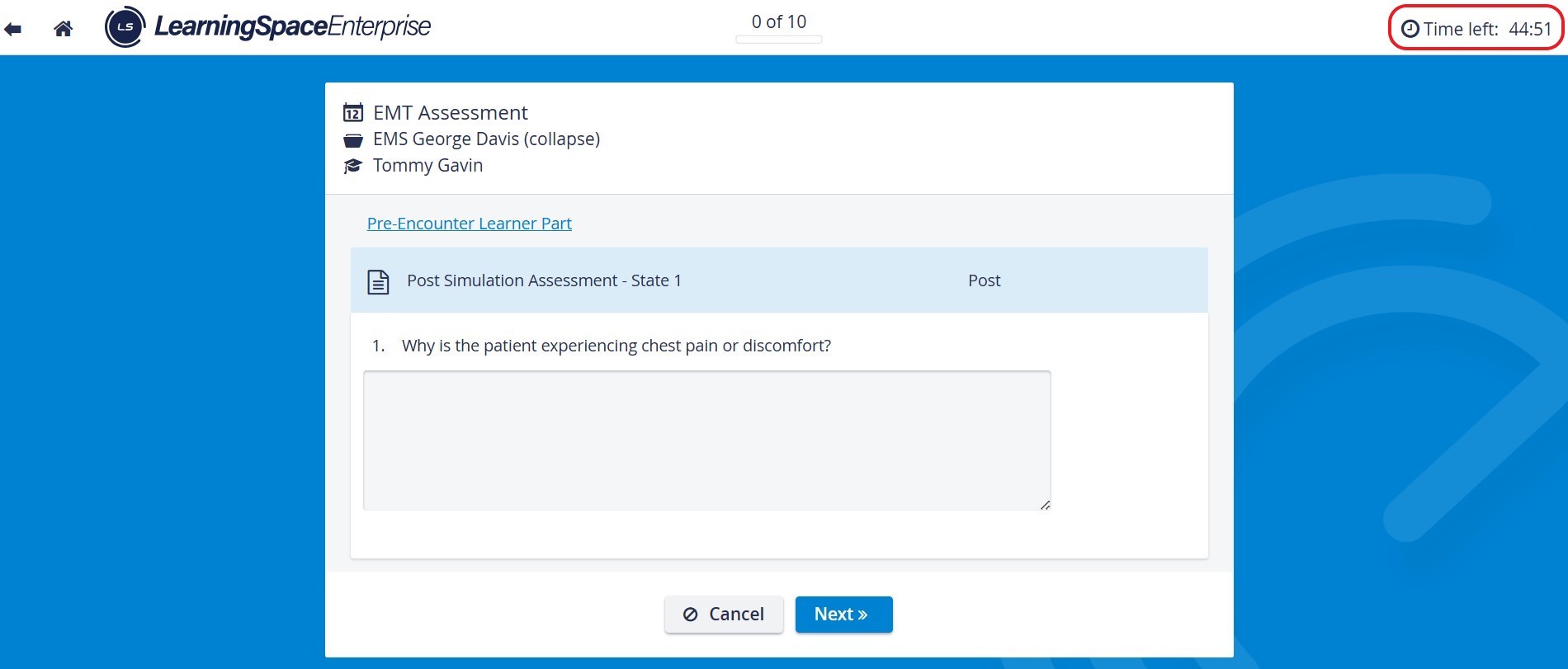
During data entry, learners must pay attention to the time limit set for the checklists (optional). Once the time is up, the system signs the Learner out and saves all the answers entered up to that point.
Post-Simulation Reports
• Performance Reports:
LearningSpace generates a detailed report of Sarah’s simulation performance, including instructor comments, SP evaluations, peer evaluations, and automated metrics.
• Sharing and Review:
Sarah accesses her reports and simulation recordings through the LearningSpace portal. She can revisit these materials for further learning and improvement.

See also: Report Access for Learners.
Continuous Learning
• Progress Tracking:
Sarah’s simulation history is stored in LearningSpace, providing a comprehensive record of her growth over time. She uses this data to track her learning milestones.
• Learning Resources:
Sarah accesses simulation-based resources, including best-practice videos and performance guidelines, integrated within LearningSpace to support continuous improvement.
Summary
This learner journey highlights how LearningSpace seamlessly integrates all aspects of a simulation-based learning experience. From planning and participation to debriefing and performance evaluation,
LearningSpace ensures Sarah’s journey is efficient, focused, and learner-centric. It also enables instructors to provide real-time feedback and track progress effortlessly.

Learn more at the LearningSpace Center Management System and watch our short video tutorial about a basic LearningSpace Workflow.
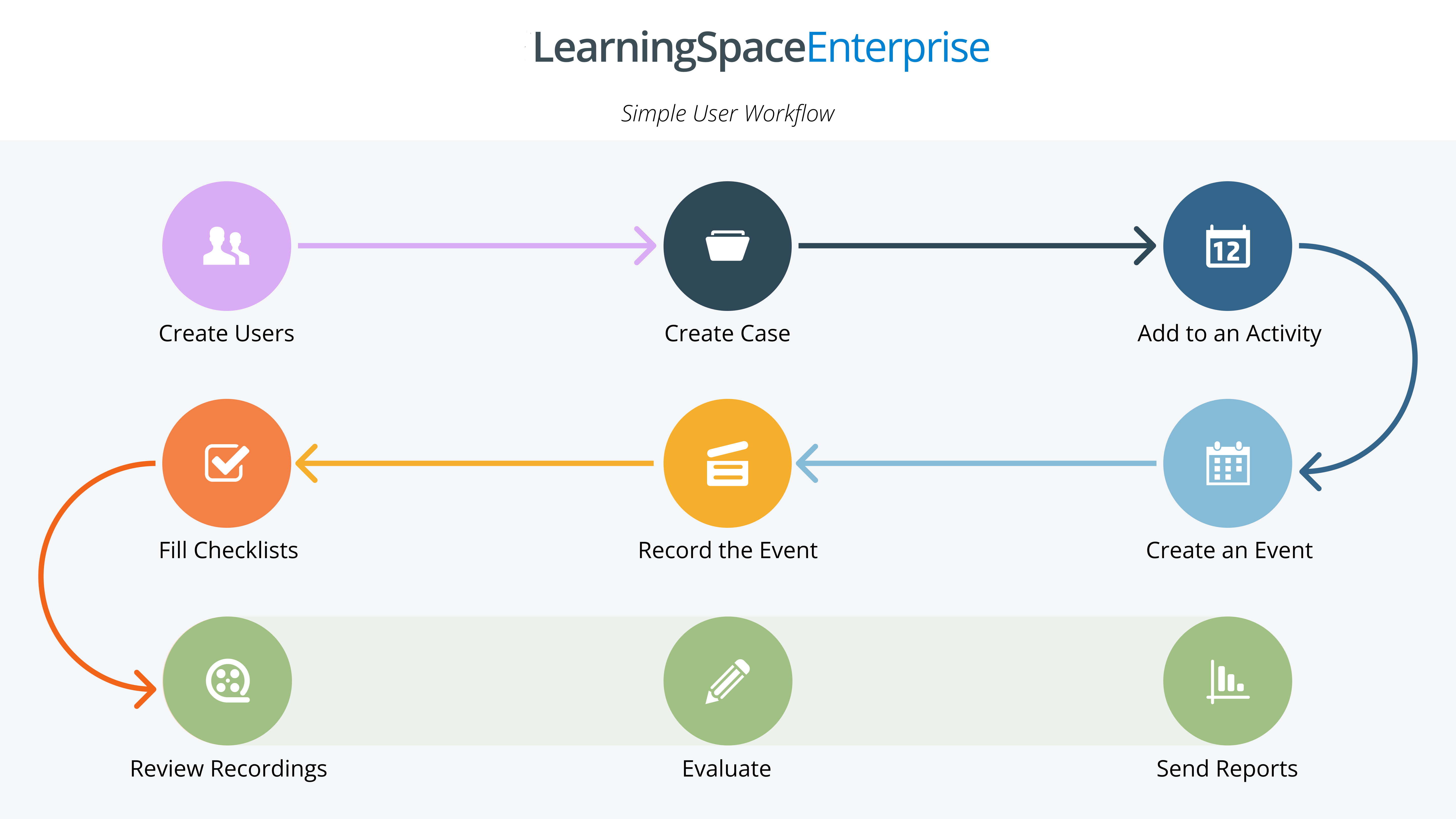
For a Step-by-Step Guide on Learner Data entry, proceed here.