Notifications Feature
What are Notifications About?
The Notification feature informs users about recent updates and new features available in their LearningSpace system. Users may receive notifications about the following:
general changes such as system requirements (e.g., supported browsers): all information that is relevant to or may affect the usage of the software, usually information from Customer Support about changes introduced with browser updates that impact the LearningSpace software.
Software updates, informing about developments or revisions to eliminate potentially arising issues.
New features and improvements to existing or new ones are available for the customers.
Updates are installed automatically on each LearningSpace system.
Users with the following privileges are directly provided with new information regarding the software:
Admin
System Manager
Accessing Notifications
You can open notifications by clicking the Notification (bell) icon next to the User Profile button at the top right corner.

At first login, each user will see a Notifications pop-up ('bubble') that alerts them to the most recent and any unread notifications.
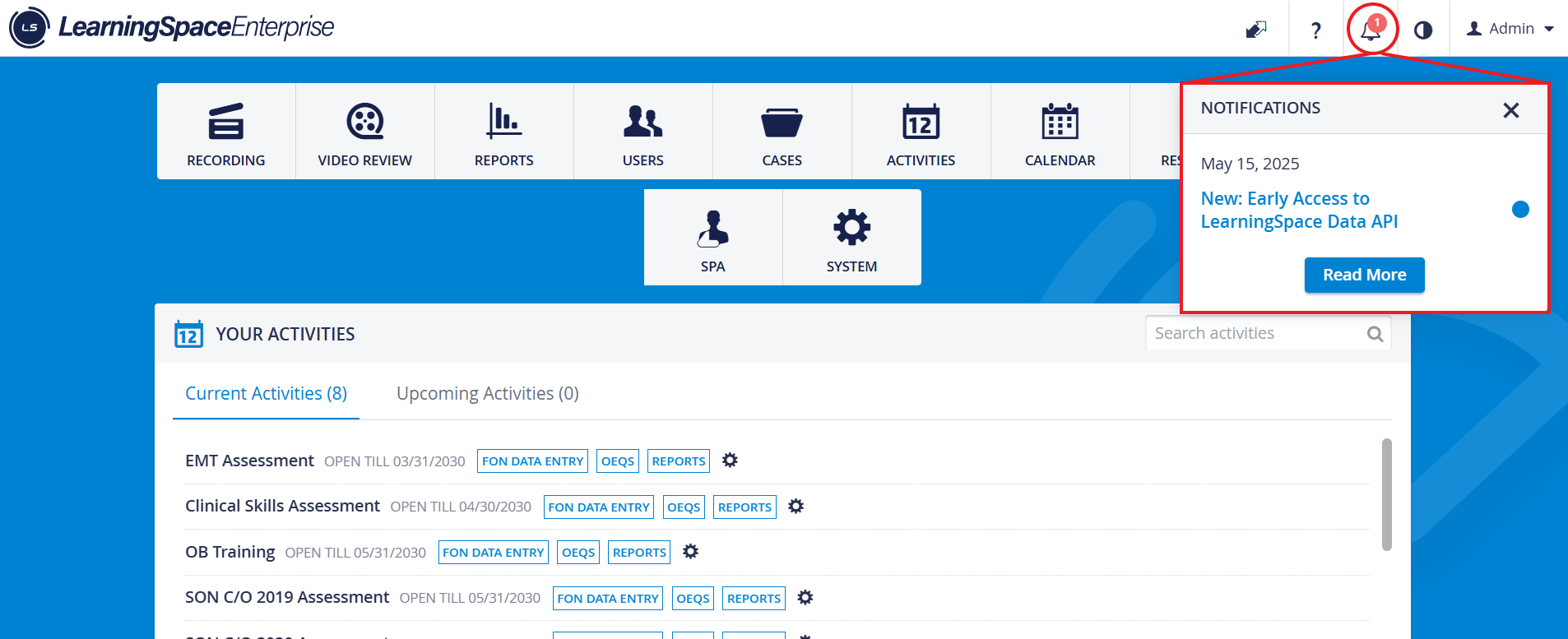

On the Notifications page, notifications are listed chronologically (from newest to oldest downward), with blue dots signaling the unread ones.
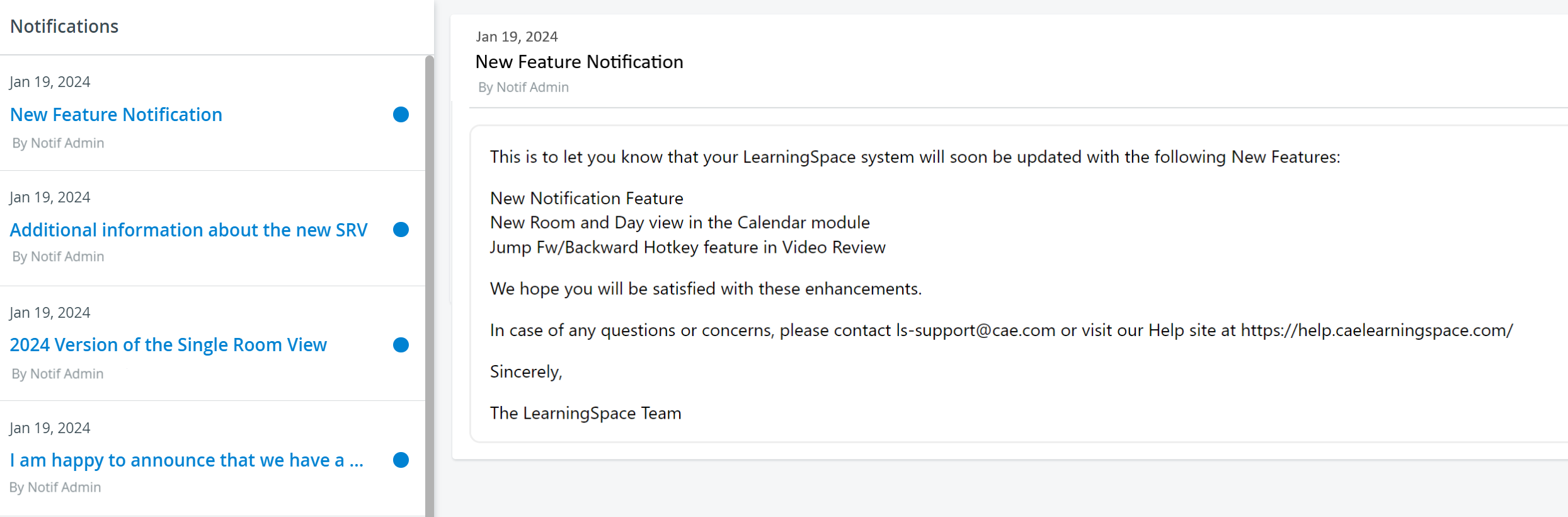
Once a user reads a notification, the blue dots disappear, and the subject is no longer listed in blue but in bold. Also, the number of new notifications (on the dashboard) decreases.
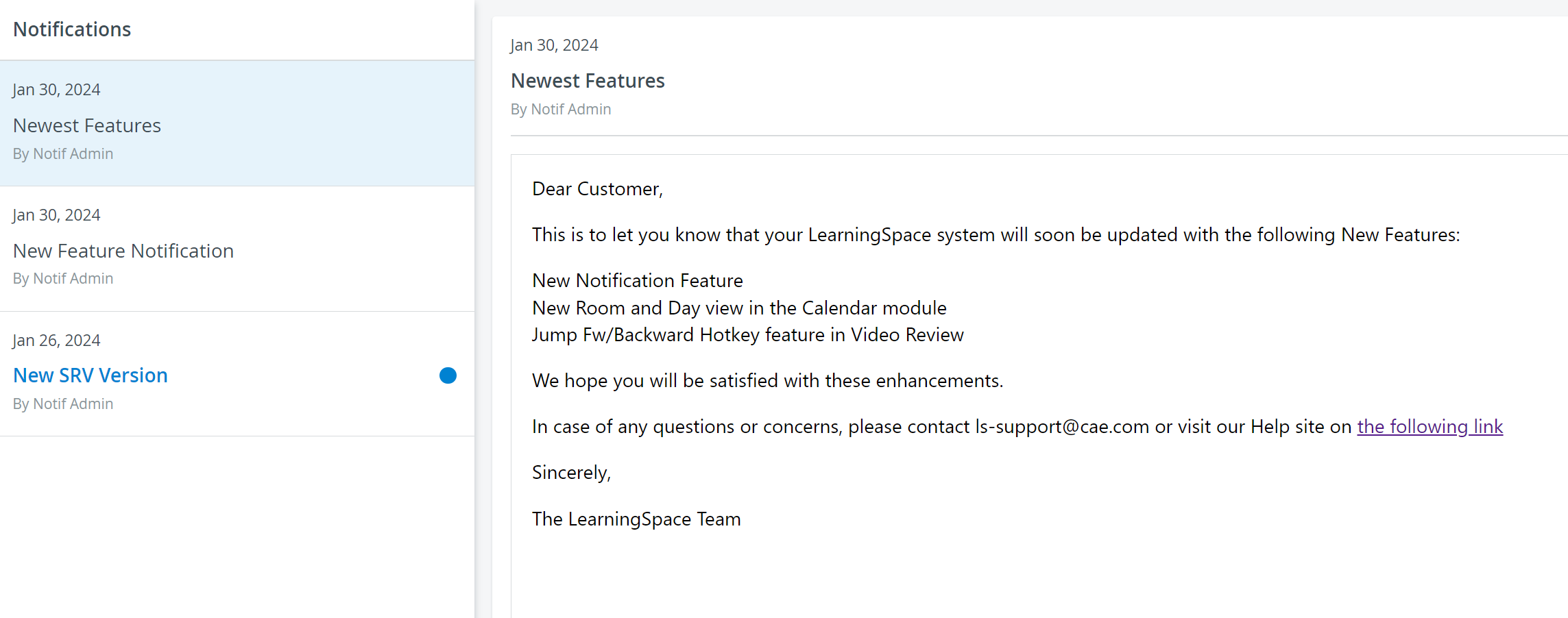
Notifications appear on a per-individual basis - meaning that each notification will be displayed as new or read, depending on the user logged in.
Sender Email Address
Notification emails from LearningSpace are being sent from a specific email address.
These emails (similarly to Learner date request notifications or Activity evaluation emails) are sent using the email address configured by your institution in the System Settings > Emails > Email Properties section, specifically in the "Email From" field.
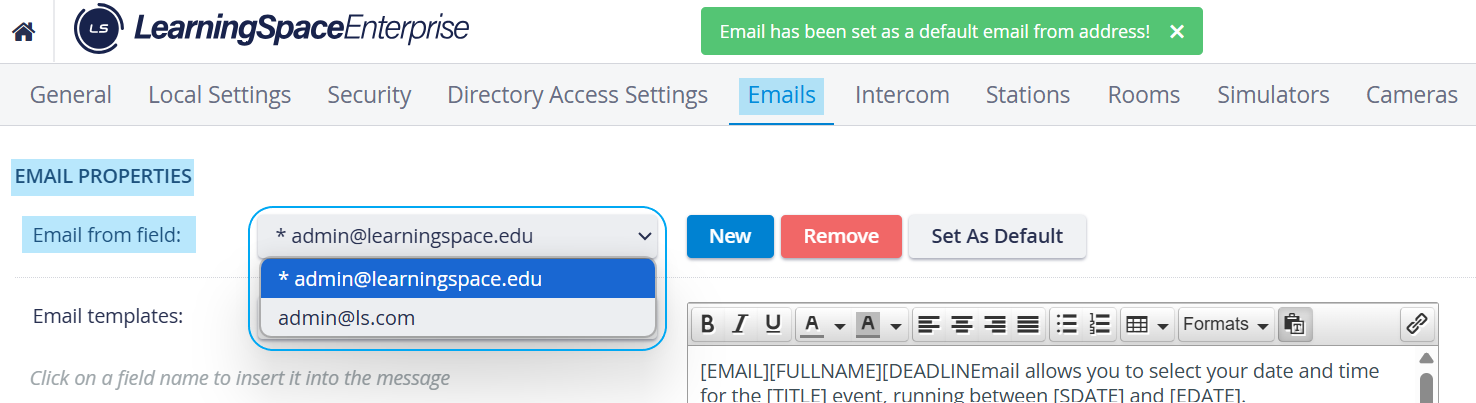
The email address set as default is used for all emails sent out from LearningSpace - unless changed manually in this section.
The sender address is set by the local IT/admin staff. You can review or update this setting within the system at any time.
For information, refer to Email Settings