Email Settings
Emails Tab
On the Emails tab, users can set
the email properties of emails sent out from LearningSpace
and the SMTP server information.

Email Properties
Besides determining the source address of system-sent emails, email templates can be worded using merge tags.
Email From Field
Emails from LearningSpace are being sent from a specific email address, configured in the "Email From" field.
Within this field, you can
add a new email address
remove email address
select an email address from the dropdown for a specific email
set email address as default.

The email address set as default is used for all emails sent out from LearningSpace - unless changed manually in this section.
The sender address is set by the local IT/admin staff. You can review or update this setting within the system at any time.
Merge tags
Merge tags are used for personalizing emails. When inserted, they are replaced in the email received by a specific addressee using the concrete information they stand for. For instance, [TITLE] would be replaced by the title of the activity within which the email is sent out.
Email templates
Email templates can be constructed by selecting the desired form from the Email templates drop-down and typing the template text into the text field. The texts can be formatted using the relevant icons, and merge tags can be inserted by clicking the desired tag when the cursor is where it is intended to be inserted.

Learner Date Request email
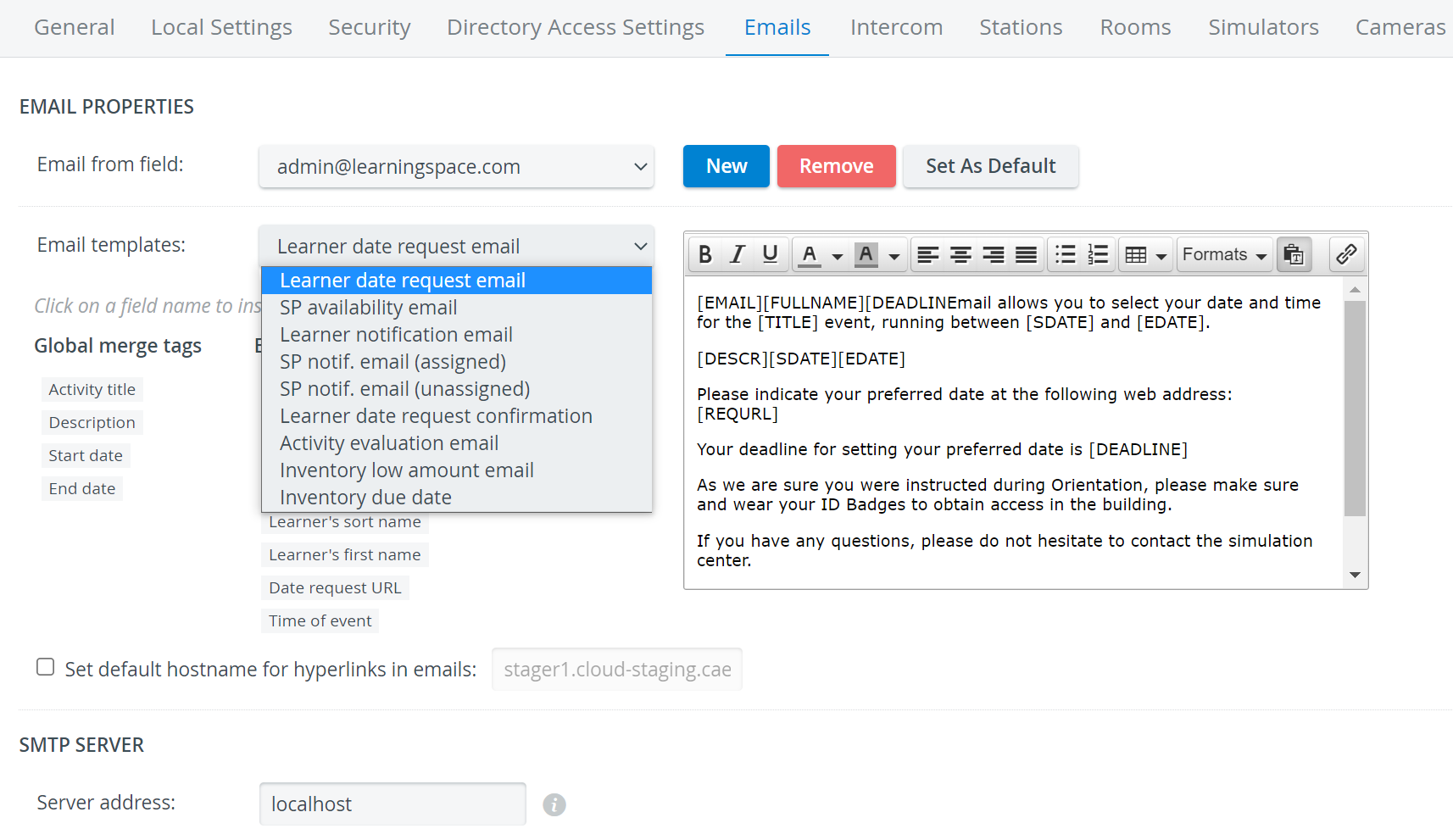
The texts are saved when the Email templates drop-down is changed.
Inventory-related Emails
The following Inventory Manager-related notification email templates are available in the respective dropdown:
Low Amount notification email
Due date notification email
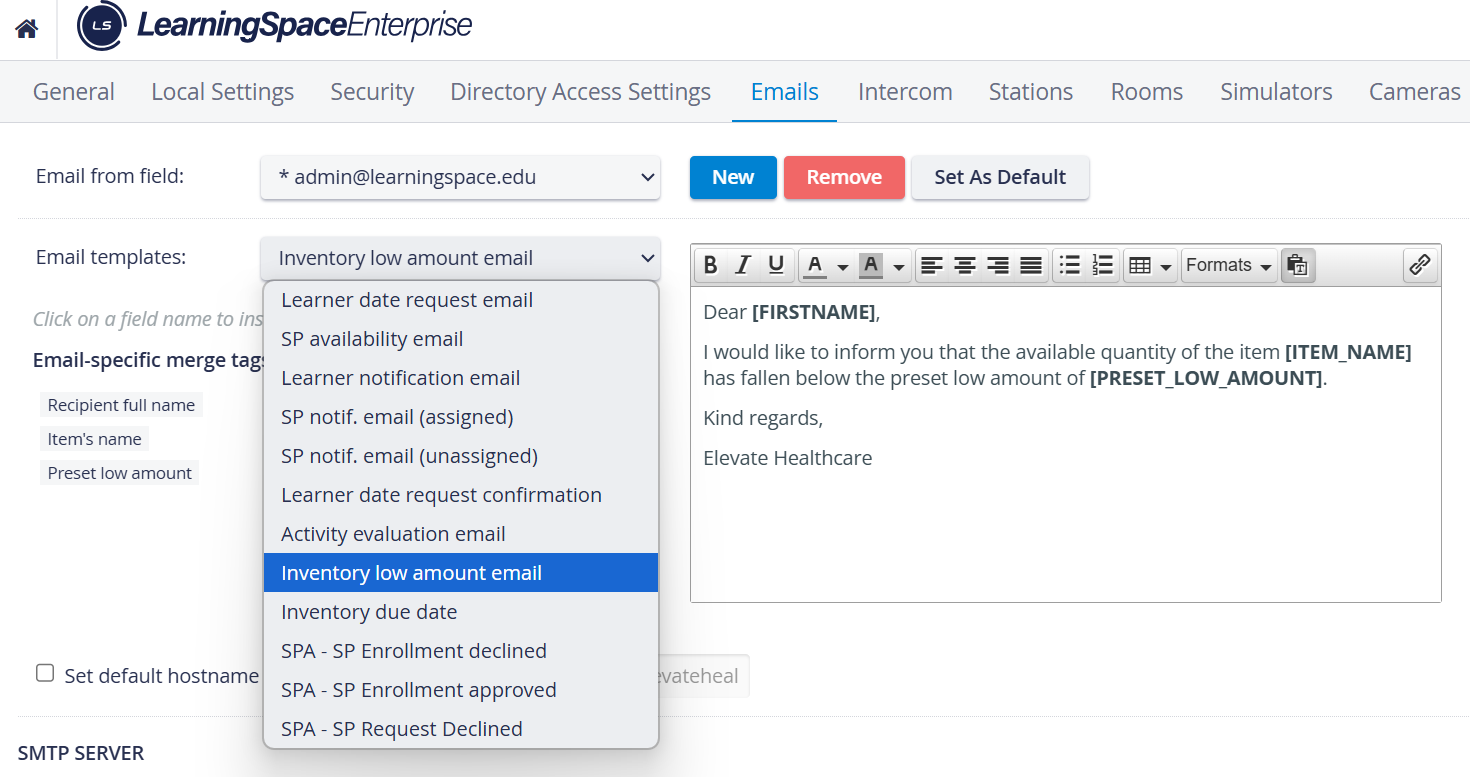
Inventory Low Amount Email
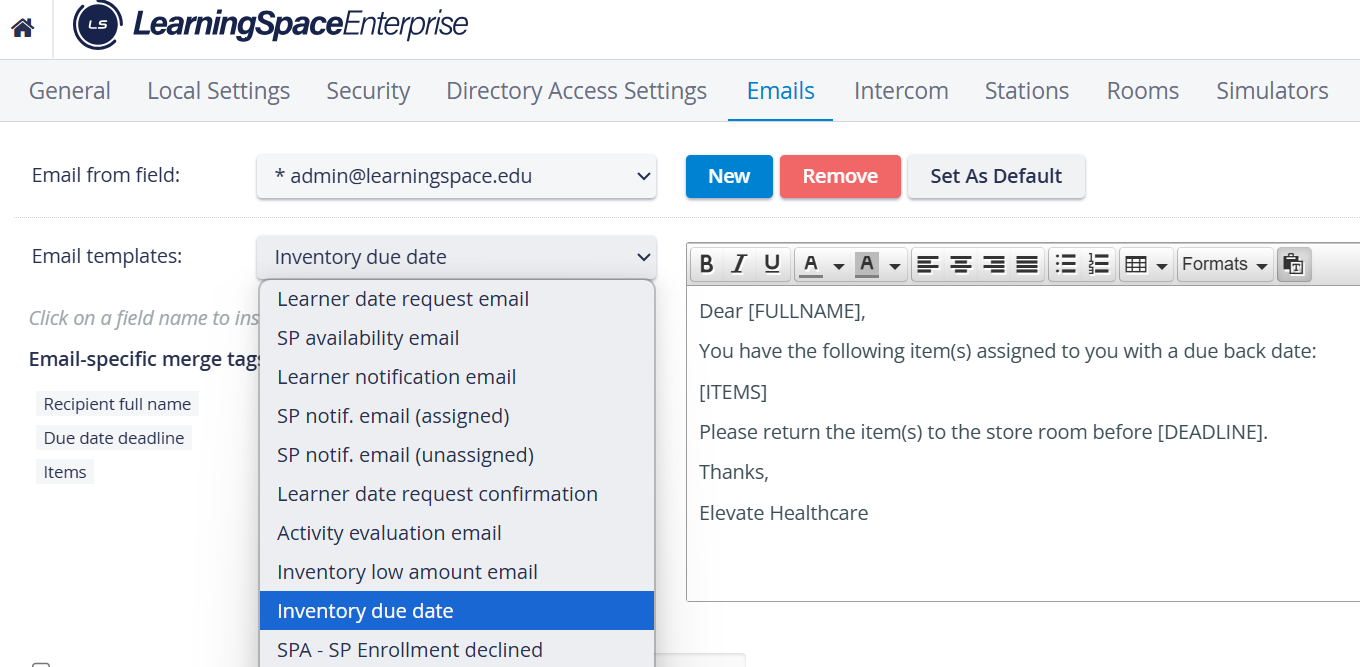
Inventory Due Date Email
System Notification Emails
The Notification feature informs users about recent updates and new features available in their LearningSpace system.
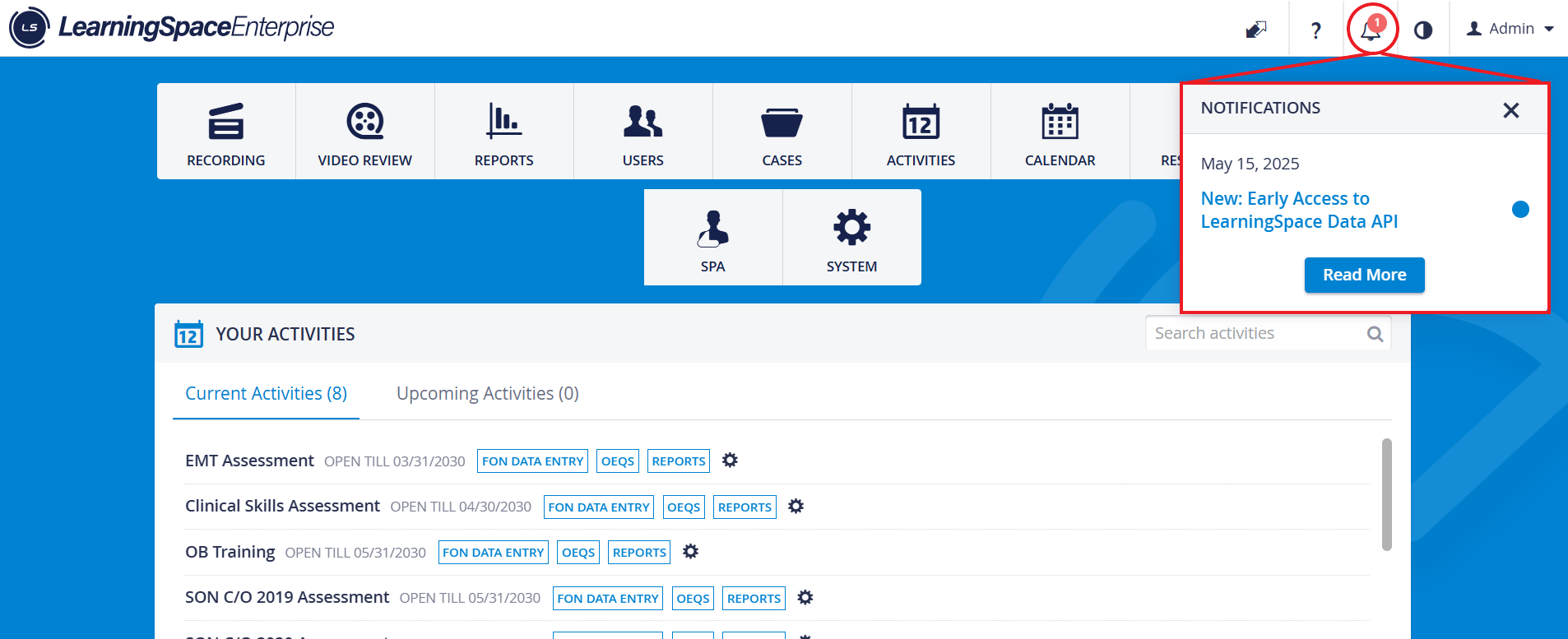
Notification emails from LearningSpace are being sent from a specific email address.
The sender address is set by the local IT/admin staff. You can review or update this setting within the system at any time.
For more information, refer to Notifications Feature
SMTP Server Information
Upon initial login, LearningSpace recommends configuring SMTP server settings to enable email sending from LearningSpace. See a Network Administrator or IT professional for further assistance.
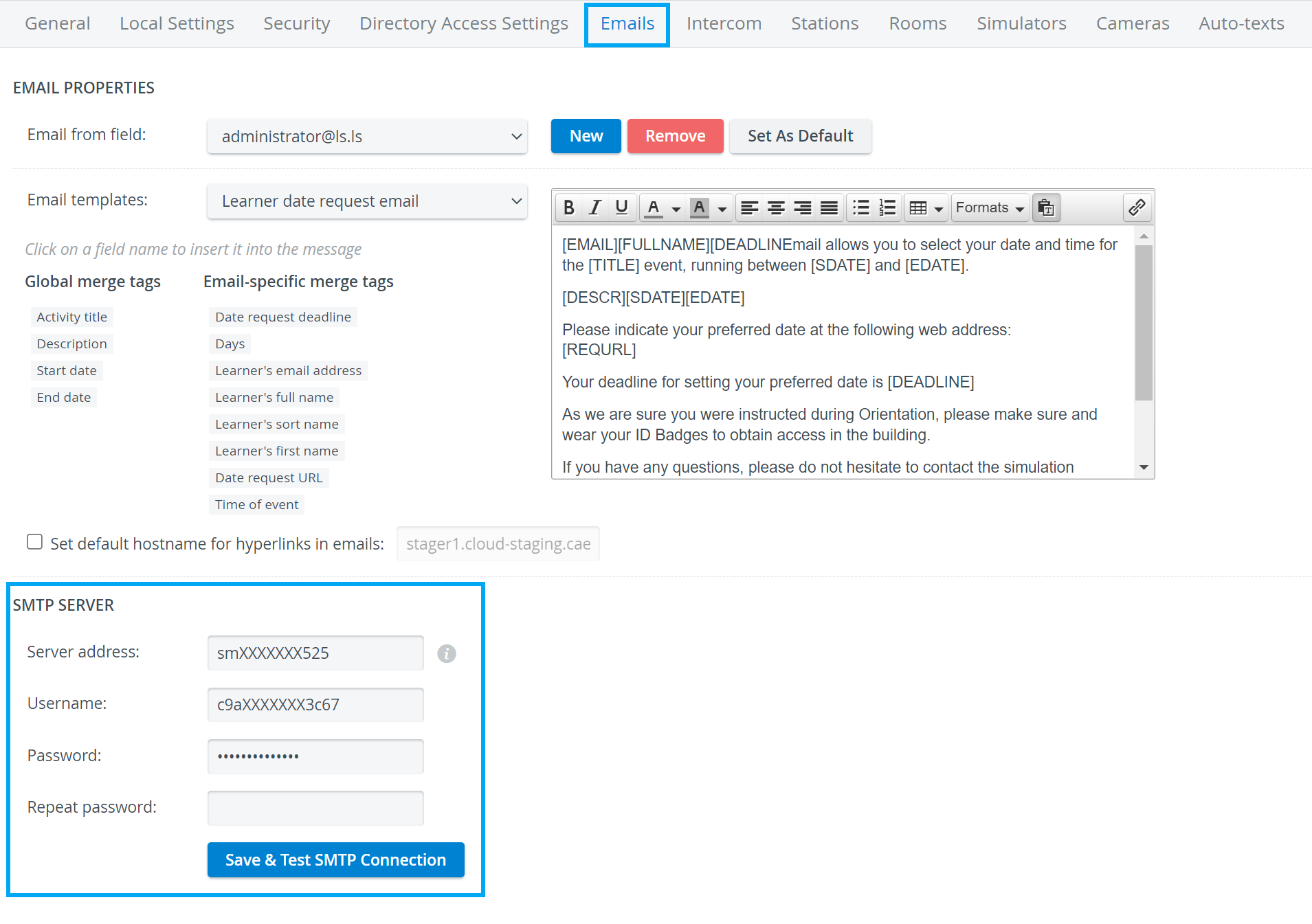

SMTP Server Credentials Settings - with Password Visibility option
Find step-by-step guides for System manager-related processes on our System - How to pages.