2025 February - New Features
XLSX Export in Calendar
From this release on, Calendar data can also be exported as an XLSX file. This option is available in the List View:
Go to the Calendar module, List view.
Select the relevant time period from the datepicker (From, To fields).
Press the Apply button - the selection will become active.
Press the ‘Export to Excel’ button.
The view will be exported to XLSX format. The file downloads according to your browser settings.
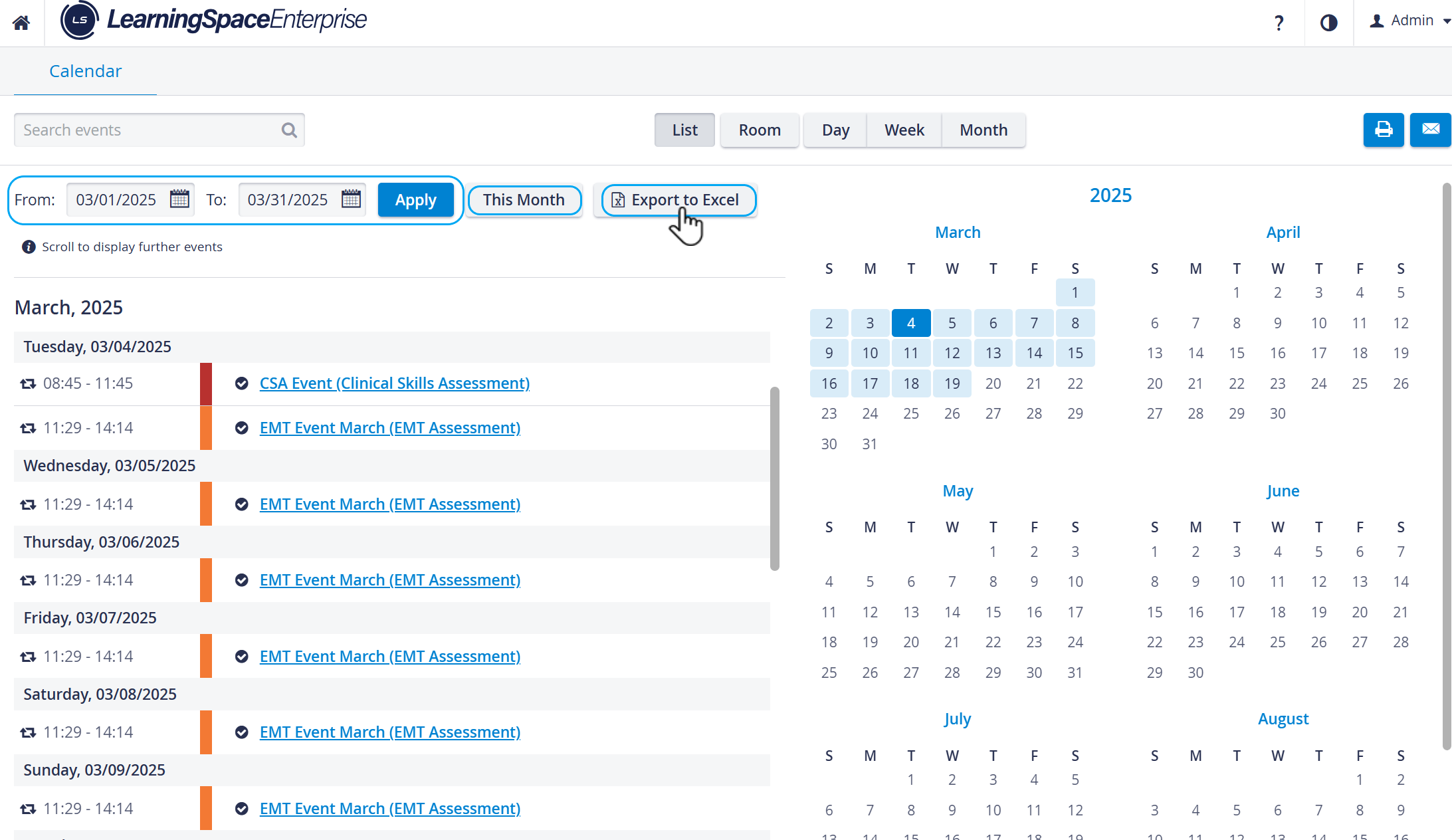
By scrolling through the listed events, the view continuously updates with the content of the next or previous time intervals.
The ‘This Month’ option navigates the list to the current month.
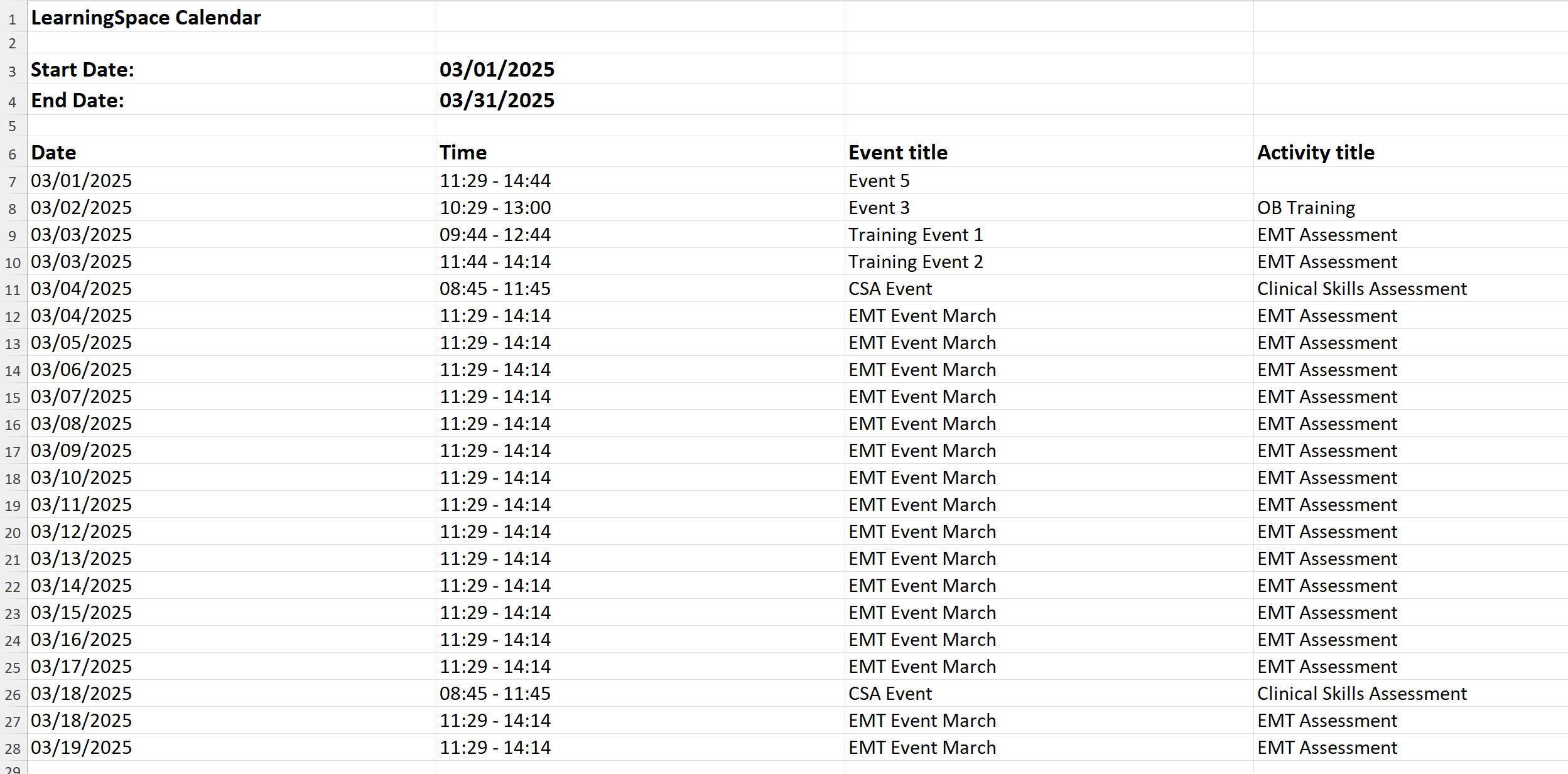
The exported XLSX file (report) displays
the selected time interval (Start Date, End Date),
the listed Events’ date, time, and title,
all instances of recurring Events,
the format of the times and dates according to the System settings.
For Events without Activity, the Activity title will be left blank.
Major Print Experience Improvements for Calendar
Printing from the Calendar has been improved across all views: List, Room, Day, Week, Month.
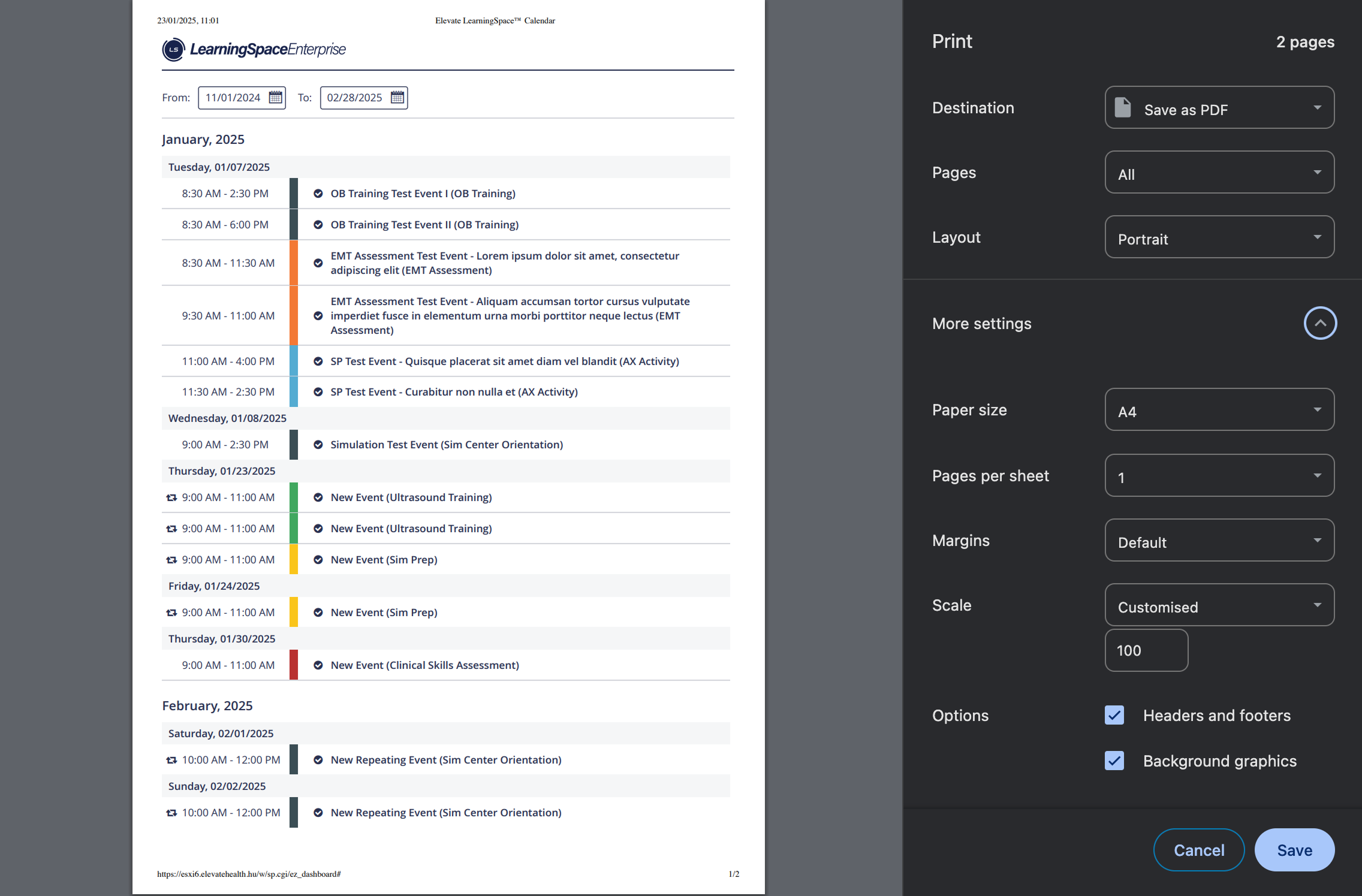
Improved List View print-out
SAML-based Single Sign-On Authentication Guide
SAML-based Single Sign-On (SSO) Authentication helps integrate industry-standard authentication into LearningSpace. Our new guide helps LearningSpace users in this process, containing the following:
📖 The guide is available here.
Customizable External Calendar Sync Interval
For the external calendar API a new input field has been introduced, allowing users to customize the time interval it exposes.

NOTE: The value can be adjusted between 1 and 180 days.
More information:
External Calendar API Endpoint and How to Utilize External Calendar API Endpoint