Local Settings
On the Local Settings tab, the following settings can be adjusted:
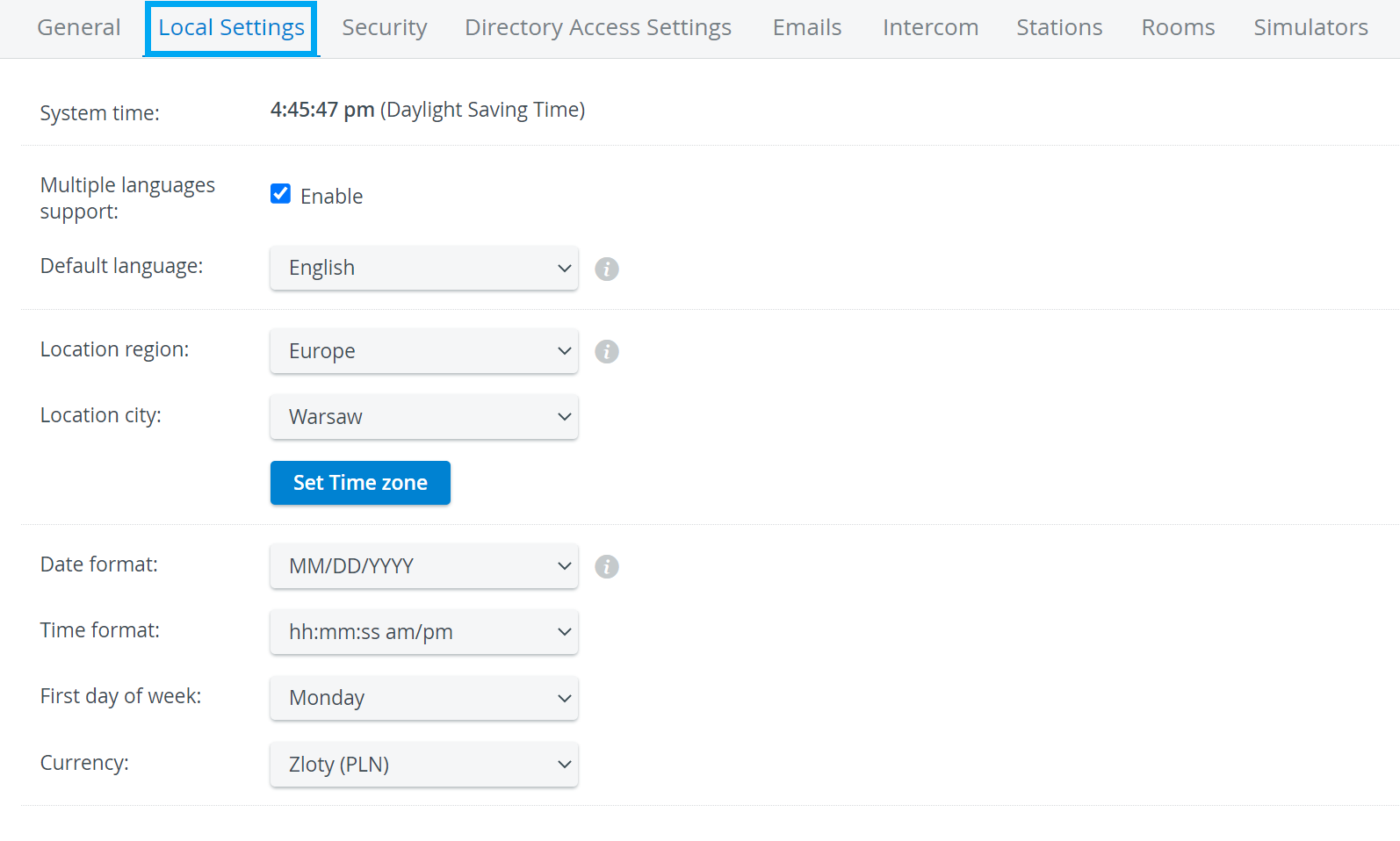
System time
The System time is the LearningSpace server time, not the time of the workstation computer.
Multiple languages support

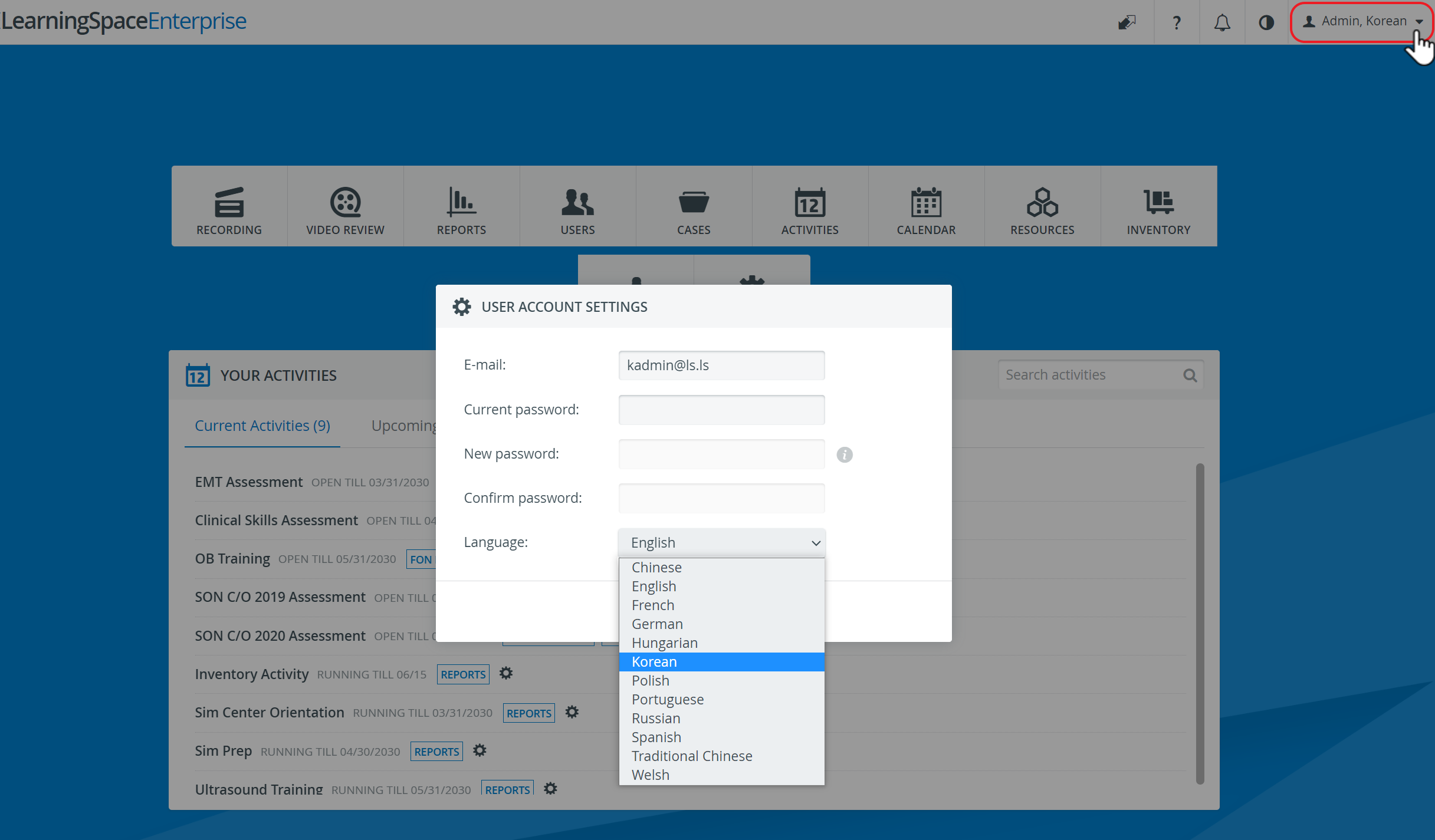
Default language defines the language for all users in a specific LearningSpace system.
Individual users can change the language of their user profile via the User account settings (top right corner), if Multiple languages support is enabled in the system.
Location region
Location city - Set Time zone
If your location is not listed, select a location in the same time zone that shares the annual time changes.
Date format
Time format
First day of the week
Currency
Enabling Transcripts
Transcripts can be globally enabled/disabled under Local Settings on the System page.
For assistance, please contact your LearningSpace System administrators or email ls-support@elevatehealth.net.
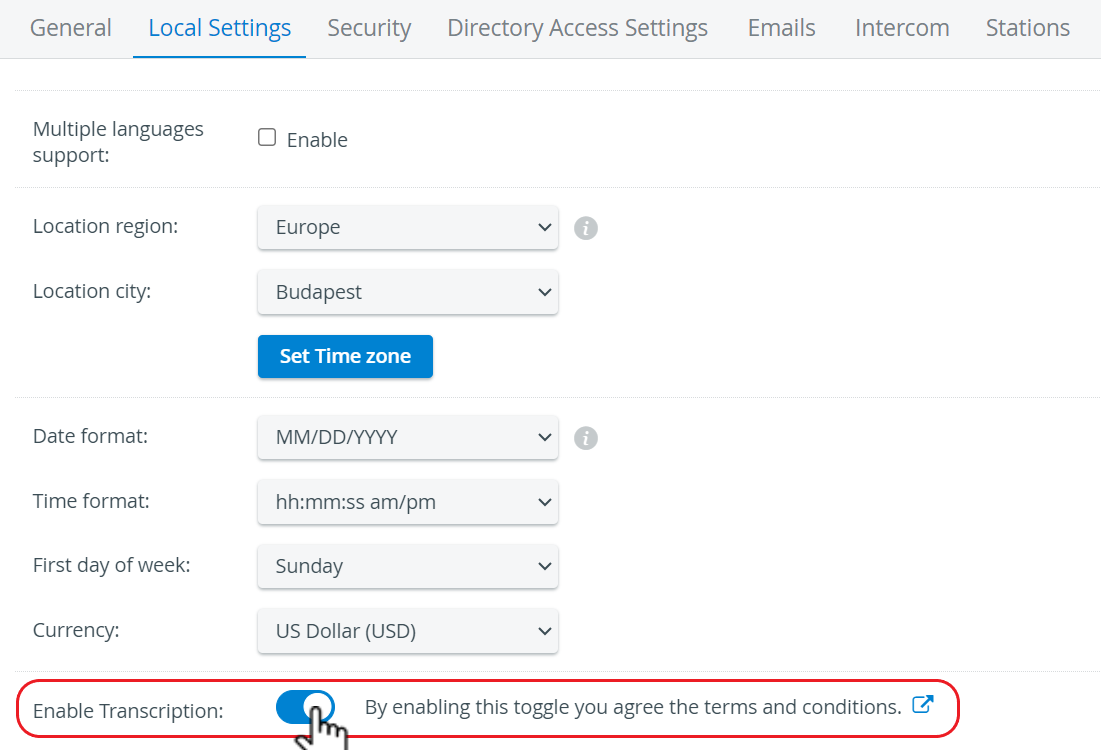
If the Transcript feature is hidden (disabled), the system does not generate transcripts, and the Transcript tab is not displayed on the Video Review page.
When the toggle is on, the system runs a service test (health check) in the background and displays the results to the user.

In case of a failed transcription service test, when a user toggles the transcript option, the system does not enable the transcript service.
If the global transcript setting is enabled after an existing video has been processed, the video will not have a transcript.
See also How to Manage Local Settings.
Find step-by-step guides for System manager-related processes on our System - How to pages.