2025 Summer New Features
Calendar-Related Enhancements
Calendar Export to Excel: New Columns
New columns have been added to the Excel Export of the Calendar’s List view:
Day of the Week (displays the day of the week (e.g., Monday, Friday) for each event’s date)
Duration (shows the duration of the event in minutes, calculated from the event’s Start Time and End Time.)
Room(s) (displays the event's associated room(s).)
Activity type (displays the type of the Activity)
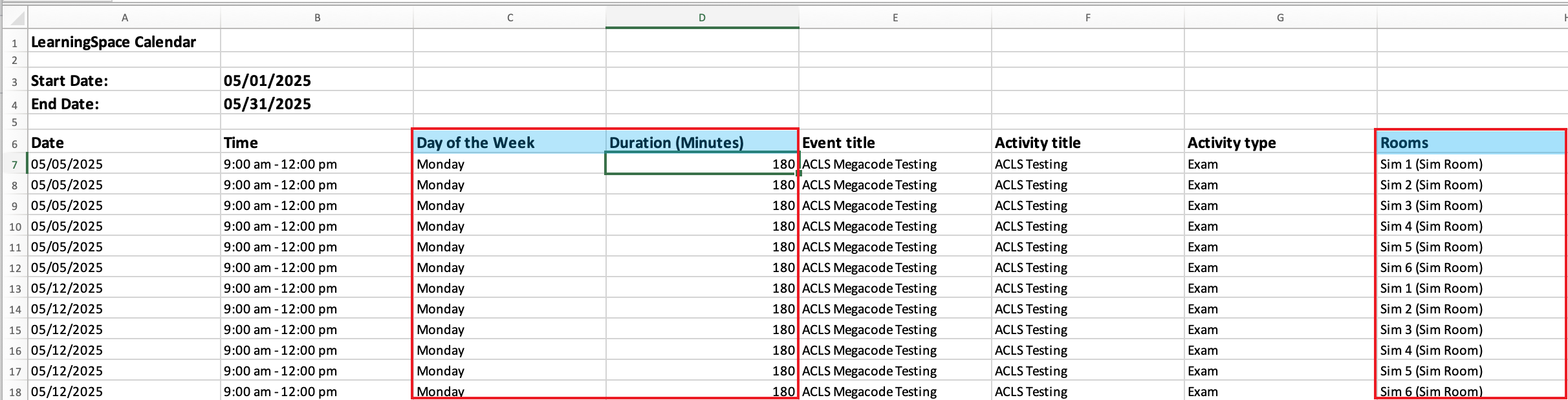
Day of the Week, Duration and Rooms Columns
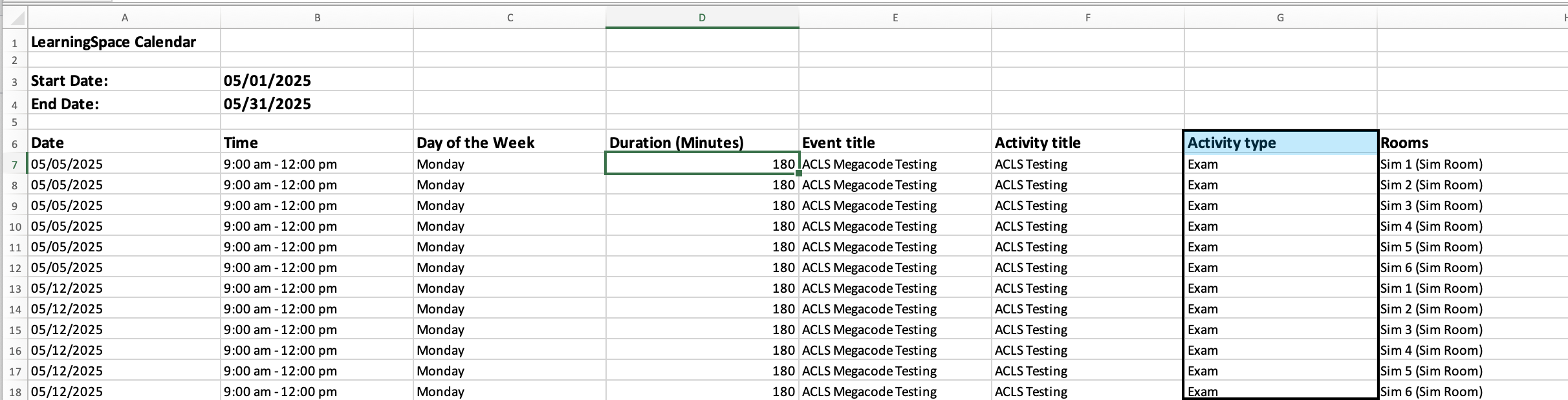
Activity Type Column in the Exported Excel File
More about Activity Types: Activity Type Setting
If the event is assigned to multiple rooms, they appear separated by a comma, unless the Room-Based Event breakdown option (described below) is enabled.

Room-Based Event Breakdown
In the Calendar List view, a new cogwheel icon has been added next to the ‘Export to Excel’ button. When clicked, it opens a pop-up configuration menu with the ‘Break events into multiple rows if assigned to multiple rooms’ toggle:
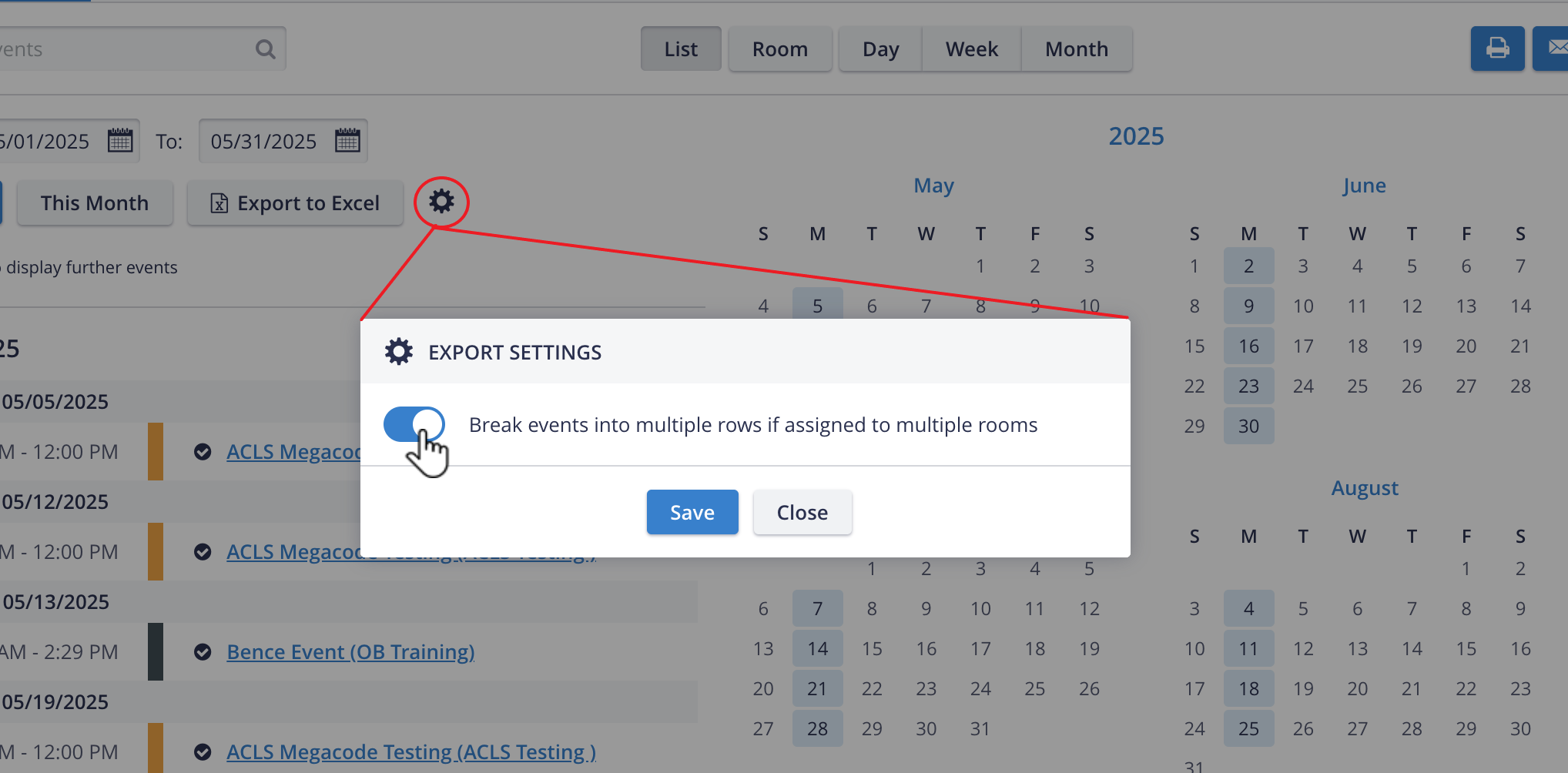
When the toggle is on, multi-room events appear as multiple rows, with one room per row.
When the toggle is off, multi-room events are listed as comma-separated values in one cell.
Users’ breakdown preference is saved per user and not applied globally. It is reapplied on future visits.
PDF Reports Supporting Chinese, Traditional Chinese, Korean & Russian
This new enhancement allows report templates in LearningSpace to support Chinese, Korean, and Cyrillic characters. It helps support these complex (unicode) character languages in reports where PDFs are generated. For this purpose, a new font has been introduced (Arial Unicode MS).
List of Reports affected:
User Manager - Learner Check-in Report
Video Review - Video Report (Annotations and Event Logs)
SCE management reports
SAML-based Single Sign-On (SSO) Authentication Guide
SAML-based Single Sign-On (SSO) authentication is supported in LearningSpace.
LearningSpace utilizes a Shibboleth Service Provider (SP) software to accomplish this.
For a feature overview, installation, and setup guide, please proceed here.
If you have any questions regarding SAML-based Single Sign-On in LearningSpace, don't hesitate to get in touch with LearningSpace Support!