Reports tab
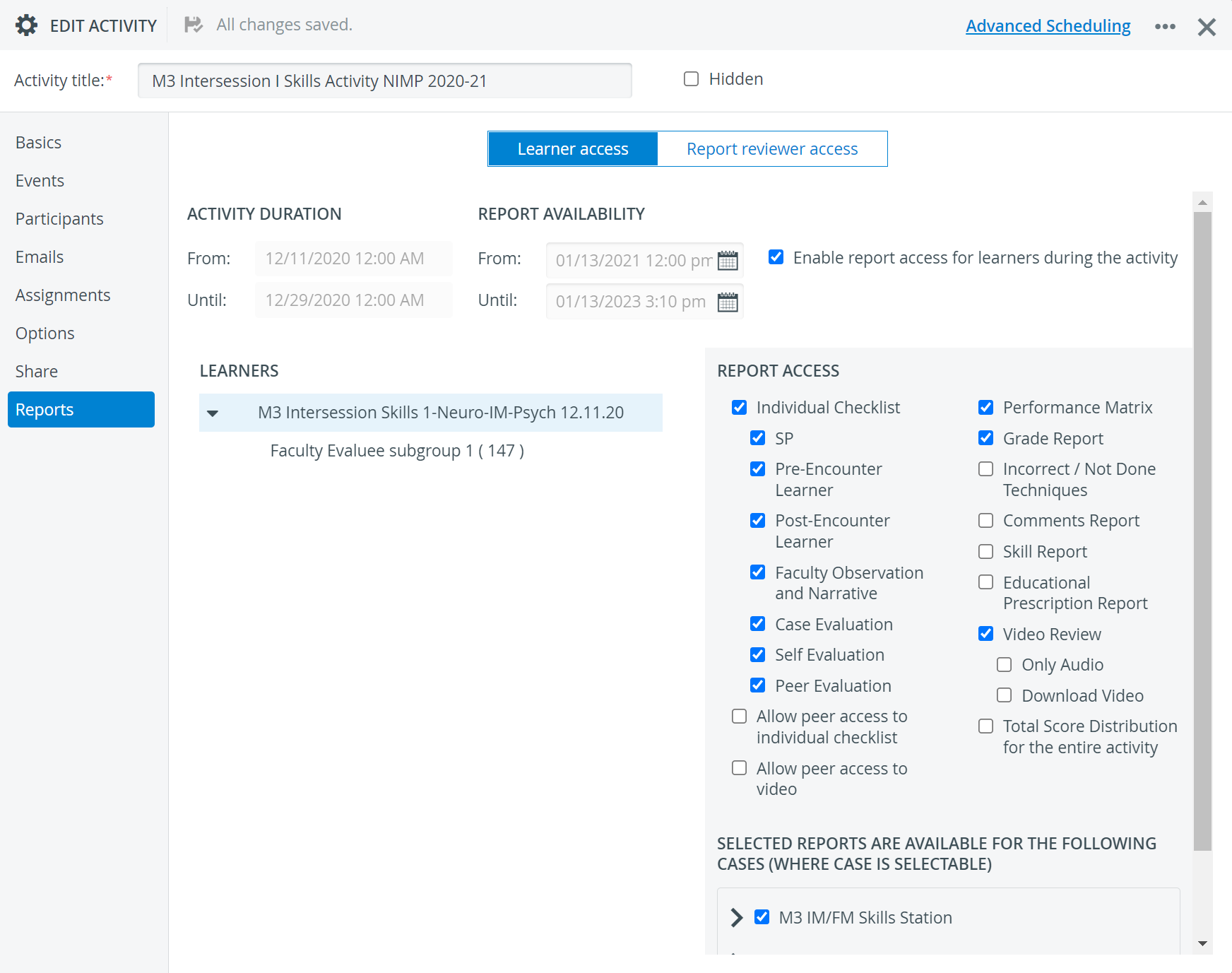
Report settings are only displayed when both the Faculty and the Learner groups have already been added on the Participants tab.
Activity Duration
The date fields are populated automatically based on the setting on the Basics tab. These dates can only be modified on the Basics tab.
Report Availability
The Report Access panel determines the interval during which the specified learners (either the whole learner group or a subgroup) and/or Report reviewers will be granted access to the reports.
IMPORTANT: The selector only saves a certain date if a specific day is selected. If the End date is intended to be changed just by the year or the month, clicking outside the selector will not save the modification.
AM-PM Switch

You can switch to a 24-hour format by navigating to the System settings page.
The tab has two separate views:
one with all the settings concerning Learners' access to reports
the other containing the settings determining Report reviewers' access.
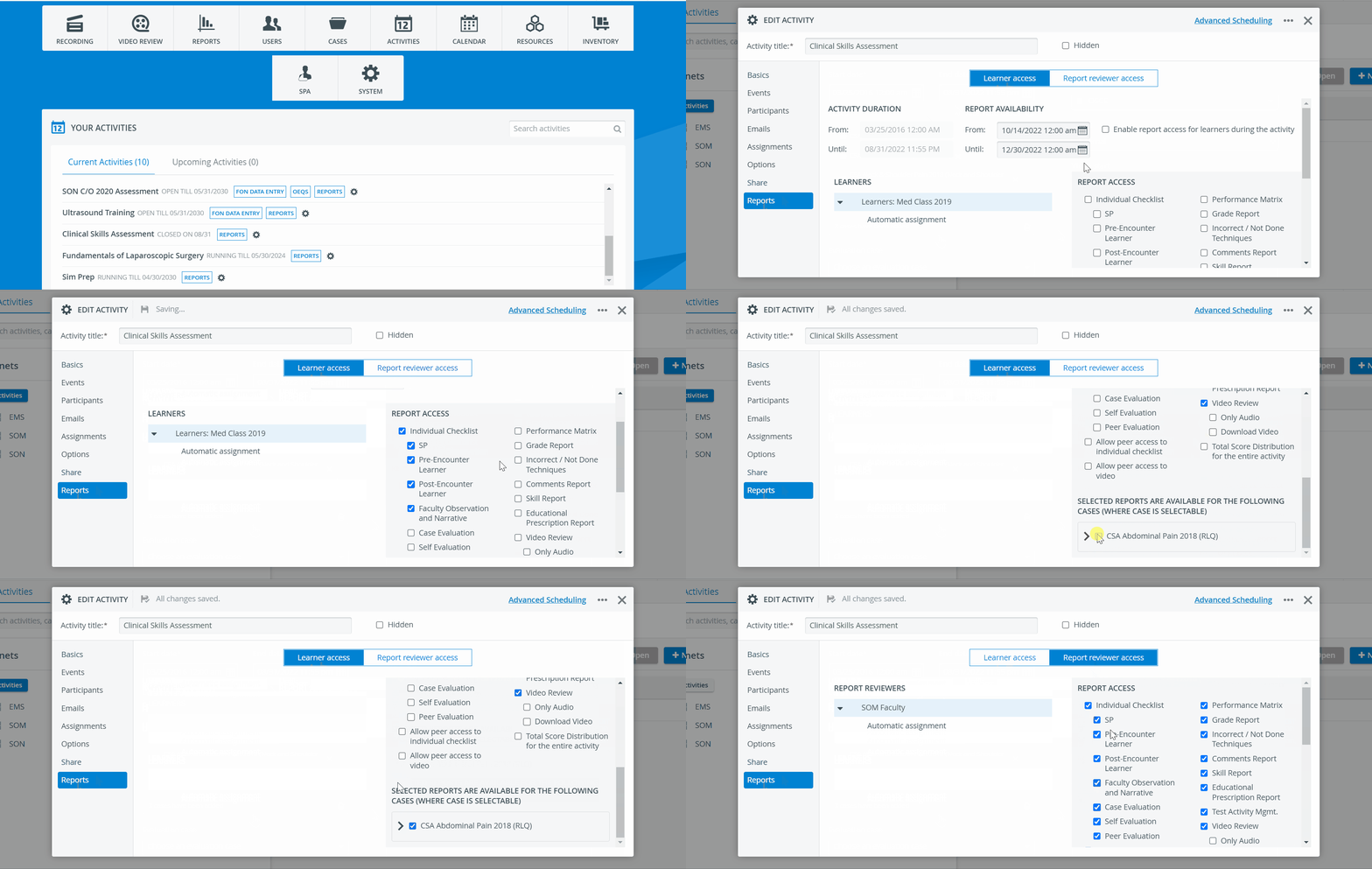
By default, the Learner access settings are displayed.
IMPORTANT: When setting up access for subgroups, access not given at a broader level (e.g., whole group) can be granted for a subgroup, but not vice versa.
For more information, visit our Activity - How to pages and view our Activity Manager Training Videos.