Individual Performance Reports
The Individual Performance Reports evaluate and analyze individual learners' performance across numerous aspects.
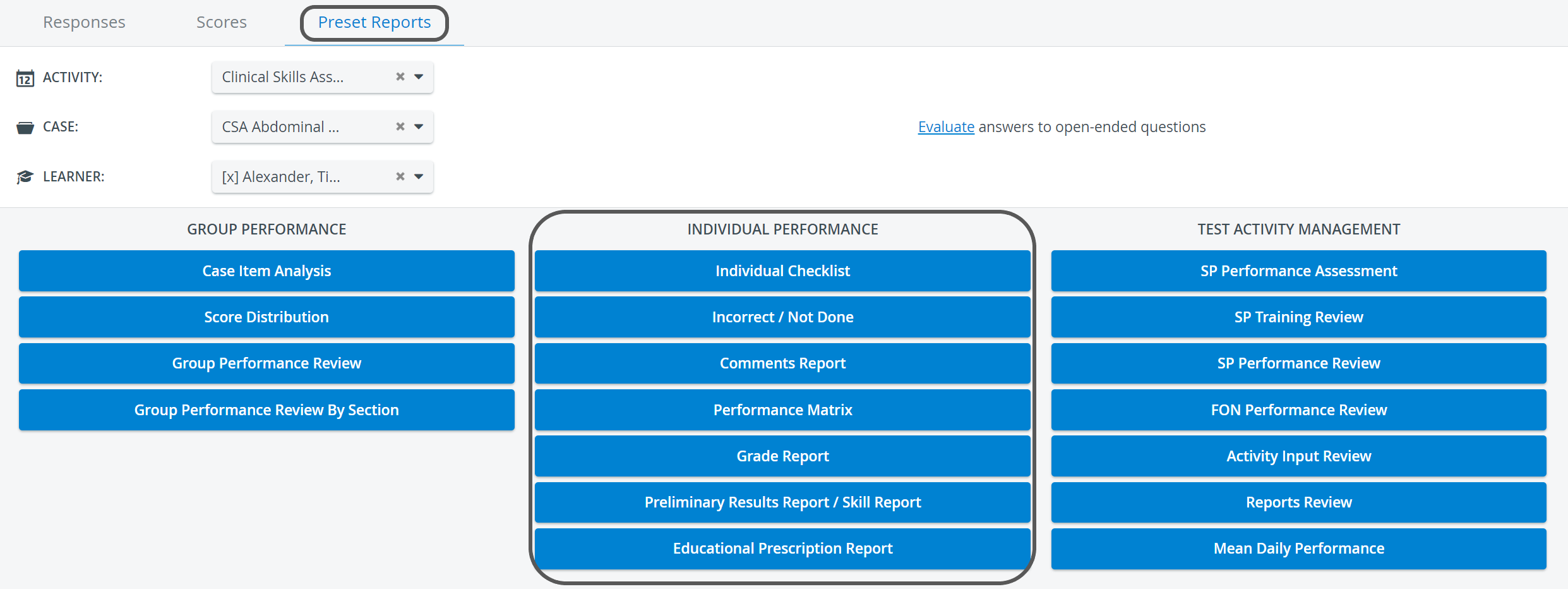
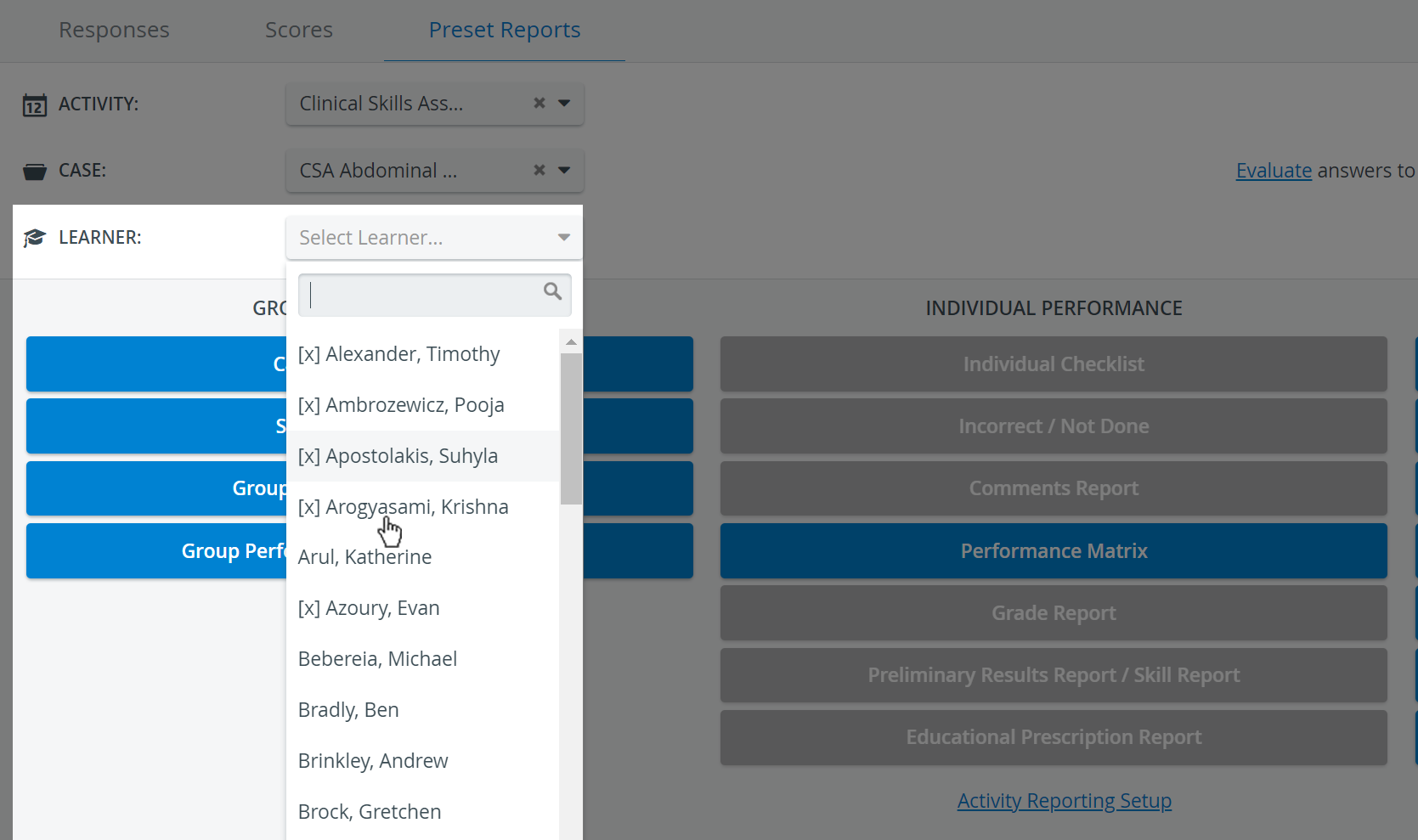
While the Performance Matrix is available when only the Activity is selected, all other reports in this category are available only when a specific learner is selected in the Learner drop-down.
Printing Reports
To print an Individual Performance Report (on paper or as a PDF), click the Print button at the top right corner of the screen.

The smart scrollbar needs to be turned off before printing reports.
For more information, go to How to Print a Report.
Export Reports to Excel
In the latest versions of LearningSpace, certain Preset reports can be exported to an Excel (xls) file for more convenient management and an essentially easier use of the exported data in applications like Microsoft Excel or Google Sheets.

Individual Reports that can be exported into Excel:
Performance Matrix (Learner/Entire Group)
Preliminary Results Report / Skill Report
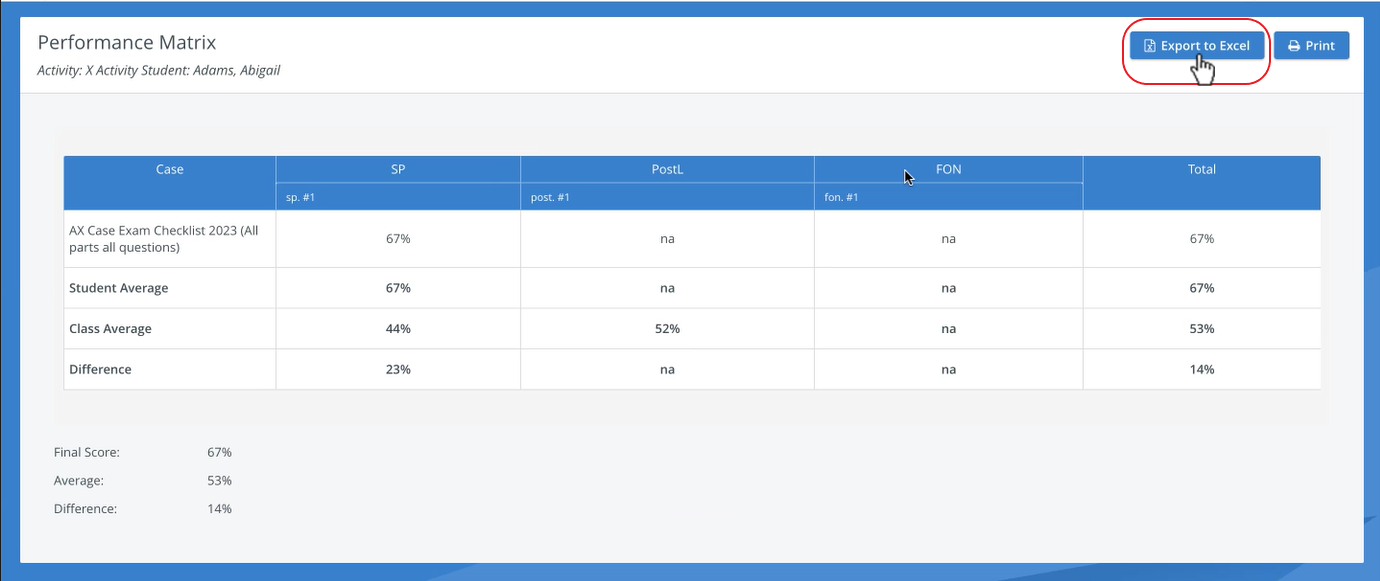

The ‘Print Reports’ and ‘Export to Excel’ options are hidden for Learners by default. The options can be enabled under the "Report Printing" section in the Report settings of a given Activity >>
See Learner Access
For more information, see 2023 August New Features - Release Notes.
For further information, see the Reports - How to pages and the Reports Module Training Videos.