How to Configure LDAP Synchronization
Directory Access Settings
Configure LDAP synchronization in Directory Access Settings in the System manager.
Contact your organization’s network administrator or IT professional for the exact details of your directory server.
Once your connection is established with the directory server(s), switch on the 'Use for Sync' toggle to continue.
Provide the name and password of the query user of your directory server.
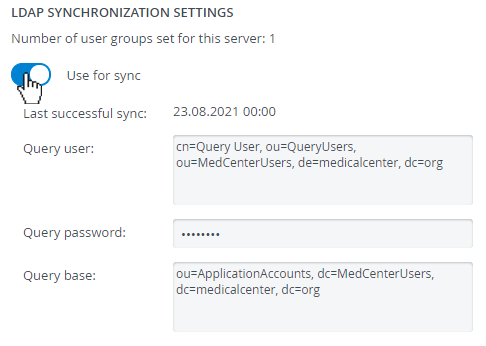
Also, provide the query base.
Mapping
At Mapping, enter the attributes used on your directory server that correspond with each personal detail field (e.g., first name, email, UCID, etc.).
Only the Card ID field is optional. All other fields are mandatory.
Each time you synchronize groups, LearningSpace Enterprise will update user details in these fields accordingly.
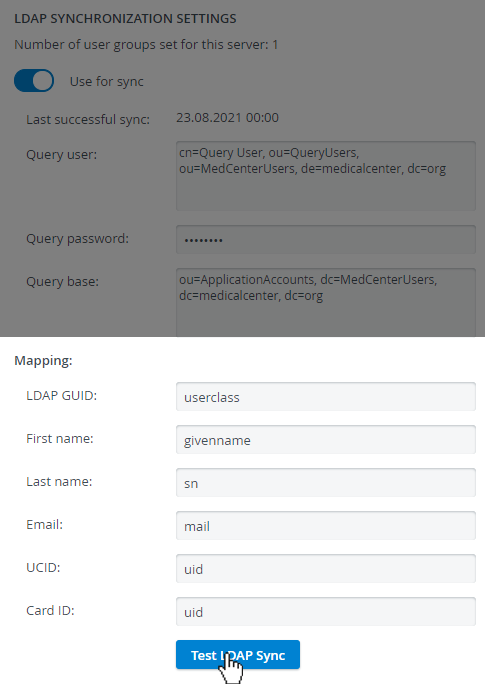
Click "Test LDAP Sync" to verify that everything is set up correctly.
The new Department field available in the Edit User Pop-Up can be synced via LDAP synchronization for each learner, too.
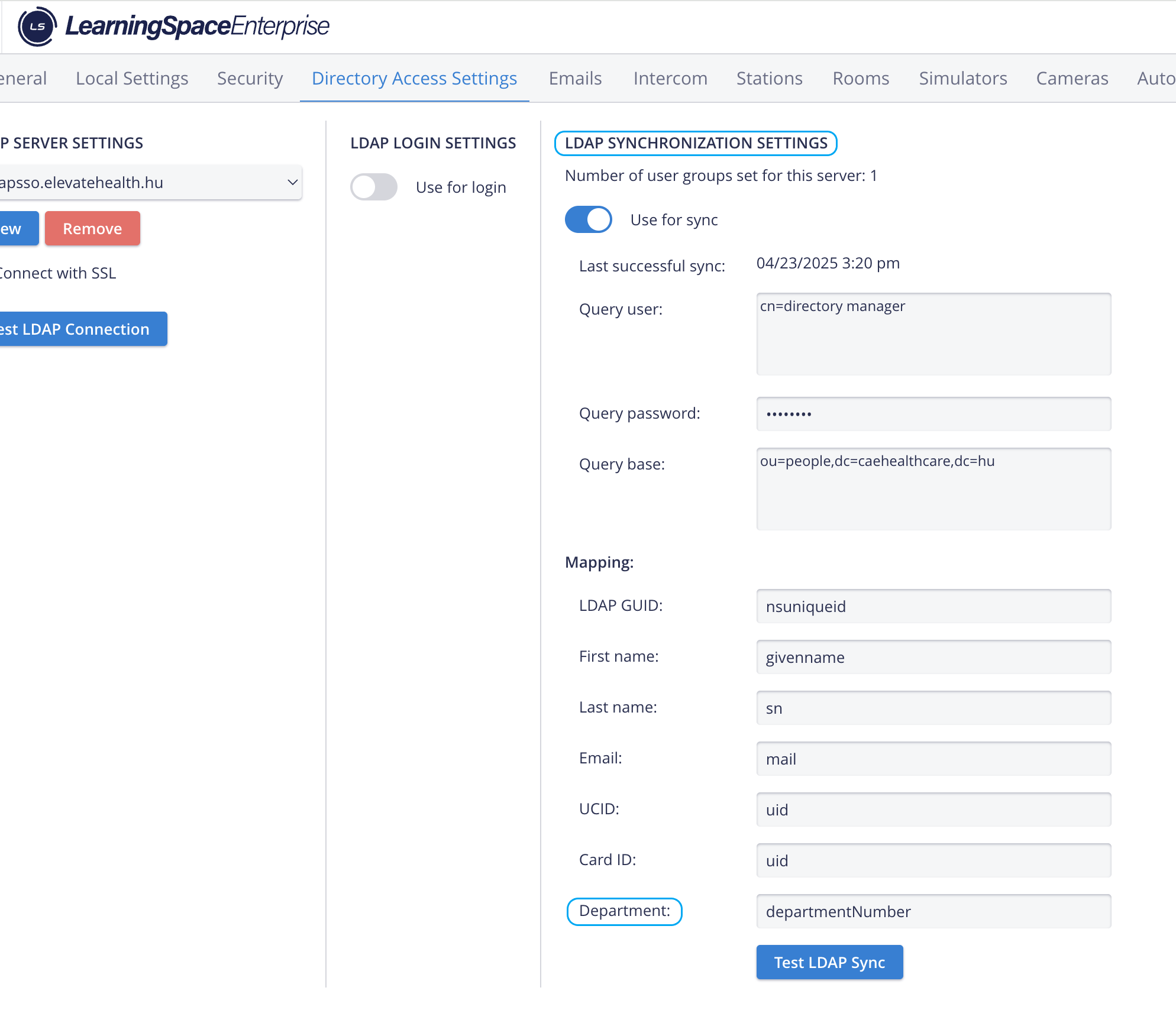
The query user requires every field to be set up for Mapping. For example, ensure that the query user has a first name and last name in your directory server; otherwise, LDAP Sync testing will fail.
For further information, visit our System Manager pages.