Cameras
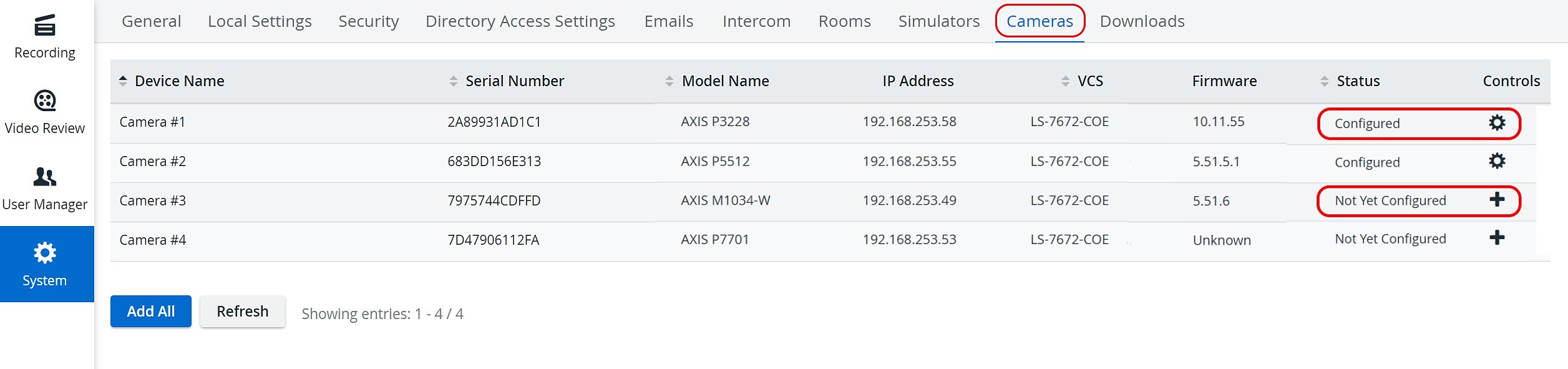
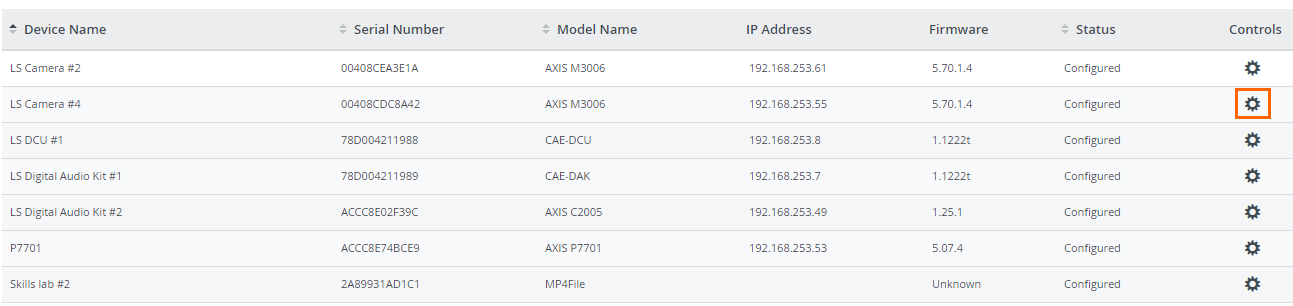
The Cameras tab lists available cameras, DCUs, and DAKs (Digital Audio Kits / speakers).
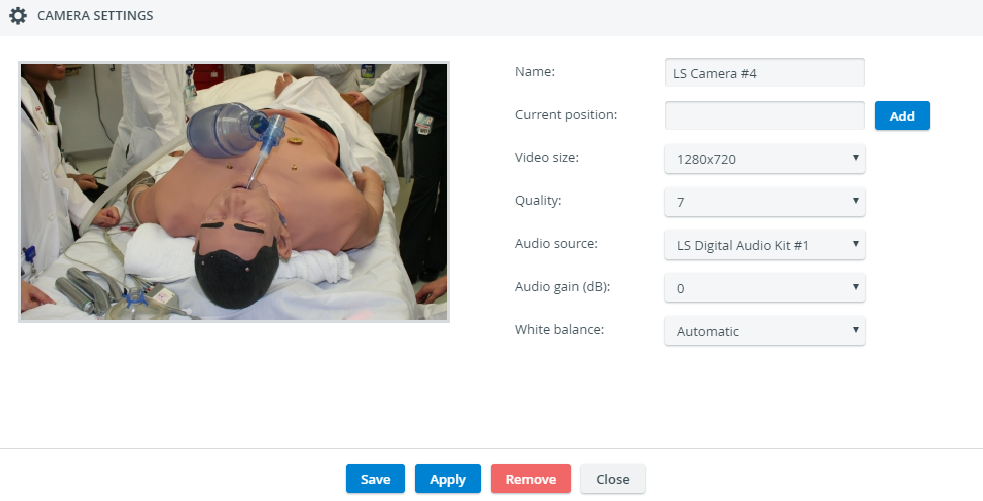
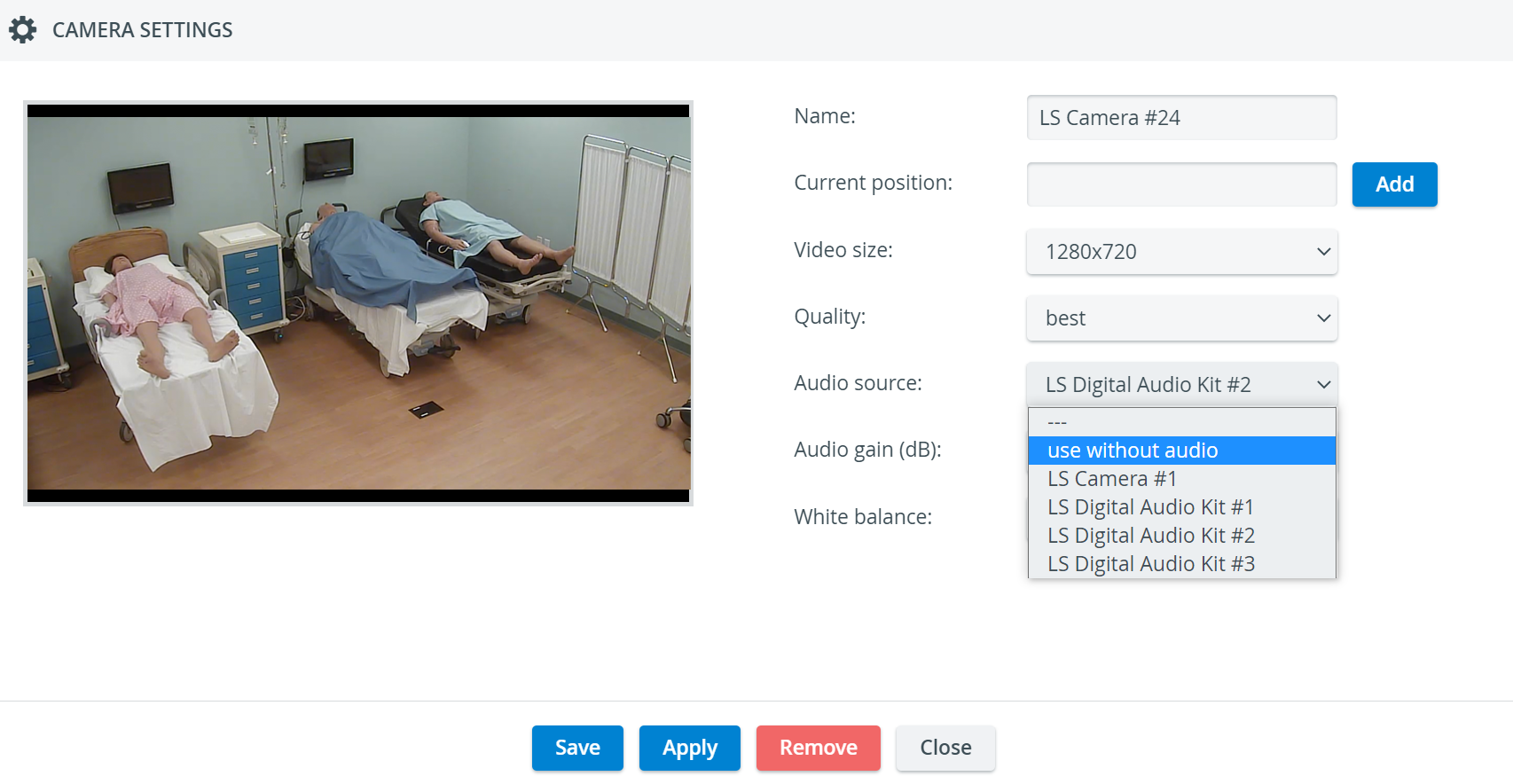
The cogwheel in each row of a configured camera prompts the Camera Settings window to open, where PTZ settings, video size, quality, audio source and gain, and white balance can be adjusted for a specific camera.
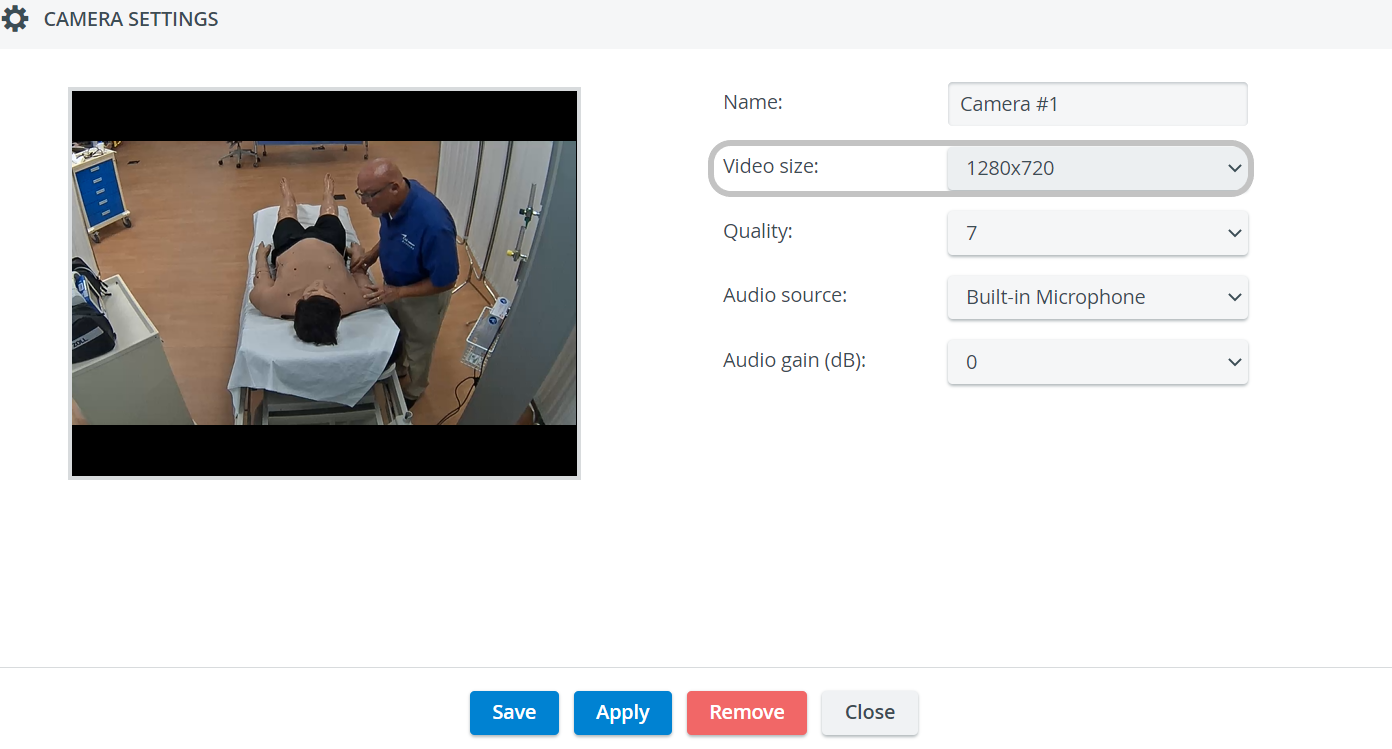
The recommended video size (aspect ratio) is 16:9 (e.g. 1280x720).
The sizing of camera streams may not be optimal with a 4:3 video size (an additional black bar/stripe might be visible at the upper and lower edges of the screen).
For cameras without built-in audio, one of the external audio sources has to be selected from the Audio source drop-down in order for the camera to be assigned to a room within LearningSpace.
If the "use without audio" option is selected, you can assign the camera to a room, but the videos will be recorded without audio, which means that the audio track will not be recorded.
Speaker Settings 
The cogwheel in each row of a configured speaker (Digital Audio Kit, DAK) prompts the Camera Settings window to open, where the following settings can be specified:
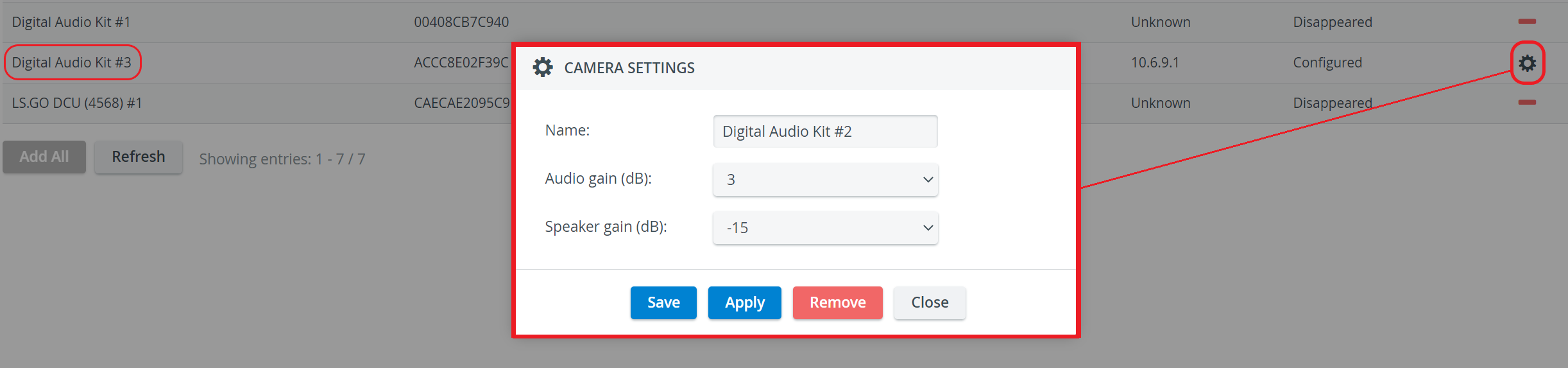
Name - Speaker name for distinction
Audio gain (dB) - controls the sensibility of the integrated microphone of the speaker
Speaker gain (dB) - controls the speaker output volume
See also How can a camera be connected to the system? and visit our other System - FAQ pages.