2024 June New Features
Software Updates
📽️ 9-camera feed in Single Room View
In this new release of LearningSpace, #6, #7, #8, and #9 optional camera selector dropdowns have been added to the Room editor of the System module.
It only allows the Single Room View's (SRV) 3x3 layout to be used with camera feeds.
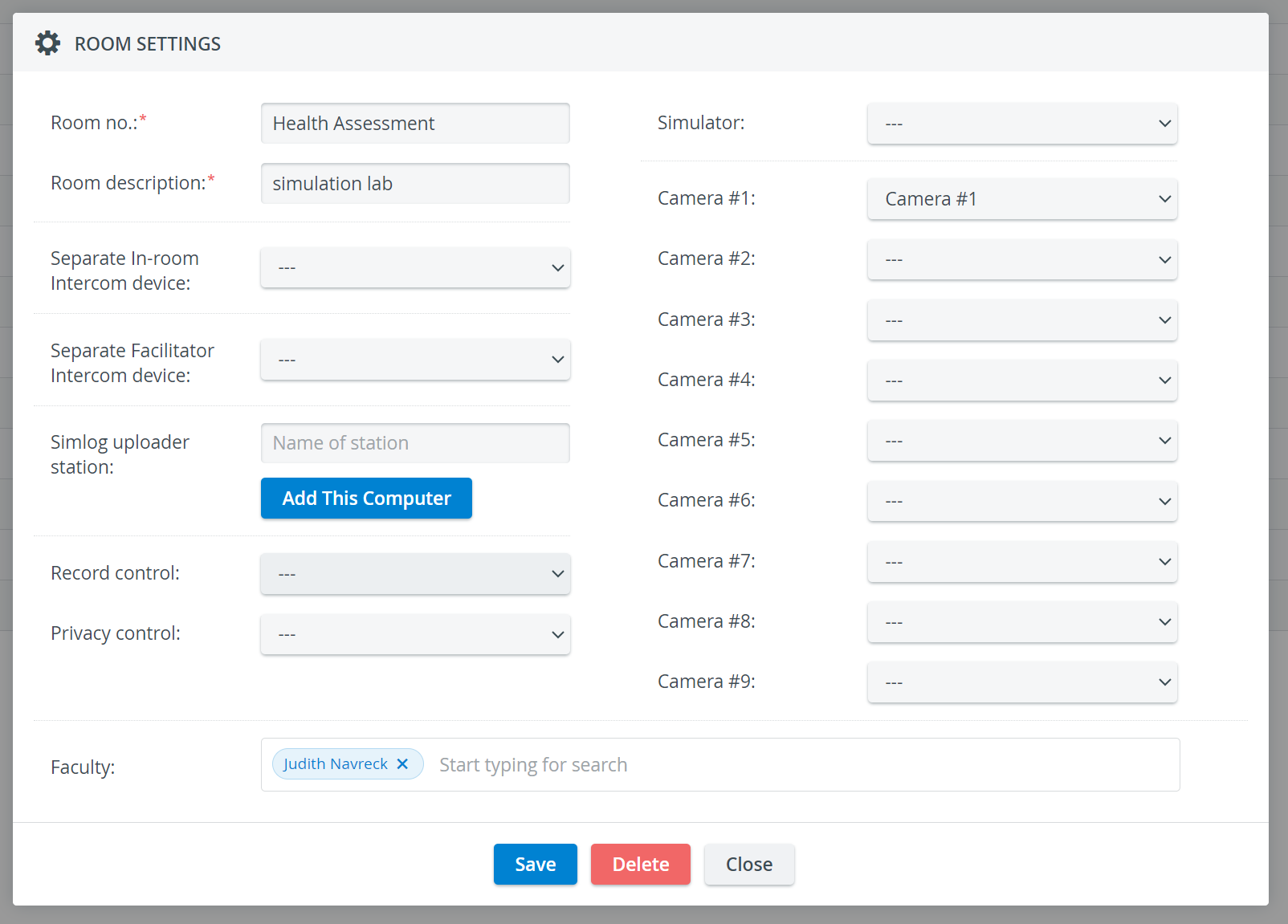
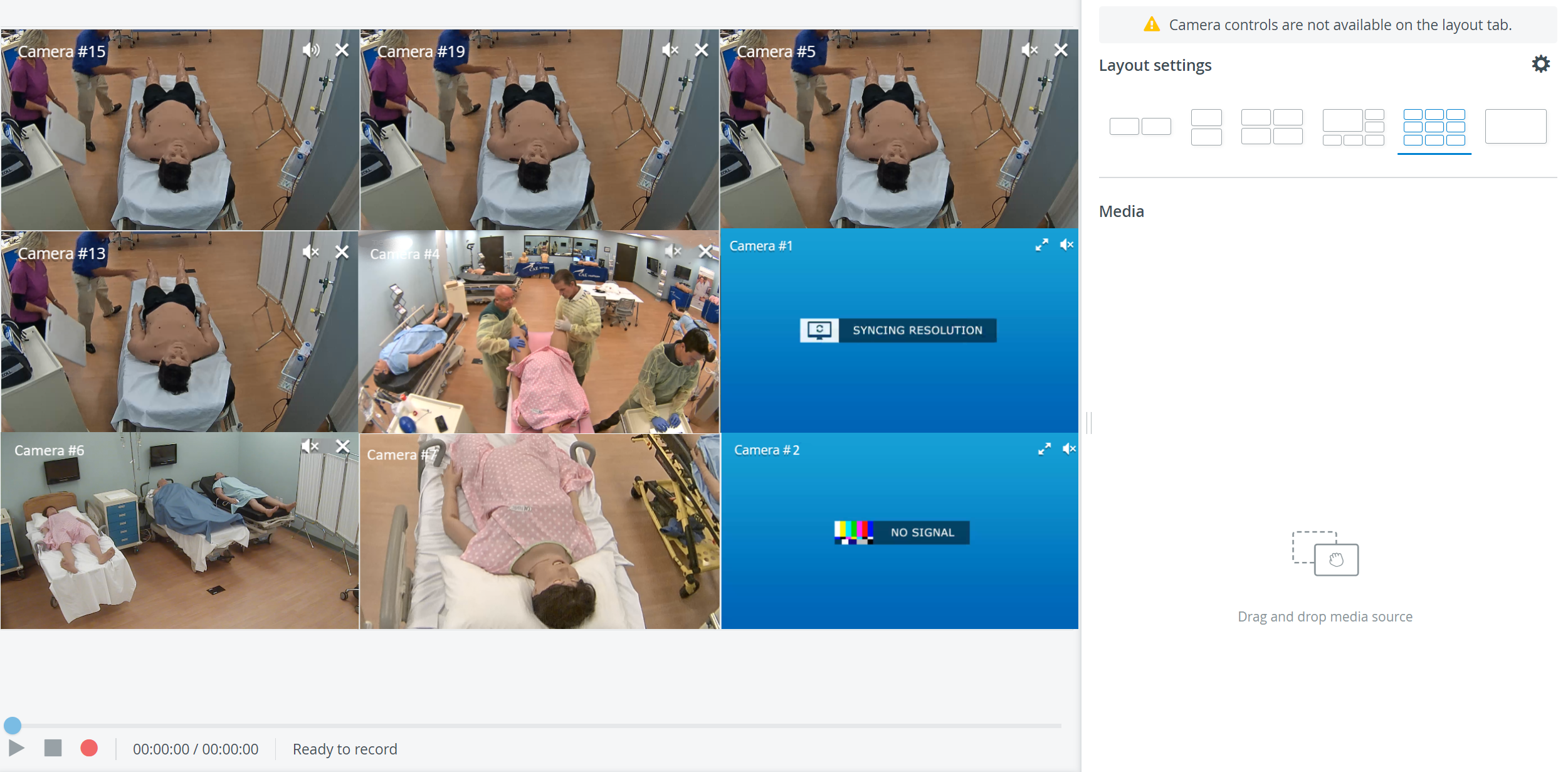
For more information, go to the Rooms.
⬆️ Video Upload option
Video uploads are now enabled for the Experience tier: videos recorded outside the central management system can be uploaded to the Video Review page.
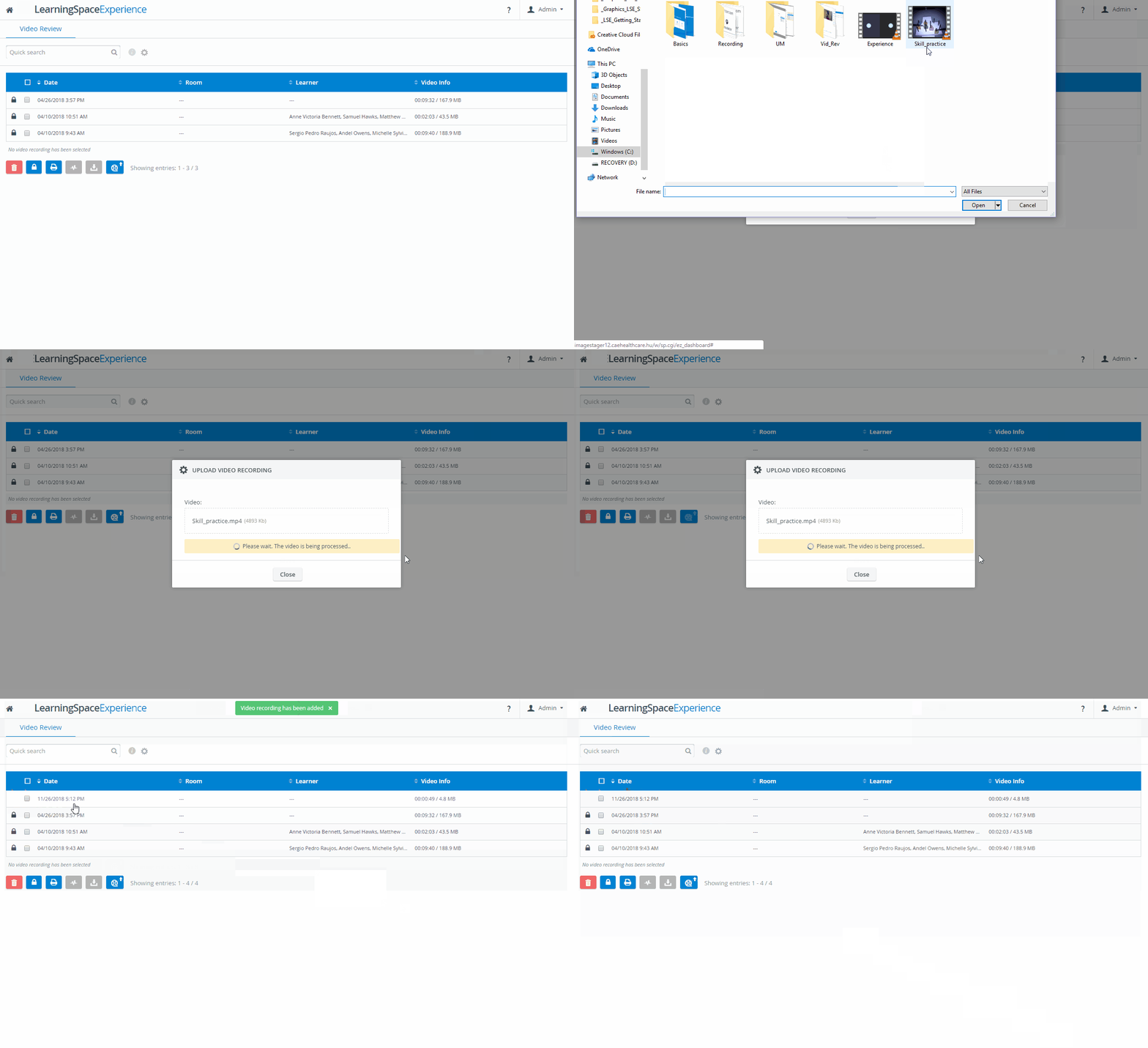
For more information, visit Can a video be uploaded to the system?
🔑 Custom Password Handling for wireless simulator connection
When connecting a simulator to the LearningSpace system through the Simulators tab, password authentication ensures a secure connection to the wireless bridge (necessary for the simulator to function correctly).
From now on, instead of the factory password, a custom password can alternatively be used for the simulator's access point.
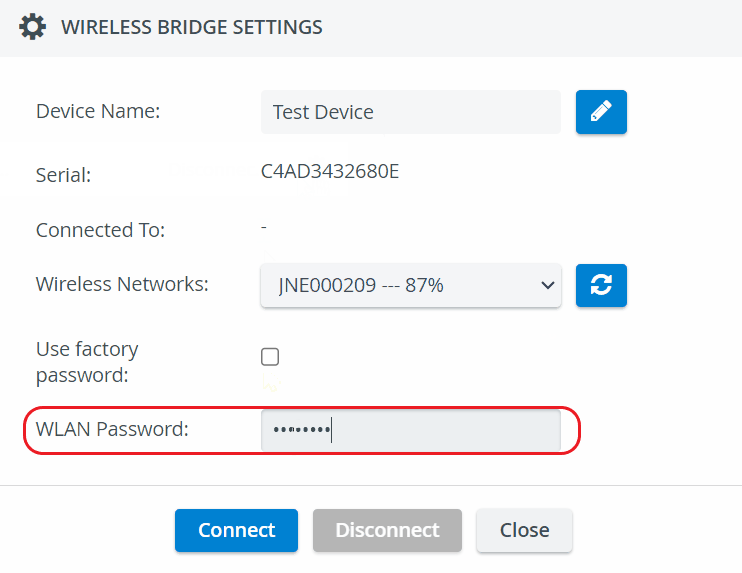
For more information on Custom password handling for wireless bridges, go to How can I Connect a Simulator.
🆔 New "Additional Custom ID" field in Edit User pop-up
This new field has been added to the Edit User Pop-up to allow users to “label” LS users without the need to use “unique” ID-s (UCID).
For example, the same Additional Custom ID can be used for a group of people to distinguish the group.
This field will additionally appear in the Batch User Upload Module as well.
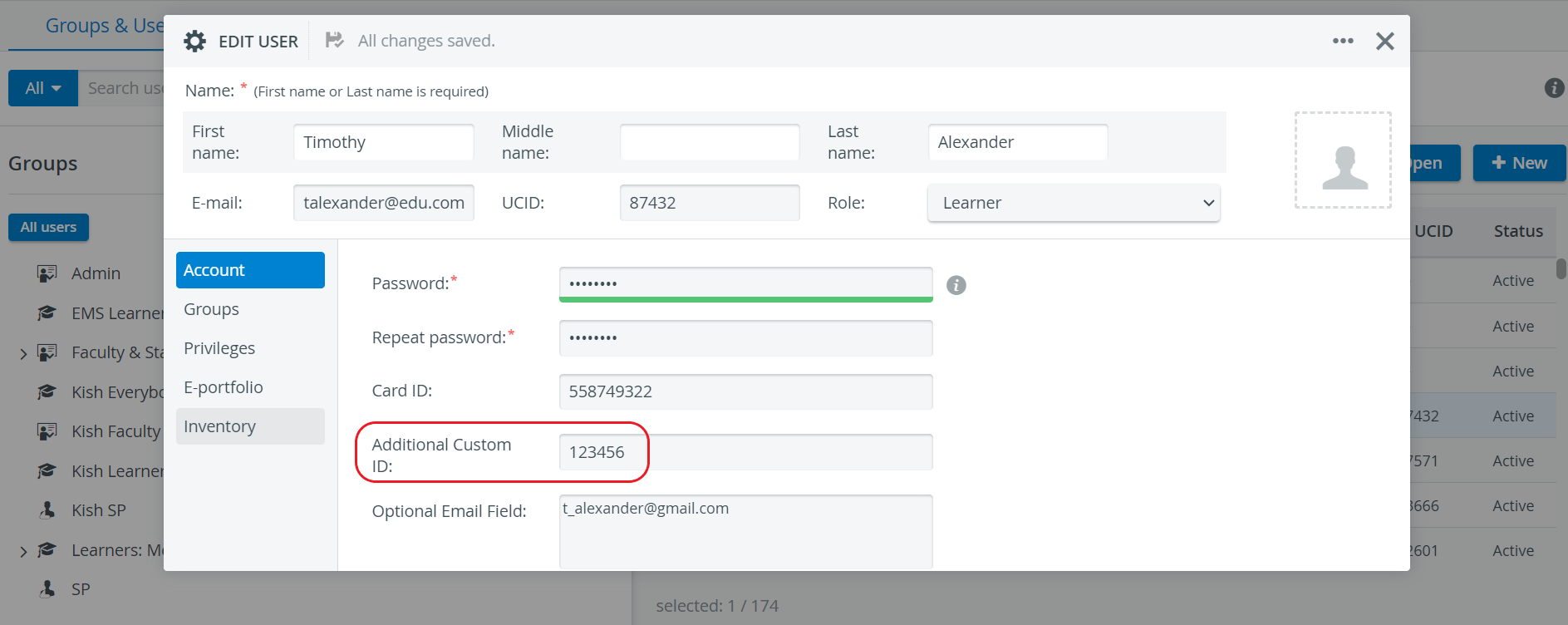
For more information, go to Groups and Users.
🛡️ Certificate Expiration Date Display
The certification expiration date will be displayed in the ‘Expires on’ column on the HTTPS config page within the System Module.

For more information, go to How to use the HTTPS certificate request/upload tool.
🔐 Secure Authentication for Raw Data API
The Raw Data API allows users to interact with LearningSpace’s data API interface and retrieve XML-formatted responses from specified Activities.
We have now upgraded the authentication method for our Raw Data API to a more secure API key-based system. Users with necessary permissions can generate an API key via the System settings module's Security tab. This key replaces the previous password parameter in API queries and remains valid until manually revoked.


For further details, please visit How to Generate a Raw Data API Key and How to Use the Raw Data API.
🔊Varied Audio Gains for Different Sources
We've refined the audio source settings in the Cameras tab, introducing default gain values for various audio sources to optimize device compatibility.
The default settings are as follows:
Line: 0dB
Axis: 35dB
Audio Technica: 35dB
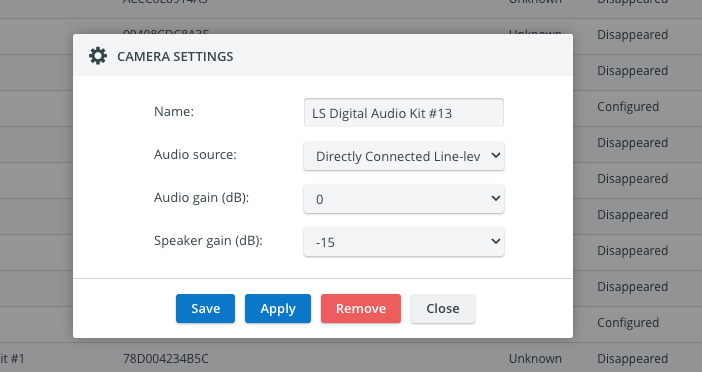
Directly Connected Line
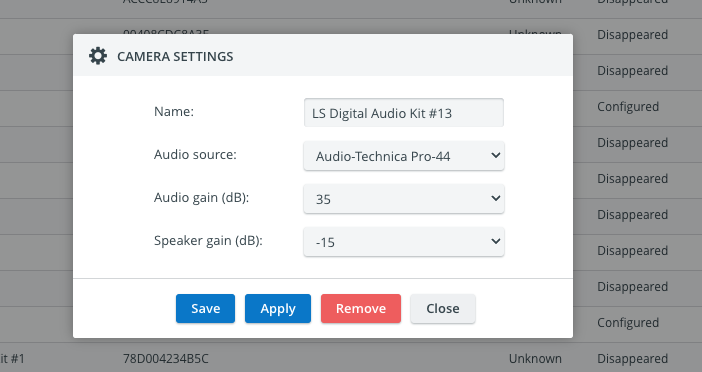
Audio Technica Pro
Hardware Updates
📹 Support for new Video Decoder
The official support for the Axis D1110 Video Decoder, the successor to the Axis P7701 and Axis T8705 models, has been started.
🎙️ Support for ClockAudio C 8SE-RF microphone
We are pleased to announce support for the ClockAudio C 8SE-RF microphone. It functions similarly to the AudioTechnica Pro44 and should be configured with the same settings.
🕹️ Support for AXIS TU9002 Joystick
As the Axis T8311 Joystick is becoming an End-of-Life product (EOL), we have officially started supporting the AXIS TU9002 joystick.
With this new equipment, the camera can follow the joystick's PTZ operation (continuous pan, tilt, zoom). Continuous operation means that the camera will not be repositioned in increments but continually, making it more user-friendly.
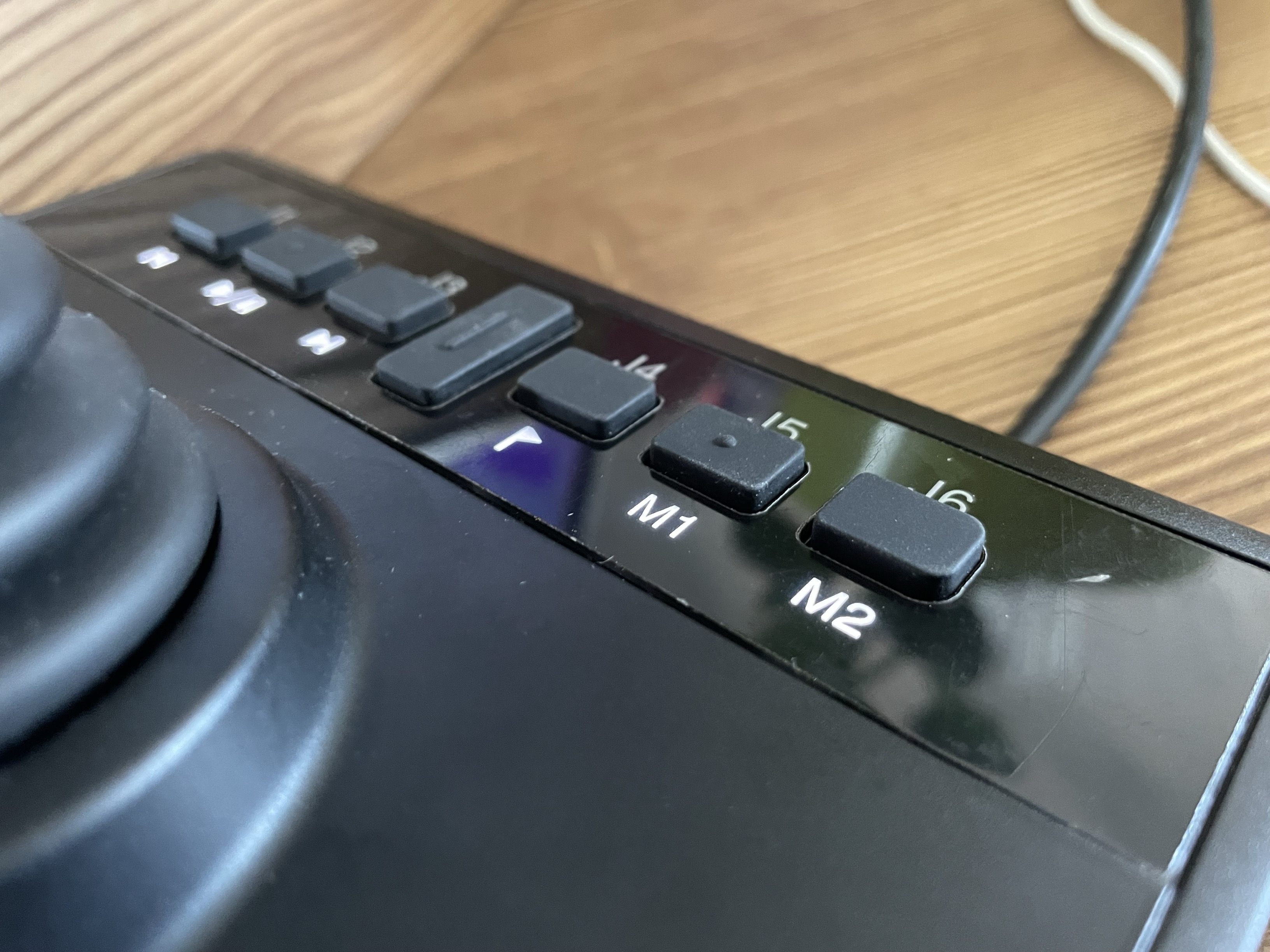
AXIS TU9002 Joystick
For more information, go to How to use a Joystick for PTZ Functions.