Where can I check how much storage I have left in the system?
On the General tab of the System Manager, click the Show System Storage Details button. It opens the System Storage Details pop-up window, which lists video storage availability by serial.
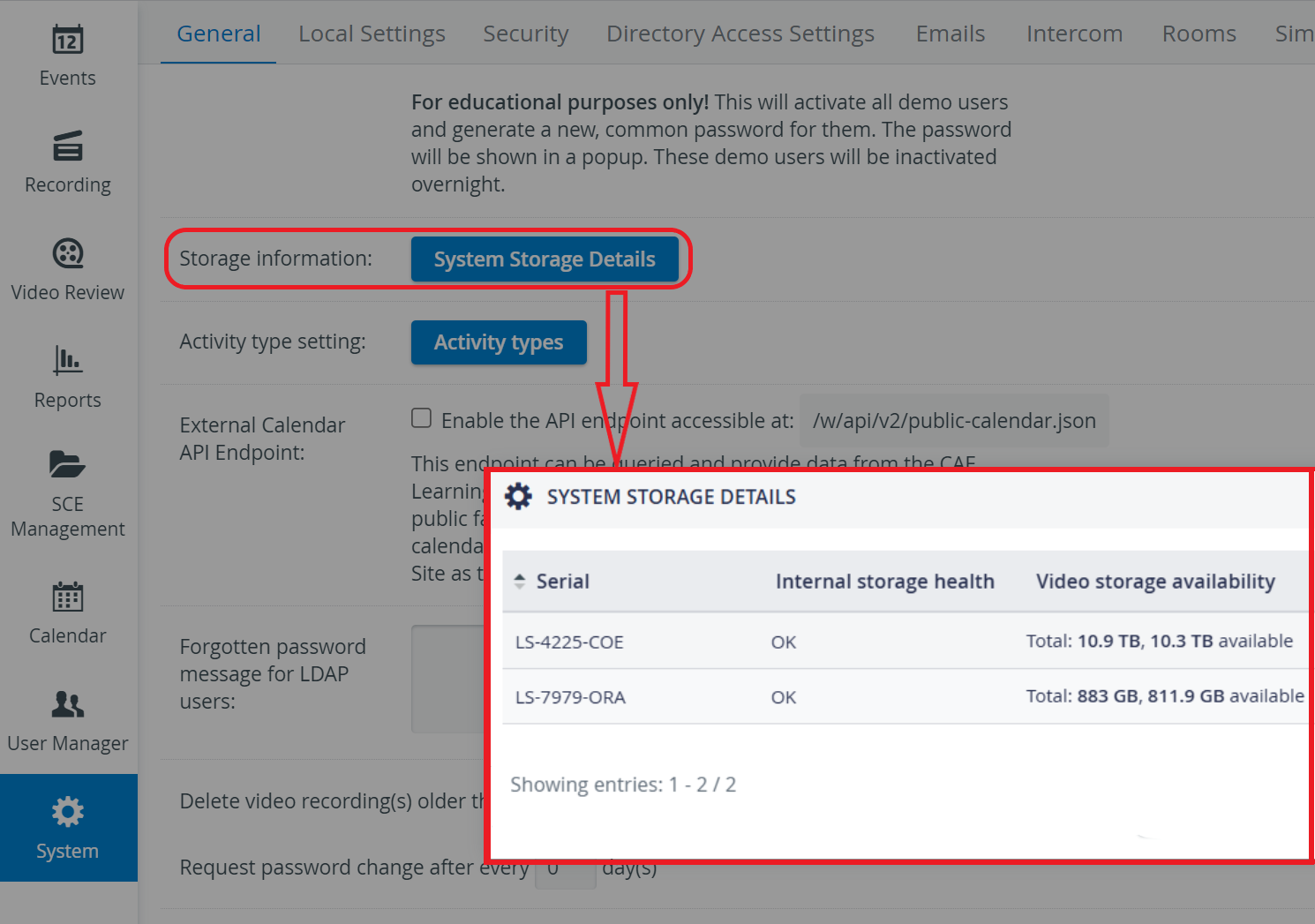
Serial: the serial number of the LS device,
Internal storage health: the storage state of a specific LS device of a server.
Video storage availability: shows the total and available storage space on a specific LS device.
You can generally estimate approximately 500-1000 MB (1 GB) of storage space used per hour per camera in your LearningSpace system.