What to know about the Skill Development Report
The Skill Development Report reflects on the learners' performance in the different skill areas.
Skill areas are determined by the section abbreviations created within a checklist. Sections consist of items (questions) grouped by what kind of skill they reflect.
The report can be accessed in the Reports module, on the Scores tab, by selecting it from the drop-down menu in the top right corner.
The reports can be filtered for specific events/activities by selecting the desired events/activities via the Add Filter button.
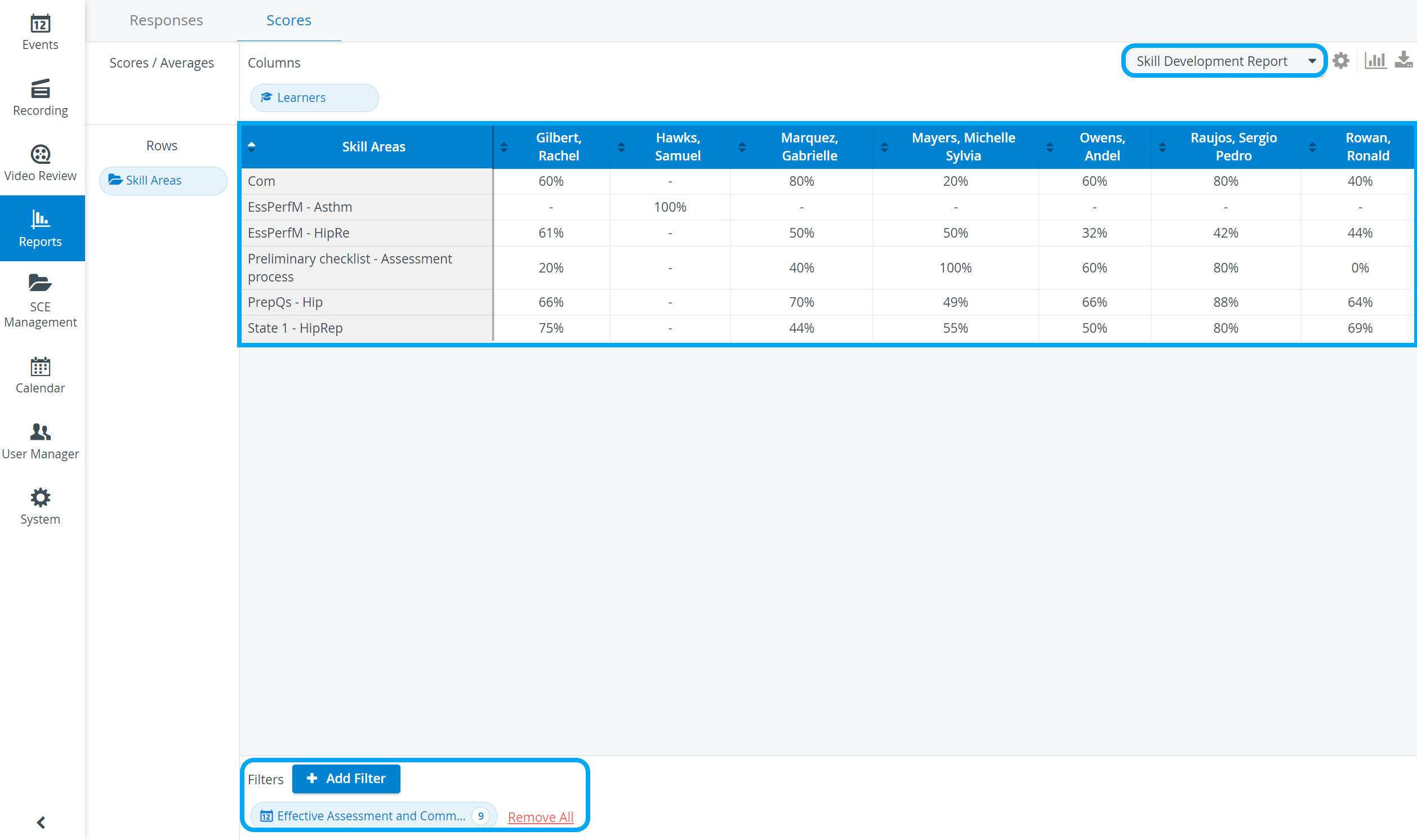
This report lists learners in columns (by default, in alphabetical order), while the skill areas are displayed in rows.
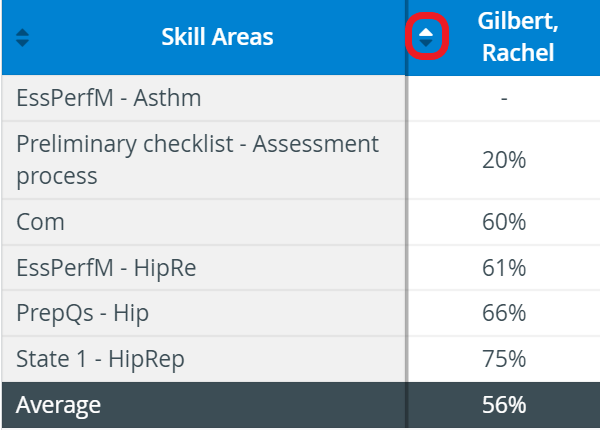
To display the Skill areas according to learner results, click the arrow in the Learner's header.

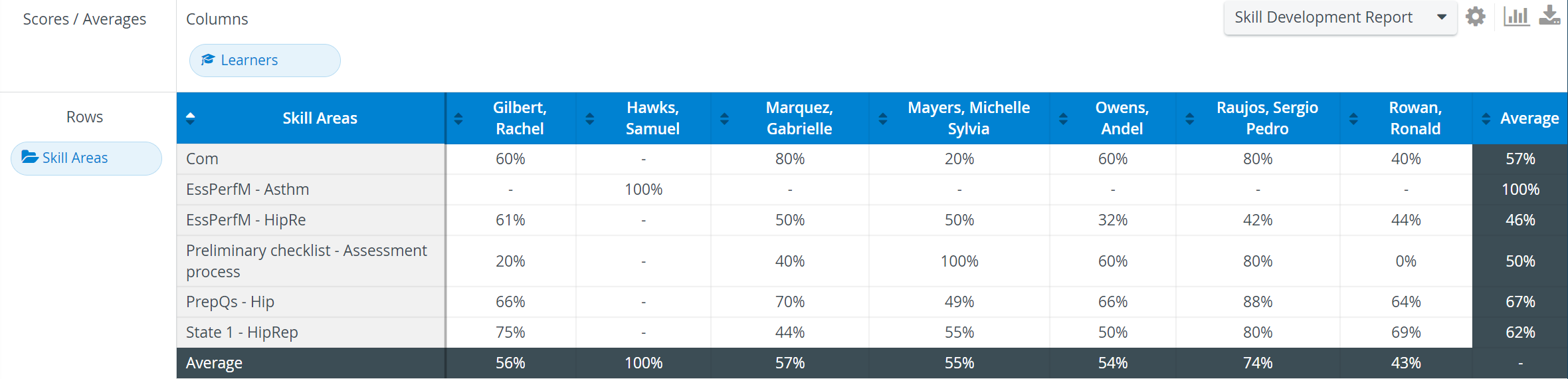
Skill areas are specified for sections, and one can be used for several different sets of questions through several different SCEs. Therefore, the Skill Development Report does not reflect on learners' performance within an event or SCE but rather their overall performance within the realm of a certain skill determined by questions linked to that skill.
See more information on our Reports Module pages.