What is the difference between the SCE Scheduling in the SCE Management and the Calendar modules?
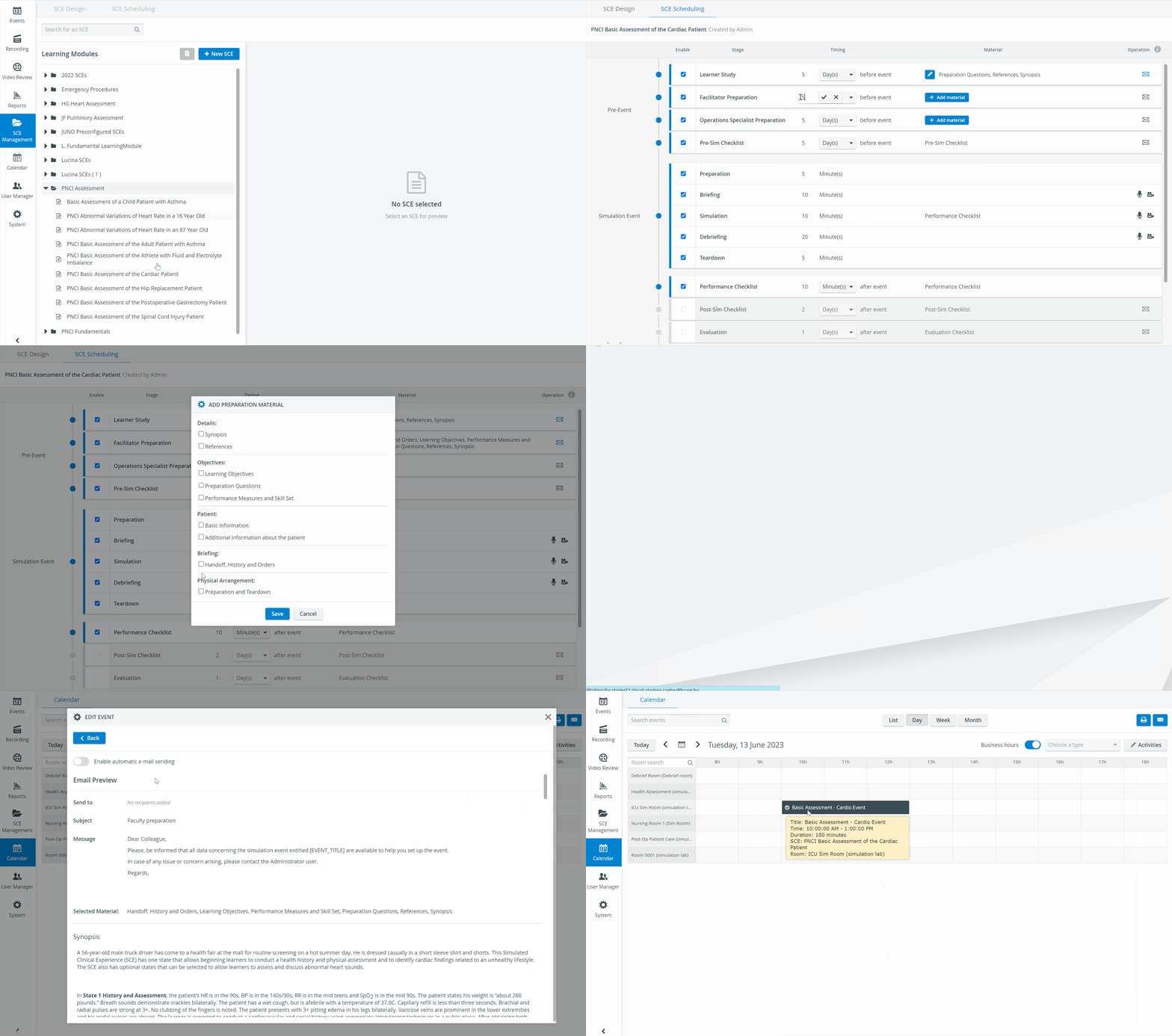
SCE Scheduling in the SCE Management is a timing draft set up for a specific SCE. Once an SCE is selected for a scheduled event, that timing draft gets imported into the scheduled time interval.
IMPORTANT: As a result of the connection, the following consequences should be taken into account:
The SCE Scheduling tab of the Edit Event pop-up contains no information until an SCE is assigned to the event on the Event Details tab
The duration of the scheduled event in the Calendar should be long enough to accommodate the duration of the Simulation Event as scheduled in the SCE Management
The timing draft, specifically the stages within the Pre- and Post-Event phases of the SCE, can then be adjusted for a scheduled event on the SCE Scheduling tab of the Edit Event pop-up window in the Calendar module.
Automatic Recording
IMPORTANT: Automatic recording can be set up for a scheduled event's Briefing, Simulation, and Debriefing parts.
For the recording to start, the camera icon


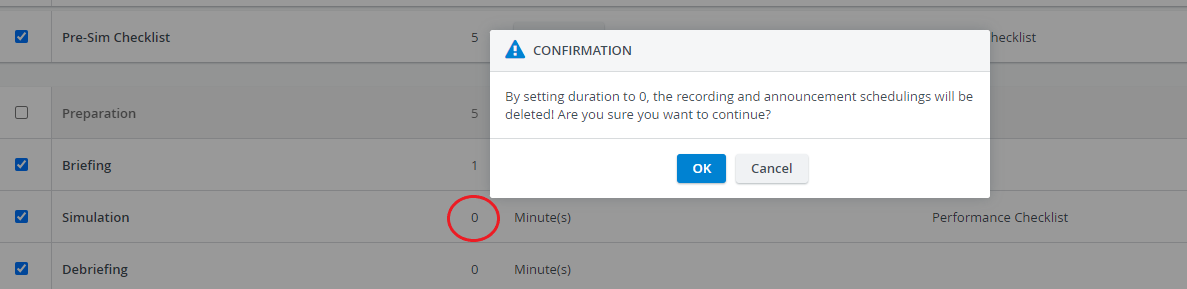
When setting the duration of a Simulated Event stage to zero (‘0 Minute(s)’), the system warns that recording will not be started and announcements will not be sent for that stage - even if any of those options are enabled.
Emails


The actual sending out of emails can only be activated within the Calendar module.
If an email is not prepared for sending within the SCE Management module, the function will not be available when scheduling an event.
NOTE: The duration of the Simulation Event - but NOT the duration of the individual stages within - can be adjusted on the SCE Scheduling tab of the Edit Event pop-up.
For further information, visit our Calendar Module, Calendar Practical and SCE Scheduling, and SCE Management - FAQ pages.