What are merge tags?
Merge tags are for personalizing emails, that is, when inserted, they are replaced in the email received by a specific addressee by the concrete piece of information they stand for.
For instance, [EVENT_TITLE] would be replaced by the title of the event for which the email is sent.
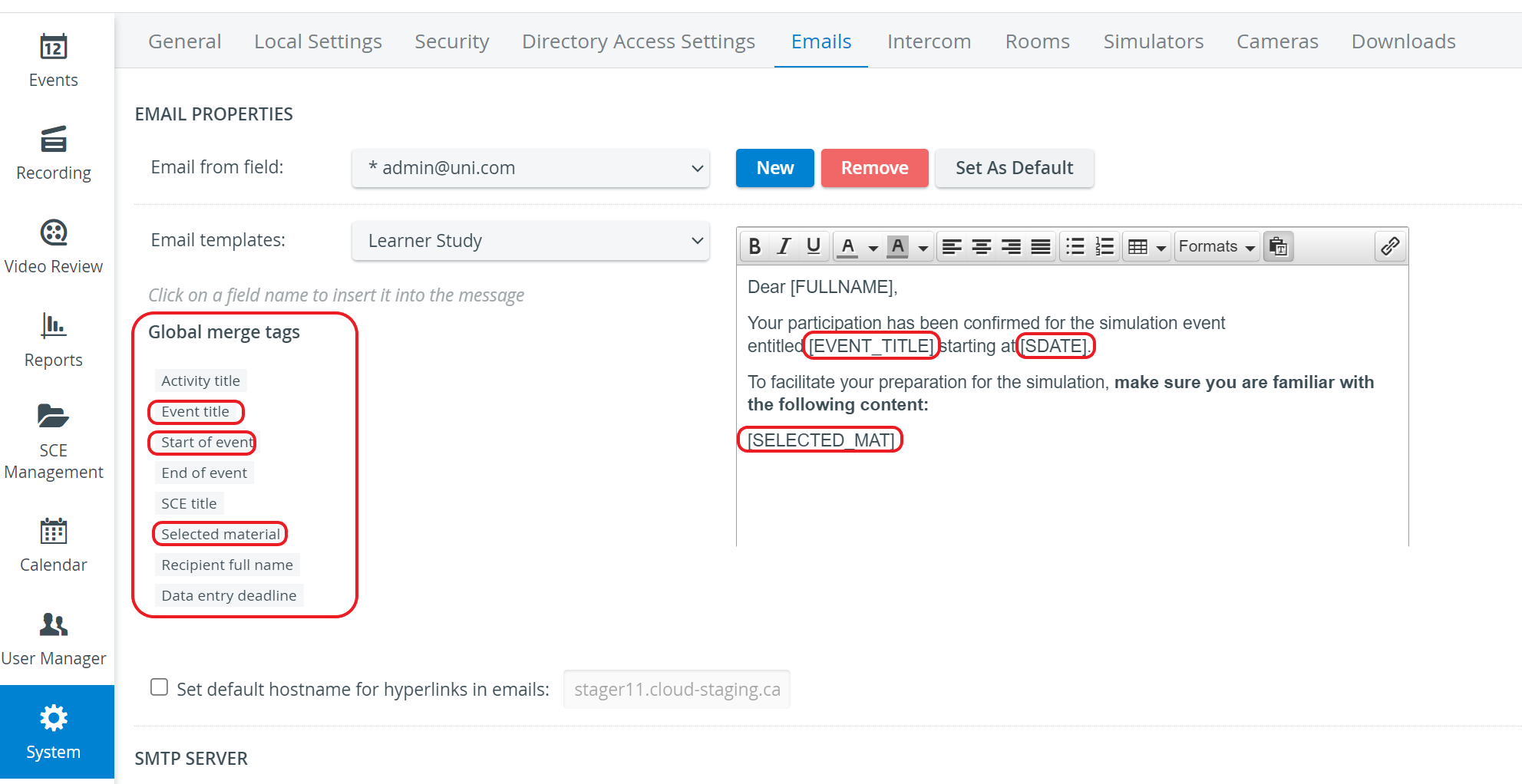
The following merge tags are available in LearningSpace Essentials:
Activity title - title of the activity (if any)
Event title - the title of the scheduled simulation event
Start of event - the starting (date and) time of the simulation event scheduled in the Calendar
End of event - the ending (date and) time of the simulation event scheduled in the Calendar
SCE title - the title of the SCE assigned to the scheduled simulation event
Selected material - list of SCE content selected to be sent to users
Recipient full name - first and family (and middle, if any) names of the addressee of the email (learner, faculty, facilitator, or operations specialist)
Data entry deadline - corresponds to the date set at the Available till drop-down on the SCE Scheduling tab of the Edit Event pop-up (in the Calendar module)
Event URL - direct URL to the data entry page of the event