Waveform and Sim Log
Elevate Healthcare simulators associated with a room display their Simulator Log (CTG, waveform, and trendchart/patient monitor) in the Single Room View. They get recorded along with the camera feed when REC is started.

Installing and connecting a simulator can be done within the System module.
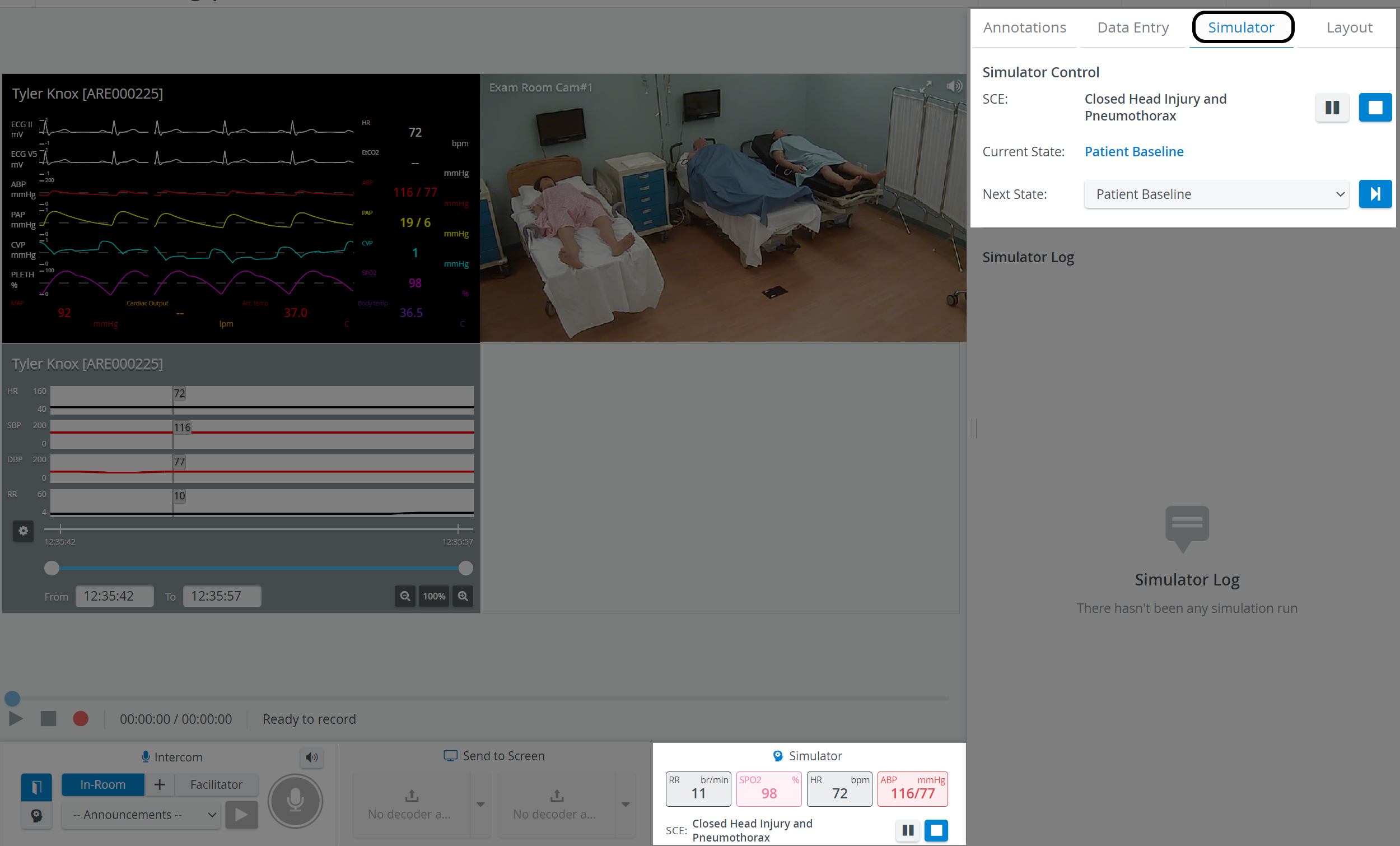
IMPORTANT: Physio apps (Waveform, Trendchart, CTG) are only recorded if the simulation is started before starting a recording.
If the simulation is started during a running recording - that is, after the recording has started - the system warns you:

The Waveform's parameters can be changed by clicking the value intended to be changed and thereby opening the Parameter Selector.
The exact place where the cursor is when clicking determines which value will be changed.
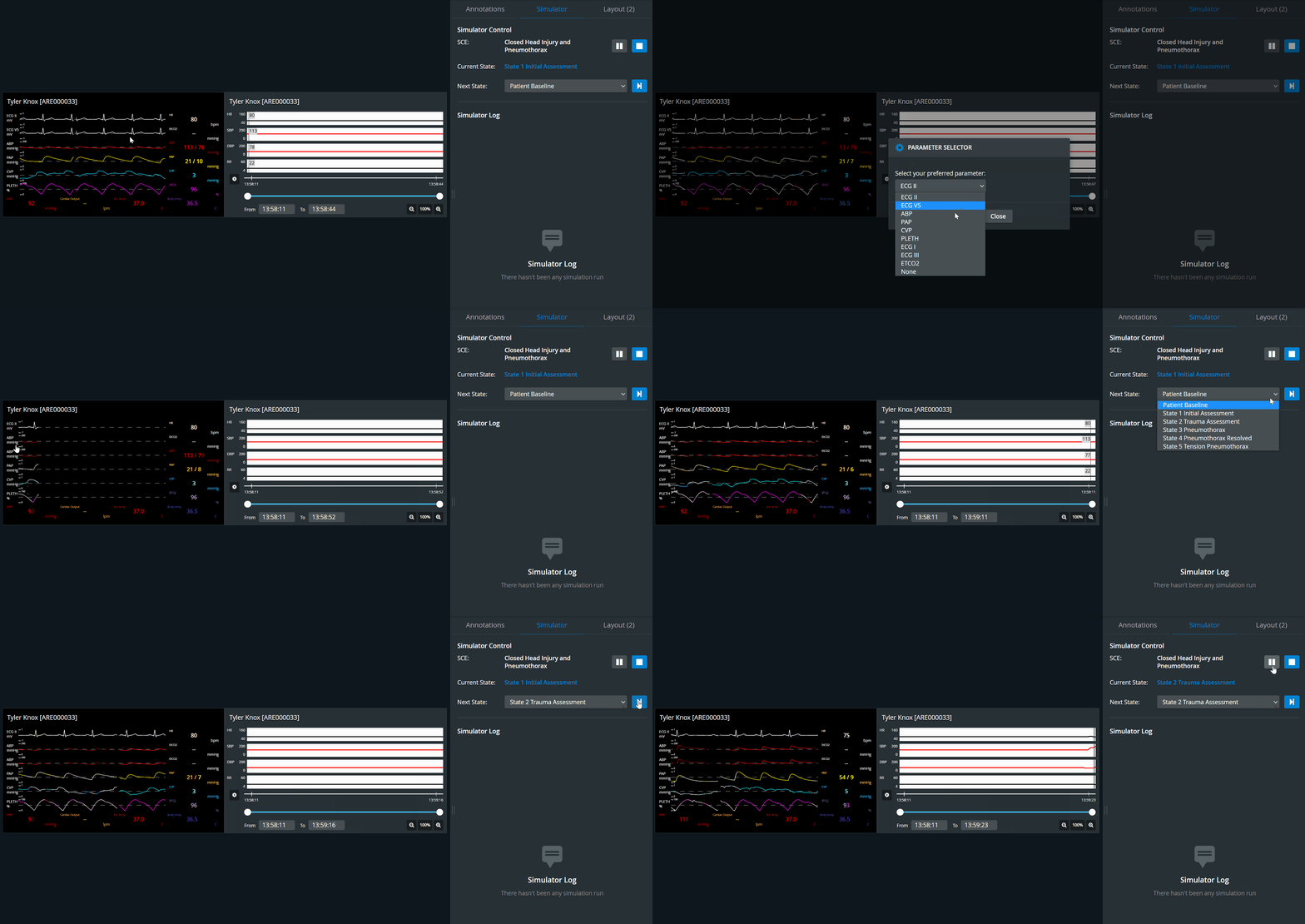
Waveforms and the Sim log can be accessed and controlled by users with Admin, Facilitator, or Operation Specialist roles.
For more information, visit our Practical Recording.