Scoring Open-Ended Textual Answers - OEQS
Text item types require learners to provide freely worded textual answers, which the system cannot score automatically.
Such answers have to be evaluated by faculty members with the necessary competence.
Within LearningSpace, users dedicated to this task must have OEQS access associated with the Admin, Faculty, and Facilitator roles. With the necessary role, users can conclude Open-Ended Question Scoring (OEQS) as follows:
When either of the OEQS-responsible users enters their LearningSpace account, the Your Events panel lists all the events for which textual answers are to be scored.
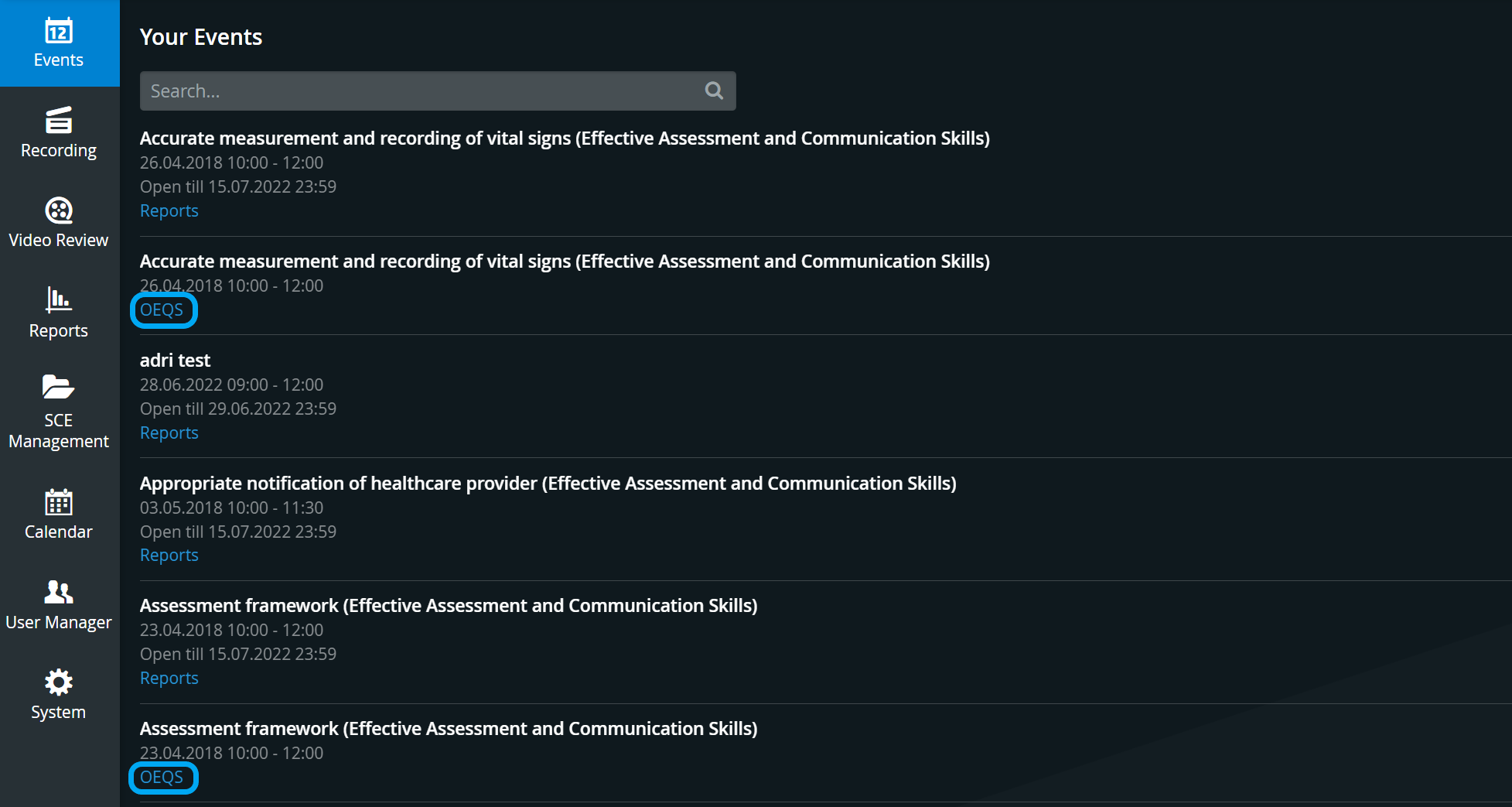
For the OEQS button to be displayed, the following criteria have to be met:
Text items need to be added to a Pre-Sim or Post-Sim Checklist,
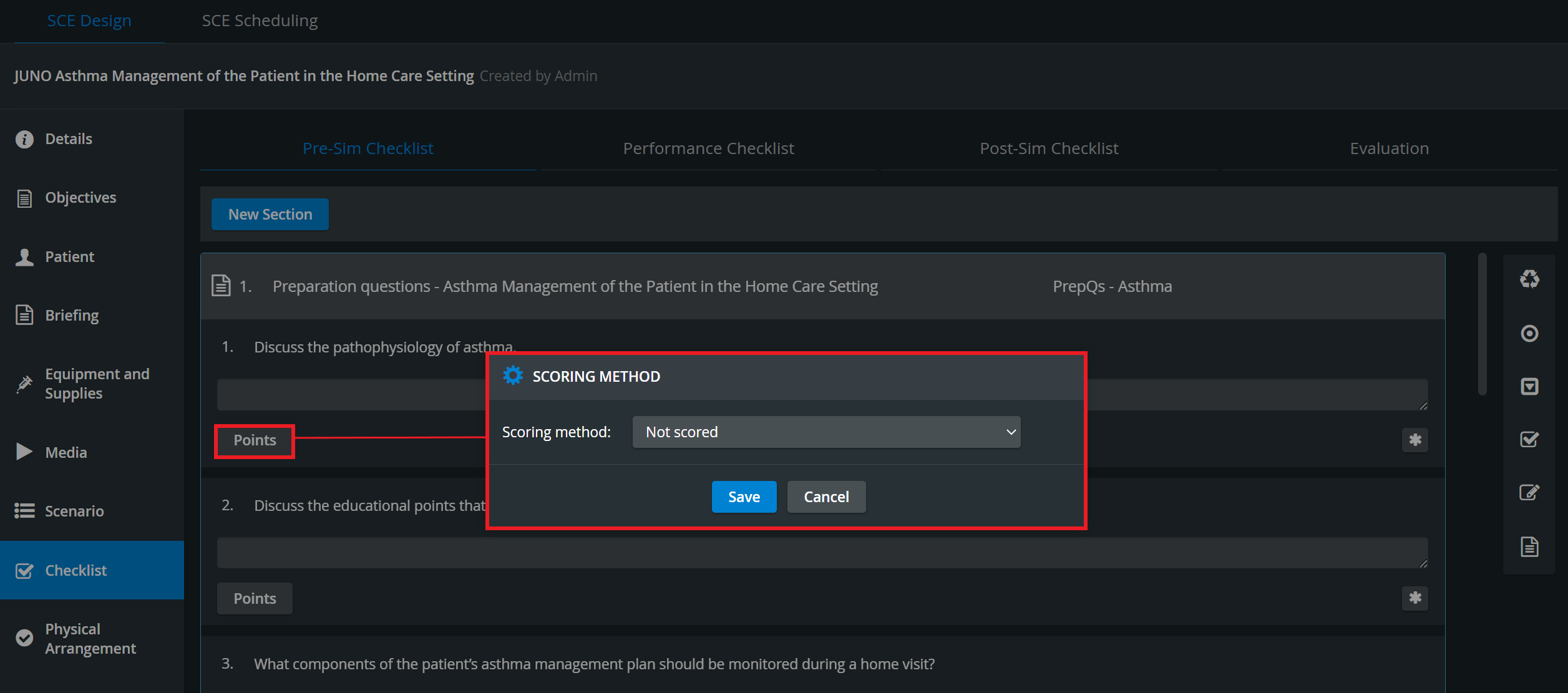
Even though Evaluation checklists may also include text items, they should not require any OEQS activity. Therefore, their Scoring Method (accessible via the Points button) should be set to 'Not scored.'
The SCE (Simulated Clinical Experience) containing the relevant checklist has to be assigned to an event, which can only be done in case of scheduling in the Calendar module,
Data Entry must be submitted; learners (in the case of the Pre—or Post-Sim Checklist) or responsible faculty members (in the case of the Performance Checklist) must fill out the relevant text items.
Scoring Tab
The OEQS module makes a distinction between selecting the scoring view by Questions or by Learners in the following ways:
If a question is selected for scoring, OEQS graders will arrive at the exact question (highlighted in blue) when landing on the Scoring tab. They will also arrive at the first learner whose checklist is due for grading.
If a learner is selected for scoring, OEQS graders will arrive at the exact learner's responses (highlighted in blue) when landing on the Scoring tab.
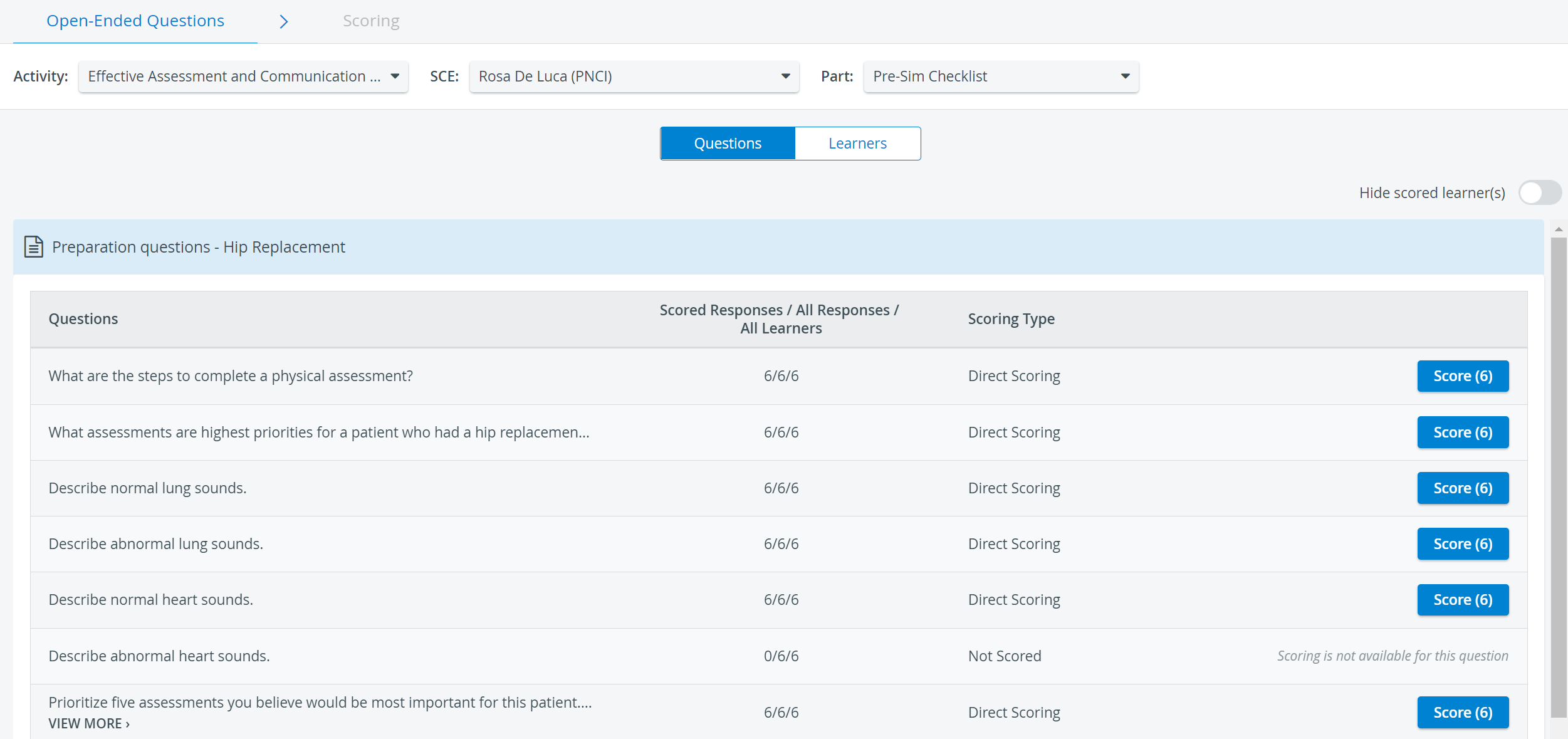
See more on the Open-Ended Questions Scoring (OEQS) Module pages.
For further information visit our Reports Module and Reports - FAQ pages.