Report Access for Learners
Responses Tab
Learners can be granted access to their scored checklists (Responses). On the Responses tab, individual learners can see their answers and the points they received for each.
Reports on the learner's scores, calculated from the results of the Pre- and Post-Sim Checklists (if applicable), and the faculty evaluation of the Simulation checklist can be made accessible to learners underSCE Management → SCE Scheduling → Learner Report → Add reports.
In the Timing column, the start of availability can be set relative to the end of the simulation event, while the end of access can be set using the Available till selector.
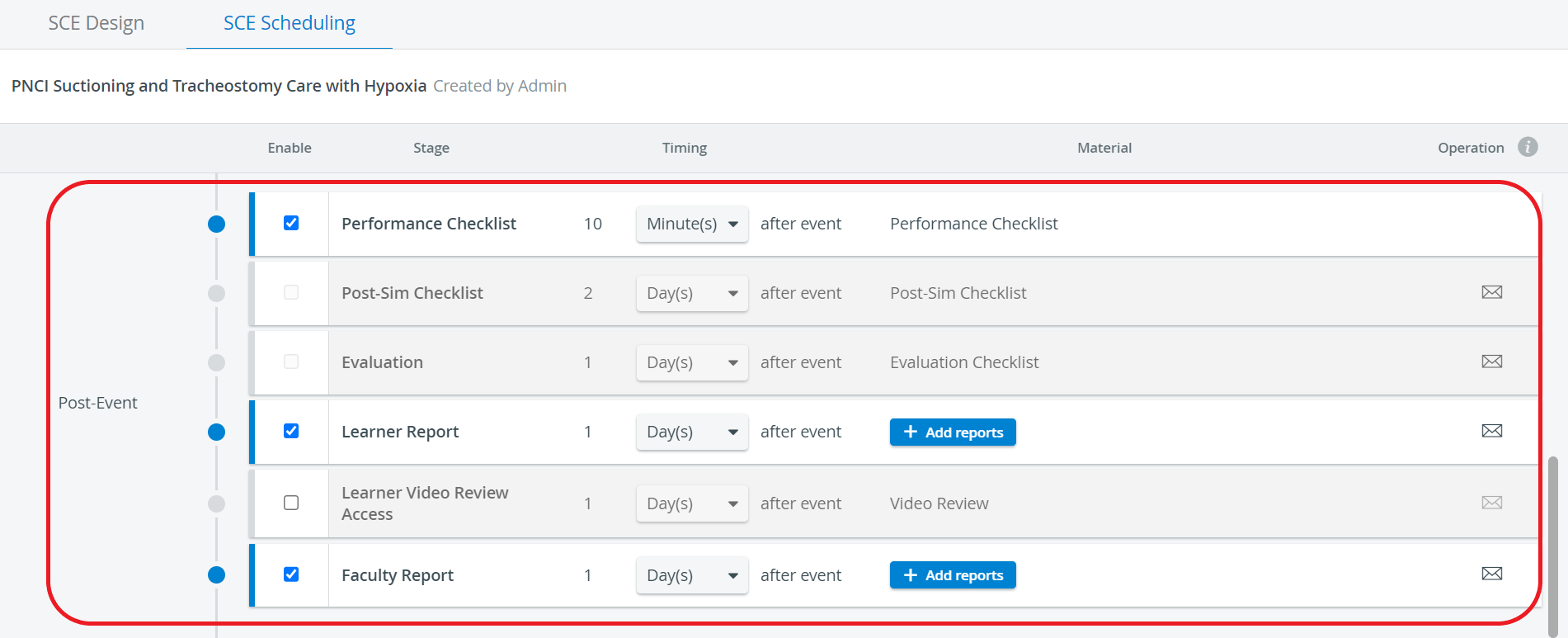
As the checklists are filled out for a specific event, access to the report must also be set up when scheduling the event in the Calendar module.
NOTE: As the access is determined when scheduling the event, only Admin, Facilitator, and Scheduler users can do so.
Grade Report
Also, the Grade Report provides extra information on the learner's performance through the sections of a specific SCE compared to the class average. Grade Report availability can be granted the same way access to Responses is set up when scheduling an event.
If a learner is granted access to their report, a link will be displayed on their dashboard in the Your Events panel under the relevant event title.