Open-Ended Question Scoring - OEQS
Item types of the checklists within a Simulated Clinical Experience (SCE) usually offer selectable answers to a question, thereby yielding concrete score values calculable by the system.
On the other hand, the text item type phrases a question that requires a freely worded textual answer from the responder's part ('open-ended question').
As the score value of such answers cannot be calculated by the system, scoring requires the active participation of a competent user: Open-Ended Question Scoring (OEQS) can be submitted by users with Admin, Facilitator and Faculty roles.
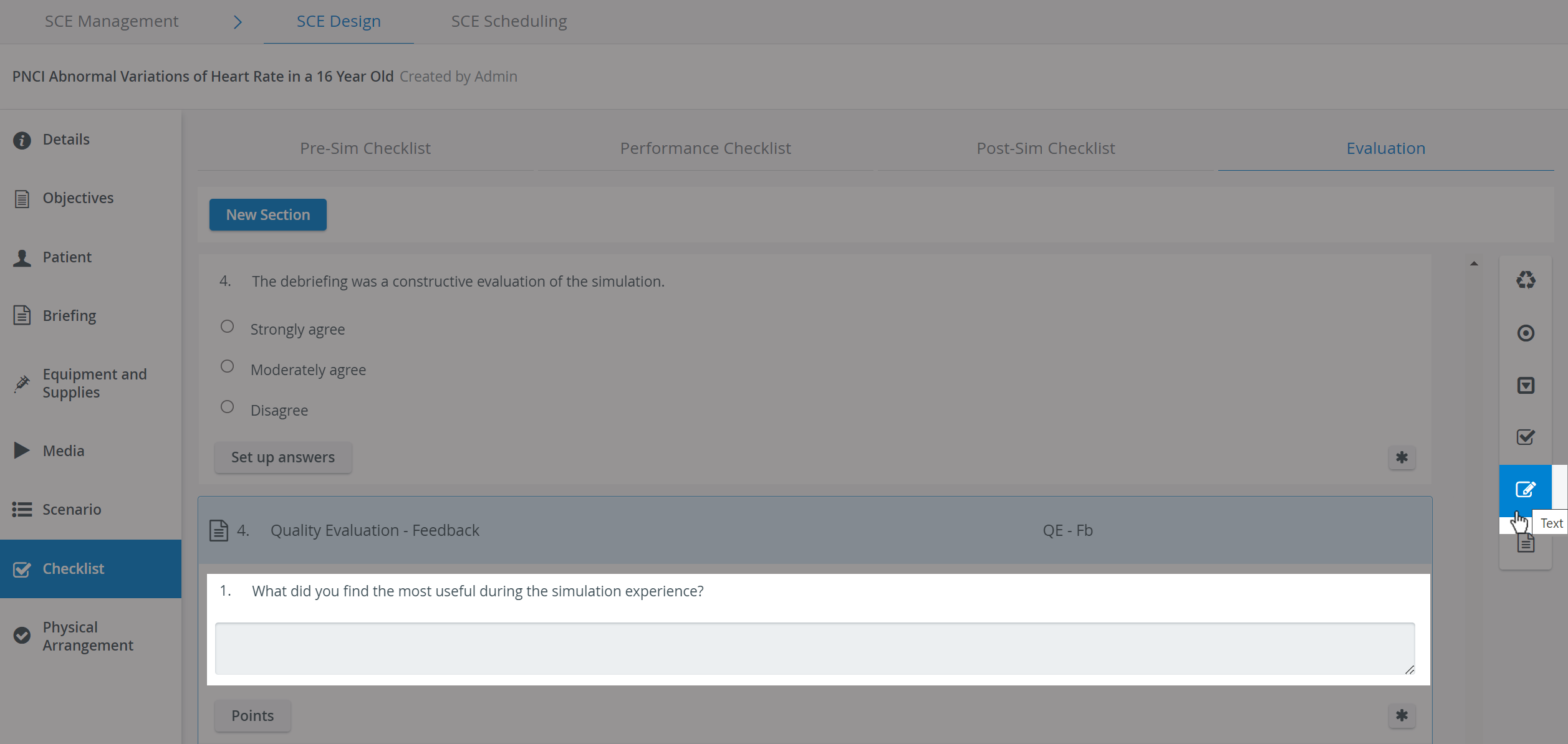
Conditions to be met for OEQS:
the Pre-Sim or Post-Sim checklist of an SCE has to contain at least one scored text item,
such an SCE has to be scheduled for an event,
the event has to be Activity-related (cannot be stand-alone).
the scoring user has to have the necessary roles: Admin, Facilitator, Faculty,
such a user has to be a member of the Faculty & Facilitator group assigned to the event when the SCE is scheduled.
Preparation: SCE - Text Item Type
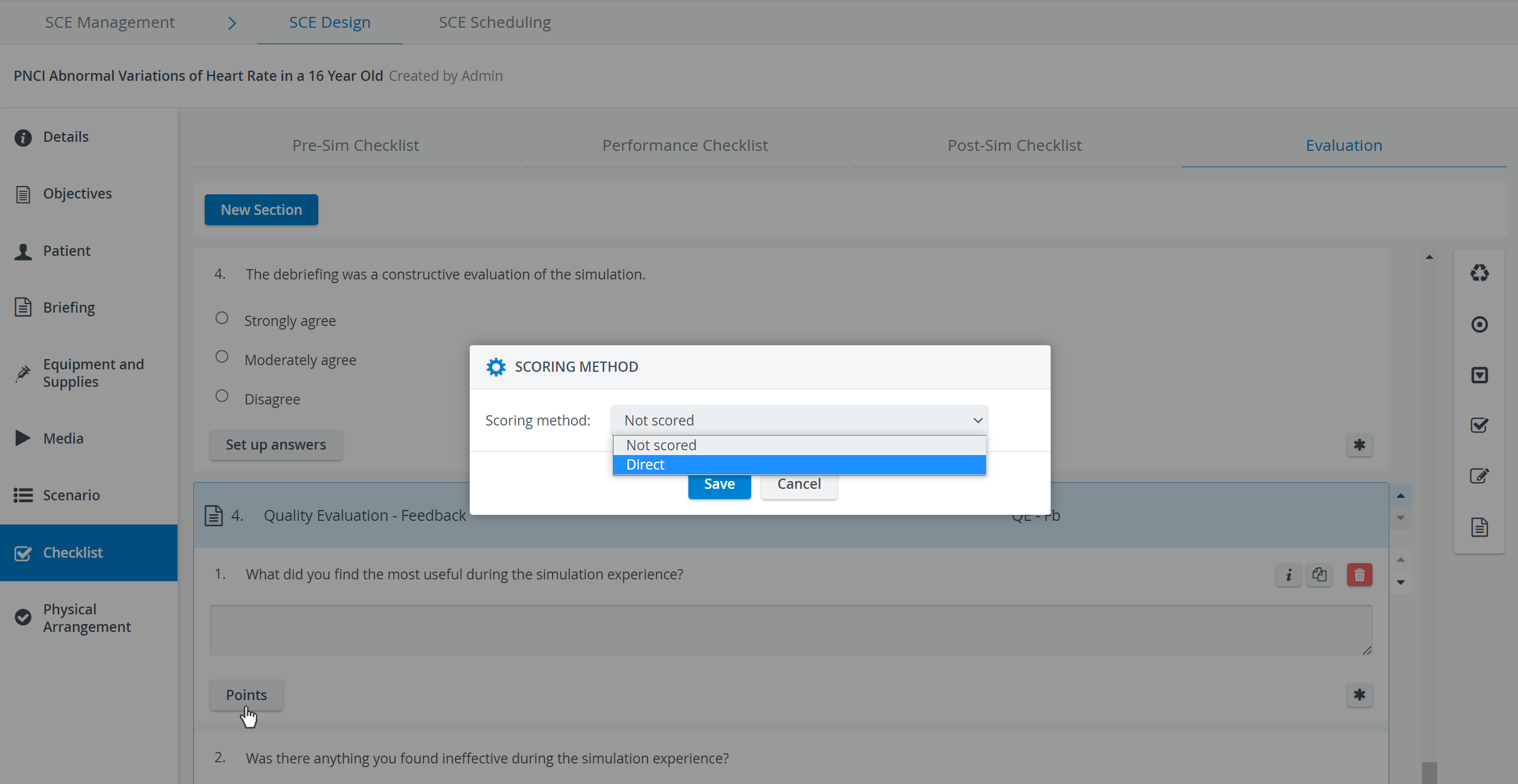
When adding a text item in SCE Design, the Points button prompts the Scoring Method pop-up to open.
Selecting 'Direct' as a scoring method and determining the maximum score allows for a scale of point values from which the designated users can select when evaluating textual answers.
Scoring notes: Instructions for the scorers regarding the nuances of evaluating the responses. Such notes are displayed below the question on the Scoring (Learner response) page.
Evaluation: Scoring
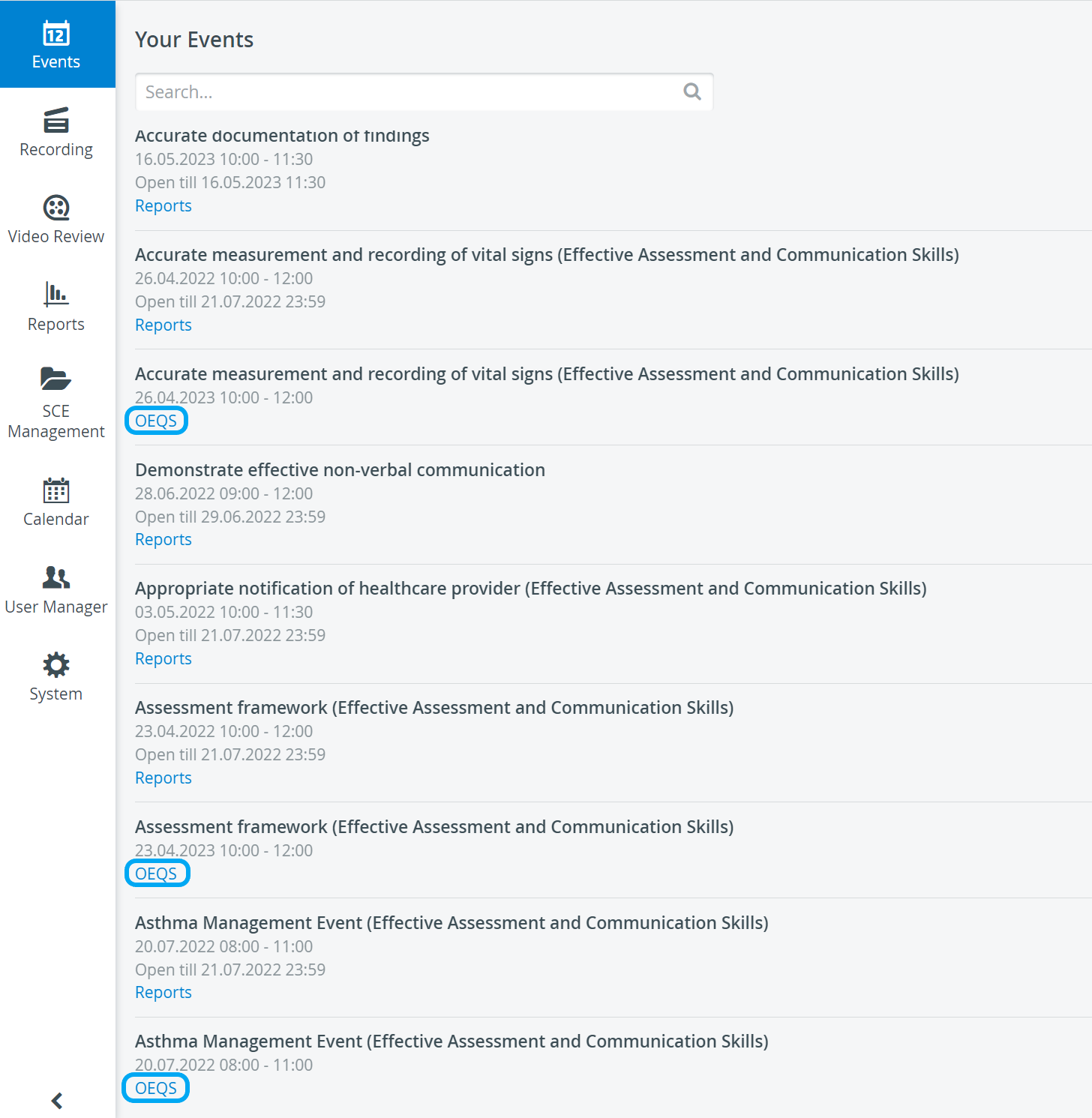
The OEQS Scoring page can be accessed via the Simulation Home page, Your Events window, by clicking on the OEQS link below the respective Events.
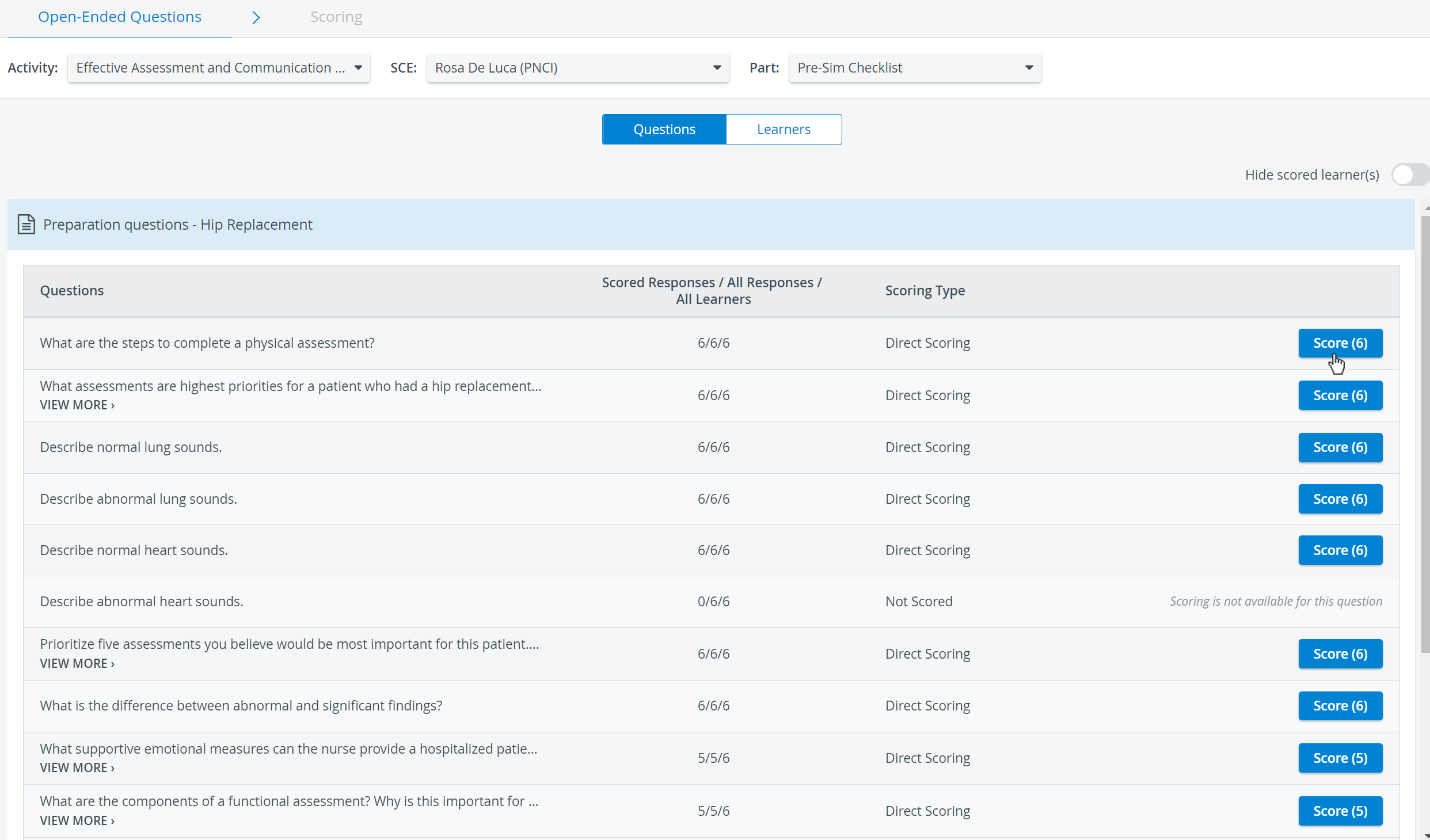
On the Open-Ended Question Scoring page, the SCE and checklist are specified via the respective drop-downs, the open-ended questions are listed, and the Score buttons navigate to the Scoring (Learner response) page.
Switching to the Learners button below the drop-down menus allows you to access the responses by listing the learners.
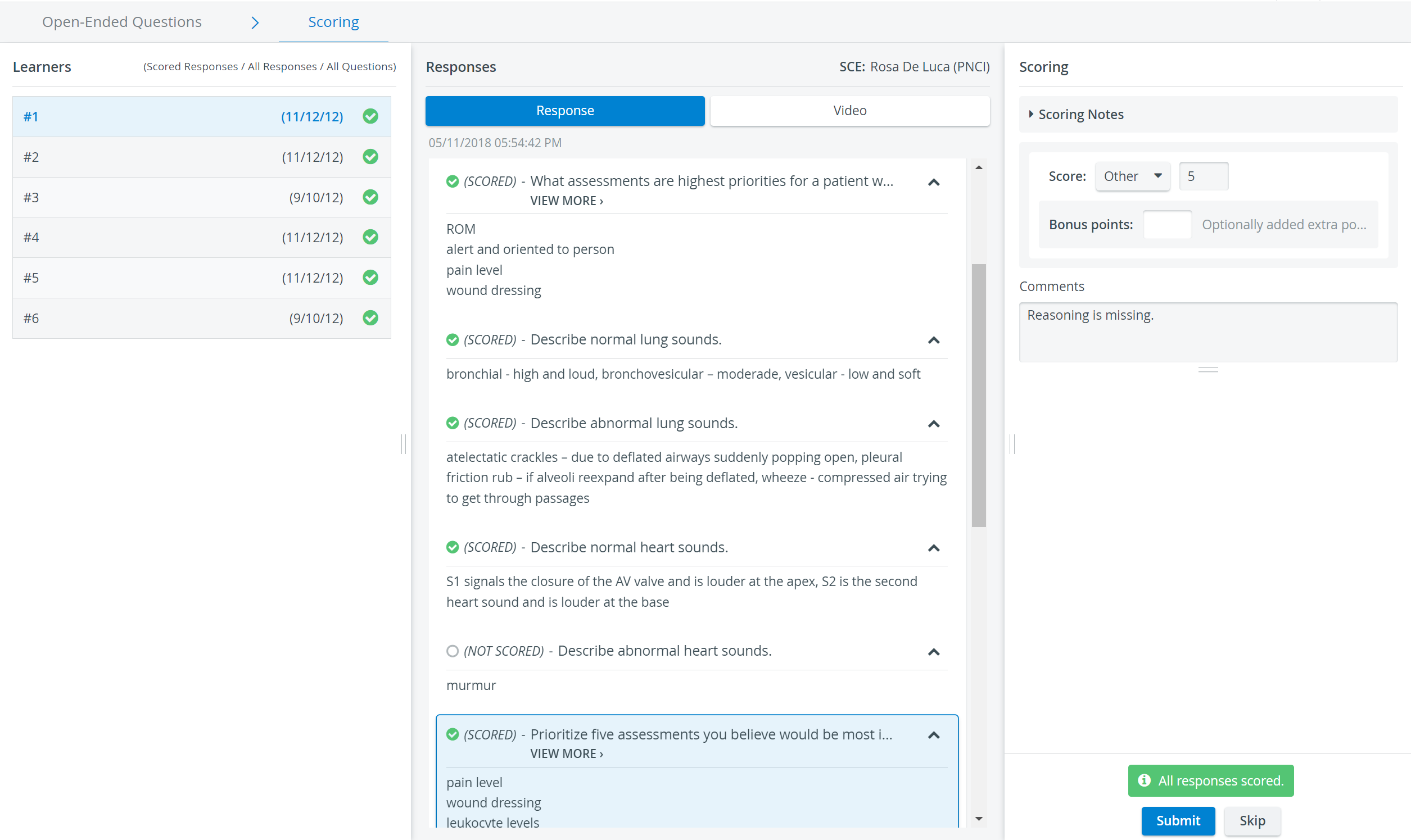
Selecting the score value and then clicking the Submit concludes the scoring for the particular learner's answer to the displayed question.
The list of the participating Learners is indicated by numbers to increase objectivity.
See more on our Scoring Open-Ended Textual Answers - OEQS Practical page, and visit our Reports - FAQ pages.