How to utilize External Calendar API Endpoint
You can use the External Calendar API Endpoint feature to request custom structured data from the LearningSpace calendar in ICS or JSON format. This data can then be shown on a public calendar outside our system.
Please note that Elevate Healthcare isn't responsible for creating this external calendar. Your IT team should refer to the LearningSpace Help Site for setting up this feature.
Once the feature is enabled in System Manager, the LearningSpace calendar is exported to an ICS or JSON file, which can then be "converted" to entries in external calendars (Outlook, Google Calendar, etc.) or used for other aims (see further below).
IMPORTANT: For this feature to function, the LearningSpace system must be public (accessible over the public internet), and firewall rules should allow related traffic.
Available to Admin privilege users.
While the toggle is OFF, the ICS/JSON links are visible but disabled. The Copy to Clipboard buttons are also present but disabled.
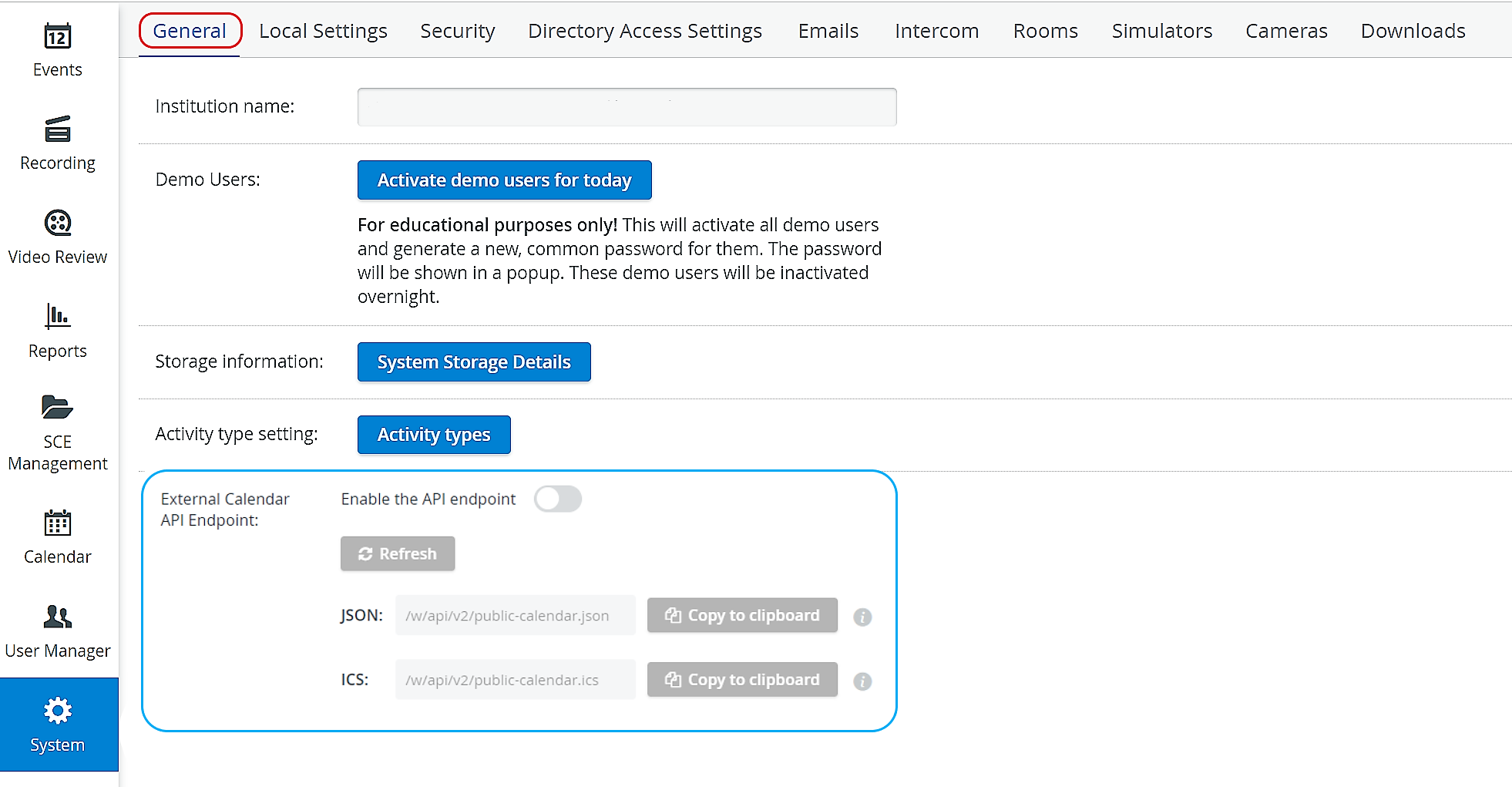
With the Enable the API endpoint toggle ON, both links and the Copy to clipboard buttons become active. Information related to the info icon is displayed when hovering over it.
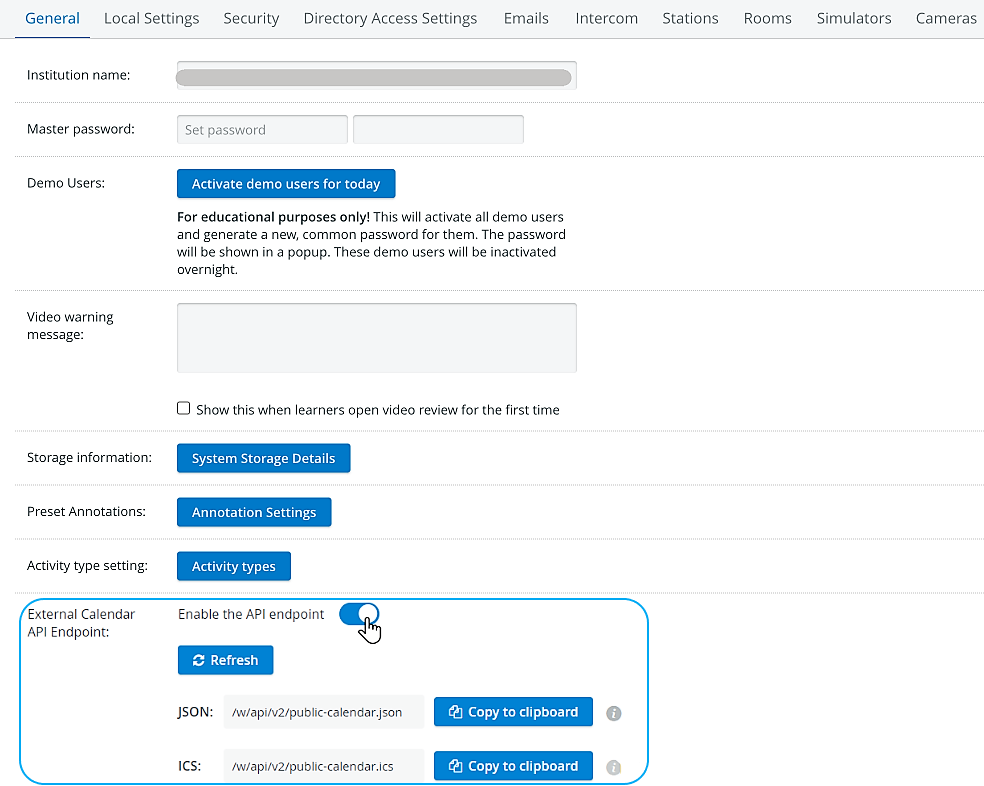
Automatic calendar update with an ICS file
With the help of ICS, calendar data can be updated automatically.

Enable the API Endpoint: activate the respective toggle.
Update the ICS file by using the Refresh button.
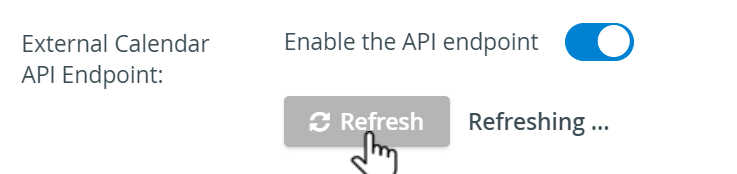

The LearningSpace Calendar can be frequently changed (e.g., adding new events). Therefore, always use Refresh before proceeding to your external Calendar to get the latest content.
☑️ The system automatically updates the ICS link hourly.
Copy ICS file: click Copy to clipboard.
Insert in Google or Outlook calendar, respectively.
IPad/iPhone calendars can be updated with ICS files as well.

Use 'Subscribe from web' in Outlook calendars.

IMPORTANT
Google Calendar updates data from LearningSpace calendars every 12 hours, and Microsoft/Outlook every 3-24 hours.
Therefore, changes may only be visible in LearningSpace a day later.
If you want to force-refresh the Calendar instantly, unsubscribe and subscribe to it in Outlook again.
For more information, go to Outlook Support.
Manual calendar update with an ICS file
If you do not wish to wait for the ICS files and /or the external calendars to be automatically updated, you can also perform a manual update.
Using this method, events modified or deleted in the LearningSpace calendar cannot be managed in the external calendar!
Open the ICS file (copy and paste it into a browser window)
Save the file to the computer.
Go to the external Calendar.
Import the ICS file.
IMPORTANT
Deleted events of the LearningSpace Calendar will not be updated in the external calendar this way.
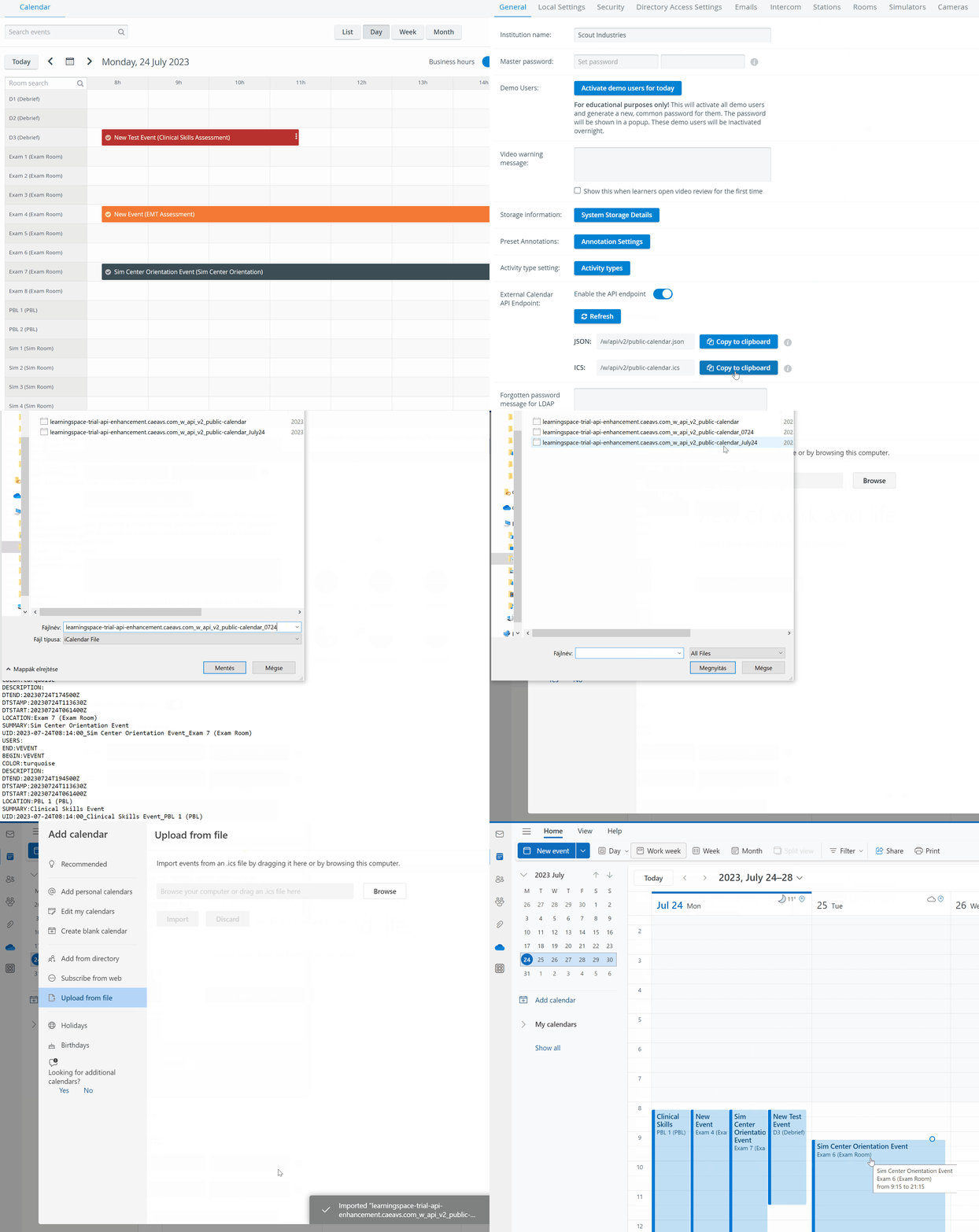
In Outlook calendar, it is possible to delete a whole calendar, in Google calendar, deleting events can only be performed individually.
Calendar update with a JSON file
In case you wish to use the data in external calendars, the process is as follows:
The JSON list is downloaded from LearningSpace, containing all events that are visible to an Administrator-level user in the system.
The external calendar (e.g., Google Calendar) should contain the same rooms as LearningSpace (e.g., sim room 1, 2, etc.).
The client’s IT should implement software that will "sync" the events (downloaded from
https://…/w/api/v2/public_calendar.json) to the affected rooms in the shared Google calendar (eg. to sim room 1) - updating it automatically, periodically - as described on the External Calendar API Endpoint page.Any institution employee can check events in the affected rooms of the external calendar (if shared with them), without using LearningSpace.
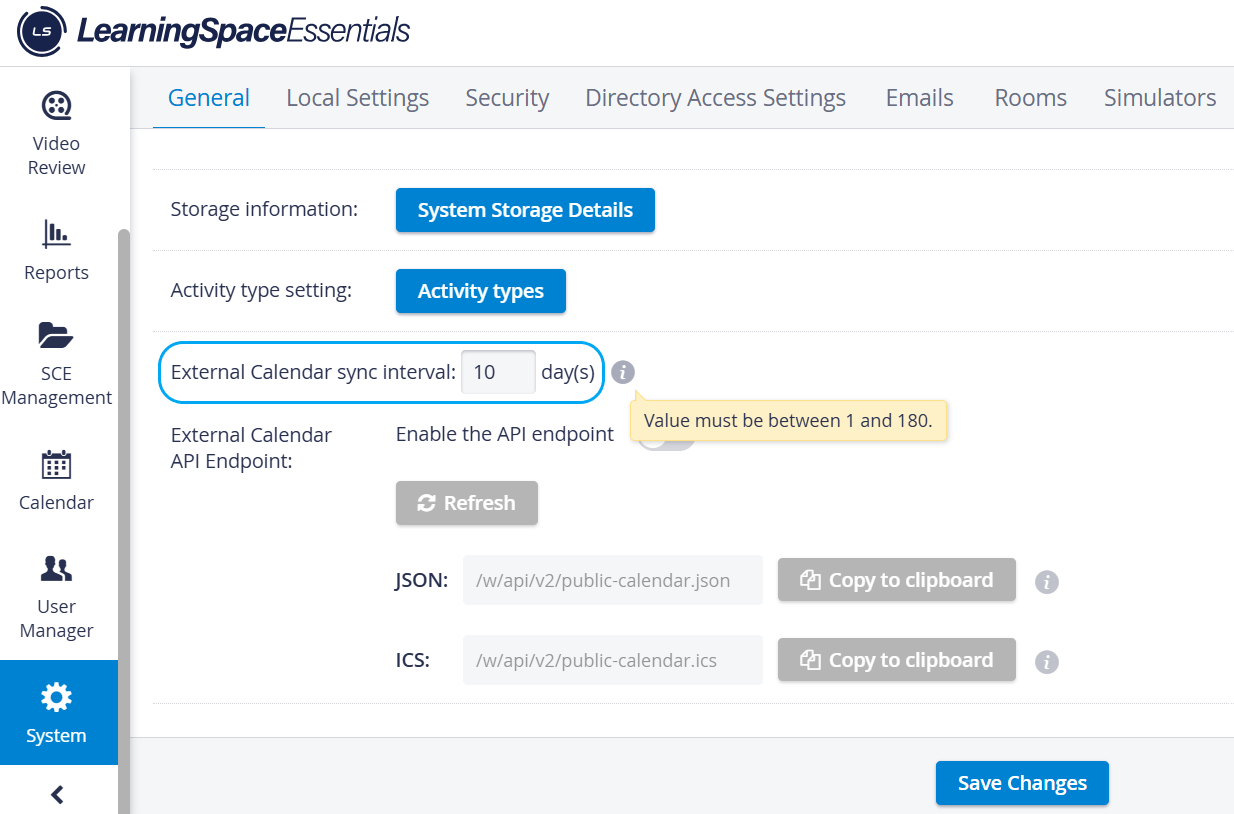
Customizable External Calendar Sync Interval
A new input field on the General System Information tab of the System Module allows users to customize the time interval it exposes between 1 and 180 days.
Other ways of utilizing this tool are, e.g.:
sending the number of events per room to a display;
getting information about the time of the next events titled "OSCE," etc.
See more in the External Calendar API Endpoint in System Manager - Feature Notes.
For further information, visit our System Module pages.