How can I set password change request?
Users can be required to change their passwords after a set period of time.
This time period can be determined by typing the desired number of days in the Request password change after every [ ] day(s) field, then clicking the Save Changes button at the bottom of the screen.
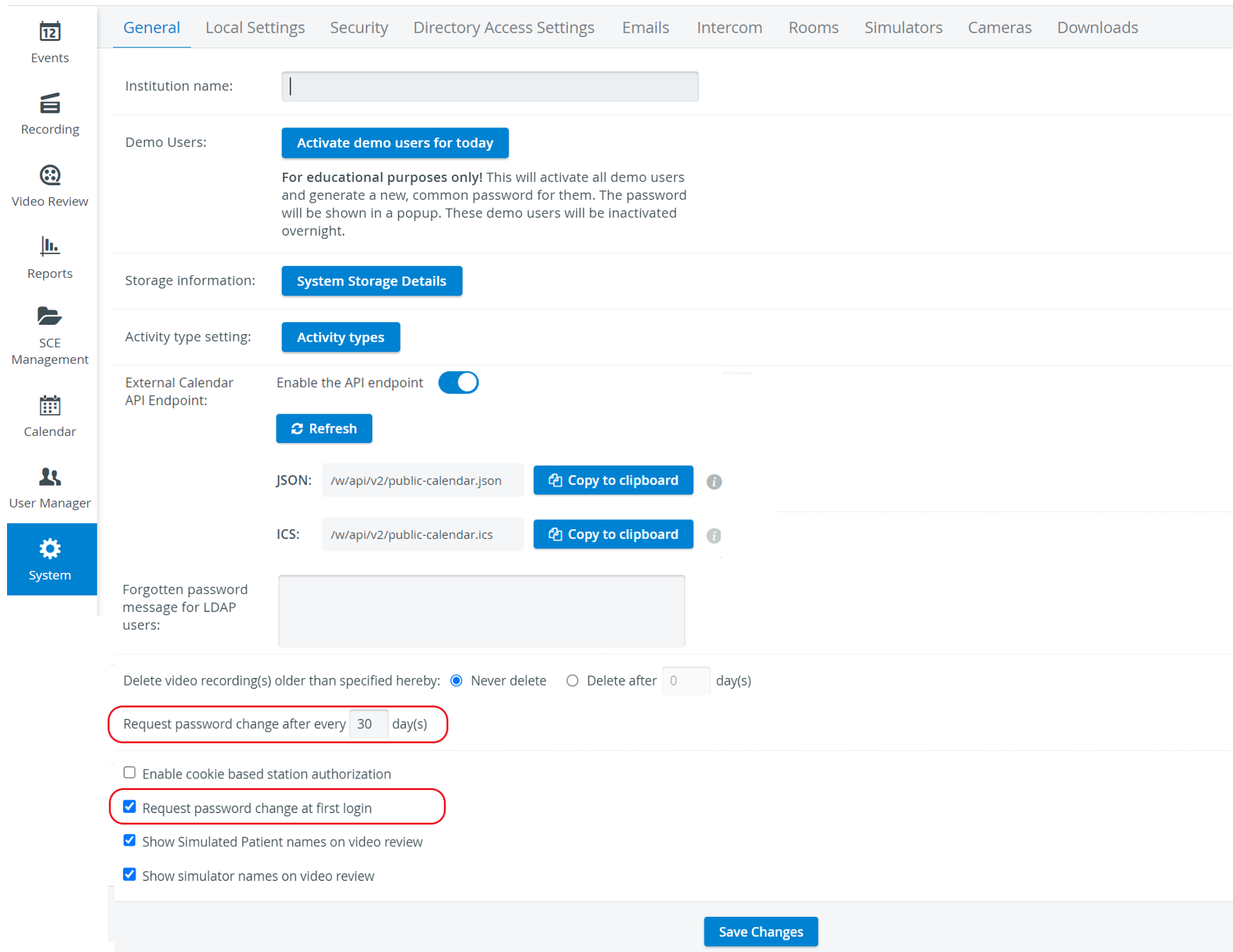
You may have to scroll down for the field to be displayed.
For LDAP-authenticated users, the password change is managed via the LDAP server, not within the LearningSpace system; thus, the password change request would not apply.
Under the General settings, the "Request password change at first login" option can also be activated to require users to change their passwords upon first login.