How can I limit Learner access to video recordings?
Video review access can be granted to Learners by assigning their names to the video recordings they have participated in the Recording Setup. To limit Learners' access to Video review, you can
remove the Learner's name from the video (but in this case, evaluators will not be able to evaluate the learners either)
use the Learner Video Review Access control option within the Post-Event part of the Event in SCE Scheduling to adjust the access timing.
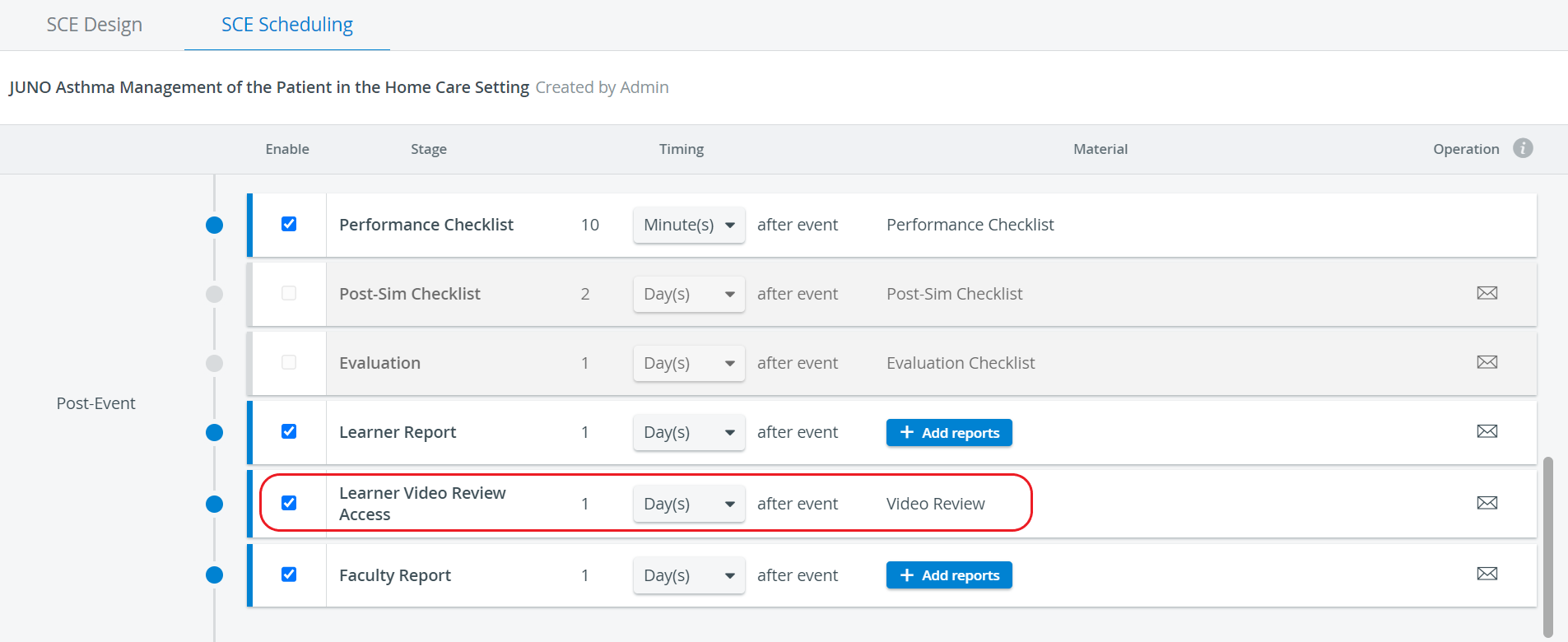
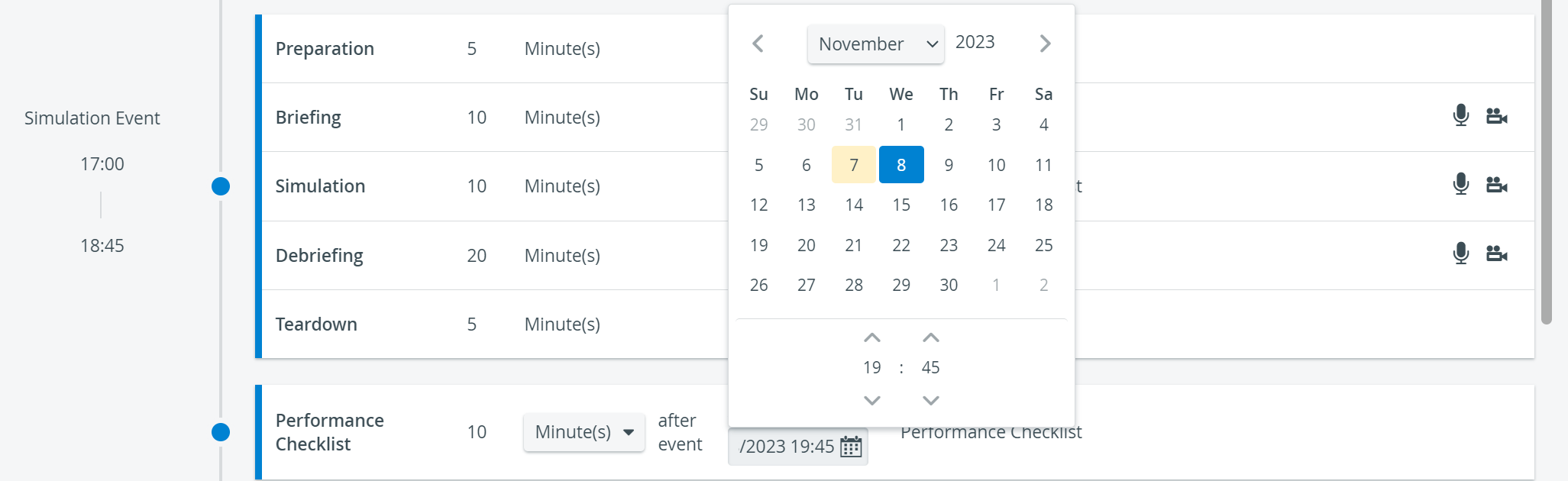
In the Timing column, the start of the availability can be set concerning the end of the simulation event. In contrast, the end of access can be determined with the Available till selector. Learners can only view their video recordings within the time interval set up here.

NOTE: The availability lasts until the specified date, hour, and minute.
⚠️ Hour and minute values set here become visible when moving to the end of the Available till field.

For further information, visit our SCE Management and SCE Management - FAQ pages.