Email Settings
On the Emails tab, users can set the email template properties and the SMTP server information (for messaging in LearningSpace).
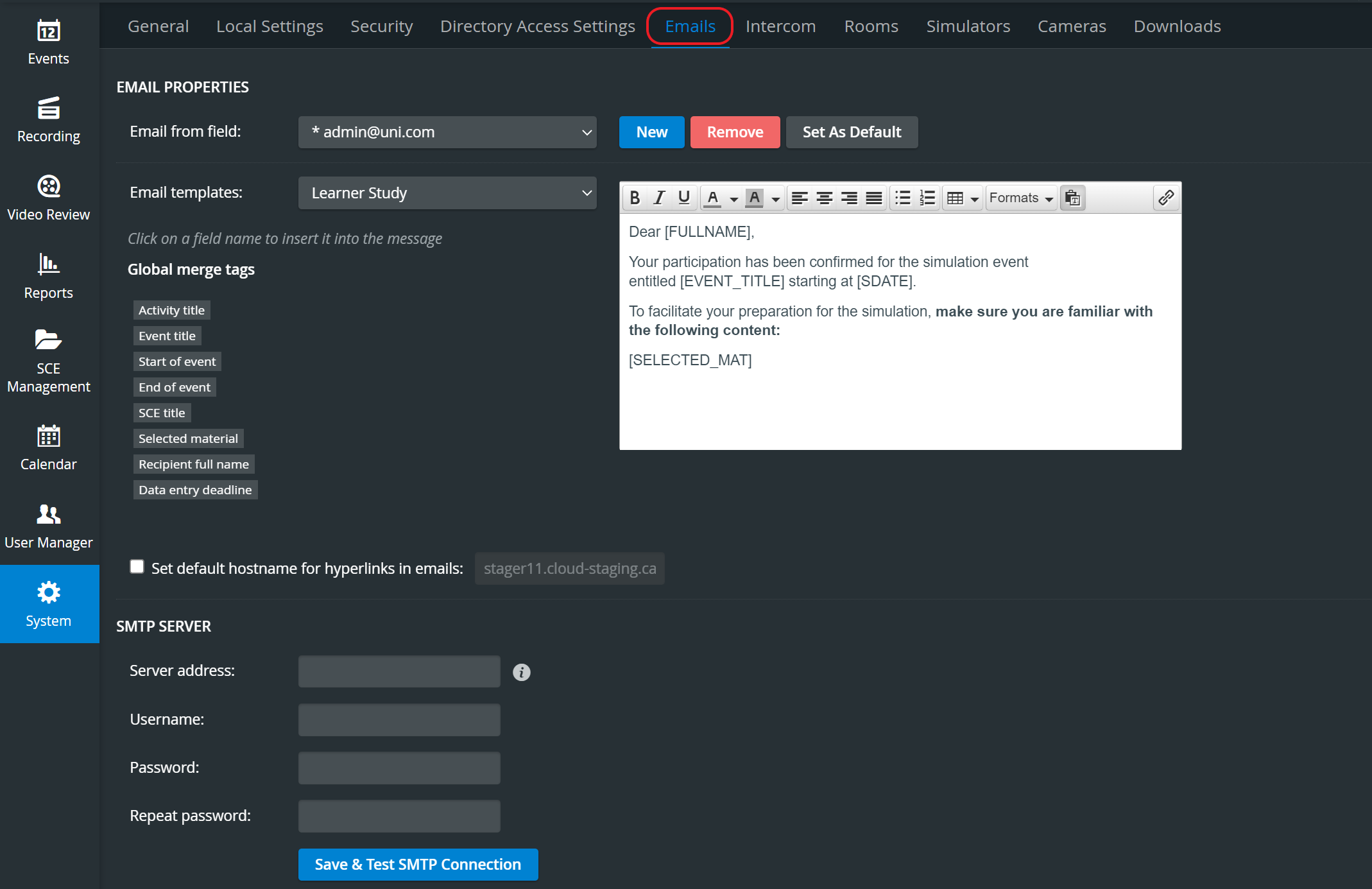
Email Properties
Email from field: determining the source address of system-sent emails
New: add a new email address
Remove: remove the currently selected email address
Set As Default: set the currently selected email address as the system default (so that you do not have to change it every time you send out emails)
Email templates: you can set up custom email templates for different occasions, like:
Learner Study,
Learner Pre-Sim Checklist,
Learner Post-Sim Checklist,
Facilitator Preparation,
Operations Specialist Preparation,
Evaluation.Global merge tags: email templates can be worded using merge tags that will be replaced in the sent-out emails with the correct information for the specific event /activity and user.
Merge tags are used for personalizing emails. When inserted, they are replaced in the email received by a specific addressee by the concrete piece of information they stand for. For instance, [EVENT_TITLE] would be replaced by the event title within which the email is sent out.
The templates can be constructed by selecting the desired form from the Email templates drop-down and typing the template text into the text field. The texts can be formatted using the relevant icons, and merge tags can be inserted by clicking the desired tag when the cursor is where it is intended to be inserted.
NOTE: The texts are saved when the Email templates drop-down is changed.
SMTP Server
Upon initial login, Healthcare recommends setting up the SMTP server information to enable the sending of emails from LearningSpace. See a Network Administrator or IT professional for further assistance.
Server address: your SMTP server address
Username: username for the SMTP server if required
Password: SMTP user’s password, if required
Repeat password: confirm the user’s password
Save & Test SMTP Connection: saves and checks the currently set SMTP connection
For details, see How can I set up SMTP connection?