Activity Type Setting
Activity: a group of events that can be analyzed as a whole within the Reports module; that is, certain scores, results, and evaluations can be generated for a wider, more comprehensive scope of data.
IMPORTANT: Events can be assigned to an activity in the Edit Event pop-up in the Calendar module.
Activities such as 'debrief,' 'exam,' and 'lab’’ can be classified. In addition to the system-defined activities, new ones can also be added. The Activity type can be determined for a specific activity when creating it.
NOTE: For more information about adding an activity, see How can a new activity be created?
A new (customized) Activity type can only be created in the System module via the Activity Type button under the Activity Type setting.
Clicking the Activity Types button opens the Activity Type Setting pop-up window. Within the pop-up, the color-coded activity types are listed, and the search bar at the bottom of the list allows you to filter the results.
The Add button can add new Activity types via the same search bar.
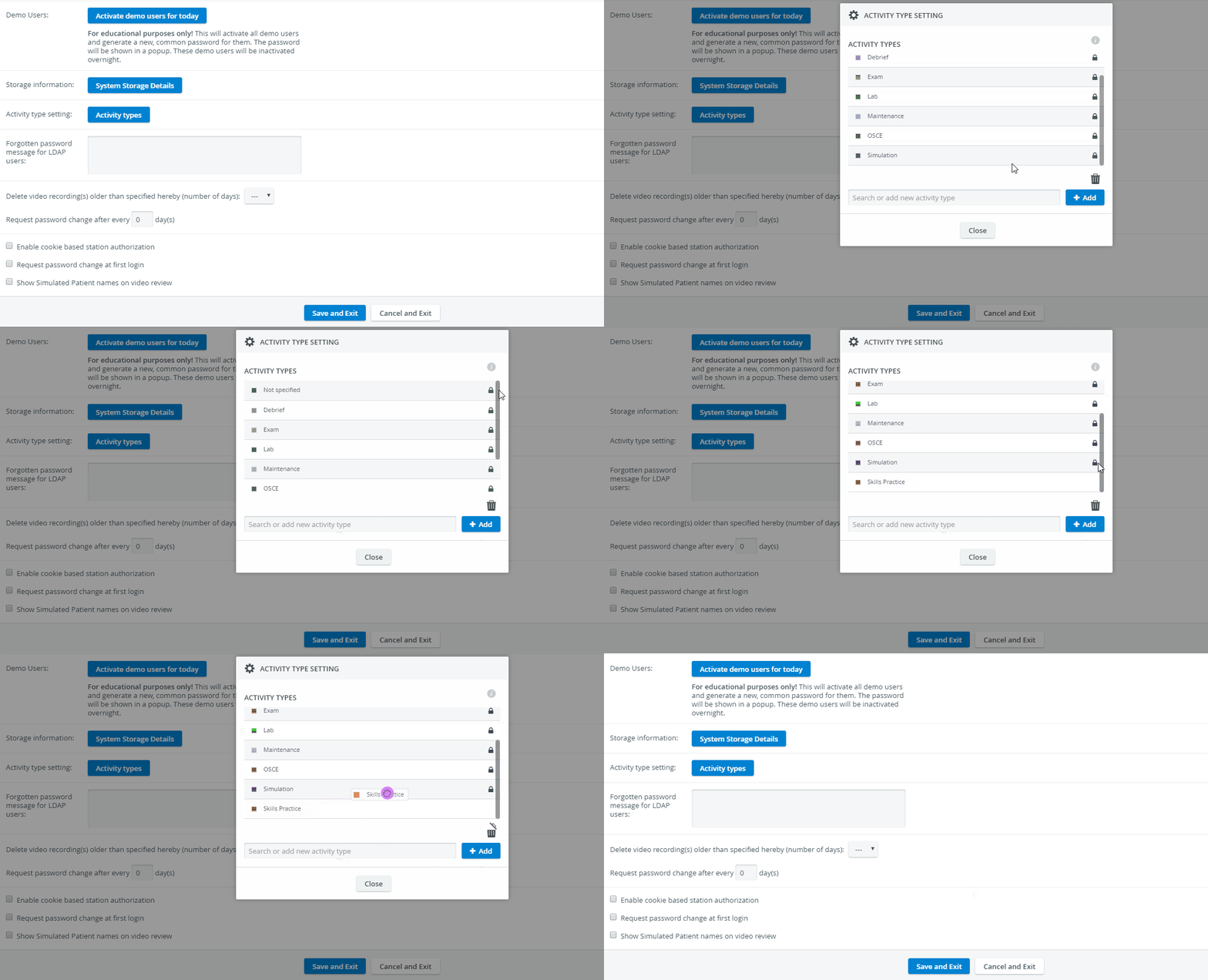
NOTE: System-defined activity types (with a closed lock next to them) cannot be deleted.
User-defined Activity types can be deleted by dragging them onto the Trash can icon in the lower right corner of the pop-up.