2024 February New Features - Release Notes
Enhanced Notification Feature
Our renewed Notification feature has a cleaner, simpler outlook, enabling users to easily review any recent updates and new features available in their LearningSpace system.
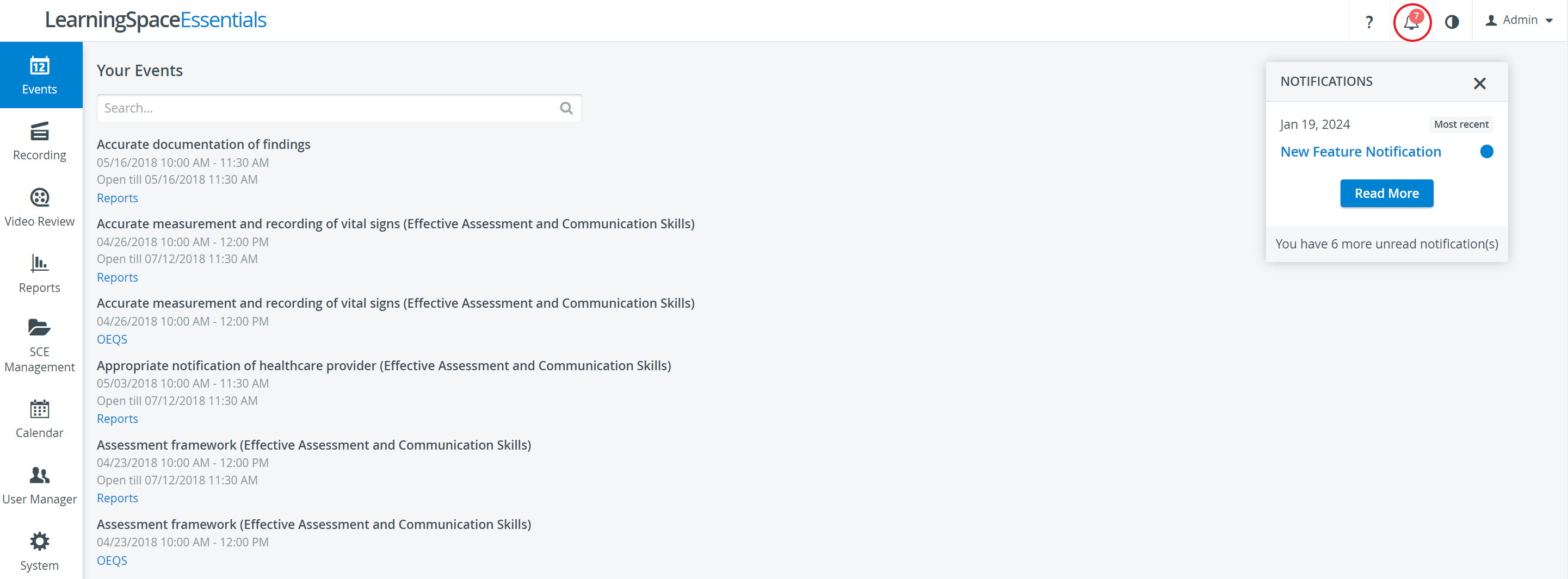
At first login, each user will see a Notifications pop-up ('bubble'), which will alert the user to the most recent unread notifications.


On the Notifications page, notifications are listed chronologically (from newest to oldest downward), with blue dots signaling the unread ones.
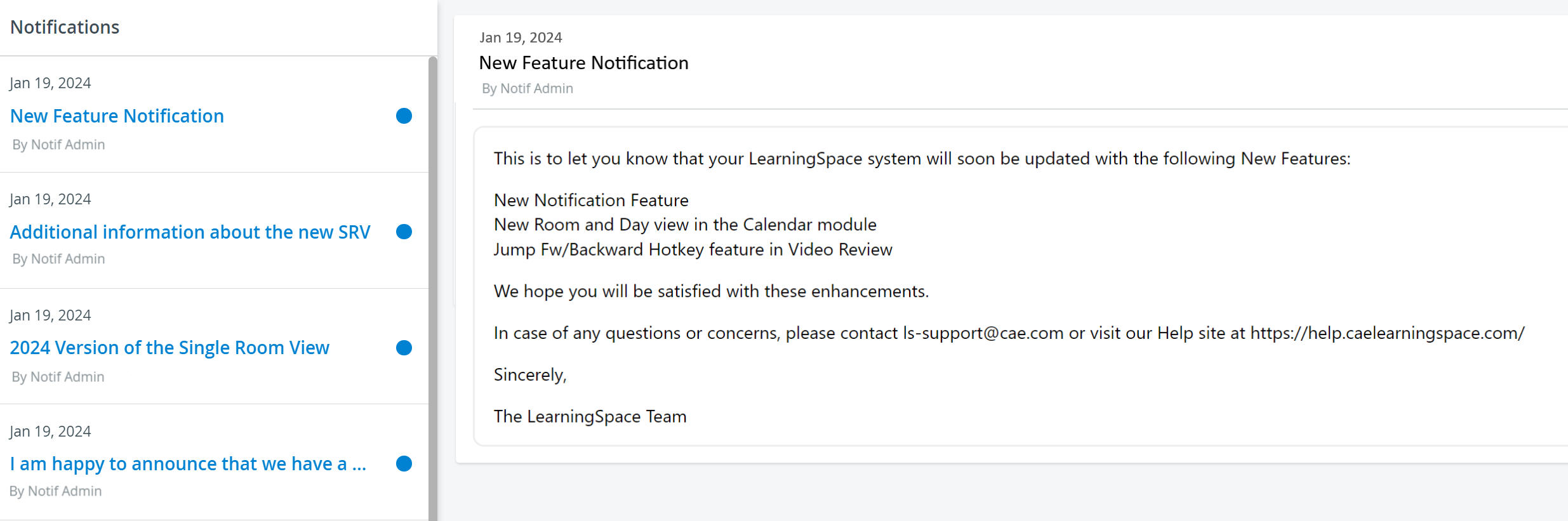
Once a notification is read by a user, the blue dots disappear, and the subject will no longer be listed in blue bold.
Notifications appear per-individually - meaning that each notification will be displayed as new or read depending on the user logged in.
For more information, visit the Notifications page.