Yes/ No

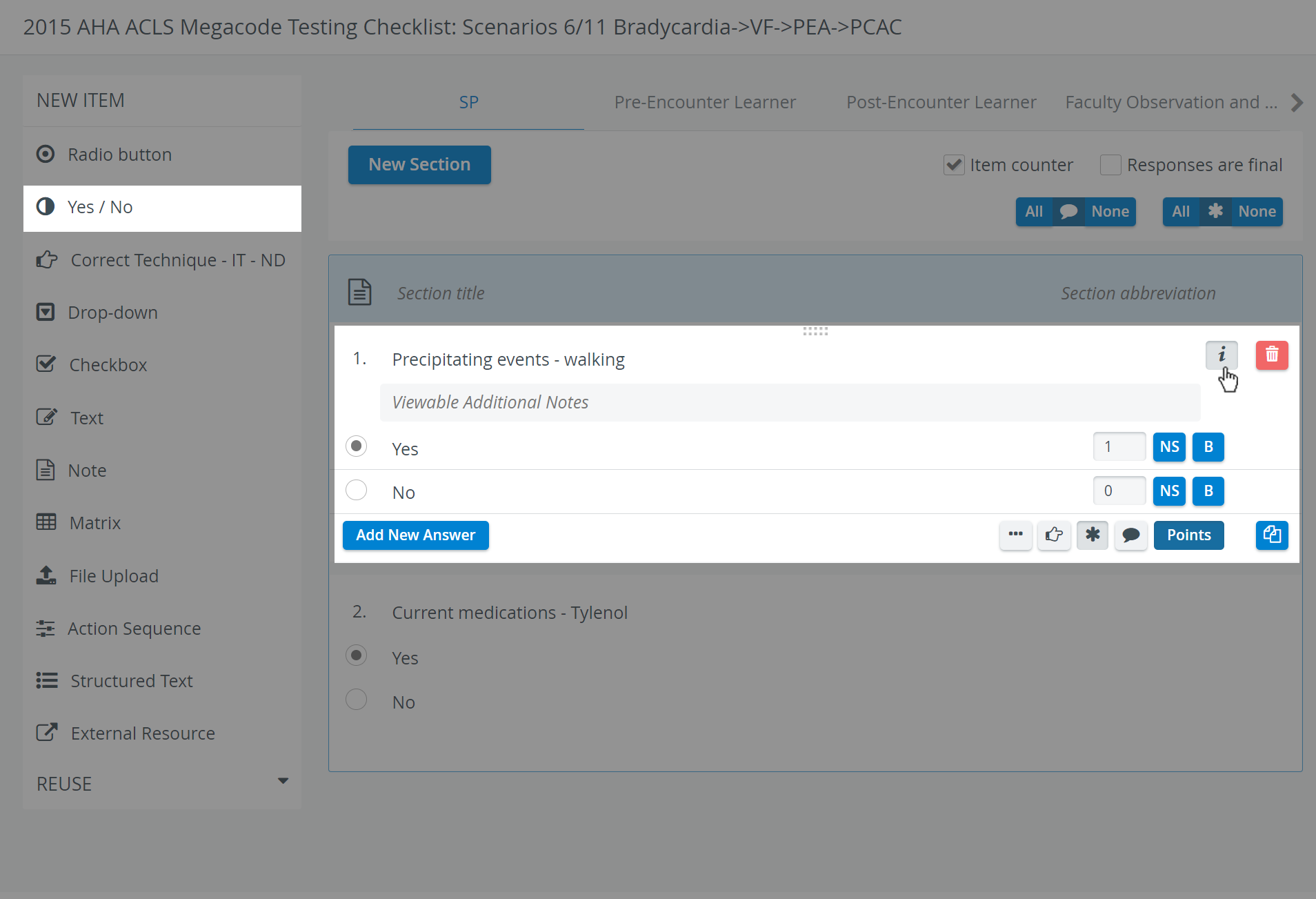
Once respondents select either option, undoing the selection is impossible at data entry. When modified, the selection switches to the recent choice.
Use the buttons in the item panel for further options:

 Three dots: Answers horizontally displayed - in case of multiple brief answers (radio button or checkbox), the answers may be better displayed horizontally (yielding more screen estate).


 Copy - a fully created item can be duplicated.
As with any added item, a copied one can be freely modified.
Scoring
Clicking the Points button displays the score value fields next to the added answers.
For each response, the value can be entered in the field, or either of the additional options can be activated:
NS (not scored) - selecting the specific answer would not affect the score
B (bonus): The points in the value field will not be counted in the normal score, but, if achieved, will be added as an extra to the achieved score.
For a Yes/No item type, the entire item is considered a bonus, since only one answer can be selected; multiple solutions are not plausible.
NOTE: When determining score values via the Points button, decimals and minus points can also be used. However, when assigning the same score to different answer options (e.g., at a checkbox item type) or assigning only negative values, the system cannot determine the correct answer (e.g., by highlighting it on the checklist in Reports).
For further information, visit our Case Manager and Cases - How to pages or watch our Case Manager Training Videos.