What does the Scheduling Time Threshold mean? What impact does it have within the system?
Scheduling Time Threshold is the time - expressed in minutes - before and after events when they are already and still considered to be running, so learners and SPs can do data entry on "manually authorized workstations only" before and after the set times.
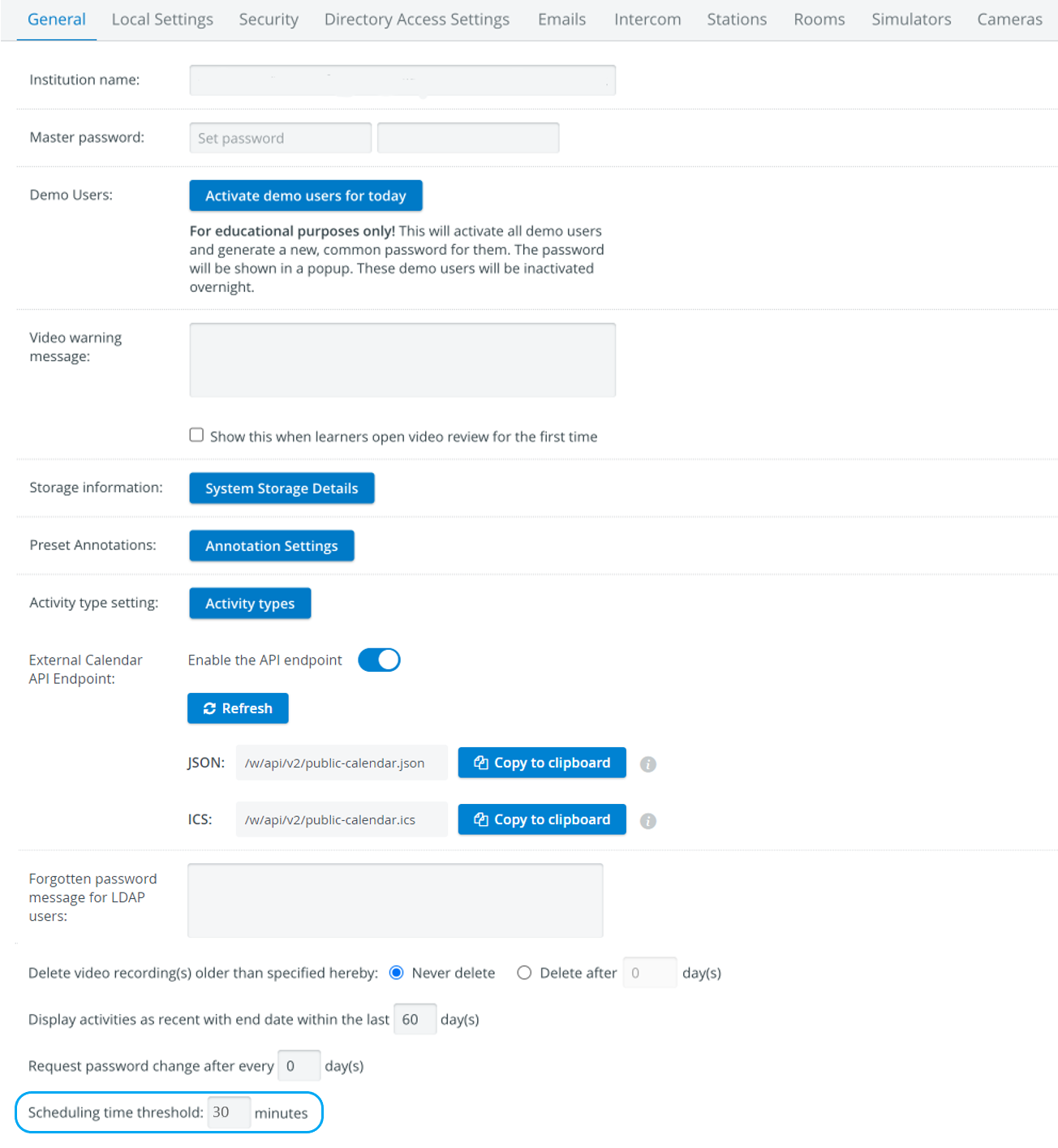
EXAMPLE:
If this setting is 30 minutes and an event is scheduled in the Calendar to start at 9:00 a.m. and end at 10:00 a.m., SP and learner data entry will be allowed from 8:30 a.m. to 10:30 a.m.
For this period of time, the room(s) set for said event should not be assigned to any other event, as this might lead to data loss.
In this specific example, the next event can be scheduled for 11:00 a.m., as the second event will be considered to be running from 10.30 a.m. to 30 minutes after the end time of the first event.
IMPORTANT: This setting generally affects scheduling; once set, it applies to each scheduled event. It does not modify the start and end times of the event itself but holds the assigned rooms as occupied for the given number of minutes before and the same number of minutes after the start and end times of the events.
Therefore, if a 30-minute scheduling time threshold is set, events assigned to the same stations must be spaced out for at least 60 minutes (30 minutes after one event plus 30 minutes before the next one).
For further information, visit our System Manager pages.