User Journey - Faculty (Simulation Technician)
Faculty Journey for Simulation Planning
Overview
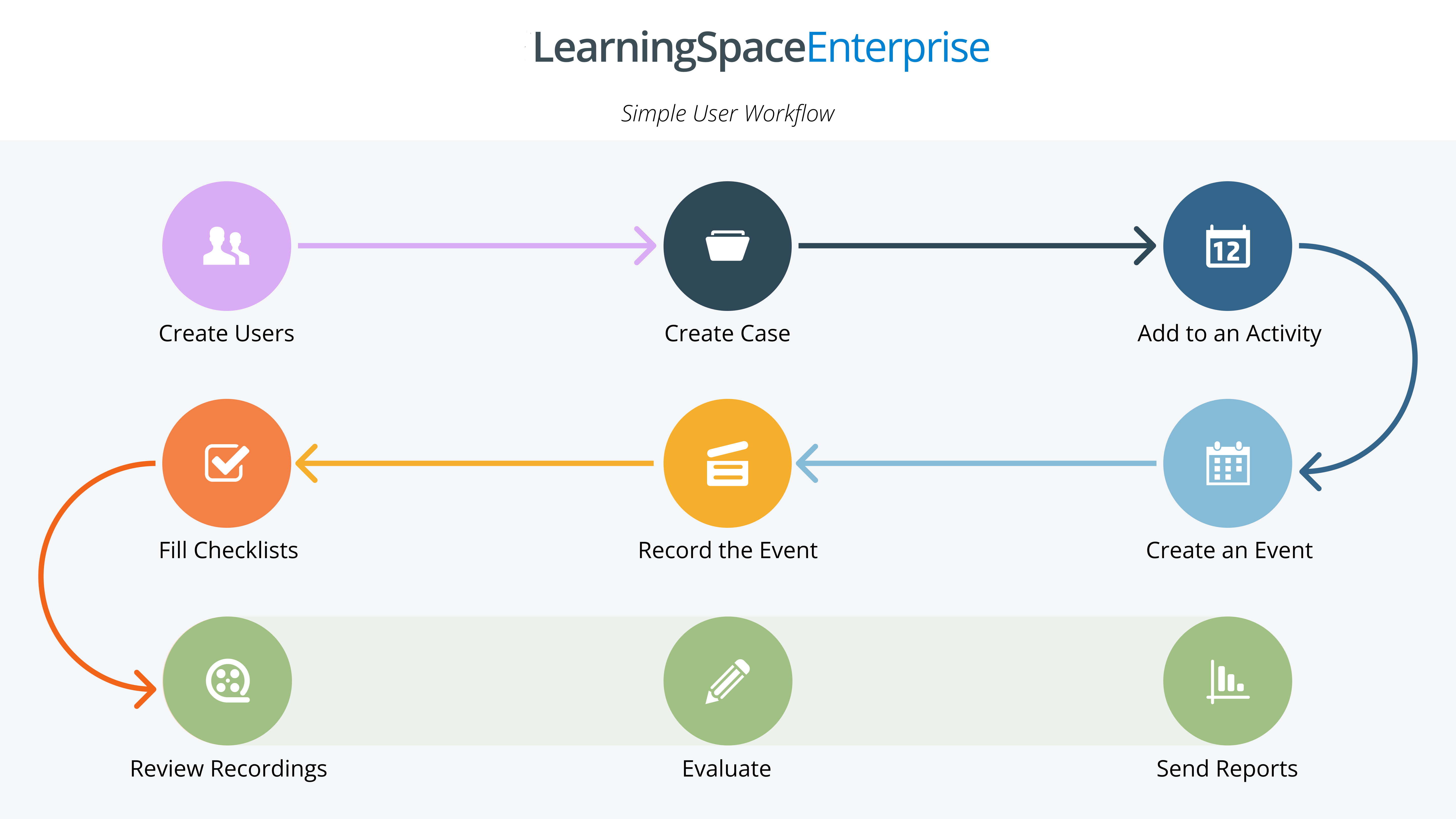
This journey follows Dr. Michael, a faculty member, and SimTech responsible for planning, executing, and managing simulation sessions for healthcare learners. LearningSpace is the central platform he uses to streamline the entire process from
scheduling events and
preparing resources
running simulations,
managing evaluations and
generating reports.

Before the Simulation
Planning and Scheduling
• Event Setup:
Dr. Michael begins by creating the simulation Event directly in LearningSpace:
> Adds the event name, simulation rooms, and dates/times.
> Assigns SPs (Standardized Patients) to appropriate roles.
> Creates Checklists for the event.

• Learner Scheduling:
Using LearningSpace’s Calendar module, Dr. Michael assigns learners to sessions based on availability.
The system automatically manages conflicts and ensures proper allocation.
• Resource Planning:
Dr. Michael checks resource availability (manikins, equipment, and SP schedules) within LearningSpace.
He links the required resources to specific simulation rooms.
Pre-Simulation Communication
• Automated Notifications:
LearningSpace automatically sends notifications to learners and SPs with event details:
> Learners receive session schedules and details.
> SPs are briefed on their roles and specific scenarios.
• Checklist Configuration:
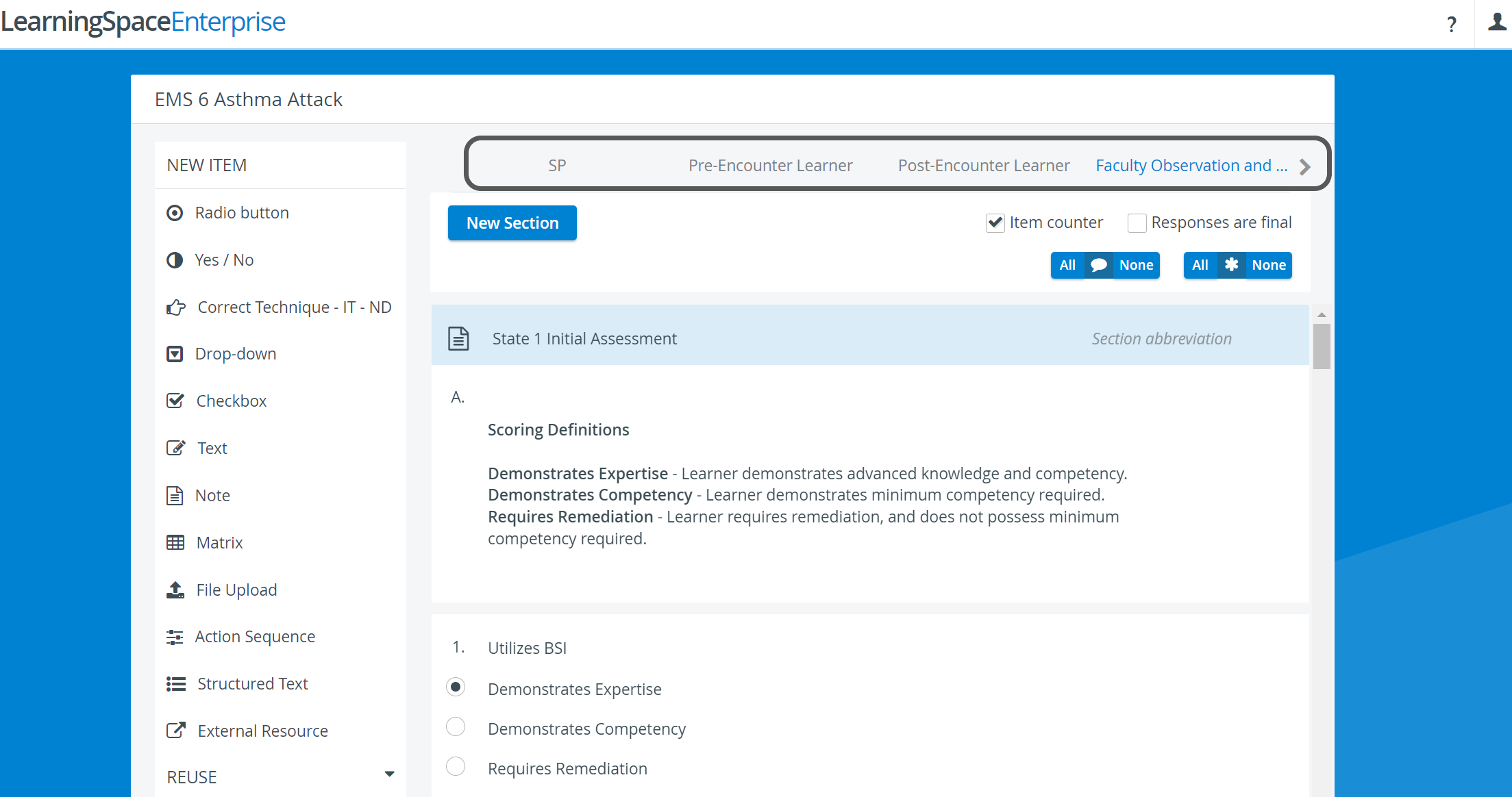
Dr. Michael sets up digital checklists for instructors and SPs within LearningSpace to track performance during the simulation.
• Test Equipment and Rooms:
From LearningSpace, Dr. Michael runs system checks for connected equipment:
> Cameras, microphones, and vital signs monitors are tested.
> Room setup and recording configurations are finalized.
During the Simulation
Running the Event
• Session Execution:
Dr. Michael starts the simulation scenarios using LearningSpace.
All aspects, including:
> Video recording and vitals display are controlled directly through the platform.
> Learner check-ins are recorded in real time.
• Live Monitoring:
Dr. Michael monitors the session via LearningSpace’s live video feed.
> Annotations are added to the recordings for significant events.
> Instructor evaluations are completed digitally as learners perform tasks.
After the Simulation
Debriefing and Feedback
• Immediate Access to Recordings:
Dr. Michael facilitates a debriefing session where learners review their performance.
Recordings are accessed within LearningSpace and synced with instructor and SP annotations.
• Performance Evaluation:
Instructors finalize assessments using the LearningSpace checklists. Learners receive immediate feedback, scores, and comments via the platform.
• Self-Reflection:
Learners complete post-simulation self-assessments in LearningSpace, fostering reflection and improvement.
Post-Simulation Reporting
• Generate Reports:
Dr. Michael uses LearningSpace’s reporting tools to create detailed performance reports:
> Reports include evaluation scores, SP feedback, and automated metrics.
> Data is organized in a clear and actionable format for both learners and faculty.
• Data Review:
Dr. Michael reviews reports to identify trends and gaps in learner performance, using insights to adjust future simulations.
• Resource Management:
Equipment usage,
SP availability, and
Room utilization reports are generated automatically, ensuring efficient planning for future sessions.
Continuous Improvement
• Simulation Data Insights:
Dr. Michael leverages LearningSpace reports to monitor learner progress over time. Trends and patterns inform adjustments to simulation content and structure.
• Scenario Refinement:
Dr. Michael uses feedback from learners and instructors to update simulation scenarios, ensuring they remain relevant and challenging.
• Centralized Resource Hub:
All learning materials, session recordings, and reports remain stored securely in LearningSpace, ready for use in future events.
Summary
This faculty journey highlights how Elevate Healthcare LearningSpace serves as a centralized, efficient platform for
planning,
executing, and
managing simulation-based education.

Dr. Michael can seamlessly schedule events,
monitor simulations,
evaluate performance, and
generate comprehensive reports, all without relying on third-party tools.
This streamlined approach enhances operational efficiency, learner outcomes, and continuous improvement within the simulation center.
Learn more about the LearningSpace Center Management System and watch our short video tutorial about a basic LearningSpace Workflow.