Stations in Advanced Scheduling
For an introduction to Advanced Scheduling, please visit the How to Understand Concepts within Advanced Scheduling page.
A Station in Advanced Scheduling is a room assigned to an event where a single Case can be run and completed.
As learners may be required to complete multiple Cases of an Activity during an event, the event can be set up in multiple rooms.
For more details, visit the How to Set Stations page.
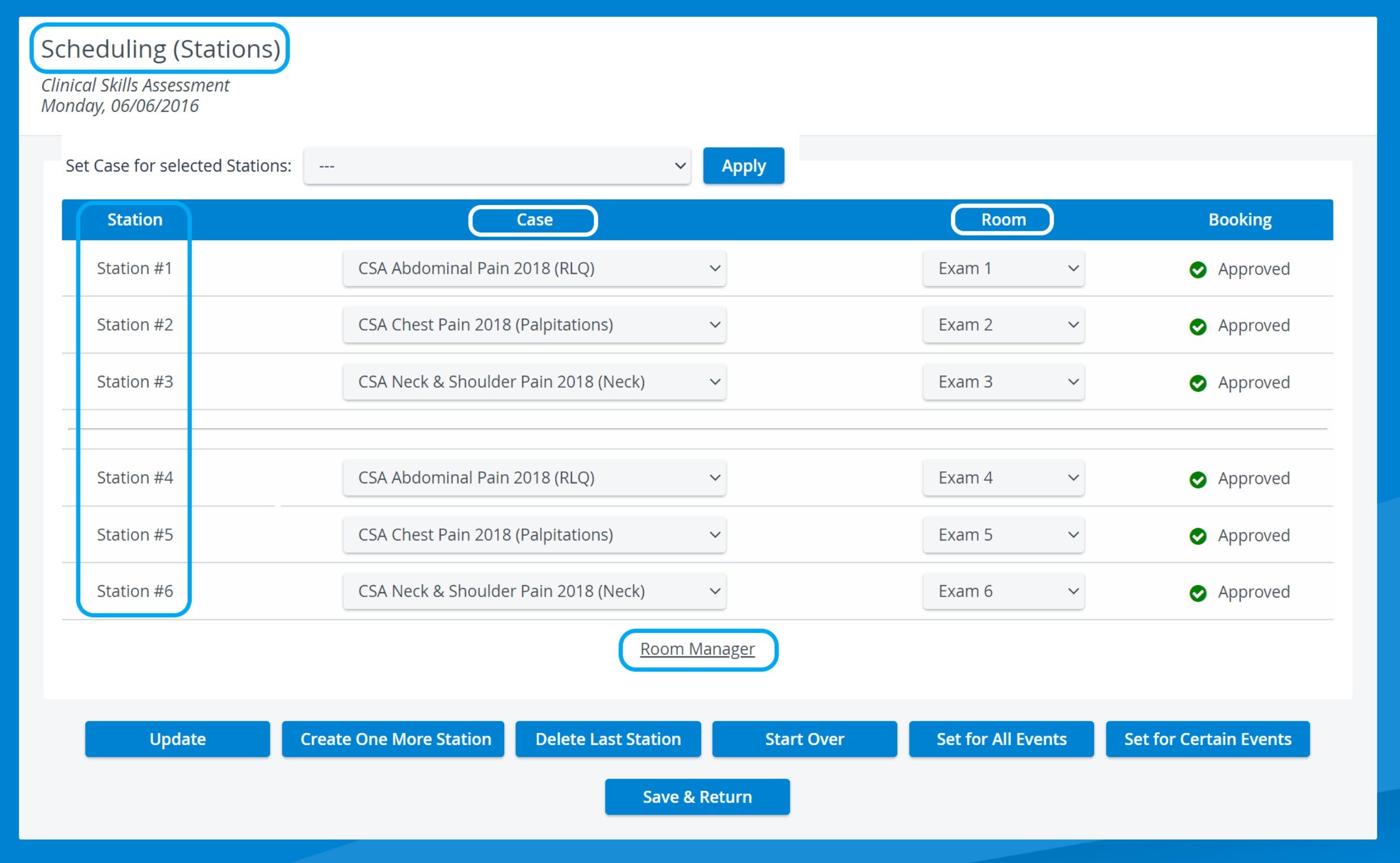
Like regular rooms, event station rooms can be equipped with cameras, simulators, authorized workstations, or other devices, which can be added in the Rooms tab within the System module.
The Room Manager can be accessed directly from the Stations page in Scheduling via the link with the same name.
Stations in Advanced Scheduling should not be mistaken with the concept of 'Stations' as set up in the System Manager (Stations Settings). (A Station, in that sense, is a specific computer that can be linked to a room and be used for data entry by any designated participant of an Activity.)
Important
If the number of created timeslots within a round does not equal or is not a multiple of the number of assigned Cases, the system automatically generates 'waiting stations' where learners waiting for their turn can stay.
For further information, visit our Advanced Scheduling - How to pages and view our Activity Manager Training Videos.