SP Enrollment
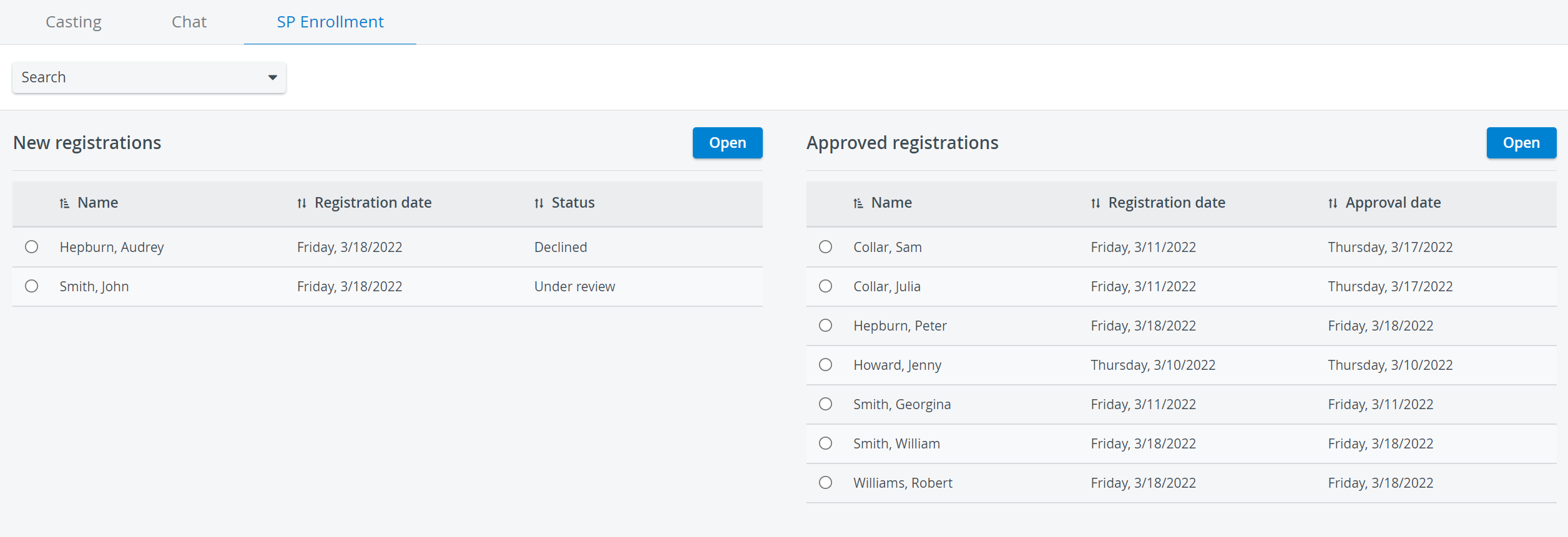
The SP Enrollment tab displays the applications submitted by SPs who registered using the SPA Mobile application.
See more information about this process on the How to Enroll page.
IMPORTANT: See SPA System requirements here.
Privileges
SP Coordinators:
Review, approve, or decline SP applications submitted via the SPA Mobile Application. Upon approval by the SP Coordinator, the system automatically creates the SP’s user account.
View and manage enrolled SP details, with the ability (if combined with User Manager/Admin privileges) to modify SP information in the User Manager module.
SP applications contain the following details:
Name
Email address
Profile picture
Physical data
Medical history
Date of registration
SPs are asked to provide these details because some factors—such as the patient's physical size, age, gender, and ethnicity—may be significant in certain scenarios.
Approving or Declining SP registrations
New applicants can be approved or declined by the SP coordinators.
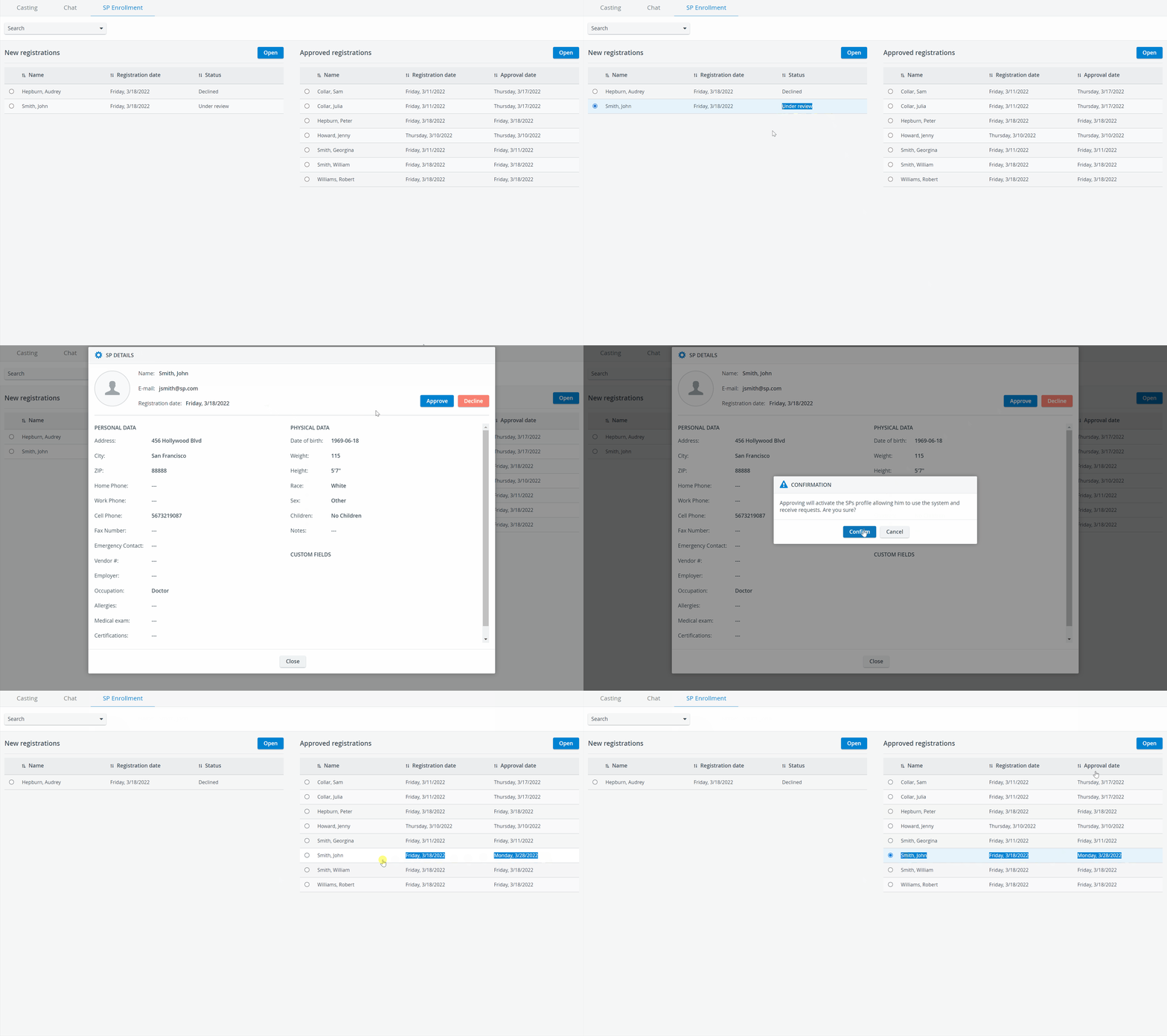
Pending applications (Under review) can be reviewed and managed on the left, under New registrations.
Select an SP to review their details.
If you find the SP applicant suitable, approve the application and confirm your approval.
Once you have approved an application, the SP will be moved to the right to indicate that the enrollment process is finished.
A new SP user will automatically be created in the User Manager for each approved applicant, with the details the SP provided.

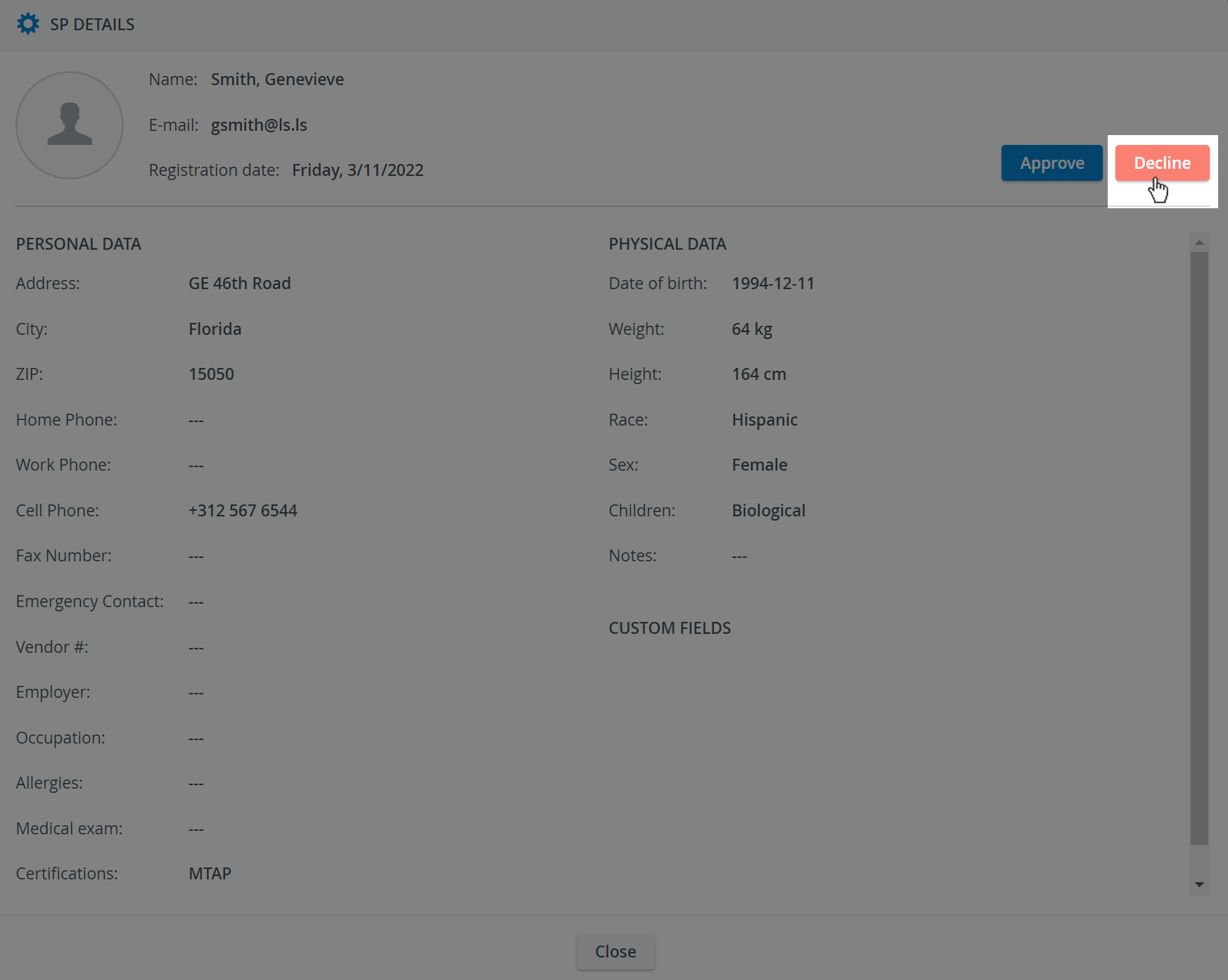
You can decline SP applicants' registrations using the Decline button. SPs will be notified through the SPA mobile application.

The details of the enrolled SPs can be reviewed at any time by selecting them from the list and clicking on Open.
You need User Manager or Admin privileges to view your SPs and modify their details in the User Manager module.
For further information, visit our Standardized Patient Administration and Standardized Patient Administration - How to pages.
Related pages: Enrollment Process