Skill Development Report
The Skill Development Report reflects on learners' performance across different skill areas. Skill areas are determined by the section abbreviations created within a checklist. Sections consist of items (questions) grouped by the skill they relate to.
The Skill Development Report can be accessed in Classic View via the Reports & Results panel.

This report is not limited to a single Activity; skill areas (Sections) will be specified for which the report will be generated. Any Case with a specific section abbreviation (skill area) will be reported, regardless of how many Activities it includes.
The report lists the Case(s)—and optionally the Case cabinet—in which the learner encountered the skill area. It provides a means to compare learner achievement through Activities (containing the Sections in focus) over a given period.
When accessed, the Skill Development Report settings appear, where the Sections, the time period, and further details can be specified. Once the parameters are determined, the Query button yields the report table.

The report in full displays details for the selected skill areas (sections), including the learner's name, the submit date, the Case cabinet, the Case title, the average score, the results for the sections, and the SP who submitted the data for the learner. The details can be narrowed in the settings by unchecking the box next to the corresponding parameter.
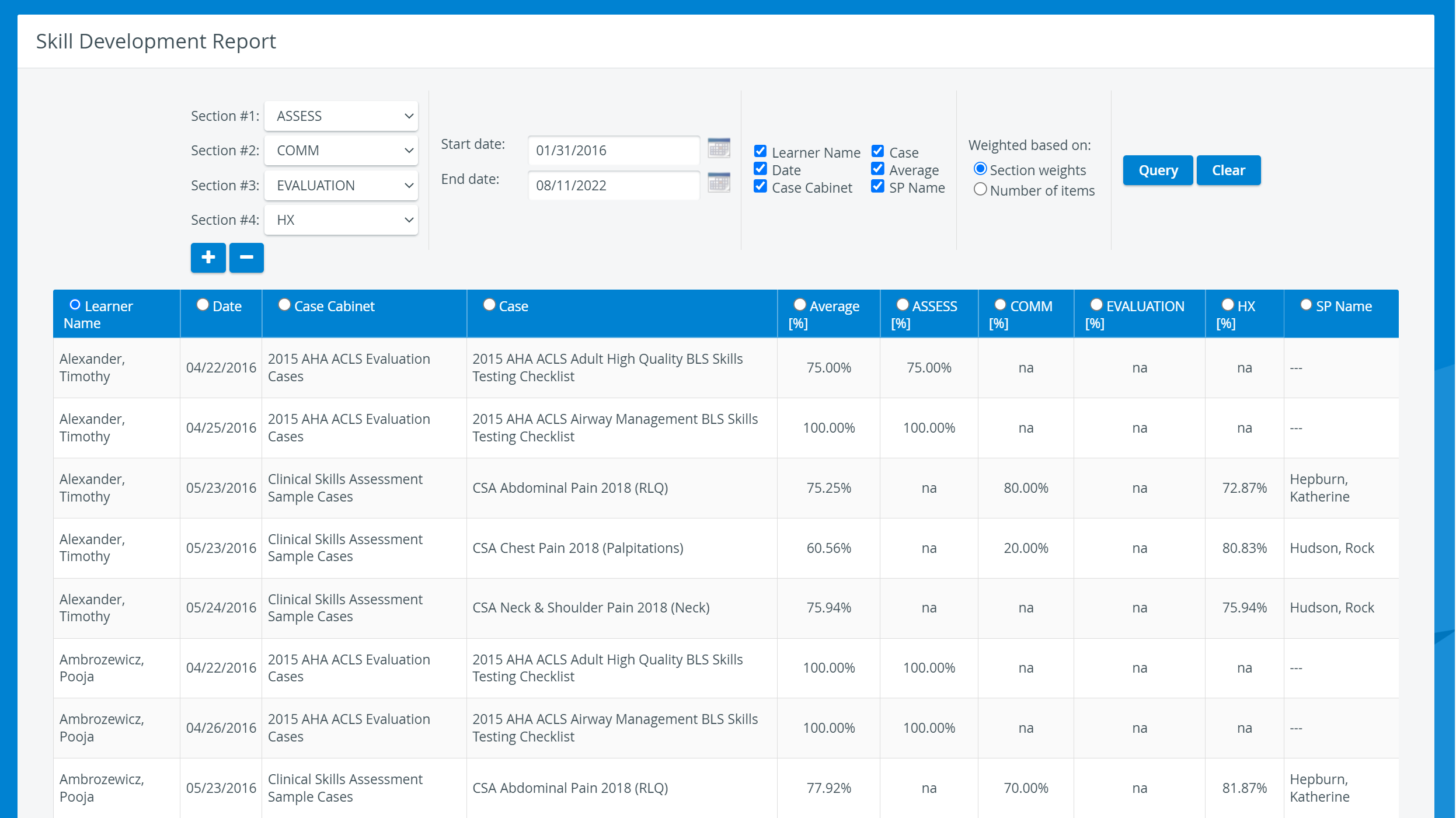
A learner's name is listed in as many lines as there are Cases containing the selected skill areas as Sections.
For more information, visit our Reports - How to pages and watch the Reports Module Training Videos.