Single Room View - SRV - Legacy version
Single Room View (SRV) displays the video streams that are solely available in the room that you enter from the Center Overview (CO). Also, you have access to more advanced video recording controls and camera navigation tools than those on the CO. You will find additional panels and layout options in Single Room View (SRV).
To enter a room's Single Room View (SRV), go to Center Overview and click the room panel.
In the case of a one-room hardware configuration (LearningSpace ONE Box setup), the Recording module takes you directly to the Single Room View (SRV).
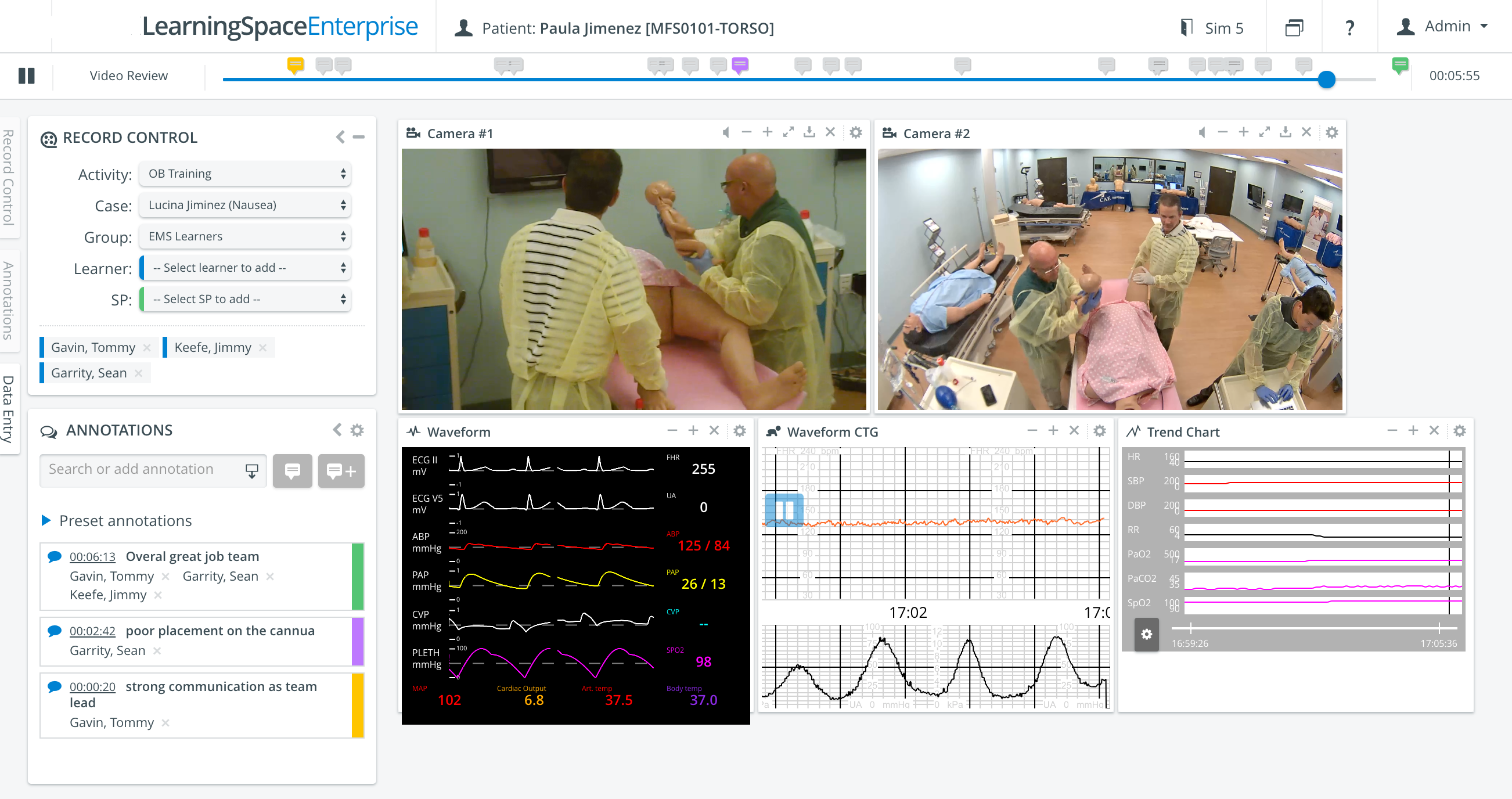
SRV displays the recording slide bar at the top, the control panels on the left, and the feeds from every camera in the middle of the page. If a simulator is connected and a scenario is running, the simulator's waveform or trend chart is also displayed. Read about the functionalities of SRV in more detail on the following pages:
Learn more about our Recording Module and Recording - How to pages.