Scoring - Cross-Case Section Score Weights
This panel specifies the weighting method used to calculate Cross-Case Section Total Scores in the Performance Matrix and the Skill Report/Preliminary Results Report.

IMPORTANT: After any modification to settings, it must be saved by clicking the Save button at the bottom of the page. As the panel expands, the button may only be visible after scrolling down.
The Details... link opens a pop-up with a table displaying
all Cases of the Activity
with the parts/checklists
and the included Sections
listing the weight of each Section.
Custom - when the radio button is selected, the weight data in the pop-up will be editable as desired.
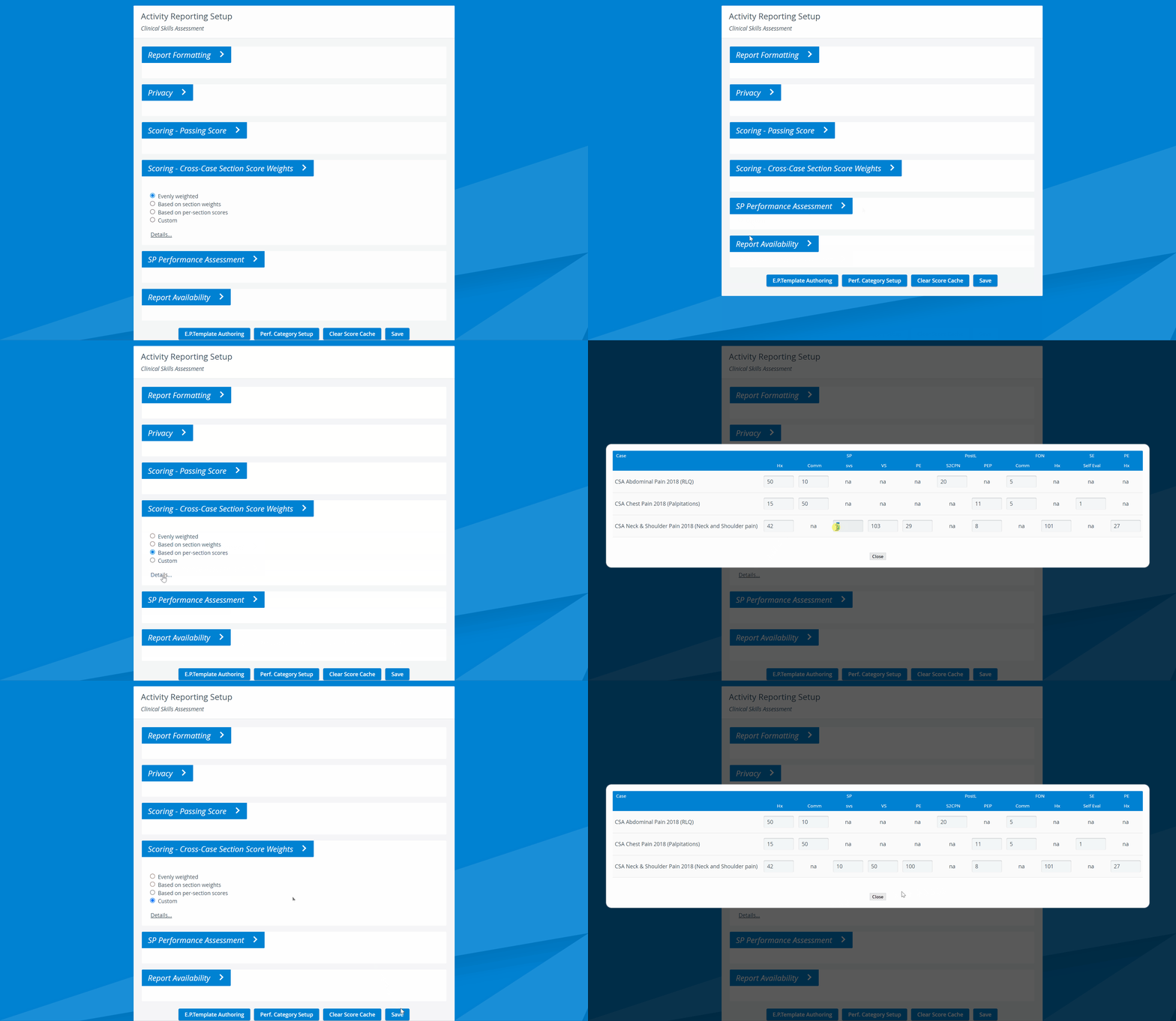
NOTE: The 'na' (not applicable) abbreviation is displayed when a particular Case does not contain the relevant Section.
For more information, see the Reports Module, Reports - How to pages, and the Reports Module Training Videos.