Scheduling Time Threshold
Scheduling Time Threshold can be applied to occupy a room and its workstations for a little longer before and after an event.
This allows learners and SPs to enter data on the room's authorized workstations without delaying the next event in the same room.
The system warns you in the Calendar module about Events that are overlapping due to the time threshold:
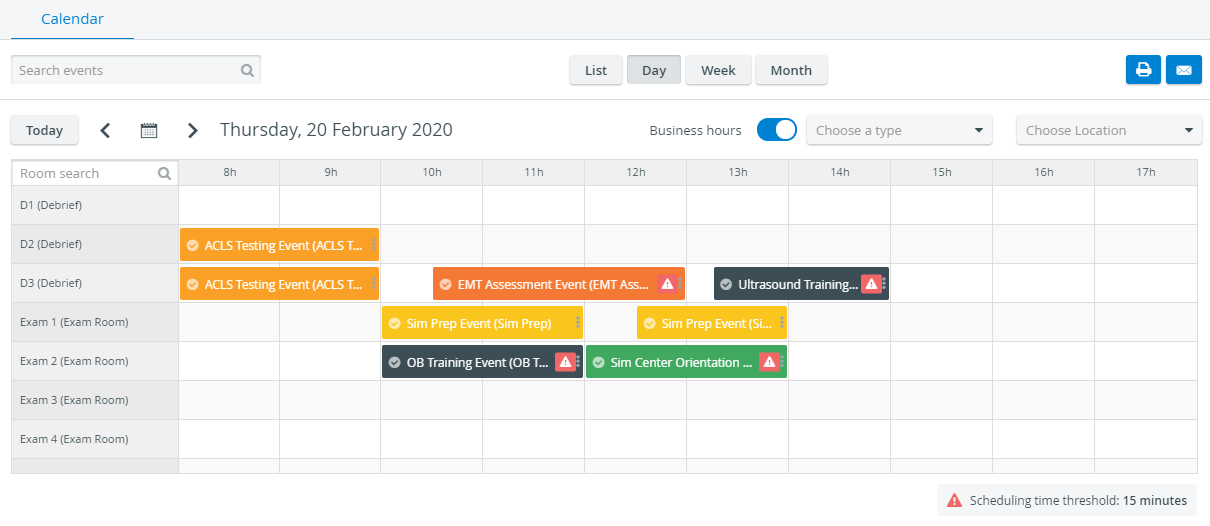
The Scheduling Time Threshold does not affect the start and end time of events but occupies the room(s) for a specified number of minutes before and after the event.
Events that overlap each other are marked with a warning sign:
This means there weren't long enough breaks left before and/or after the events.
Example: If a 15-minute scheduling time threshold is set, there must be at least a 30-minute "break" between events assigned to the same room: 15 minutes after the current event and 15 minutes before the next one.
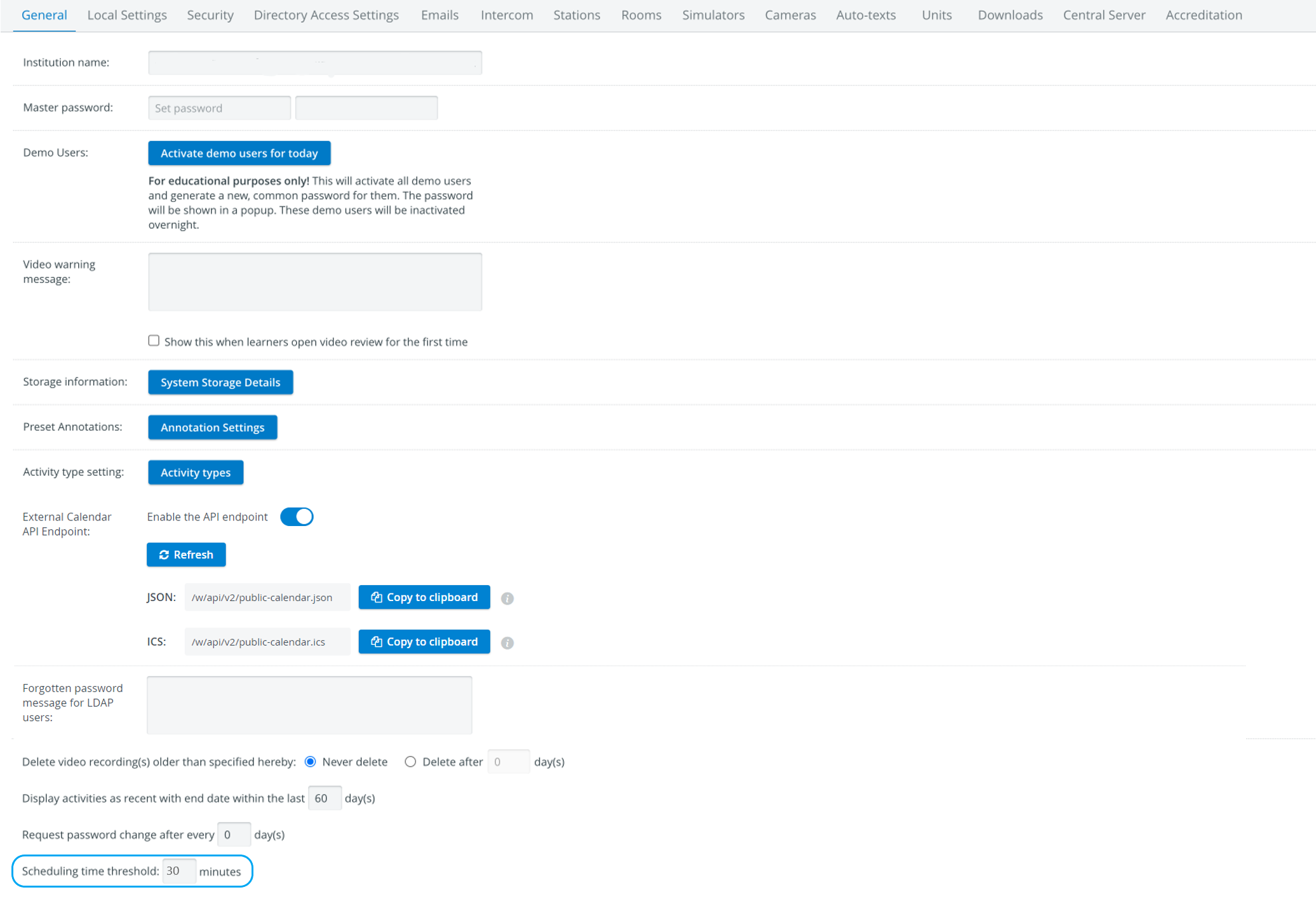
The threshold can be set on the General tab of the System Manager module. The setting affects scheduling in general, which means each Event needs to be scheduled accordingly, or the system will warn you about the scheduling error.
See also What does the Scheduling Time Threshold mean?
Find step-by-step guides for System manager-related processes on our System - How to pages.