Reports Tab in Resources
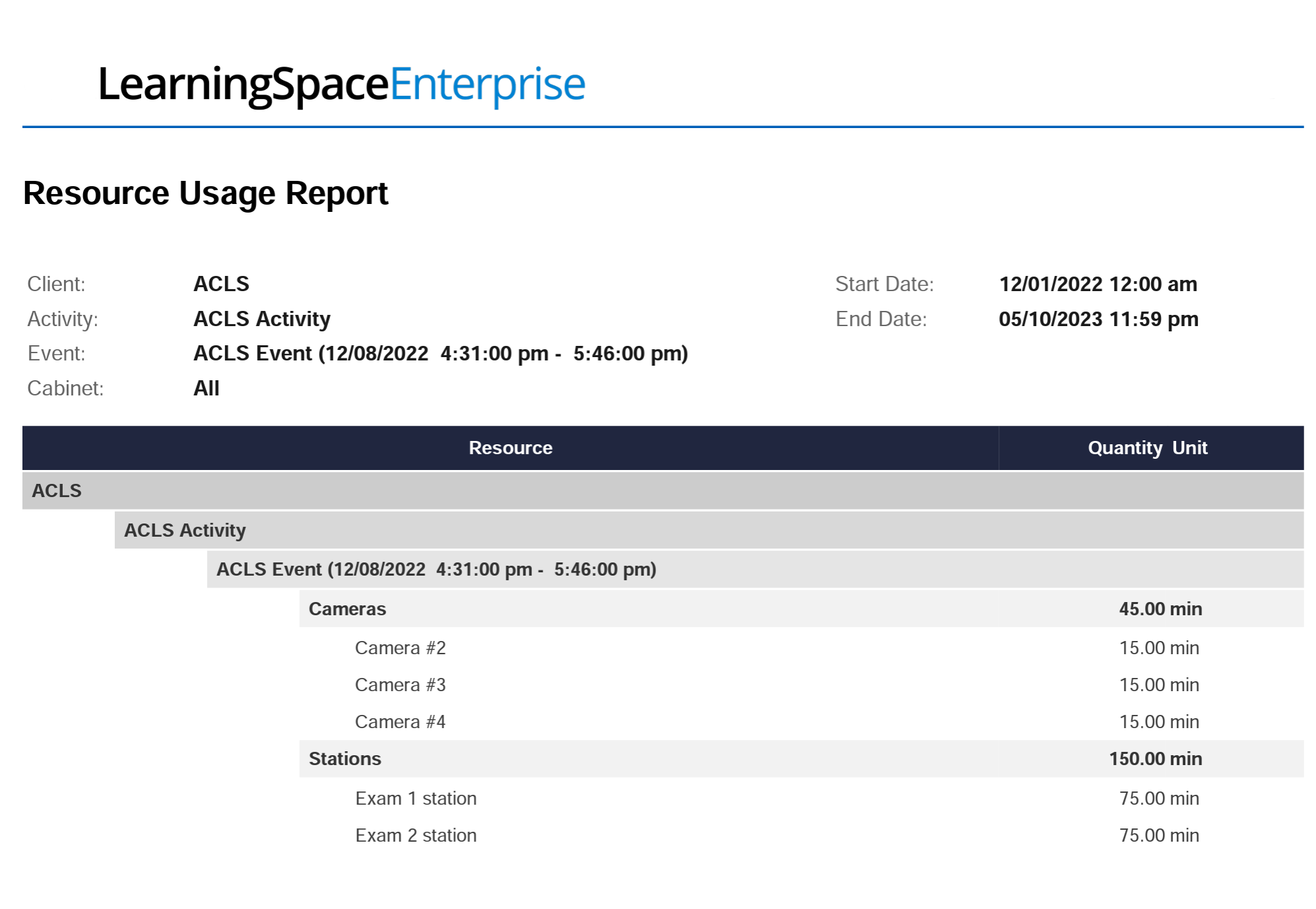
Resource Usage Report
Generate a report that shows the overall usage data for a particular client, activity, or event, broken down by resource categories or even by individual resources.

You can also select cabinets to display only resource usage that belongs to specific categories.
Resource Utilization Report

You can include all resources added to the system in a single report, or filter by category or resource name.
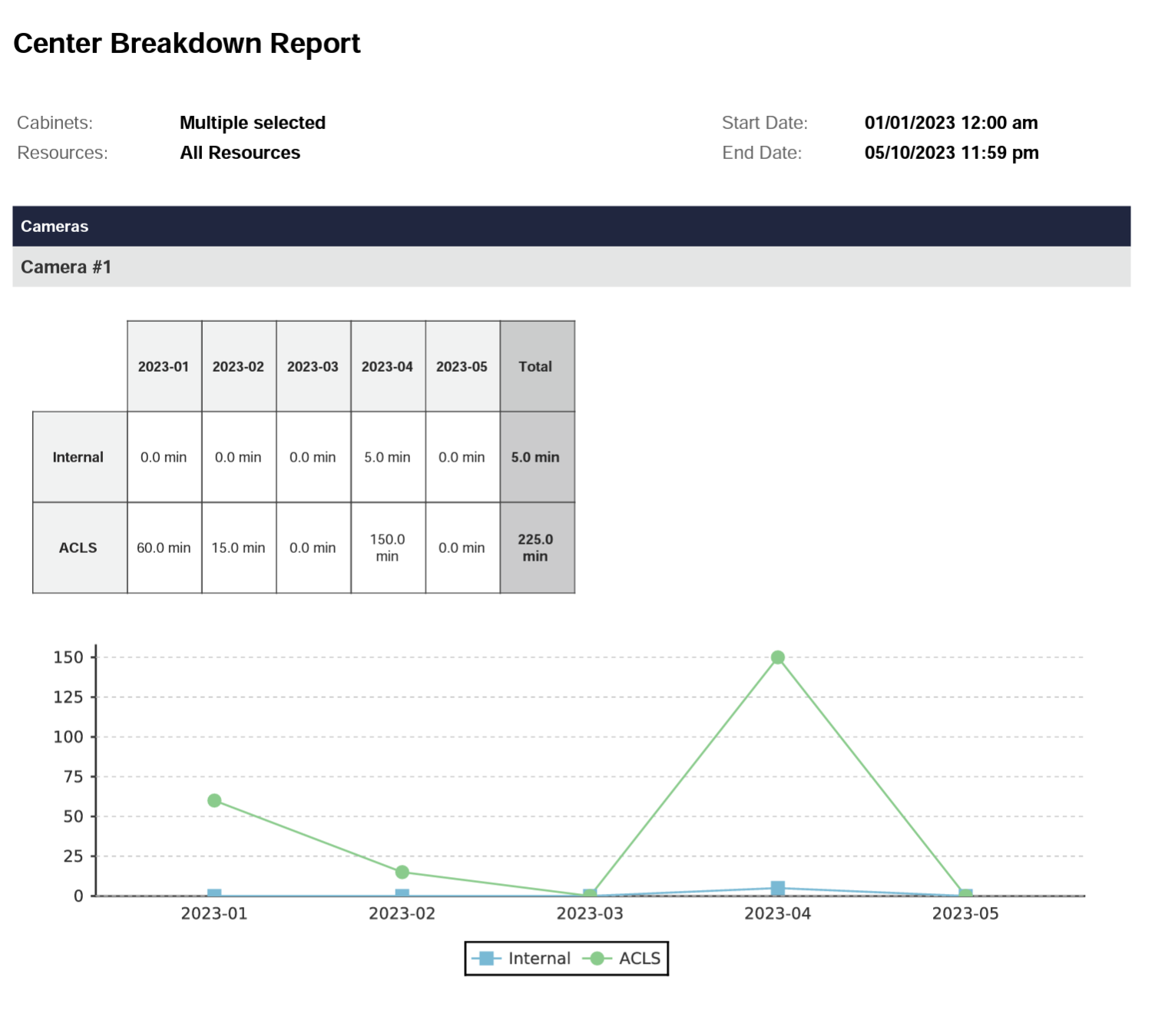
Center Breakdown Report
The report visualizes how clients' use of individual resources changes from month to month over time.
Important: The Center Breakdown Report can only retrieve results for the last 12 months.

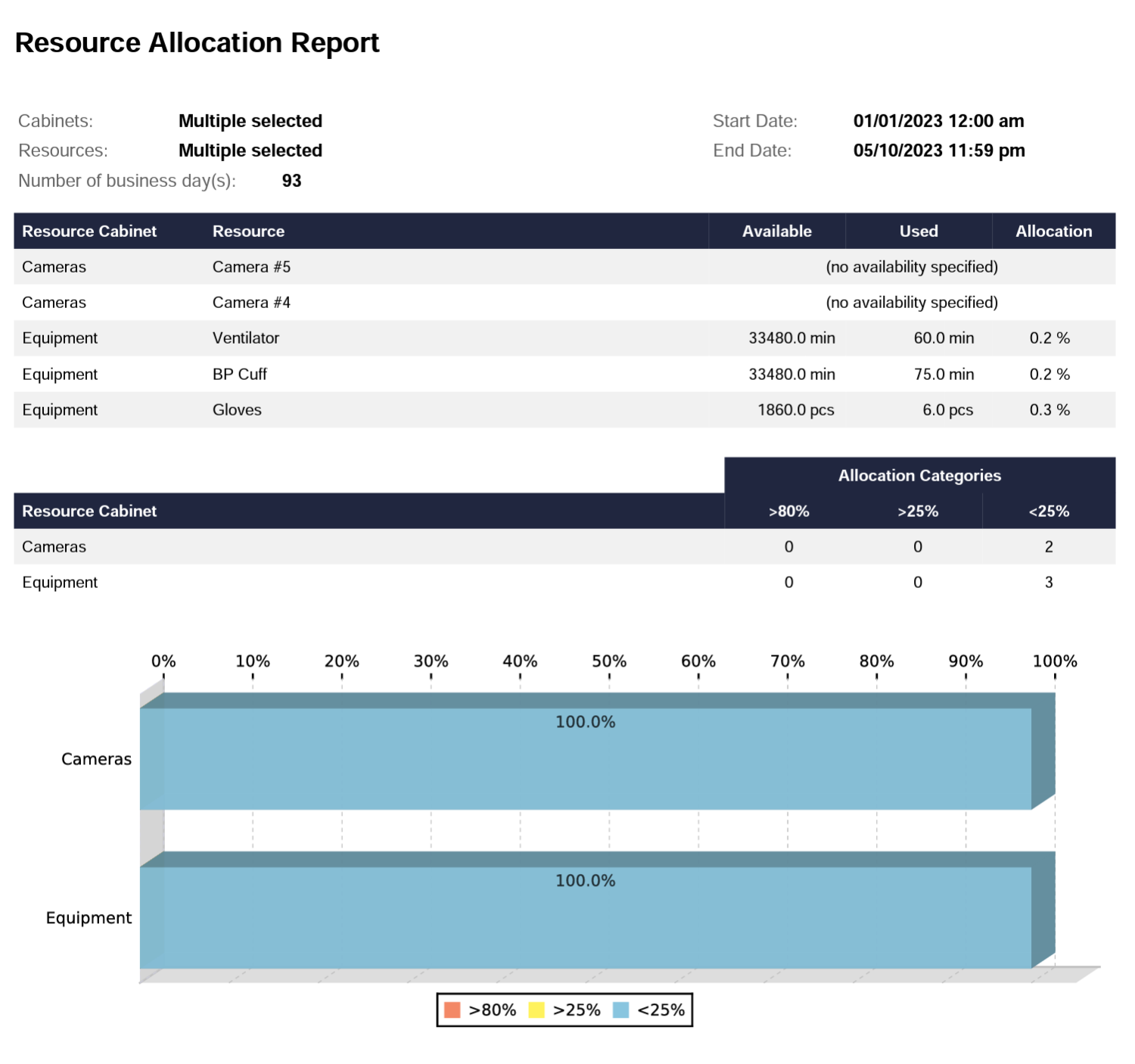
Resource Allocation
Check the utilization rate of each resource of one or more selected categories over a specified time range.
Important

The latest enhancement allows LearningSpace Inventory Reports to support Chinese, Korean, and Cyrillic characters.
For more information, visit our Reports Tab in Resources and Resources - How to pages.