Report Reviewer access
IMPORTANT: The Reports tab can only be accessed once the Faculty and Learner groups have already been assigned on the Participants tab.
By default, the Learner access settings are displayed, and the Report reviewer access button at the top of the tab must be clicked to switch to the report reviewer settings.
Access is determined in the Report Access panel and applies to the group highlighted in the Report Reviewers' panel.
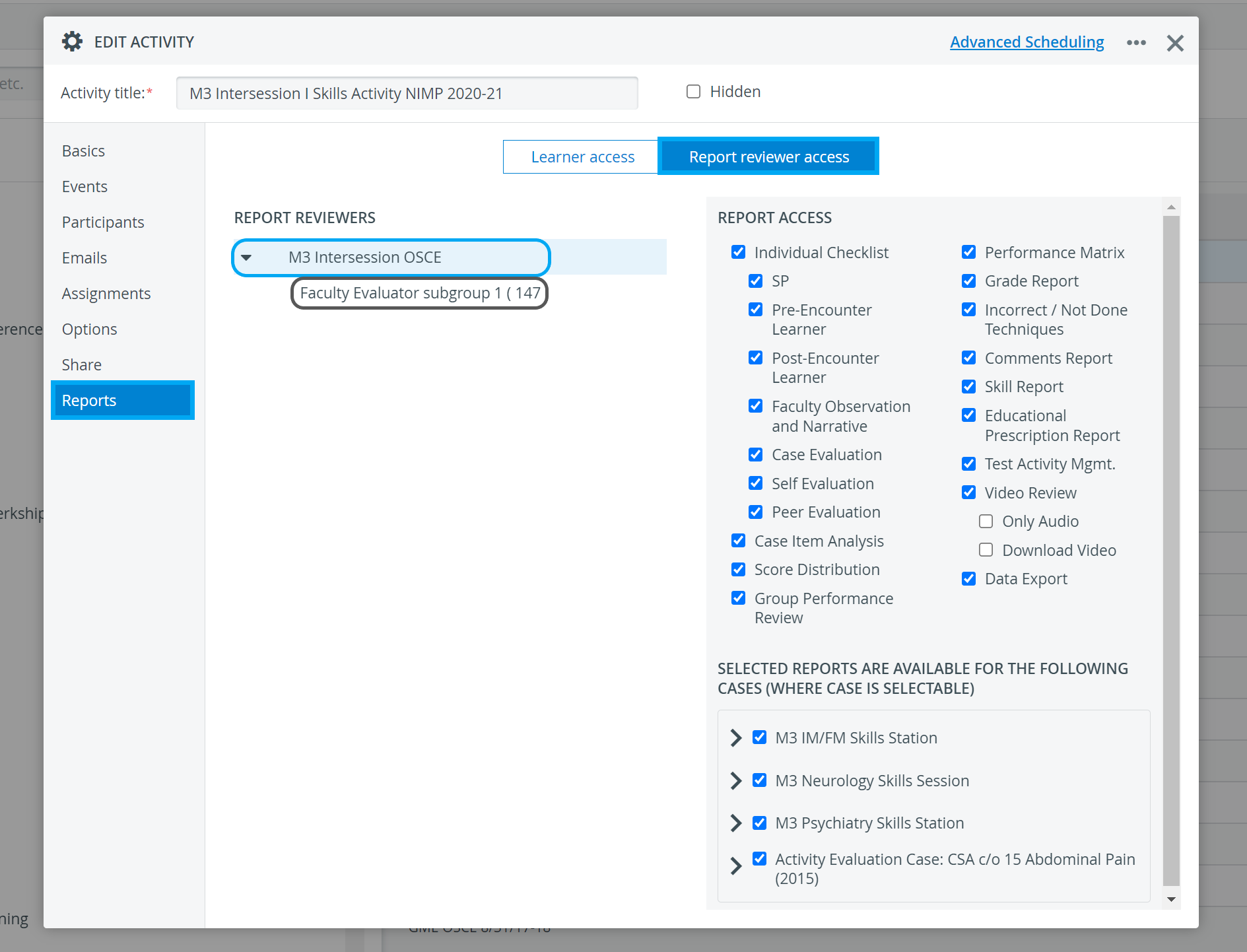
When setting up access for subgroups, access NOT given at a broader level (e.g., whole group) can be granted for a subgroup, but not vice versa.
The subgroups displayed in the Report Reviewer panel are those set up on the Assignments tab.
Users with Report Reviewer privilege are granted all access by default, except for permission to download video recordings (Download Video). Their access to video review is not limited to audio only (Only Audio is deselected by default).
Uncheck the checkboxes for reports and functions that are NOT intended to be accessible to report reviewers.
The Report Reviewer (full control) privilege allows users to control the conditions of report access (also for Learners) for activities shared with them at the read-and-write level, while being participants in the assigned faculty group. (Through 'Go to Activity Manager' of the Report Availability tab within Activity Reporting Setup.)
Selected reports are available for the following cases (where case is selectable)
Any access checked in the Report Access panel applies only when specific Cases and Case parts/Sections are selected. Only the Cases checked under Selected reports are available for the following cases (where the case is selectable).
All Cases and Case parts/Sections are checked for the Report Reviewer by default.
Cases remain checked as long as at least one Case part/Section is selected underneath them.
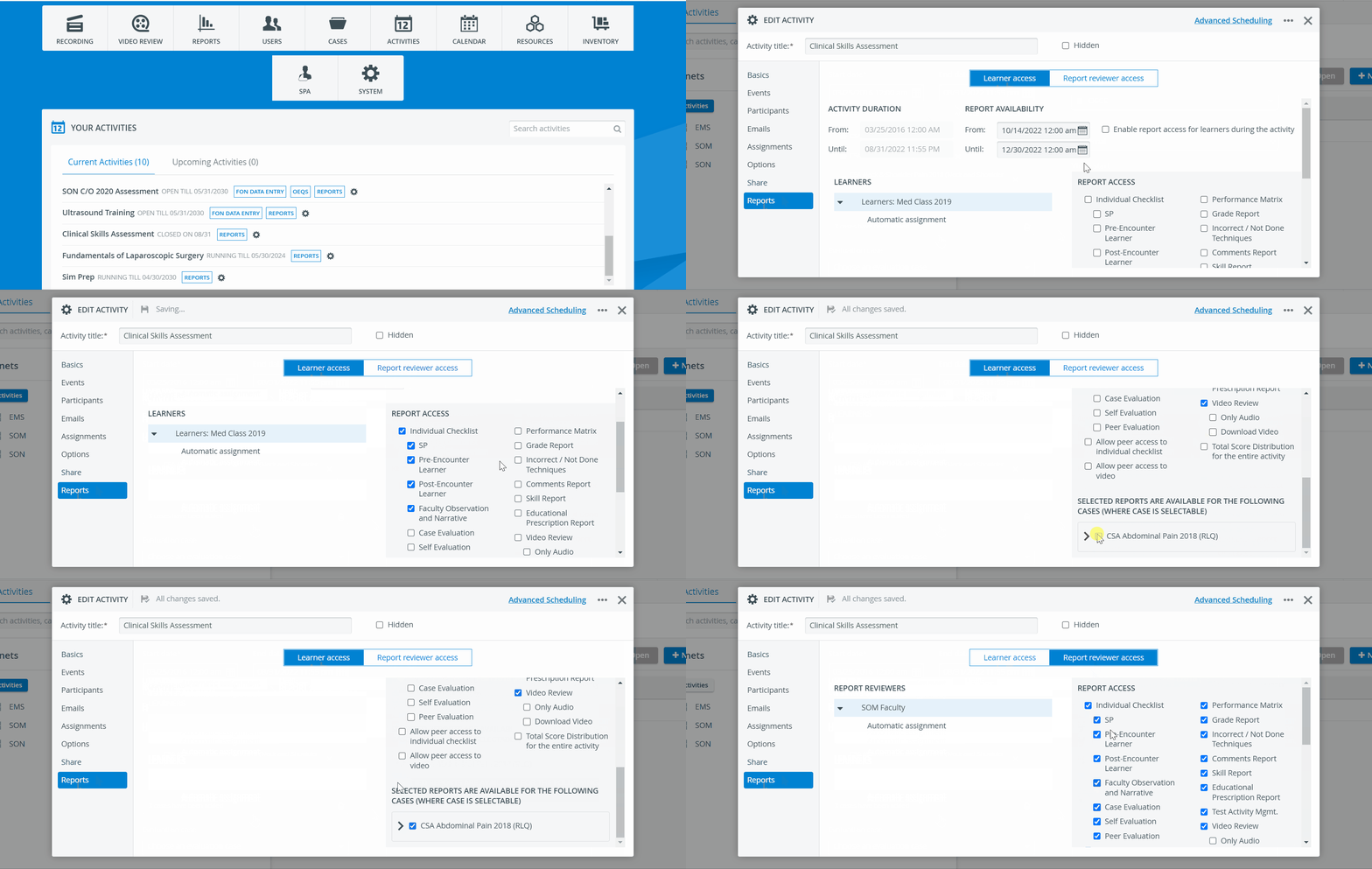
Report Reviewers have access to reports even after the Activity end-date.
Learn more on the How to Set Up Report Availability for Report Reviewers page.
For more information, visit our Activity - How to pages and view our Activity Manager Training Videos.