Printing Video Report
On the Video Review page, a Video Report can be printed about a selected recording.
The Video Report includes the following information:
Video Record Information: all the data available about the recording(s), including Activity, Case, Learner group, Learner(s), SP(s), start and duration of recording
List of Annotations, Event Logs and Comments - listed by exact time, with the Learner(s) to whom the references were made by whom they were made
Printing Reports as PDF files
Once the desired recording is selected, the Print button at the bottom left of the screen prompts the creation of a PDF format report, which can be saved or printed.

The report can include more than one recording, as many are selected by ticking their checkbox.

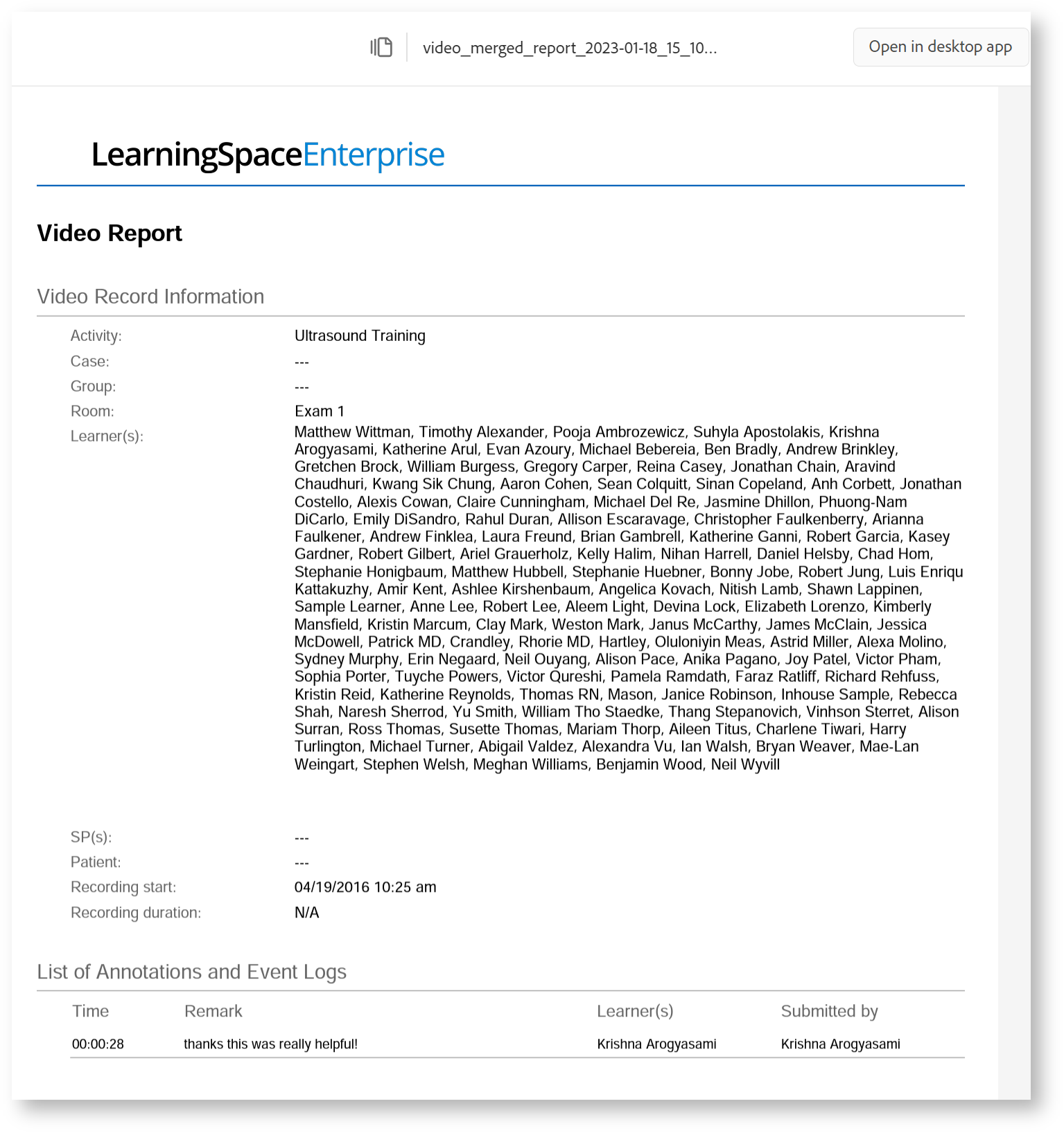
A latest enhancement allows Reports of LearningSpace to support Chinese, Korean, and Cyrillic characters.

Video Report
Export to Excel


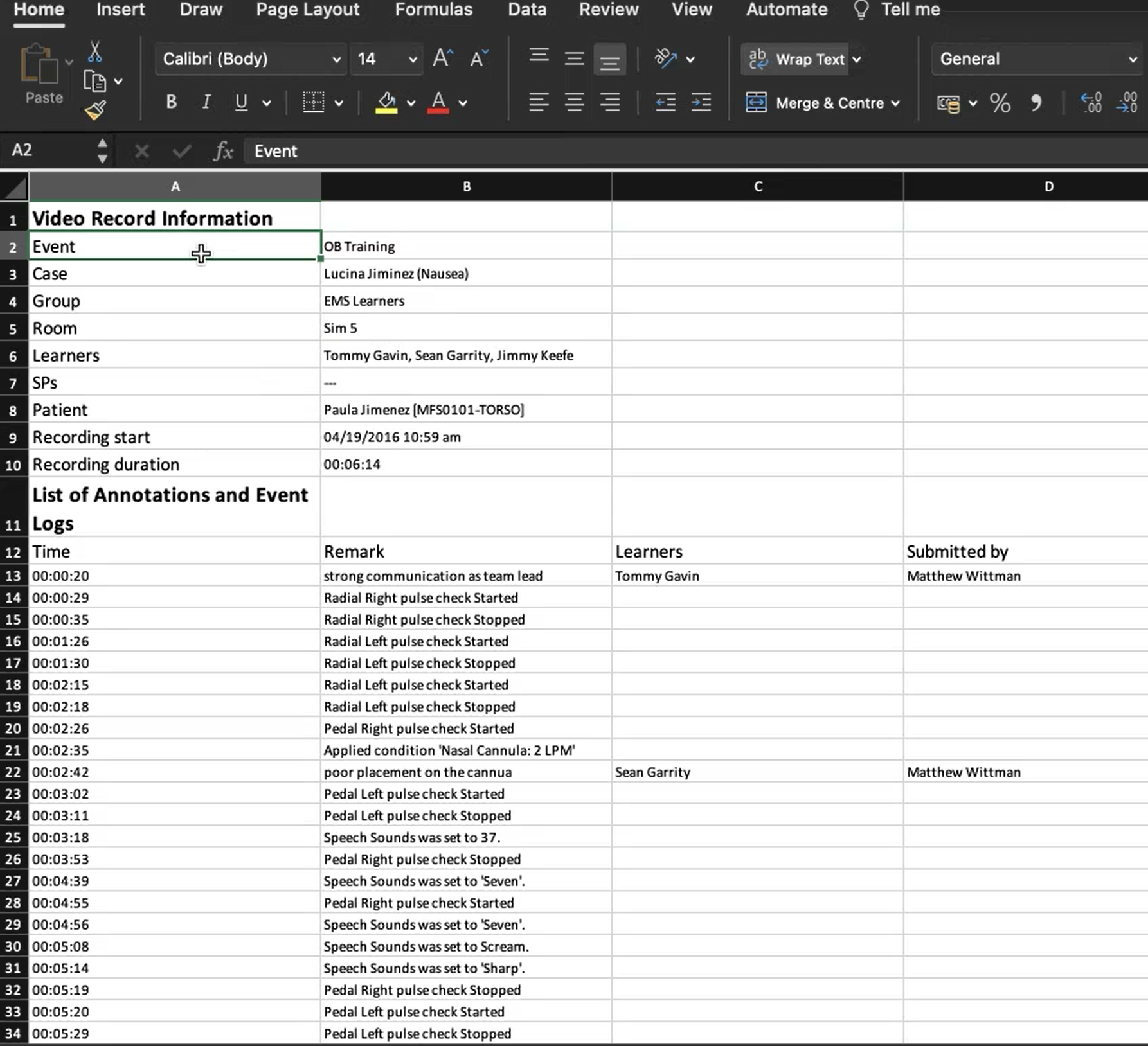
For further information, visit our Video review - How to pages.