List View
List View in Video Review
When entering the Video Review module, the List View is displayed. All the recordings accessible to the user are listed by date, with the most recent at the top.

Click a desired column heading to sort by that column (e.g., select the Date heading to sort according to when the video was recorded).
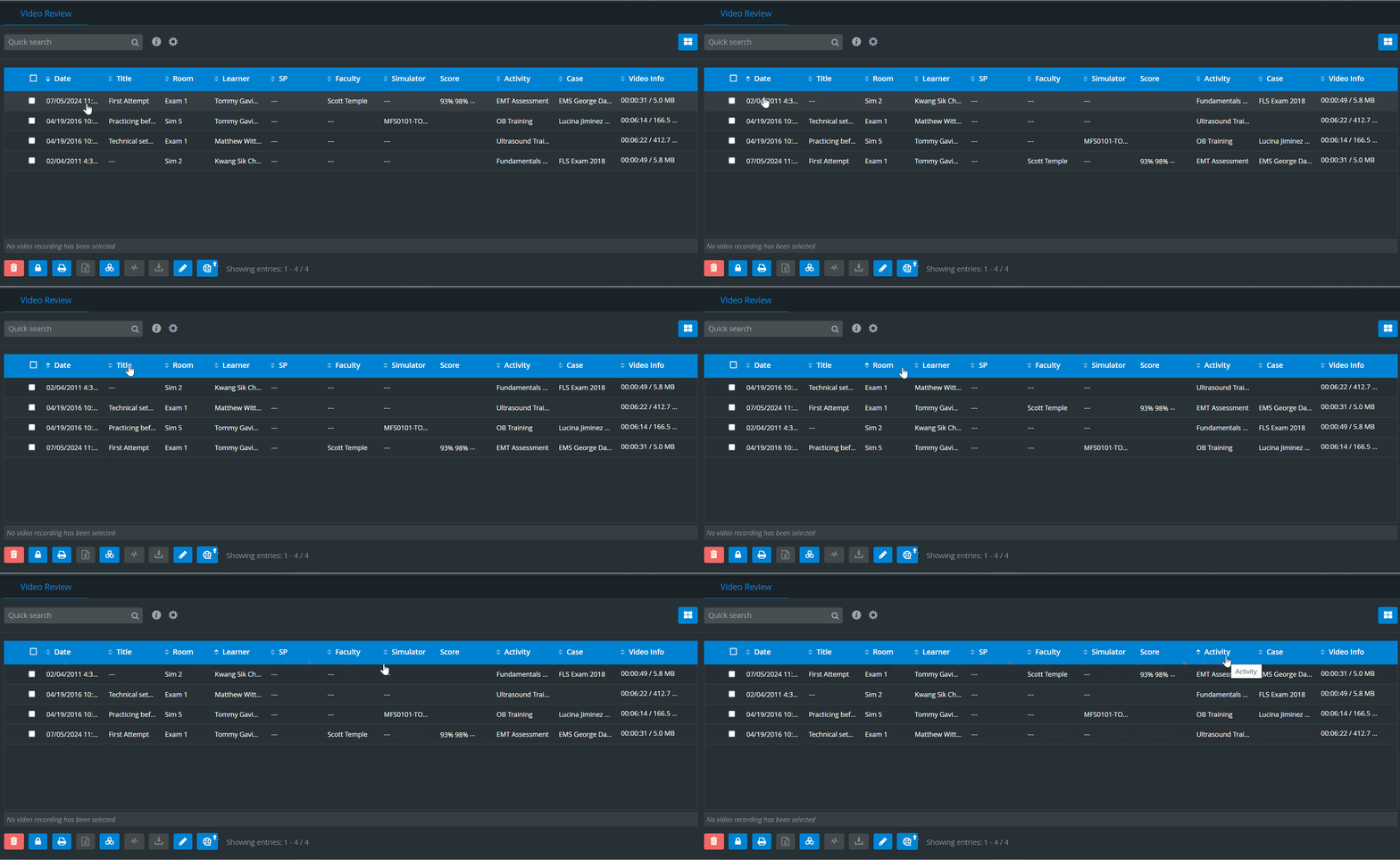
SPs are listed based on their assignment to a recording or if they submit data entry for a learner of the recording. If both apply to a specific SP, the SP's name will only be listed once.
If multiple SP submissions are allowed, all SPs submitting data entry will be listed. If not, the SP with the most recent data entry will be displayed.
See also Show SP and FON names on video review.
Quick Search
The Quick search field at the top of the list helps filter for specific recordings. By typing in any letter combination and clicking the magnifier icon, all recordings containing data with a matching combination would be listed, with the matching part displayed in bold.

Clicking the cogwheel icon next to the search field prompts the "Search inside annotations" and "Search inside event logs" options.
By ticking the checkbox(es), the search will be extended to include annotations added to recordings or letter combinations in event logs (actions completed on the software of a simulator attached to the system).
Zoom Meeting Recordings
IMPORTANT: During virtual meetings, the Zoom meeting is automatically recorded, post-processed, and sent to the cloud on the Zoom side. LearningSpace only downloads the video from the Zoom cloud after it becomes available for download on the Zoom side. During this time, LearningSpace generates a video entry for the Zoom meeting (triggered immediately after the meeting starts) on the Video Review page.
Until the video is fully downloaded from the Zoom cloud to be reviewed in LS, the status of the video entry is “Downloading“. An info tooltip next to the status of such videos contains a rough estimate of when the videos will be available for review:
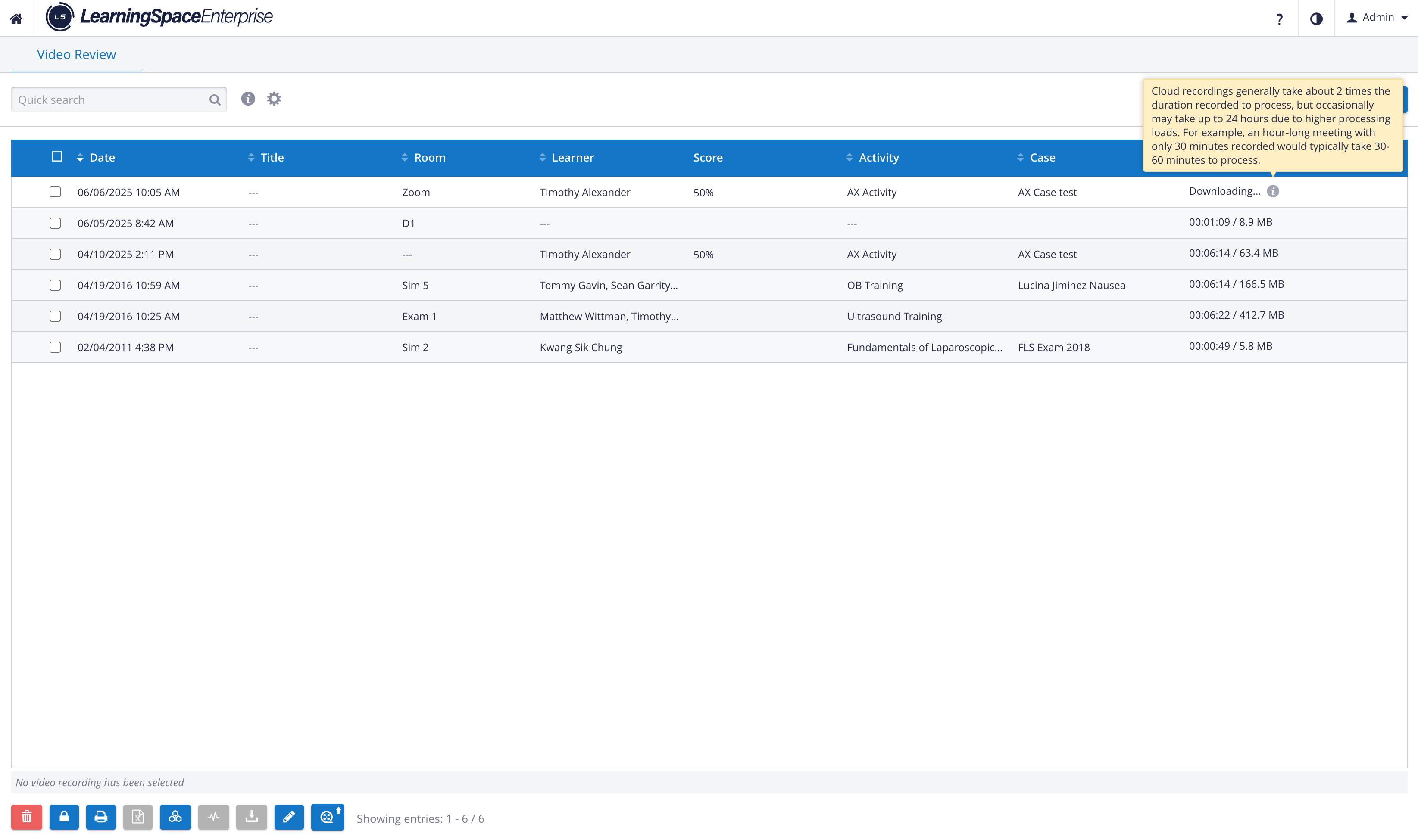
“Cloud recordings generally take about 2 times the duration recorded to process, but occasionally may take up to 24 hours due to higher processing loads. For example, an hour-long meeting with only 30 minutes recorded would typically take 30-60 minutes to process.“
See also Grid Layout.
For further information, visit our Video review - How to pages.