Importing Videos Recorded Outside of LearningSpace
General Video Upload Details for Administrators
The latest editions of LearningSpace Enterprise, Essentials, and Intuity platforms allow videos recorded outside of LearningSpace to be uploaded and made available for review in the Video Review module.
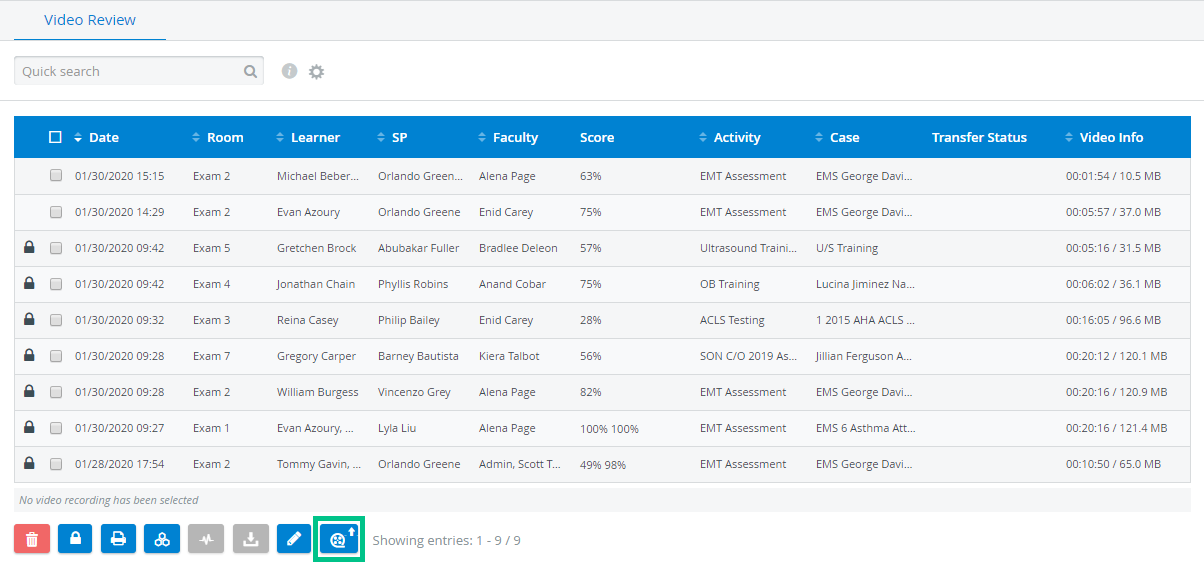
In LearningSpace Essentials and LearningSpace Intuity, only Admin users can upload videos recorded outside the central management system.
Upload videos of Learner/SP encounters recorded with video conferencing platforms such as Zoom, GoToMeeting, etc.
Allow Learners to record themselves performing a procedure or task.
The Learners would then make those videos available for the Admins to upload.
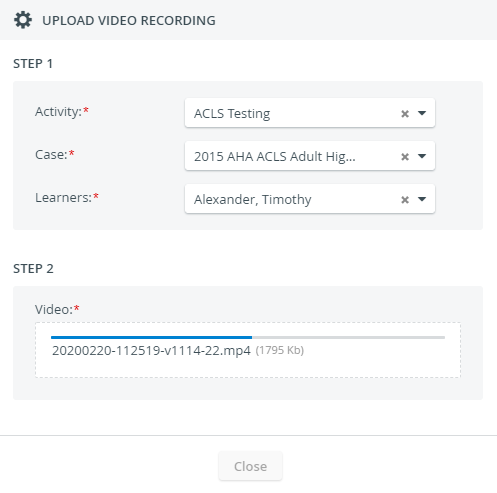
Select an Activity and a Case, and assign a learner before uploading a video.
Important
Video upload does not start unless all categories are specified.
Then drop or select the video you would like to upload, and processing will automatically start:
The Video Review module will notify you of a successful upload.
The videos can then be used for Peer Review, Self-Review, and FON evaluation.
Other Options in the Video Review Module
Only Admin users can:


Video Upload Permission for Non-Admin Users in LearningSpace Enterprise
Important
Video upload for non-admin users is available exclusively in LearningSpace Enterprise.

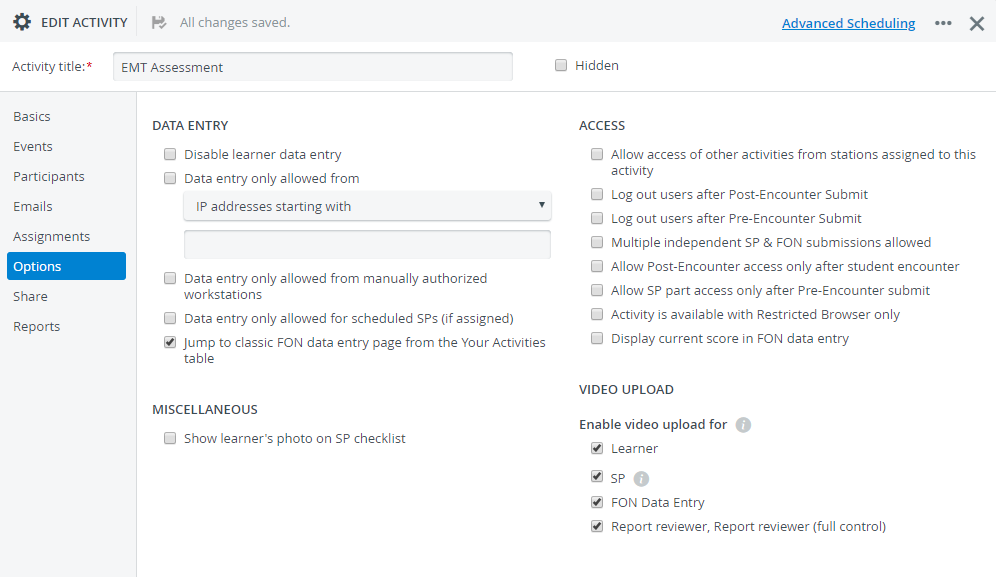
The video upload button will be added to the Video Review module in the user accounts with these privileges only. It will remain deactivated until users can upload videos to at least one specific Activity.

Are You a User with One of These Privileges?
Continue to this how-to guide to find out how to upload videos to LearningSpace.
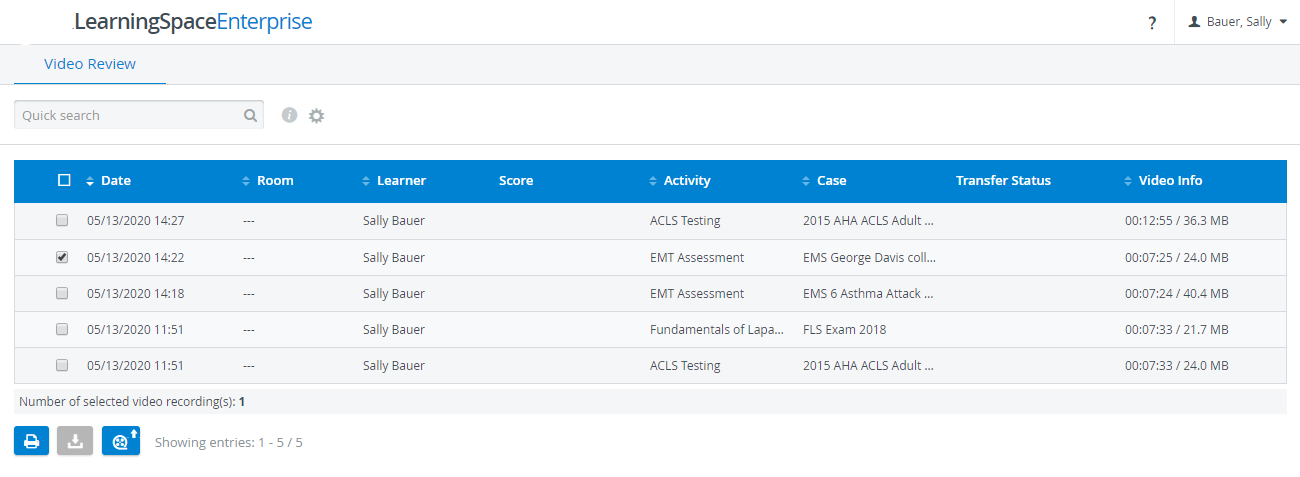
Continue to the following pages to find out how to set up video upload and activate the