How to Withdraw Confirmed Status from Standardized Patients
The page explains how SP coordinators can withdraw confirmation from SPs if needed.
Withdraw Confirmed Status
SPs can cancel their patient scenario dates, and SP coordinators can also revoke a date confirmation from SPs in the SPA module.
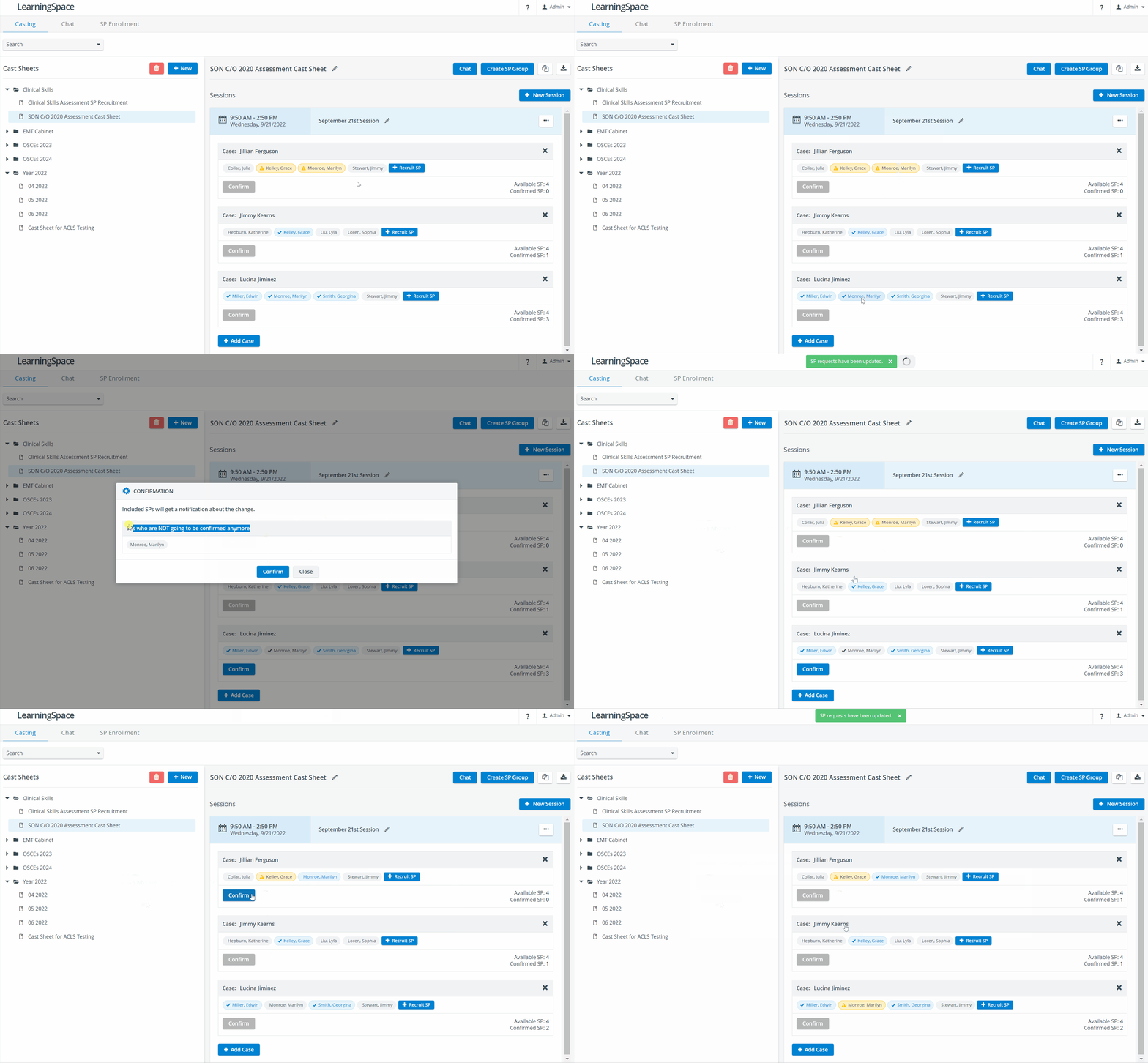
At a Case, click on the SP whose confirmation you would like to withdraw.
The Confirm option becomes active.The SP name tag will turn grey, but the tick will remain to indicate that the SP is still confirmed for the Case. The tick is not removed until you have confirmed the withdrawal.

Click on the Confirm button.
A dialogue opens, listing the SPs whose date confirmation will be withdrawn.
Click Confirm in the dialogue.

The status of the SP reverts to Accepted:
SPA Mobile App
The appointment will be moved back to the Pending tab in the SPA Mobile application in the SP's user account.
Conflicting Dates
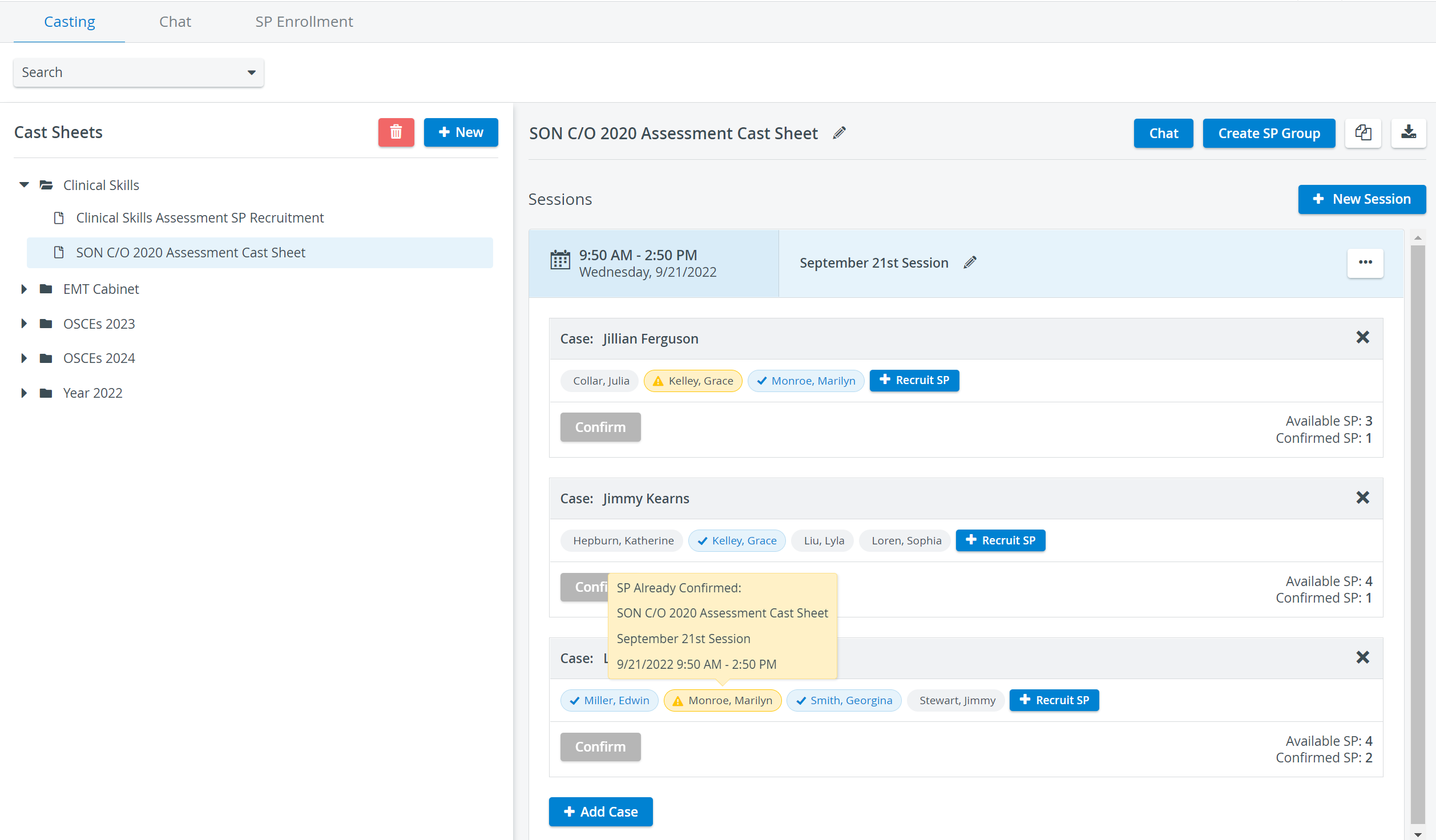
Suppose an SP has confirmed multiple patient scenario Sessions scheduled for the same date and time. In that case, the system shows a warning message in both the SPA Mobile Application and on the Casting tab of the LearningSpace SPA module:

You can withdraw confirmations for conflicting dates by navigating to the Case displayed in the yellow warning field and performing the steps described above:
For further information, visit our Standardized Patient Administration and Standardized Patient Administration - How to pages.