How to Understand Concepts within Advanced Scheduling
Advanced Scheduling provides means for pre-programming events such as:
exams,
simulation exercises,
lab practices, etc.
Users with the necessary privilege (Admin, SRP (full control) or SRP) can schedule specific events within an Activity
for the assigned group of users,
using the selected Cases,
specifically time-managed
in the designated Rooms.
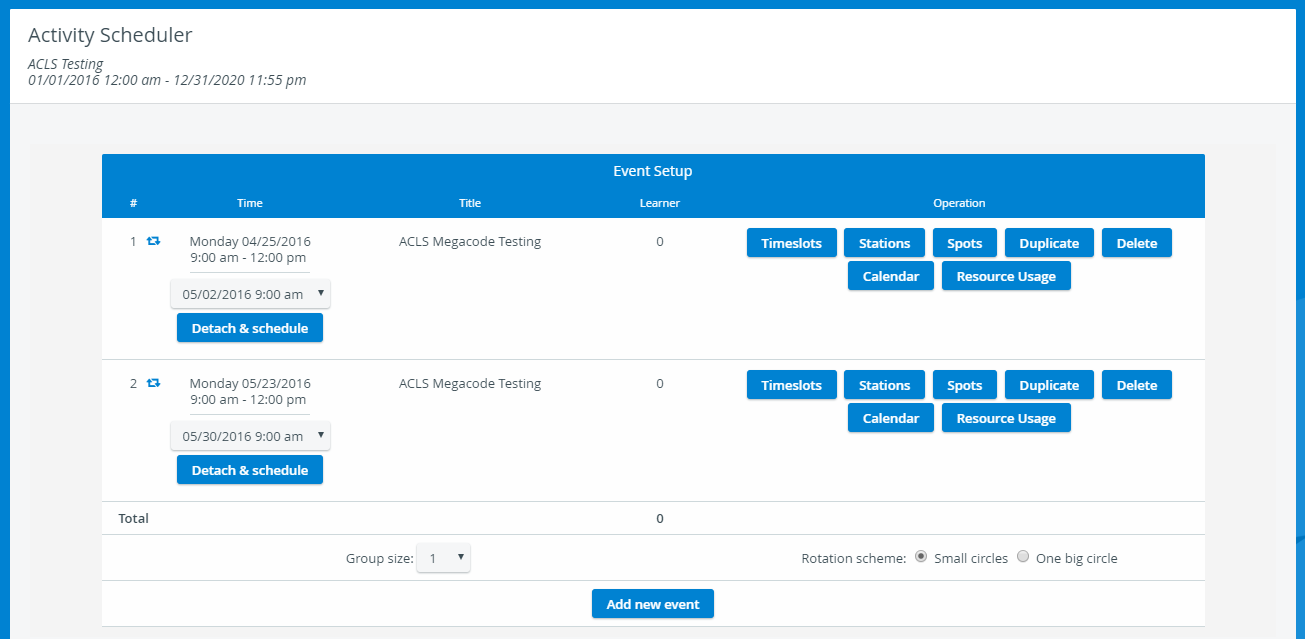
For Advanced Scheduling, the following concepts are necessary to understand:
Concept | Description | Related Help site pages |
|---|---|---|
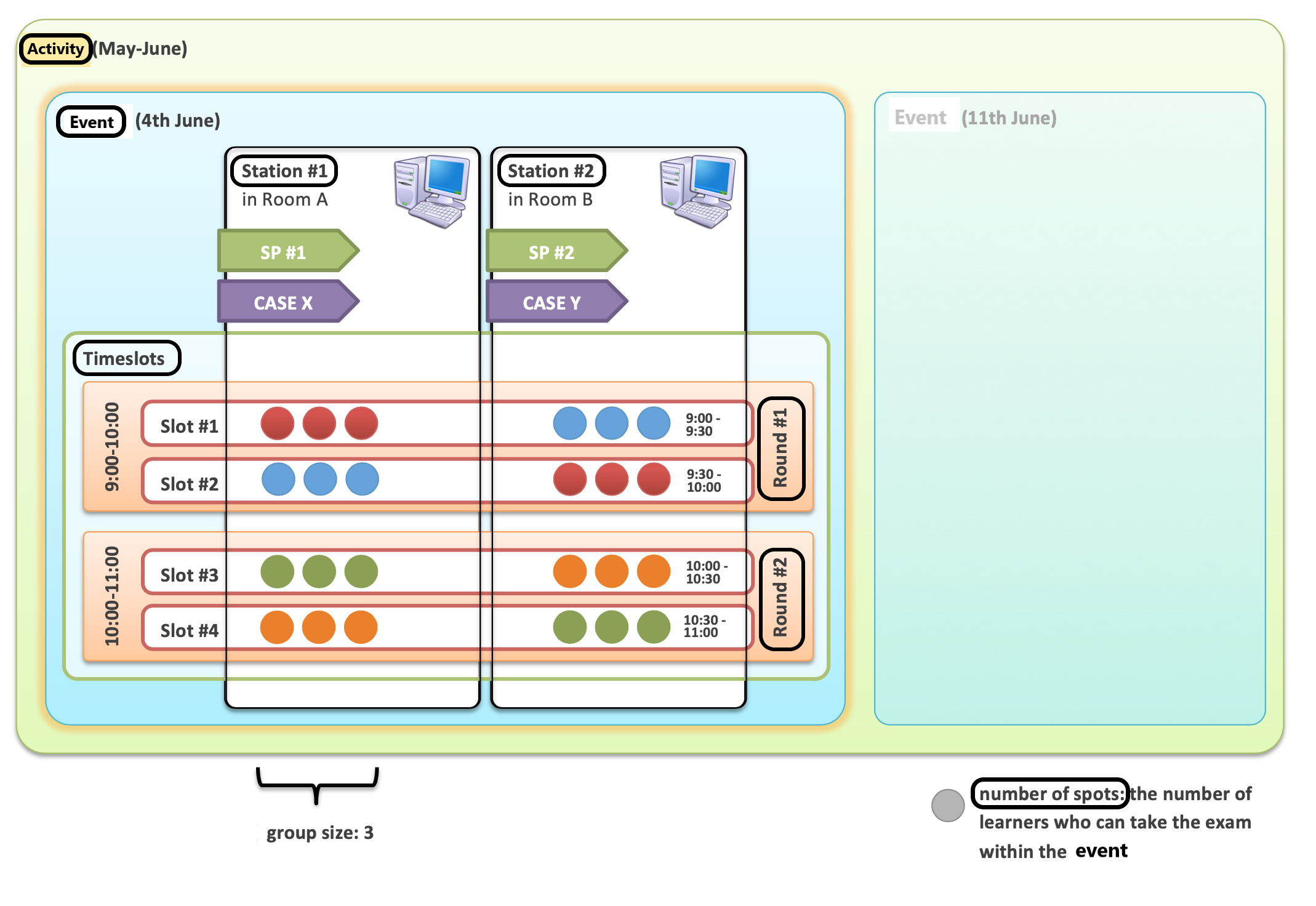
Events | Activity schedules are broken into Events. An event is a period of time during which the station setup and SP assignments remain the same. This means that throughout the event, - the same Case - with the same SP - runs in the same room. Events must start and end on the same day, whereas an Activity can have multiple events on multiple days and even last for an extended period (e.g., a year). | - How to Add New Events in Activity Scheduler |
Rounds | A Round is a period of time for which students sign up: - Each student is expected to attend an exam for one period (one round). A learner must complete each Case within a round. - Consecutive rounds make up an Event. - A round must start and end within the same event. - Rounds are made up of consecutive timeslots without any time gaps: ▪️ or special student encounter timeslots (for example, debriefing or lunch break). ▪️ A valid round must contain at least one student encounter timeslot. - Rounds are only valid if the first timeslot "starts new round" and the last timeslot "ends the round". These conditions can be established by checking the relevant boxes when setting up timeslots within an Event Setup. If the round setup is invalid, an error message displays at the top of the scheduling page, and changes cannot be saved. | |
Timeslots | Timeslots are the smallest time units within an event. During a timeslot, one or more assigned learners must complete one Case with the help of an SP or a simulator. There are two different types of Timeslots: Learner encounter timeslots are the timeslots used for a learner to encounter an SP or simulator. - Special timeslots are timeslots used for occasions when no learner encounter happens, but the time interval is used for a specific purpose (e.g., orientations, breaks, or debriefings). Consecutive timeslots make up Rounds. Besides its length, a timeslot also has a time after property. | |
Stations | A station is a room running a specific Case for a specific event of an Activity. | |
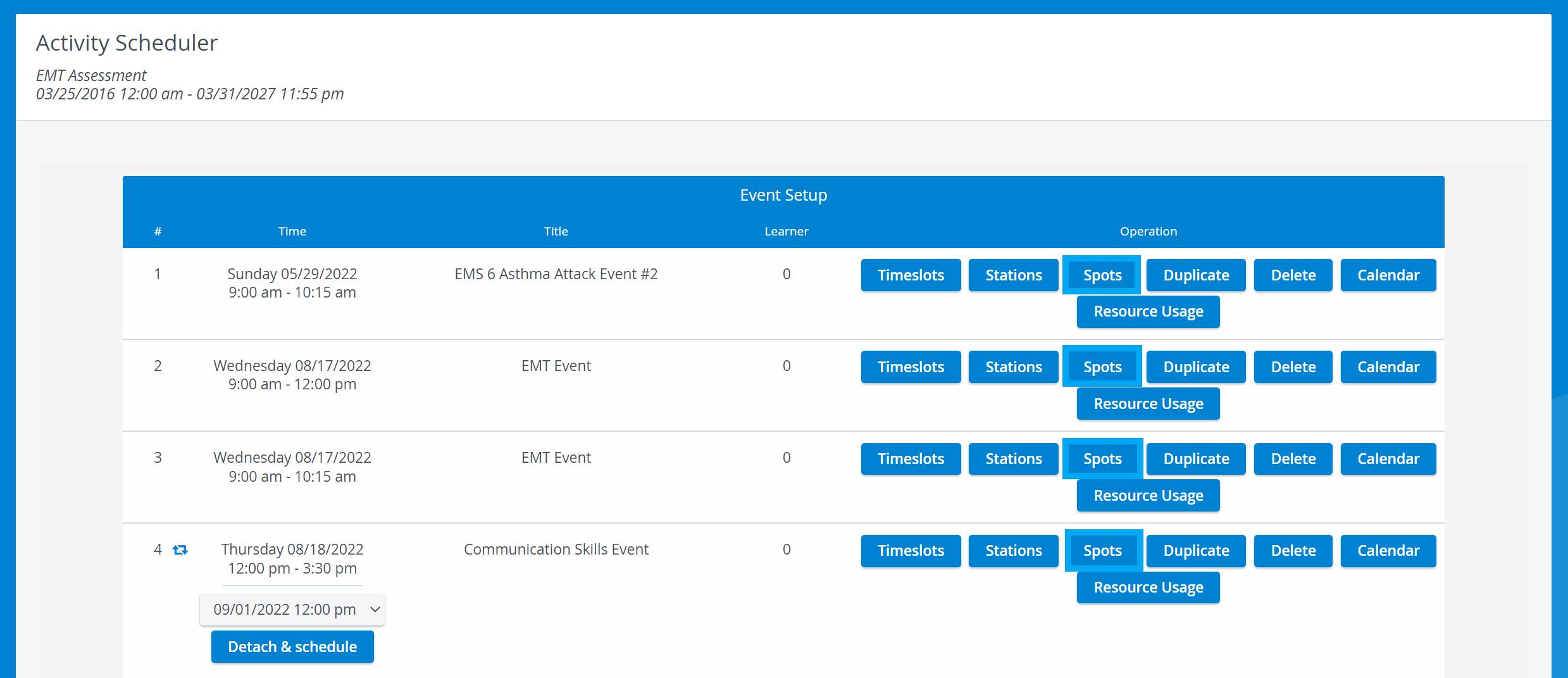
Spots | Spots are the maximum number of available spaces for students to participate in a specific round. - By default, spots are calculated automatically based on station setup and a number of timeslots. - However, this calculation can be manually customized. |
Group size | Specifies the number of learners simultaneously participating in an encounter at the same station. | |
Rotation scheme | ◽ Small circles - The system rotates or circles learners around a group of stations. Multiple concurrent circles are formed when Cases are run on multiple stations. This setup can be more efficient during overbooking situations. ◽ One big circle - All learners rotate around the stations in a single sequence, with each student moving to the next station. |
For further information, visit our Advanced Scheduling pages and view our Activity Manager Training Videos.