How to Set Up Automatic Announcements
Important Note for Enterprise Lite Users
This feature is for use with in-campus audiovisual (AV) inputs. Hence, it is not available for LearningSpace Enterprise Lite, which is used for web-conferencing-based virtual simulation encounters only. To unlock this feature, please upgrade to the LearningSpace Enterprise solution.
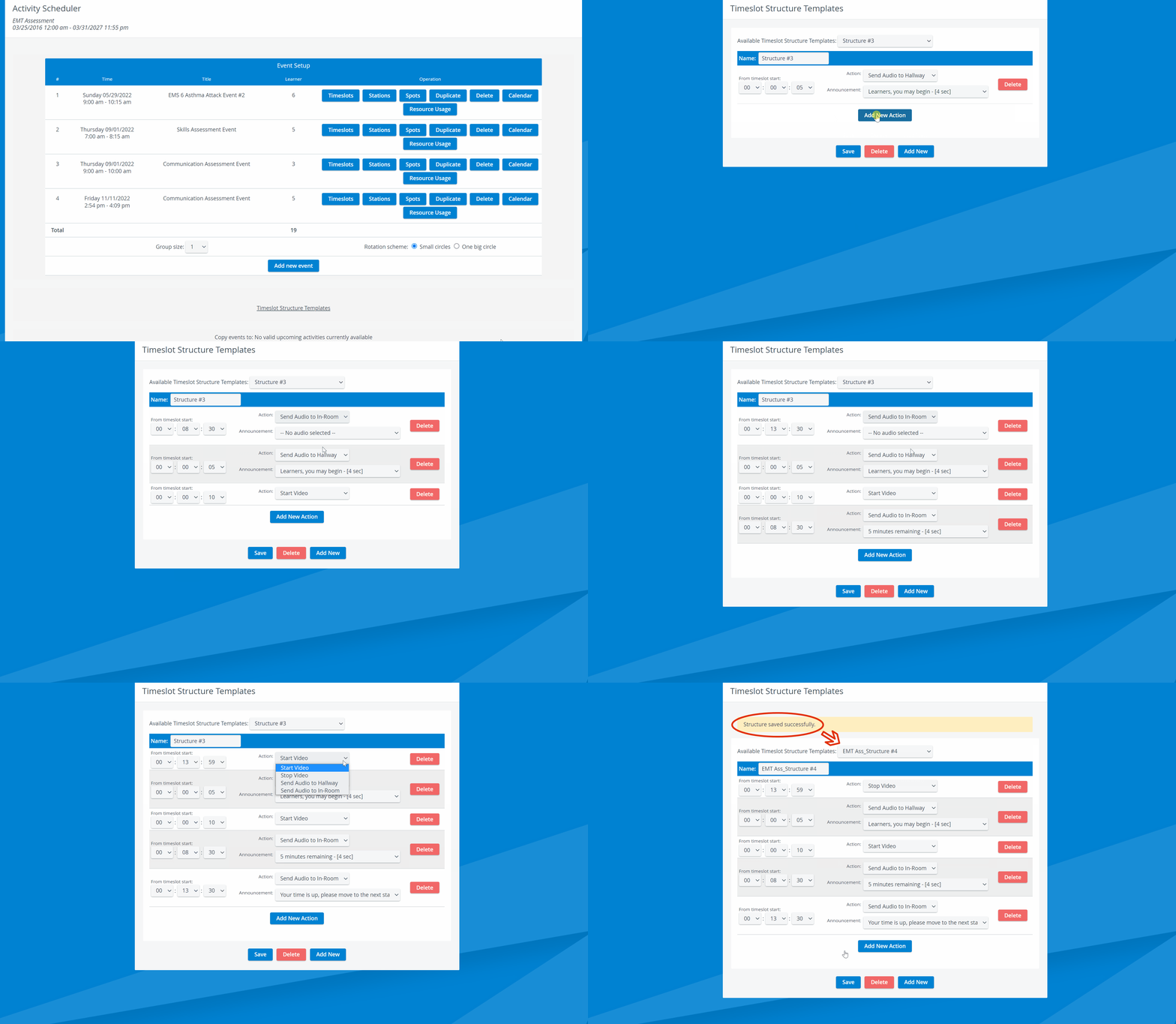
For automatic announcements, use the Timeslot Structure Templates function.
Click the Timeslot Structure Templates link below the Event Setup options on the Activity Scheduler screen.
Click the Add New button.
Set up a timeslot structure as desired by determining the start time of the actions offered in the drop-down menu.
The drop-down menu contains the option Send Audio to In-Room/ Hallway, which automates the intercom announcement to the SP or Learner station.Type the title of the structure in the Name field, then click Save.
When done, go to the Timeslots operation within the Event Setup and select the newly created structure from the Structure template drop-down at each timeslot where you intend to use the saved structure.
IMPORTANT: Each timeslot has a specific length set up. The length of the structure template cannot exceed the length of the timeslot, otherwise technical issues may arise, including the loss of any video recorded/ scheduled to be recorded during the timeslot. To ensure the timeslot structure is correctly set, click Update & Validate below the list of timeslots.
For more information, visit our Recording Module and Recording Module Training Video pages.