How to Remove Cases from Sessions
Remove Cases
Enter a Cast sheet.
Scroll to the Session your Case was added to.
Click on the X icon in the top right corner of the Case to remove it:
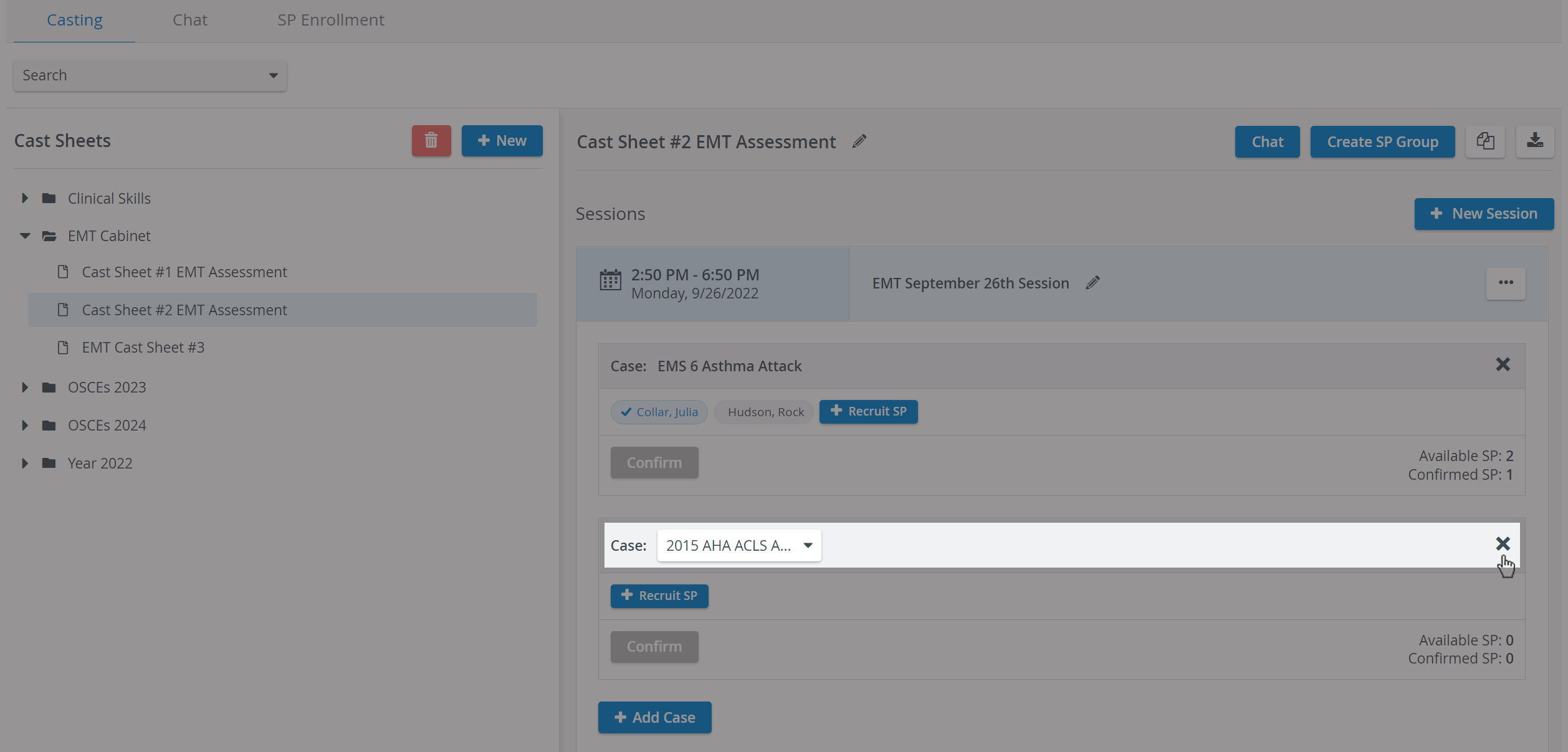
The system will ask to confirm the removal of the Case:

The system will inform you about successful or failed removal.
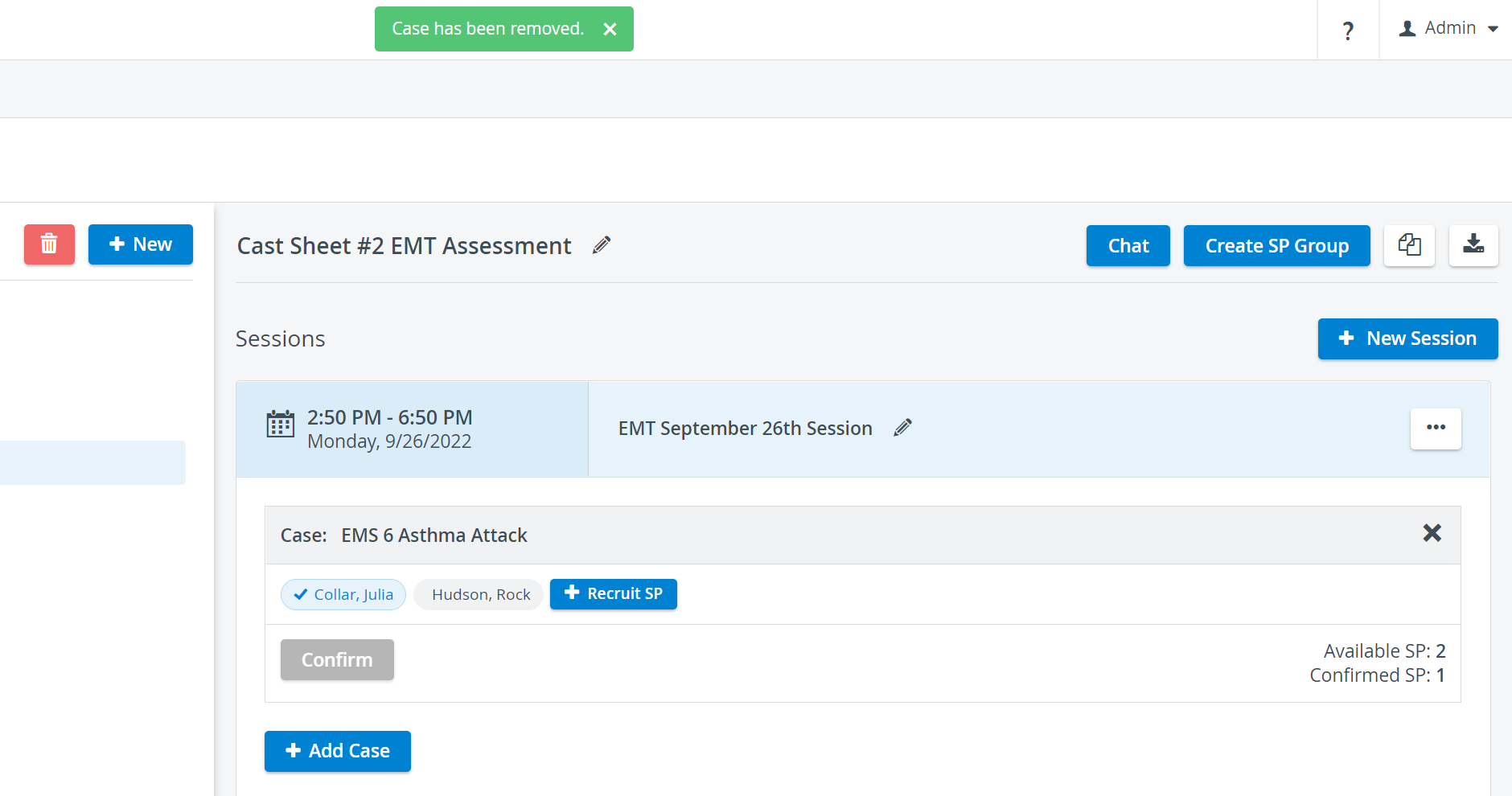
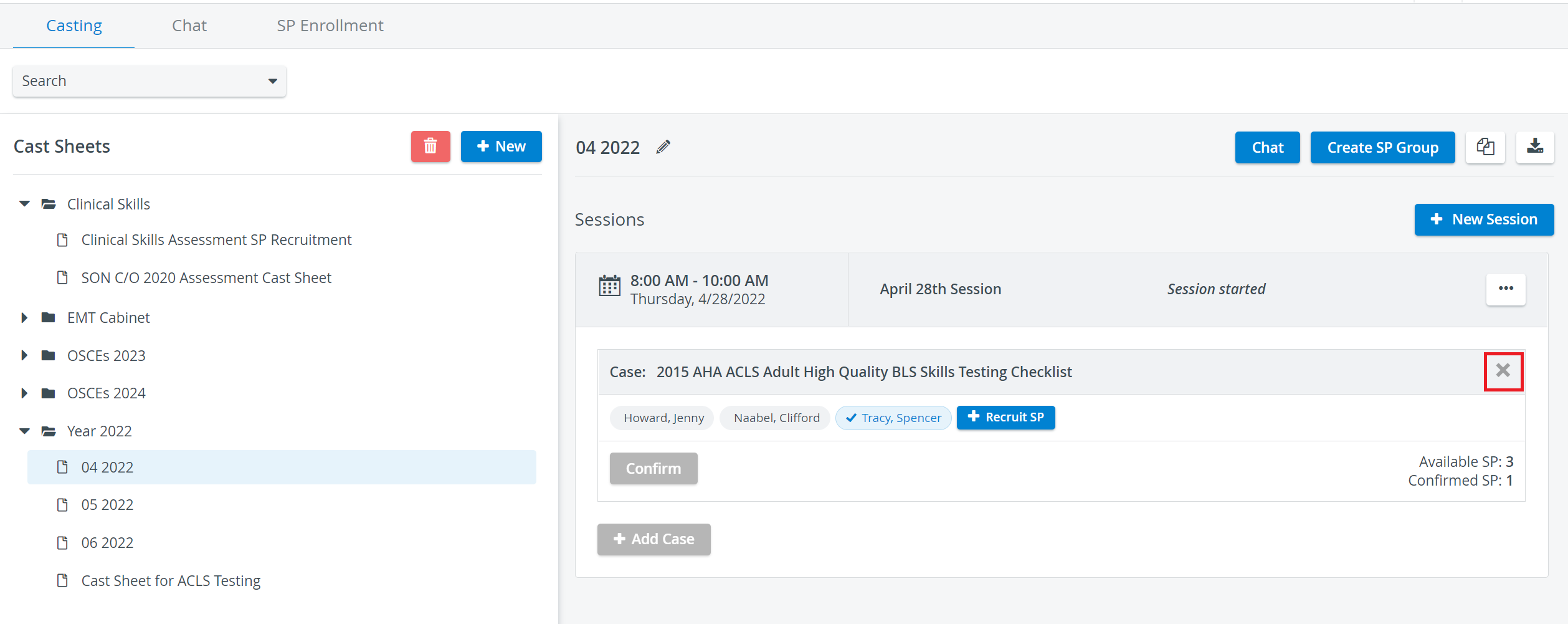
A Case can only be removed if it is set in the future. The X button will be displayed as inactive for Cases with past dates or where the Session is currently running. The Session Started script will be visible in the Session's header in both cases.
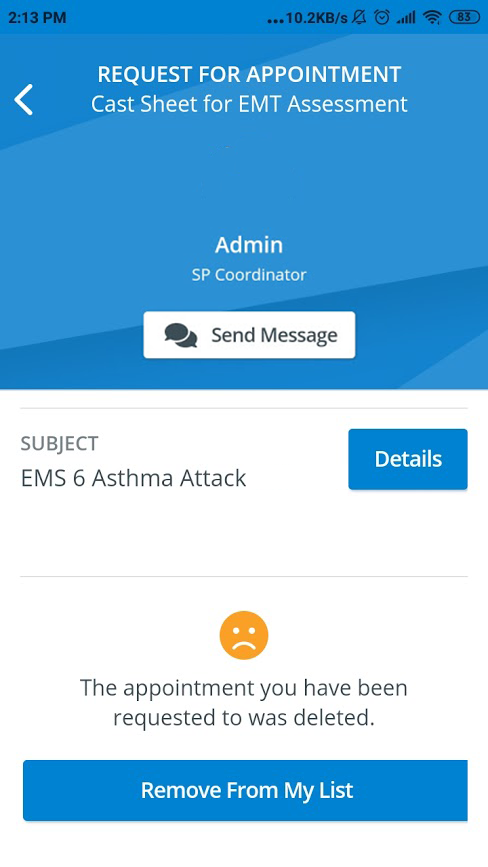
If your removed Case contained pending, accepted, or confirmed requests, every SP will be informed in the SPA Mobile Application that their appointment has been canceled:
SPA Mobile Application
Requests related to removed Cases will remain in the corresponding tabs—Requests, Pending, or Confirmed tabs—for each SP in the SPA mobile application. SPs can choose to remove the requests belonging to a deleted appointment by confirming with the "Remove From My List" button inside each request.
For further information, visit our Standardized Patient Administration and Standardized Patient Administration - How to pages.