How to Open a Score Distribution Report
Access the Preset Reports tab of the Reports module.
Select the desired Activity and the desired Case from the corresponding drop-down menus.
When one or more activities are already assigned, the Case drop-down distinguishes between Cases (assigned to the activity) and Activity Evaluation Cases. The former is listed at the top of the drop-down, while the latter is below.
The Score Distribution button will be activated, that is, the report becomes available.
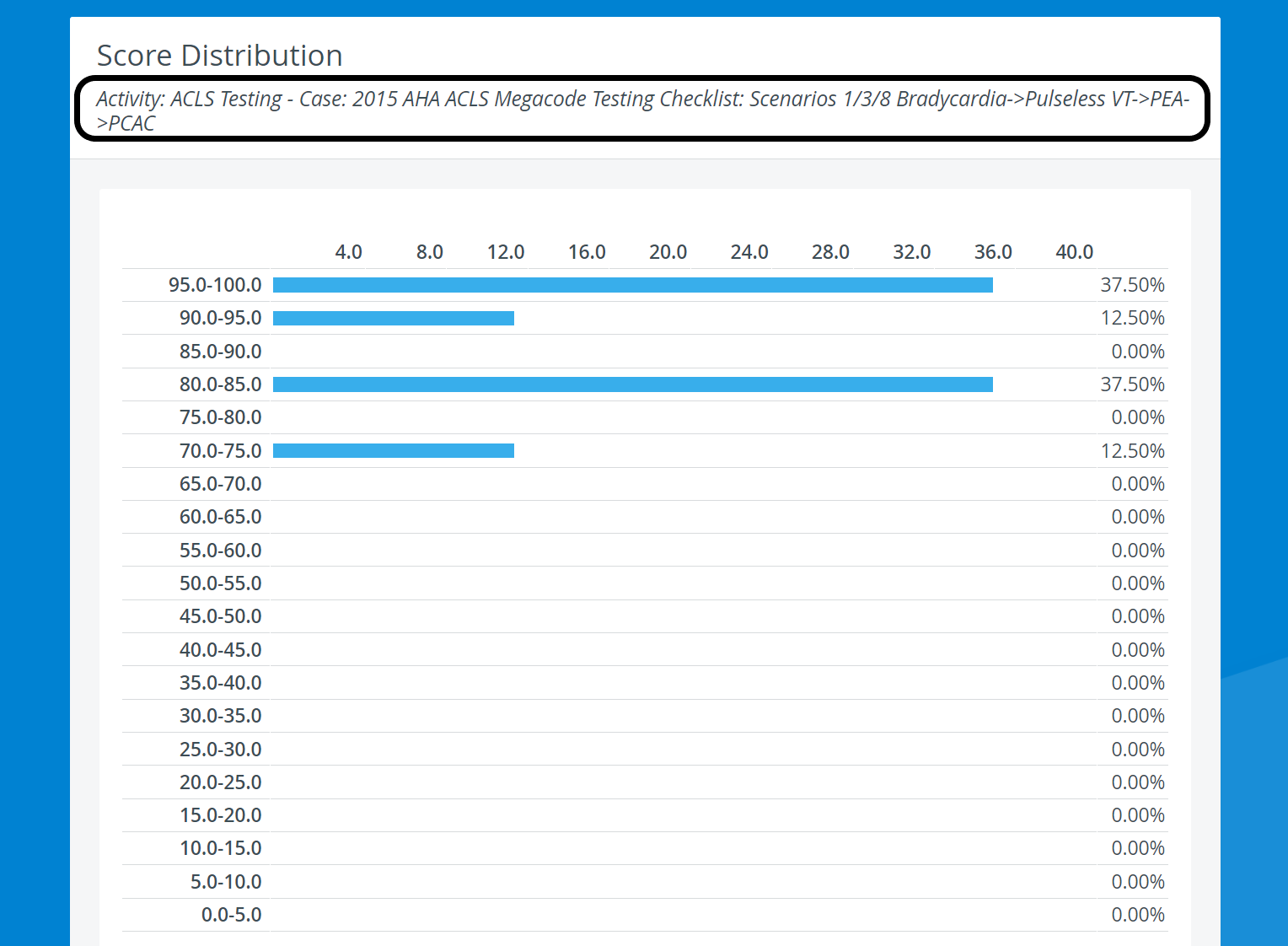
The Score Distribution Report shows the class average for the learners who took part in the Activity.
Score Distribution page
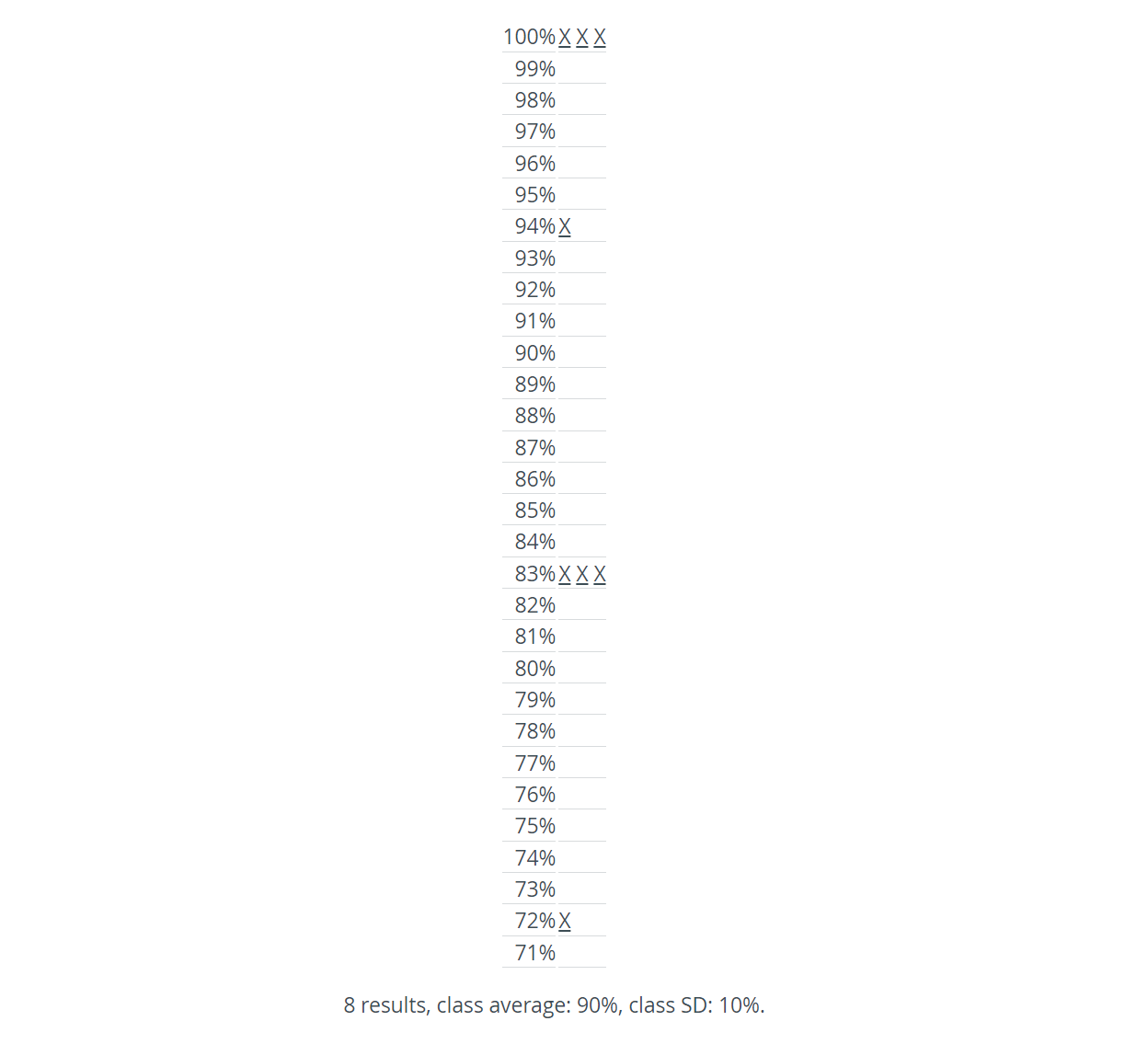
Links to individual Performance Matrixes: Click any of the X links next to the percentage values listed in the bottom half of the page to access an individual Performance Matrix.
Click the backward arrow in the top left corner of the screen to return to the Score Distribution page.
For further information, see the Preset Reports pages and the Reports Module Training Videos.