How to Import and Synchronize Users from Your Directory Server
Available to users with User Manager or Admin privileges.
If a directory server is configured for synchronization, groups can be created in the Users module by importing users from the directory server. Imported groups can then be synchronized at a later time.
Only users imported from your directory server can be synchronized. Users originally created in LearningSpace Enterprise cannot be synchronized, even if their data matches a user stored on the directory server.
Create or open the group to which you want to import users.
Go to the LDAP tab.
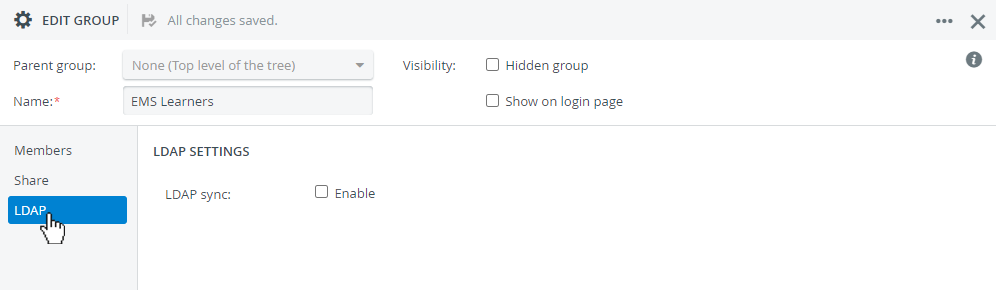
Turn on Enable at LDAP sync.
Further settings will appear in the tab: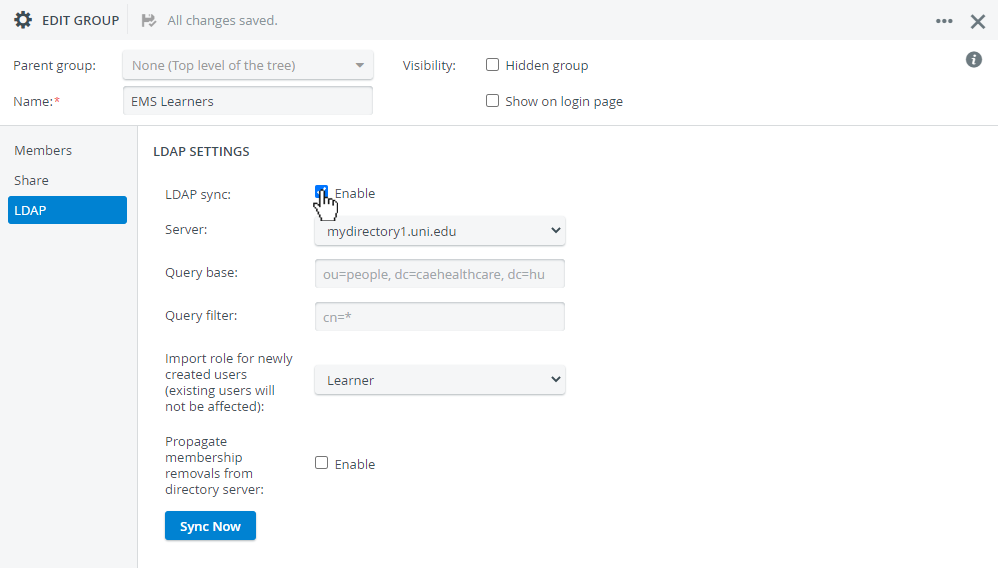
Select a directory server from the drop-down if multiple directories are configured for synchronization.
The query base is automatically passed down from LDAP Synchronization Settings.
To change the Query base, return to Directory Access Settings in System. The settings can be accessed with Admin or System Manager privileges.
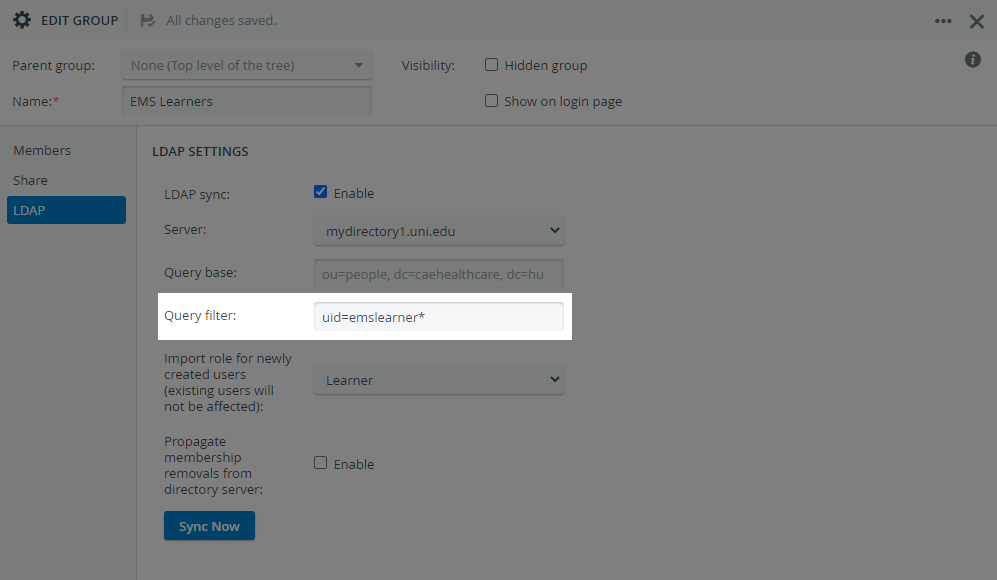
Define a Query filter to identify the users you want to import from the query base.
TIP
Place an asterisk ('*') before, after, or inside an attribute's value to apply it as a wildcard operator.
Place a question mark ('?') before, after, or inside an attribute's value to substitute for any character.
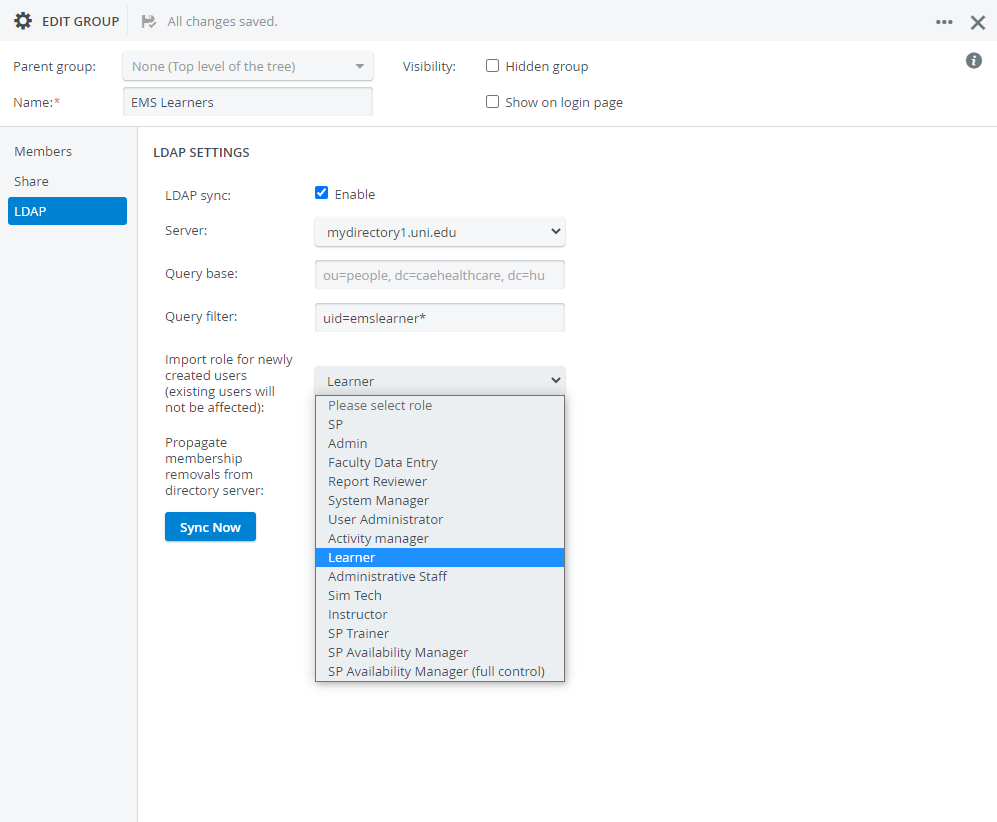
Select a role for the imported users.
Upon synchronization, the selected role will be assigned to all members.
Propagate Membership Removals from the Directory Server OptionIf the option is selected, the directory server membership removals will also apply to LearningSpace Enterprise. If a synchronized user is removed from the directory server group, the user will be removed from the LearningSpace Enterprise group upon the next synchronization.
Users will only be withdrawn from their group membership; they will not be deleted: the removed users will still be registered in your LearningSpace Enterprise system.
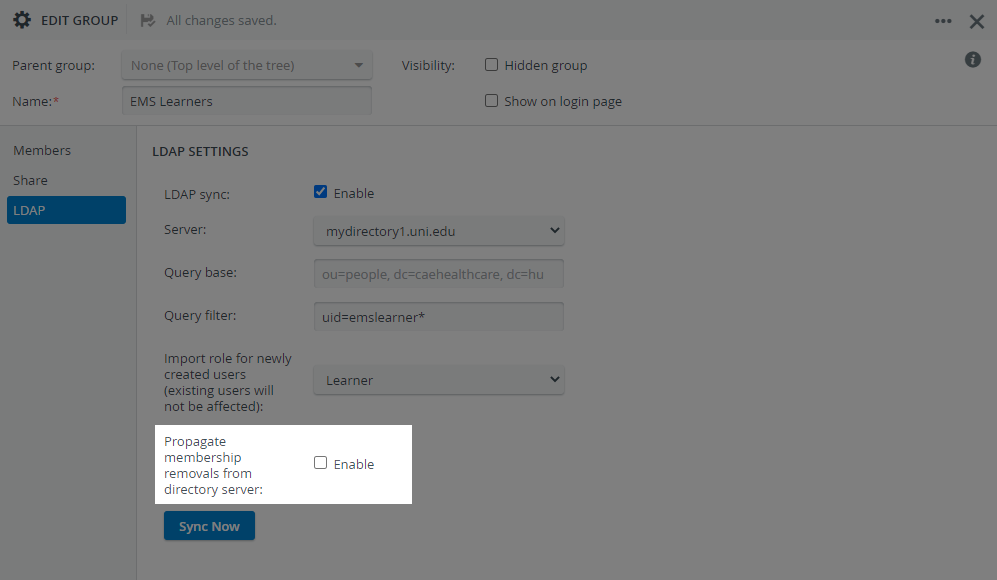
Click Sync Now to perform a manual synchronization.
LearningSpace Enterprise automatically synchronizes imported user groups during regular nighttime system maintenance.
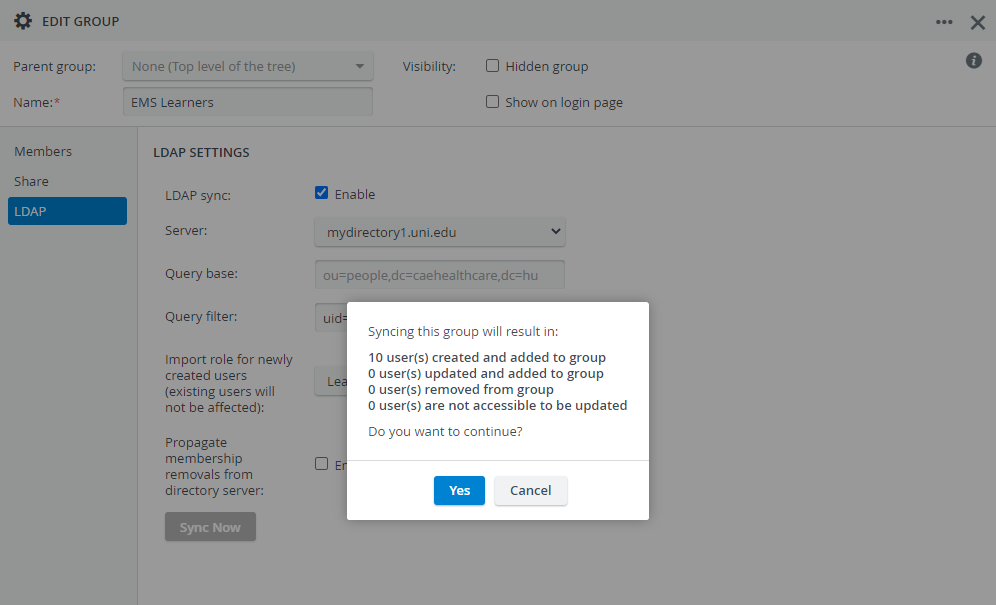
If you are only importing users, the system will show you how many new users are being created:
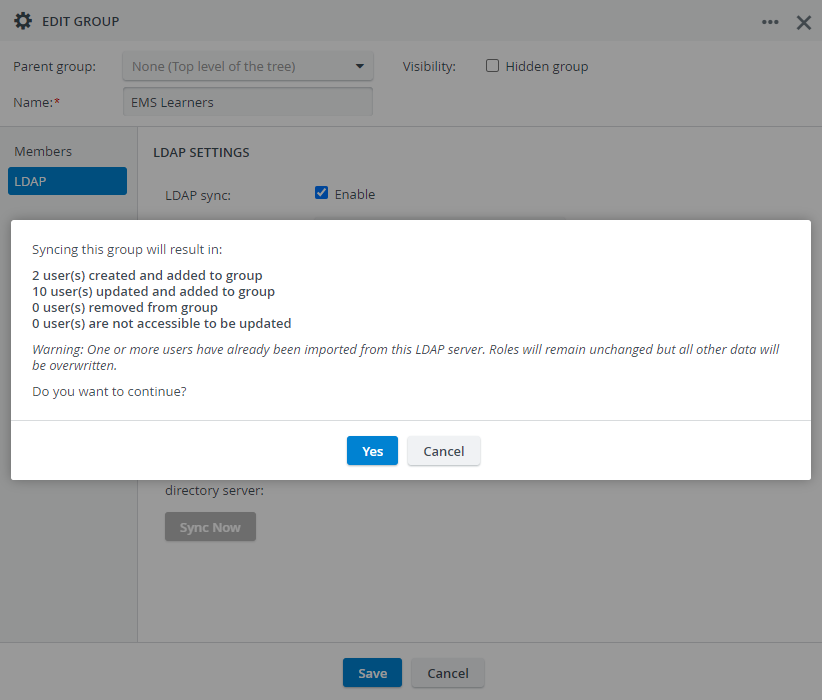
If there are previously imported users who are being updated, the system will also show you how many updated users you will have in the group:
For further information, visit our User Manager, System Manager, and System - How to pages.