How to Delete an Uploaded Data Log
IMPORTANT: LearningSpace supports two third-party simulators: Laerdal and Gaumard. Data logs saved from these simulators can be uploaded to and synchronized with recordings in the Video Review module of LearningSpace.
Once a data log has been uploaded to a recording, it can be deleted by following the steps below:
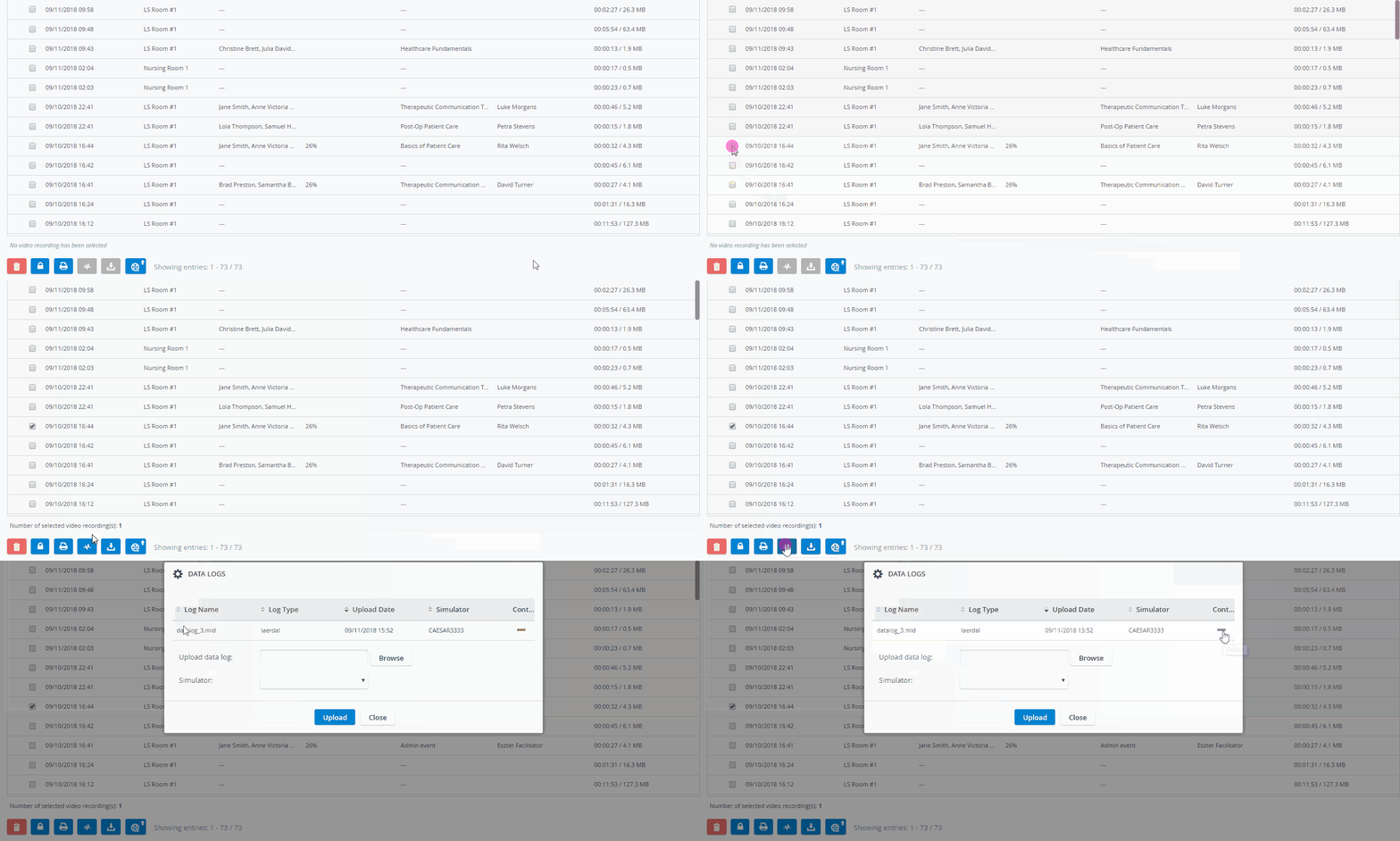
On the Video Review page, check the box of the recording from which you want to delete the previously uploaded data log.
Use the Quick search bar for a targeted search.
2. Click the Upload data log button.
The Data Logs pop-up window appears with information about the previously uploaded data log.
3. Click the red minus icon in the Controls column to remove the uploaded data log.
A pop-up window appears to confirm the deletion.
4. Click OK to remove the data log.
For more information, visit our Video Review pages.