How to Delete a Case Cabinet
In the Cabinets panel of the Case Manager screen, double-click the cabinet desired to be deleted or highlight it and click Open.
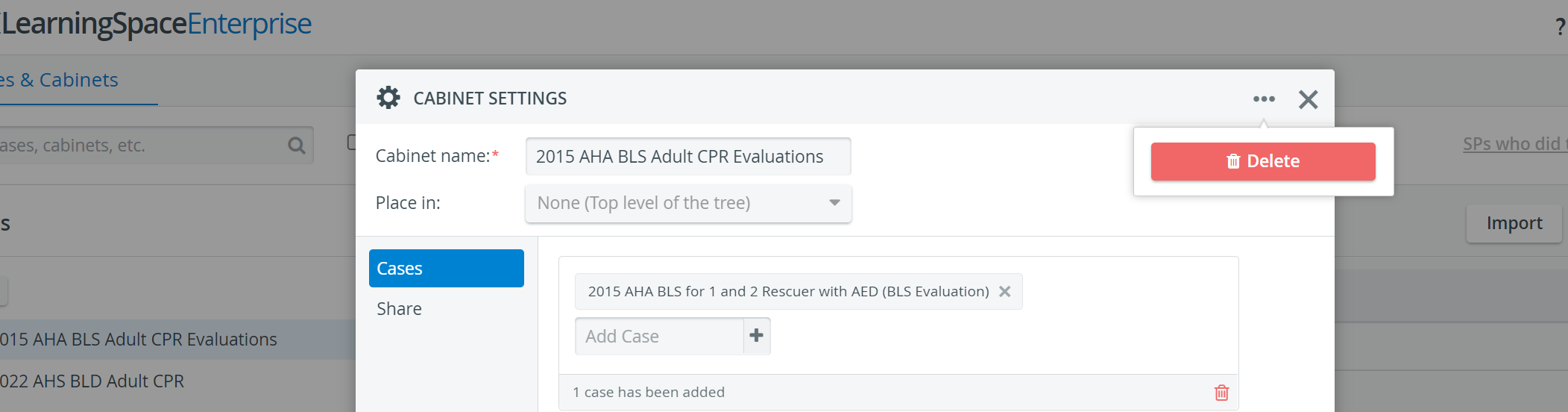
The Cabinet Settings pop-up window appears.Click the 'three-dot' (options) icon in the window's top right corner, then click the Delete button.

A window appears requesting the confirmation of deletion.Click Yes to confirm.
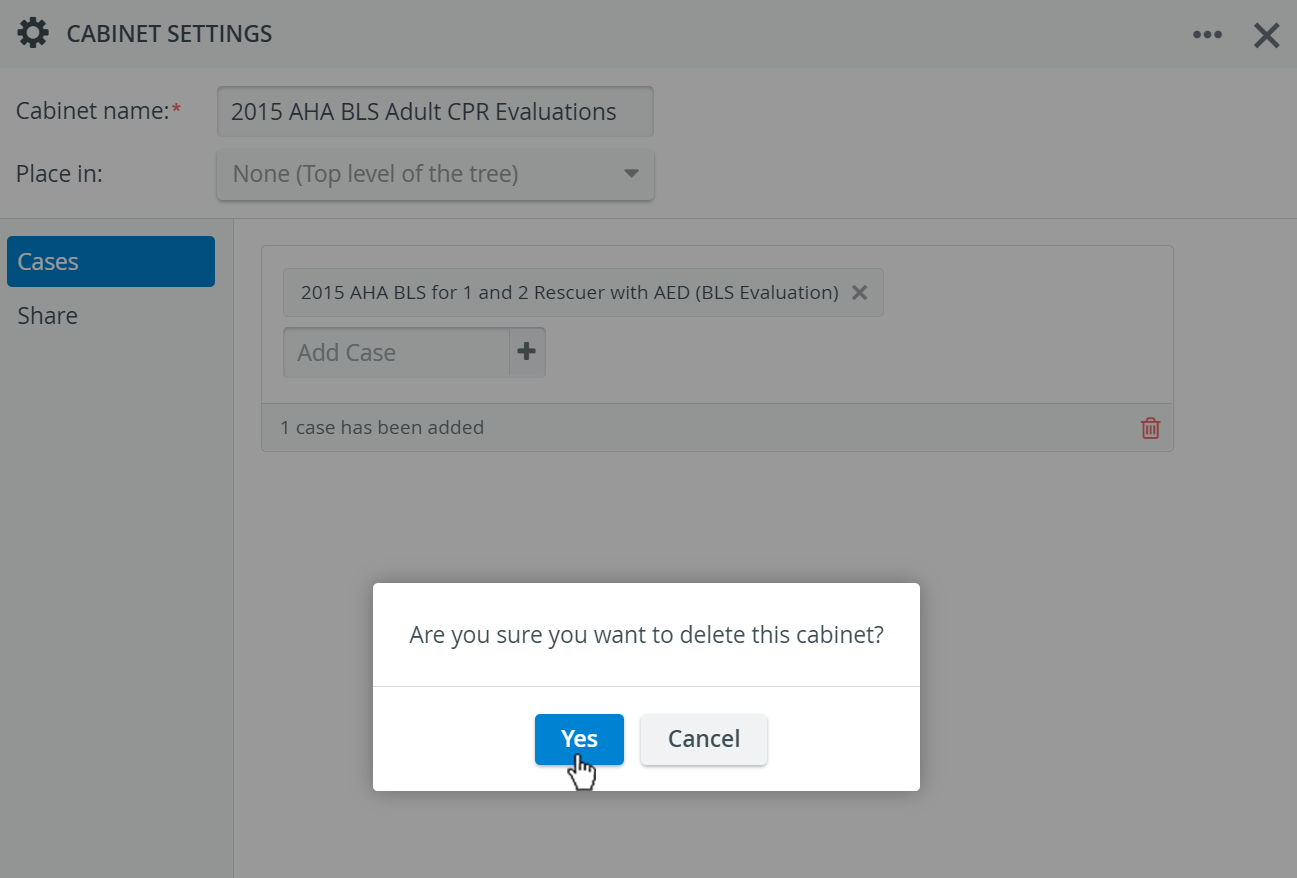
The cabinet will be deleted.

Deleting a Case cabinet will not delete the Cases originally stored in that cabinet.
For further information, visit our Case Manager and Cases - How to pages or watch our Case Manager Training Videos.