How to Copy Sessions
The page explains to SP coordinators how to copy Sessions inside a Cast sheet in the SPA module.
Copying Sessions
You can copy a Session if you plan a similar event containing the same or most patient scenarios (Cases) of your original Session.
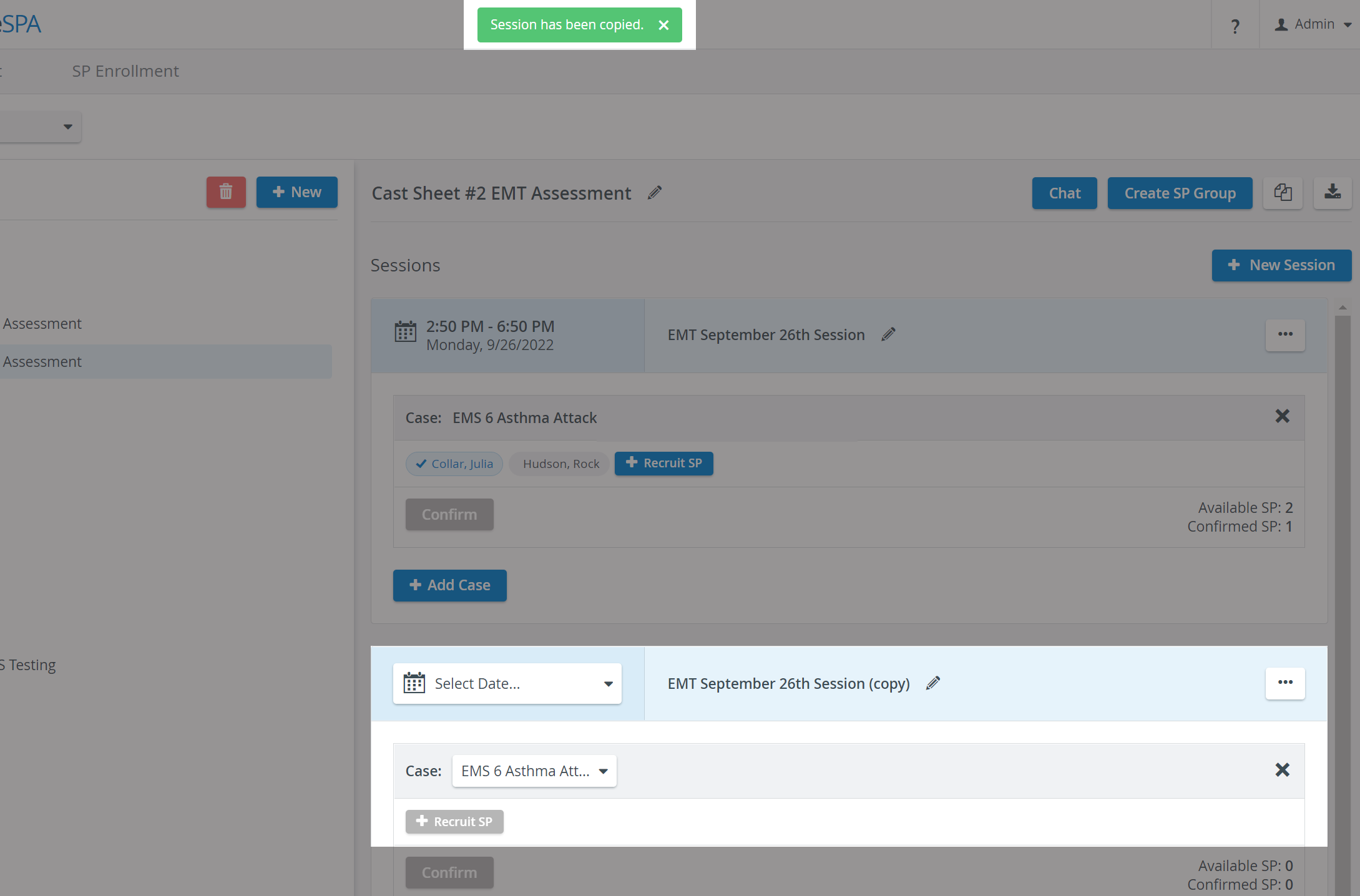
When copying a Session, the title and the Cases within, along with the selected case or custom filtering requirements, will be posted, but the date and the requested and confirmed SPs will not be included.
To copy a Session, open the options on the right of your Session header:
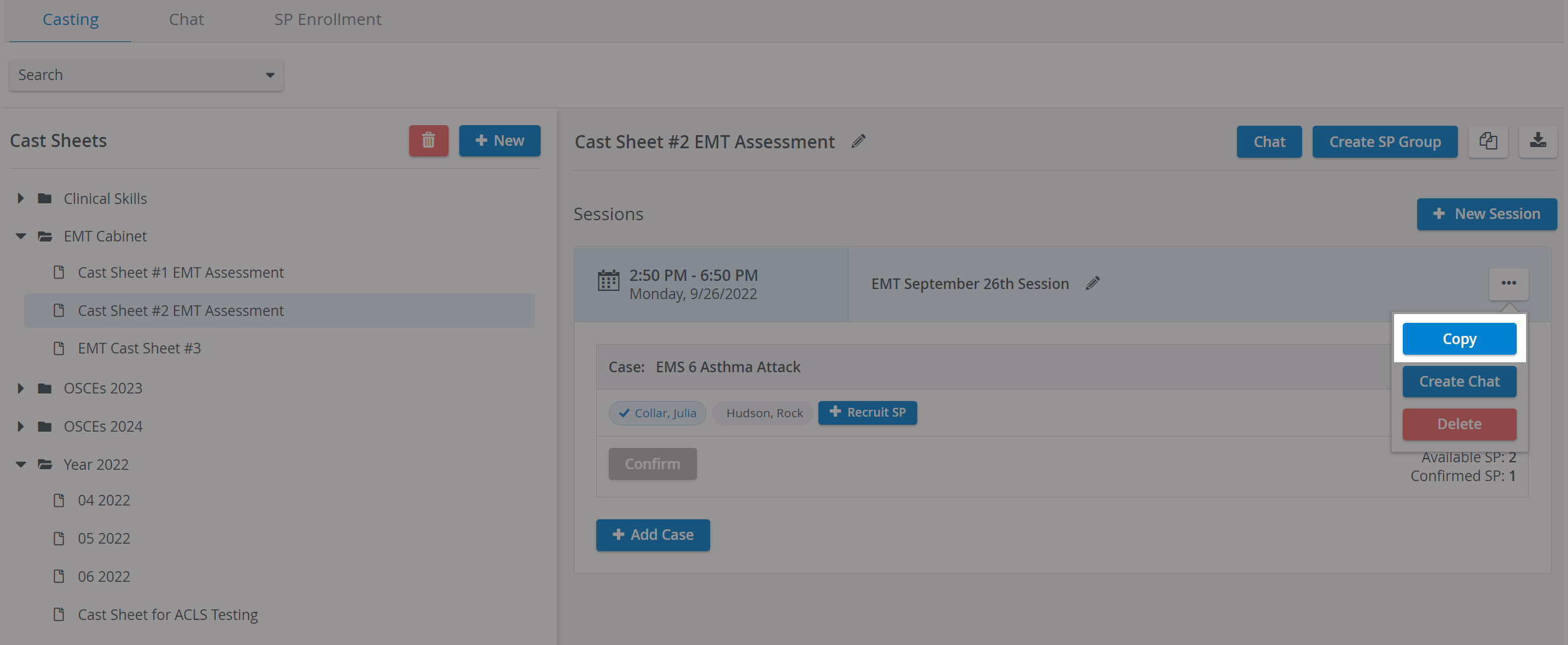
Select Copy, and your Sessions will be instantly copied:
The details that were not copied and consequently need to be specified are highlighted.
For further information, visit our Standardized Patient Administration and Standardized Patient Administration - How to pages.