How to Control the Recording Window while Reviewing - Legacy version
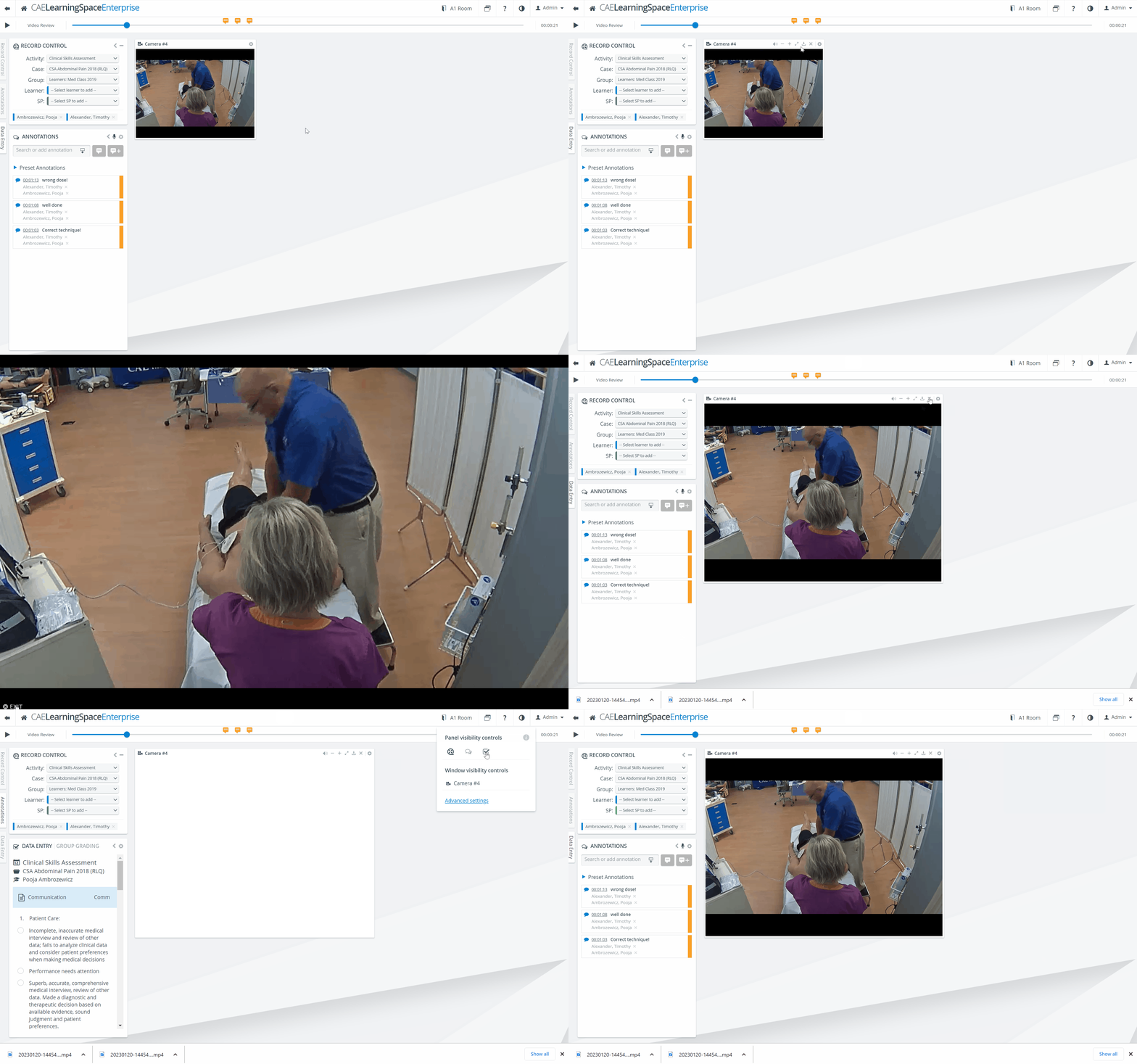
Click the cogwheel in the top right of a panel.
The Window control options appear.Click the speaker icon to turn the audio on or off.
Click the - or + icons to shrink or enlarge the panel.
Click the Full-screen icon to switch to Full-screen.
To close the full screen, click EXIT in the bottom left corner of the screen or press Escape on the keyboard.
5. Click the Download icon to download the recording of the specific camera.
6. Click the X to hide the panel.
To display a hidden panel, click the Window layout settings icon in the top right of the screen to open the visibility controls. Then click the hidden panel to display it. (A shaded option indicates a panel is hidden.)
For more information, visit our Video Review pages.